Why Is My Office Chair Uncomfortable?
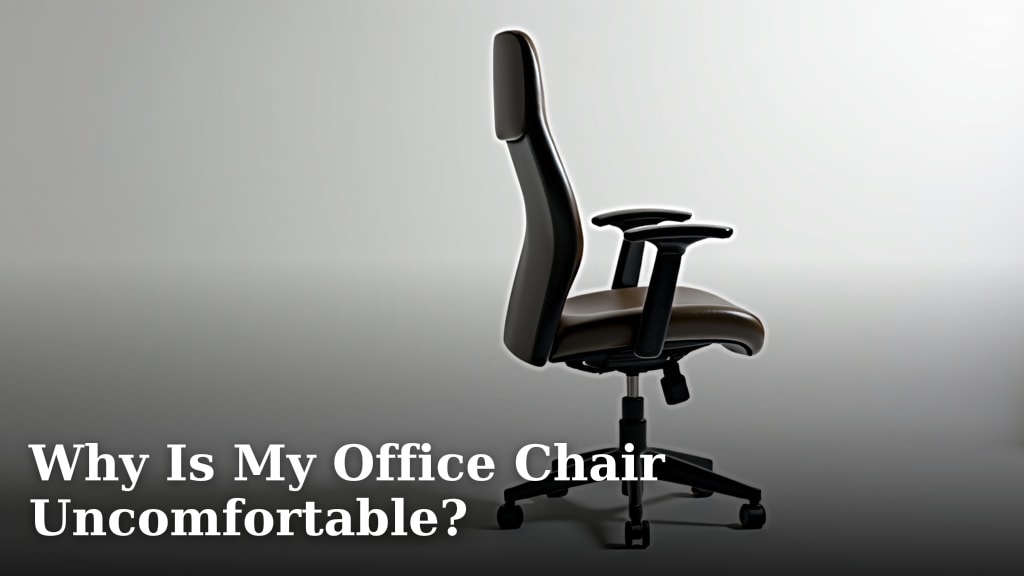
Your office chair is uncomfortable because it likely doesn’t fit your body correctly or isn’t adjusted for proper support, leading to aches and stiffness. Many people suffer through chairs that just don’t work for them.
You might be sitting in a chair that’s too old, broken, or simply the wrong type for long hours at a desk. We found that even a “good” chair can feel bad if you don’t know how to set it up just right for your unique posture.
- Poor fit for your body type.
- Incorrect adjustments for support.
- The chair is old or worn out.
- Not designed for long sitting sessions.
- Lack of awareness about proper setup.
Let’s take a closer look at common reasons why your office chair might be causing you discomfort and how to fix it.
Common Reasons for Office Chair Discomfort
You’re not alone if your office chair feels like it’s fighting against you. Many factors contribute to an uncomfortable sitting experience. We found that most problems boil down to a few key areas.
Your Chair Doesn’t Fit You Properly
Just like shoes, one size does not fit all when it comes to office chairs. Your chair might be technically “good” but still wrong for your body. This is a common issue we’ve observed.
It’s Not Designed for Your Body Type
Are you petite, tall, heavy, or very light? Standard chairs are often built for an average person. If your chair is too big or too small, it won’t provide the right support. We found many manufacturers design chairs for a specific weight and height range. If you fall outside that, discomfort is almost guaranteed.
Lack of Proper Ergonomic Adjustments
Even if the size is close, can you actually adjust it? A chair needs to move to fit your unique shape. We found that chairs with limited adjustments often lead to poor posture. You shouldn’t have to strain to reach the backrest or let your feet dangle.
- Seat height adjustment is essential.
- Backrest tilt and tension control helps support your spine.
- Armrest height and pivot are crucial for shoulder comfort.
Incorrect Chair Adjustments and Posture
Sometimes, your chair is perfectly capable, but it’s not set up correctly. Think of it like a bicycle: even the best bike needs to be adjusted for your leg length. Your sitting posture also plays a huge role in how comfortable you feel.
You Haven’t Adjusted it for Optimal Support
Do you know what all those levers and knobs on your chair do? Many people don’t! We’ve seen countless individuals sit in their chairs without ever making an adjustment. An unadjusted ergonomic chair is just a fancy, expensive chair. Taking the time to adjust it can make a world of difference.
Poor Sitting Habits and Posture
Even with a perfectly adjusted chair, your habits can cause discomfort. Slouching, leaning forward, or perching on the edge of your seat can counteract any ergonomic benefits. We found that maintaining a neutral spine is key (Mayo Clinic). Are you sitting tall right now?
- Keep your feet flat on the floor or on a footrest.
- Your knees should be at about a 90-degree angle.
- Ensure your lower back is supported by the lumbar curve.
- Keep your shoulders relaxed and your forearms parallel to the floor.
Your Chair is Past Its Prime
Chairs don’t last forever, especially if they’re used constantly. Over time, materials wear out, mechanisms break, and support fades. This is a common and often overlooked reason for discomfort.
Worn-Out Components and Cushioning
Does your seat feel flat? Does the backrest creak or wobble? We found that worn cushioning offers little support. Springs can break, and pneumatic cylinders can fail, causing your chair to sink. A chair with a “memory” of your old bad posture isn’t helping.
Lack of Lumbar Support
The lumbar area (your lower back) needs consistent support. We found that older, cheaper chairs often have inadequate or completely missing lumbar support. They might start with some, but it quickly flattens out, leaving your lower back unsupported. This forces your muscles to work harder, leading to pain (Journal of Occupational Rehabilitation).
The Chair Isn’t Right for Your Workstyle
How you use your chair also impacts comfort. Are you sitting for 8 hours straight, or just an hour here and there? Different activities demand different chair features.
Not Designed for Extended Sitting
Many chairs look good but aren’t built for long stretches at a desk. We’ve seen entry-level “office chairs” that are more suited for occasional use. If you sit for more than four hours a day, you need a chair designed for sustained support and pressure distribution. We found cheaper chairs often lack the dense foam and durable mechanisms needed for all-day comfort.
Lack of Movement and Dynamic Support
Sitting still for too long isn’t good for you. Your chair should allow for some movement, not restrict it. We found that dynamic chairs encourage slight shifts in posture, which can improve circulation and reduce stiffness. Does your chair let you rock or recline slightly?
| Symptom of Discomfort | Likely Chair-Related Cause | What to Look For |
|---|---|---|
| Back Pain (especially lower) | Lack of lumbar support, incorrect backrest tilt. | Adjustable backrest, firm lumbar curve. |
| Neck and Shoulder Tension | Improper armrest height, leaning forward too much. | Adjustable armrests, proper monitor height. |
| Numbness in Legs/Feet | Seat pan too deep, too high, or too hard. | Adjustable seat depth, waterfall edge, footrest. |
| Sore Hips/Tailbone | Worn-out seat cushion, too hard. | Quality, dense foam seat, pressure distribution. |
| General Stiffness/Fatigue | Poor overall adjustability, chair not matching body. | Full ergonomic adjustments, chair sized for you. |
How to Troubleshoot Your Uncomfortable Office Chair
Before you toss your chair, let’s go through a checklist. Many issues can be resolved with a few simple steps. We found that most people can improve their comfort significantly without buying a new chair.
Your Chair Comfort Checklist
Go through these items one by one. Are you doing all you can to get comfortable?
- Is your seat height correct? Your feet should be flat on the floor, and your knees at a 90-degree angle.
- Is your backrest supporting your lower back? Adjust the height and depth of the lumbar support to fit the curve of your spine.
- Are your armrests set properly? They should support your forearms lightly, keeping your shoulders relaxed, not shrugged.
- Is your seat depth appropriate? There should be 2-4 fingers’ width between the edge of the seat and the back of your knees.
- Is the tension on your recline correct? It should allow you to lean back easily but still support your upright posture.
Consider adding a separate lumbar pillow or a seat cushion if your chair is old or lacks adjustability. Even small accessories can make a big difference. We’ve seen them extend the life of many chairs.

Conclusion
An uncomfortable office chair doesn’t have to be your constant companion. Many factors contribute to discomfort, from a poor fit for your body to simple wear and tear. You now know the key culprits, whether it’s the chair’s design, your adjustments, or its age.
By understanding why your chair feels bad, you can take control. We found that even small changes can dramatically improve your sitting experience. Take the time to apply the comfort checklist and assess your current setup. Your body will thank you!
Frequently Asked Questions
How often should I replace my office chair?
Most quality office chairs are designed to last around 5-10 years with regular use. However, if you notice significant wear, a loss of support, or increasing discomfort, it might be time for a replacement sooner. Listen to your body and its signals.
Can a cheap office chair ever be comfortable?
While some inexpensive chairs can offer temporary comfort, they often lack the adjustability and durability needed for long-term support. You might find a comfortable position initially, but we found that cheaper materials and limited features typically lead to discomfort over time, especially with extended use.
Is an ergonomic chair always comfortable?
Not automatically! An ergonomic chair is designed with adjustability to support various body types and postures. However, if it’s not properly adjusted for your specific body, or if your sitting habits are poor, it can still feel uncomfortable. The key is proper setup and informed use.
What’s the most common mistake people make with their office chairs?
From what we’ve observed, the most common mistake is not adjusting the chair at all. Many people sit down and use the chair in its default settings, missing out on all the ergonomic benefits. Take time to learn what each lever and knob does.
Beyond the chair, what else affects sitting comfort?
Many other factors impact your overall comfort. These include your desk height, monitor position, keyboard and mouse placement, and even your habit of taking regular breaks. A well-adjusted chair is one part of a complete ergonomic workstation.