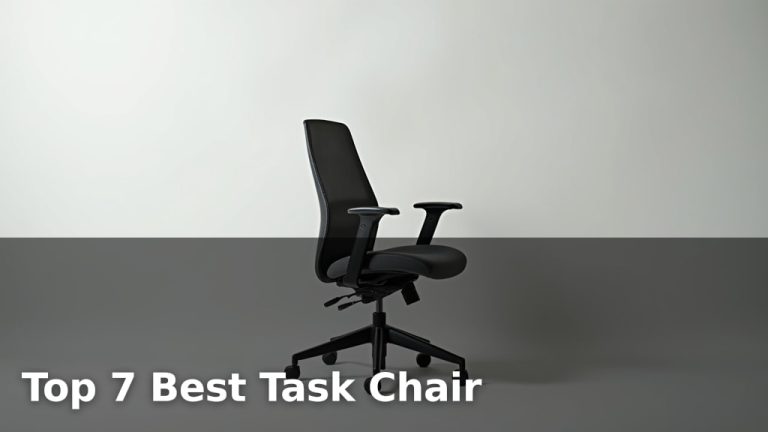
Can Sitting in a Bad Office Chair Cause Sciatica?

Yes, sitting in a bad office chair can absolutely contribute to sciatica, making your daily life much more uncomfortable. Prolonged poor posture puts stress on your spine. This can irritate or compress your sciatic nerve.
Your office chair plays a bigger role than you might think in your overall back health. An unsupportive chair can force your body into positions that strain your lower back and hips. We found that many people experience new or worsening sciatica symptoms due to a less-than-ideal sitting setup.
- Bad office chairs can cause or worsen sciatica.
- Poor posture stresses the sciatic nerve.
- Look for chairs with good lumbar support.
- Proper ergonomics are key to prevention.
- Simple adjustments can make a big difference.
So, let’s explore how your office chair might be impacting your sciatica and what you can do about it.
How Your Office Chair Affects Sciatica
Your office chair can be a hidden culprit behind your sciatica symptoms. It’s not just about sitting; it’s about how you sit and the support your chair offers. A poor chair can create a domino effect of pain.
We found that many people spend hours each day in chairs that don’t support their natural spinal curve. This forces your body into awkward positions. Over time, this puts pressure on your lower back and the nerves that exit it.
Understanding the Sciatic Nerve and Chair Impact
The sciatic nerve is the longest nerve in your body. It starts in your lower back and runs down each leg. When this nerve gets irritated or compressed, you feel sciatica.
Pain often shoots down your leg, sometimes reaching your foot. You might feel numbness, tingling, or weakness. It’s a truly uncomfortable experience (National Institute of Neurological Disorders and Stroke).
A bad office chair doesn’t cause sciatica directly, but it creates conditions that make sciatica more likely. It can also make existing sciatica much worse. Think of it as throwing fuel on a fire.
The Role of Posture
Good posture keeps your spine in its natural S-curve. Your head, shoulders, and hips should align. When your chair lacks support, you tend to slouch or lean forward. This is called poor posture.
Slouching flattens your lower back curve. This increases pressure on your spinal discs. These discs can then bulge or herniate, pressing on your sciatic nerve. It’s a common scenario we’ve seen.
Leaning forward strains your back muscles. These muscles work hard to support your body. Tired muscles can become tight and spastic, further compressing nerves. It’s a vicious cycle of discomfort.
Common Chair Flaws That Trigger Sciatica
Not all chairs are created equal. Some common design flaws turn an office chair into a sciatica-aggravating device. Knowing these can help you identify a problem chair.
We found that chairs often fail in key support areas. This leads to improper body alignment. Your body tries to compensate, but this only leads to more strain.
Lack of Lumbar Support
Lumbar support is crucial for your lower back. It helps maintain the natural inward curve of your spine. Many chairs have flat or non-adjustable backs. These chairs offer no real lumbar support.
Without proper support, your lower back flattens out. This puts stress on your spinal discs. It’s like building a bridge without proper arches – it will sag under pressure.
Insufficient Seat Depth or Width
The seat of your chair should fit your body. If the seat is too deep, you might slouch to reach the backrest. If it’s too shallow, your thighs won’t be fully supported. Both are bad for your back.
A seat that’s too narrow can restrict blood flow and put pressure on your hips. This can also irritate your sciatic nerve. Your chair should provide even pressure distribution.
Rigid or Unadjustable Features
Every person is different. A good office chair should be highly adjustable. If your chair is rigid, you can’t tailor it to your body. This forces you to adapt to the chair, rather than the other way around.
Important adjustable features include seat height, backrest angle, and armrest height. Lack of these can force your body into positions that strain your spine and nerves.
Signs Your Office Chair Might Be Causing Sciatica
How do you know if your chair is the problem? Pay attention to your body. Your body gives you clues. We found some consistent patterns in how people describe their pain when their chair is to blame.
If you feel worse after sitting for long periods, your chair might be contributing. The discomfort often eases when you stand up or move around. This is a big hint.
- Pain that starts or worsens after prolonged sitting.
- Numbness or tingling in one leg, especially when seated.
- A dull ache in your lower back that spreads down your thigh.
- Difficulty getting comfortable in your chair.
- Finding temporary relief by shifting positions frequently.
Choosing a Sciatica-Friendly Office Chair
Investing in a good office chair is investing in your health. Don’t think of it as an expense, but as a preventative measure. It can save you a lot of pain and potential medical bills.
Many experts, including ergonomists, recommend chairs with specific features. These features work together to support your spine and reduce pressure on your sciatic nerve.
Key Features to Look For
When shopping for a new chair, keep these points in mind. You want a chair that can adapt to you. Here’s a quick checklist:
| Feature | Benefit for Sciatica |
|---|---|
| Adjustable Lumbar Support | Maintains natural spinal curve, reduces lower back pressure. |
| Adjustable Seat Height | Allows feet to be flat on the floor, hips slightly above knees. |
| Adjustable Seat Depth | Ensures proper thigh support without pressure behind knees. |
| Reclining Backrest | Allows for occasional changes in posture, reduces spinal load. |
| Adjustable Armrests | Supports arms, prevents slouching, reduces shoulder and neck strain. |
| Swivel Base with Wheels | Allows for easy movement without twisting your spine. |
Testing a chair before buying is always a good idea. Sit in it for at least 10-15 minutes. See how your body feels.
Ergonomic Adjustments for Your Current Chair
If a new chair isn’t an option right now, don’t despair. There are ways to improve your current setup. Small changes can make a big difference for your back and sciatic nerve.
We found that even simple adjustments can provide noticeable relief. It’s about optimizing what you have before you buy something new.
DIY Lumbar Support
You can create your own lumbar support. Roll up a towel or a small cushion. Place it in the curve of your lower back. This helps maintain your spine’s natural curve.
This simple trick can reduce the strain on your spinal discs. It’s an easy and cost-effective way to improve your sitting posture.
Footrest for Proper Leg Positioning
Your feet should be flat on the floor with your knees at a 90-degree angle. If your chair is too high, use a footrest. This ensures your hips are slightly above your knees.
A footrest also helps distribute your weight evenly. It takes pressure off your lower back and thighs. We’ve seen this help many people.
Strategic Cushioning
A seat cushion can improve comfort and pressure distribution. Look for cushions designed for sciatica relief. These often have cut-outs to relieve pressure on the tailbone and hips.
Avoid overly soft cushions that let you sink in too much. You want firm, supportive cushioning that maintains your posture.
Beyond the Chair: Holistic Approaches to Sciatica Relief
While your office chair is important, it’s only one piece of the puzzle. Your overall habits and lifestyle play a huge role in managing sciatica. We encourage a multi-faceted approach.
Addressing sciatica often requires more than just a good chair. It means looking at your daily routines and making healthy choices. Your body will thank you for it.
Regular Movement and Breaks
Sitting for long periods is detrimental, even in the best chair. Get up and move every 30-60 minutes. Take a short walk, stretch, or simply stand for a few minutes.
Movement promotes blood flow and reduces stiffness. It prevents pressure from building up on your sciatic nerve. Think of it as hitting a “reset” button for your spine.
Stretching and Exercise
Specific stretches can help relieve sciatic pain. Gentle yoga, hamstring stretches, and piriformis stretches are often recommended. Consult a physical therapist for guidance (Mayo Clinic).
Strengthening your core muscles is also vital. Strong abdominal and back muscles support your spine. This takes stress off your lower back and the sciatic nerve.
Maintain a Healthy Weight
Excess weight, especially around the abdomen, puts extra strain on your lower back. Losing even a few pounds can significantly reduce this pressure.
A balanced diet and regular exercise contribute to a healthy weight. This helps your overall back health and can lessen sciatica symptoms.
Here’s a quick checklist to help prevent and manage sciatica while at your desk:
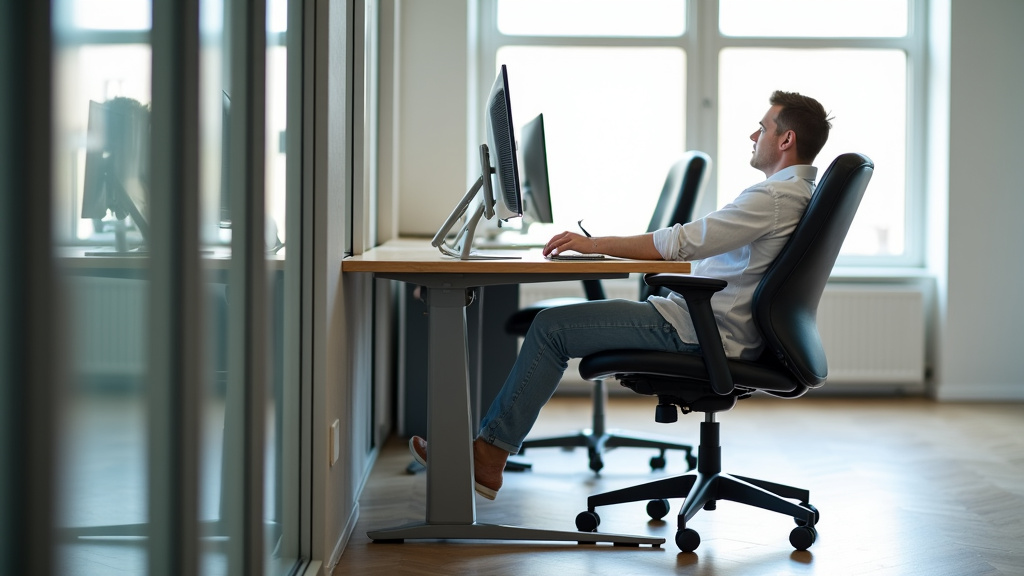
- Adjust your chair so your feet are flat and knees at 90 degrees.
- Ensure your lower back is supported by a cushion or lumbar support.
- Take a 5-minute break to stand and stretch every hour.
- Keep your computer monitor at eye level to prevent neck strain.
- Avoid crossing your legs, as this can put pressure on your hips.
- Consider a standing desk option for part of your workday.
Conclusion
While a bad office chair might not be the sole cause of your sciatica, it can certainly be a major contributor and worsen existing symptoms. We’ve seen how poor posture, a lack of lumbar support, and rigid features can put immense pressure on your sciatic nerve. Taking action to improve your seating situation is a critical step in managing or preventing this uncomfortable condition.
You have the power to make positive changes. Whether it’s upgrading your chair, making strategic adjustments to your current setup, or adopting healthier movement habits, every effort helps. Start by assessing your current chair and sitting posture today, and give your back the support it truly needs.
Frequently Asked Questions
Can I get sciatica from sitting too long, even in a good chair?
Yes, prolonged sitting, regardless of chair quality, can still contribute to sciatica. Your body needs movement to maintain circulation and reduce pressure on the spine and nerves. Make sure to take frequent breaks and stretch throughout your workday.
How quickly can a bad chair cause sciatica symptoms?
The onset of sciatica symptoms from a bad chair can vary greatly. Some people might feel discomfort within hours or days, while for others, it might develop gradually over weeks or months of consistent poor posture. It depends on your individual body mechanics and existing vulnerabilities.
What’s the best sleeping position if my chair is causing sciatica?
If your chair is contributing to sciatica, focus on sleeping positions that support your spine. Lying on your back with a pillow under your knees, or on your side with a pillow between your knees, can help maintain spinal alignment and reduce nerve compression.
Will a standing desk completely solve sciatica caused by sitting?
A standing desk can be a great tool to reduce prolonged sitting and alleviate sciatica symptoms. However, standing for too long without proper posture can also cause issues. The best approach is to alternate between sitting and standing throughout your day.
Is it possible to fix a cheap office chair to make it sciatica-friendly?
You can often improve a cheap office chair with some simple modifications. Adding a lumbar support cushion, using a footrest, and ensuring proper height adjustment can make a big difference. While it won’t be as effective as a high-quality ergonomic chair, these DIY solutions offer good temporary relief.