How to Adjust Lumbar Support on Office Chair?

To adjust lumbar support on your office chair, you generally need to locate the adjustment mechanism, which is often a lever, knob, or button, and then move it to change the curve and height of the lumbar support until it fits your lower back comfortably. Proper adjustment helps maintain your spine’s natural curve and reduces strain.
Many office chairs offer adjustable lumbar support to help you achieve an ergonomic sitting position, but the exact method can vary by chair model. You might find a simple up-and-down slider or a more advanced system that lets you tweak both the height and depth of the support. We understand that finding the sweet spot for your back can truly make a difference in your workday comfort and health.
- Identify your chair’s lumbar adjustment type.
- Adjust the height to align with your lower back’s curve.
- Modify the depth or firmness for optimal support.
- Test different settings for personalized comfort.
Let’s walk through the different types of lumbar support adjustments you might encounter and how to use them effectively to keep your back happy.
Understanding Your Office Chair’s Lumbar Support Mechanisms
Diving into your office chair’s lumber support begins with knowing what kind of adjustment system you have. We’ve found that recognizing your chair’s particular design is the first step toward achieving spinal bliss. Is it a simple knob, a lever, or something more hidden?
Each type offers distinct ways to tailor the support to your unique body shape. Don’t worry, even if it seems complicated, we’ll break it down for you. You want that perfect sweet spot, right?
Common Lumbar Support Adjustment Types
When you’re trying to figure out how to adjust the lumbar support on your office chair, you’ll generally encounter a few main types. We’ve observed these are the most widespread designs across many office chair brands.
Knowing which one your chair has will make the adjustment process much smoother. It’s like knowing your car has automatic windows versus manual; both get the job done, but the method is different.
Manual Knob or Lever Adjustments
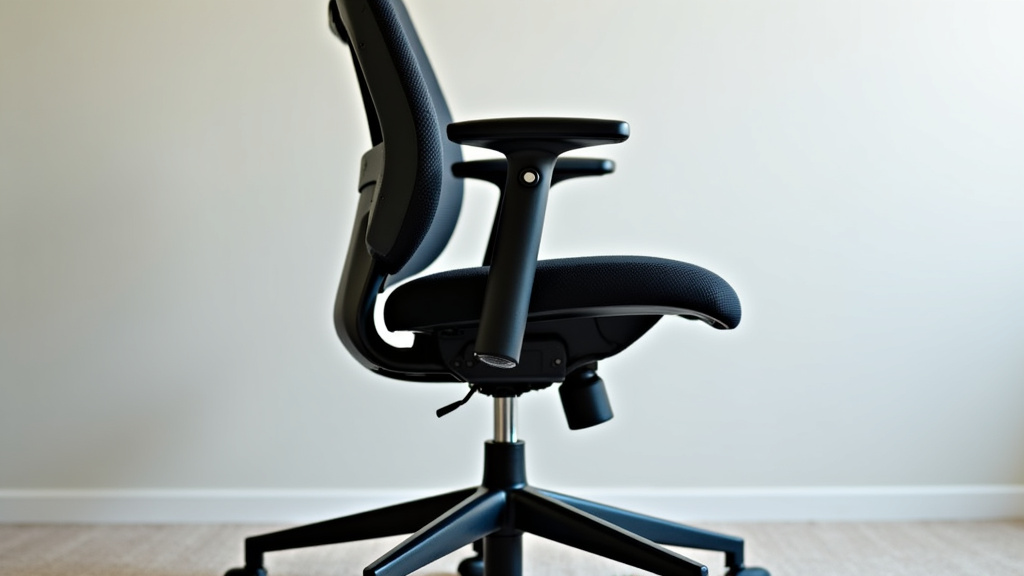
These are often the most straightforward. You’ll usually find one or two knobs or levers on the back or side of your chair. A knob generally controls the depth or firmness of the lumbar curve. Turning it clockwise might push the support further into your back, while counter-clockwise softens it.
If you have a lever, it might adjust the height or sometimes the depth. You might pull it up or down, or push it in or out. It’s a very hands-on approach, giving you direct control.
Ratchet Backrest Lumbar Support
This type is common for adjusting height. You simply push the backrest up, and it “clicks” into various positions, much like a car seat headrest. Once you reach the highest point, pushing it up one more time usually releases it to slide back down.
Many people find this system intuitive. It helps you quickly find the right height for your lower back’s natural curve. The clicks provide clear feedback that you’re changing the setting.
Air Bladder or Pump-Style Lumbar Support
For a more customized feel, some advanced chairs include an air bladder. You’ll find a small hand pump, often on the side of the chair, which lets you inflate or deflate an internal cushion.
This allows for very precise adjustments to the firmness and curve hitting your lower back. It’s almost like having a personalized pillow built into your chair. This level of customization can be a game-changer for those with specific back needs (National Institutes of Health).
Integrated and Automatic Lumbar Support
Some chairs boast integrated lumbar support. This means the backrest itself is contoured to provide support, and there might not be separate adjustment mechanisms.
Other chairs might offer “automatic” or “adaptive” lumbar support. These systems often use flexible materials or internal mechanisms that respond to your movements, adjusting the support dynamically.
While less user-adjustable in the traditional sense, they aim to provide good support without you having to think about it. However, if it doesn’t fit you well, you might be out of luck.
Step-by-Step Guide to Optimally Adjusting Lumbar Support
Now that you know what kind of adjustment system your chair has, let’s get down to business. Proper adjustment isn’t just about comfort; it’s about supporting your spinal health (Mayo Clinic). You want to aim for a position where your lower back feels gently cupped and supported, not pushed or strained.
Think of it like perfectly fitting a glove; it should feel snug and natural, not tight or loose.
Finding the Right Height for Lumbar Support
The height of your lumbar support is arguably the most crucial factor. Your lumbar spine, or lower back, naturally curves inward. The support should nestle precisely into this curve.
We’ve found that if it’s too low, you’ll slouch. If it’s too high, it’ll push your mid-back instead of your lower back, which isn’t helpful.
- Sit upright: Start by sitting fully back in your chair, with your hips as far back as possible.
- Locate your natural curve: Feel for the inward curve of your lower back, just above your belt line. This is where the support needs to be.
- Adjust upwards: For ratchet backrests, lift the back until the support is at the desired height. For levers, operate the lever to move the support up.
- Adjust downwards: If you’re using a ratchet, push it to its highest point to release it, then let it slide down to your ideal position. For levers, move the lever down.
- Test and re-test: Sit for a few minutes. Does it feel like it’s filling the gap in your lower back without pushing too hard?
Adjusting the Depth and Firmness of Lumbar Support
Once you have the height right, focus on the depth and firmness. This is about how much the support pushes into your back. Too little, and you’ll still slouch. Too much, and it can be uncomfortable or even painful.
The goal is to maintain your natural spinal curve without feeling like you’re being forced into a position. Imagine a gentle, supportive hug for your lower back.
- Identify depth/firmness control: Look for a knob, pump, or a second lever (if your chair has two levers).
- Start with minimal depth: If adjustable, begin with the support at its least intrusive setting.
- Gradually increase: Turn the knob or pump the air bladder slowly, feeling how the support changes.
- Find the balance: You want enough support to keep your lower back from rounding, but not so much that it feels like it’s arching your back excessively.
- Consider your movements: You should still be able to move a little without feeling completely rigid.
Fine-Tuning and Personalizing Your Lumbar Support
Lumbar support isn’t a “set it and forget it” feature for everyone. Your comfort can change throughout the day, especially if you shift positions or take breaks.
We recommend revisiting your settings periodically. Your body’s needs might change, too. What felt perfect yesterday might feel slightly off today. Being honest with yourself about comfort is key.
Here’s a quick checklist to help you fine-tune:
- Sit fully back in the chair.
- Ensure your feet are flat on the floor or a footrest.
- Adjust seat height so hips are slightly higher than knees.
- Align lumbar support with your lower back’s inward curve.
- Adjust depth until you feel gentle, consistent pressure.
- Check for any pressure points or discomfort after 15-20 minutes.
Remember, the best adjustment is the one that feels right for you. There’s no one-size-fits-all answer. Your back is unique!
Troubleshooting Common Lumbar Support Issues
Sometimes, even with all the adjustments, things can still feel a bit “off.” Don’t get discouraged! We’ve heard many people express frustration when their lumbar support just doesn’t seem to hit the spot.
Most issues have simple solutions, or at least ways to improve the situation. Let’s tackle some common problems you might encounter.
When the Lumbar Support Feels Too Aggressive or Insufficient
If your lumbar support feels like it’s pushing too hard, or not enough, it’s often a depth or firmness issue. First, double-check your depth adjustment (knob, pump). Gradually decrease the firmness until it feels more like a cradle than a poke.
If it’s always too aggressive, even at its lowest setting, you might consider adding a small, soft cushion in front of the lumbar support to soften its impact. Conversely, if it’s never enough, even at maximum firmness, a small rolled towel or dedicated lumbar pillow might be needed to supplement it.
Dealing with Lumbar Support Too High or Too Low
This is usually a height adjustment problem. Go back to feeling for your natural lumbar curve, just above your belt line. If the support is pushing into your mid-back, it’s too high. If it’s pushing into your tailbone or sitting below your lowest lumbar vertebrae, it’s too low.
Many ergonomic experts suggest the support should align with the small of your back (Cleveland Clinic). Spend extra time on this adjustment. Sometimes a slight adjustment of an inch or two can make a huge difference.
Combining Lumbar Support with Other Chair Adjustments
Remember, your lumbar support doesn’t work in isolation. It’s part of a symphony of adjustments on your chair that contribute to overall ergonomics. We often find that tweaking one element can impact another.
For example, if you change your seat depth, it might subtly alter how your lumbar support feels. Reclining your chair can also change the natural curve of your back, making the lumbar support feel different.
Here’s how other adjustments play a role:
| Chair Adjustment | How it Affects Lumbar Support | Tip for Coordination |
|---|---|---|
| Seat Height | Affects overall posture and angle of your hips relative to your spine. | Ensure feet are flat and knees are at 90 degrees or slightly open. |
| Seat Depth | Determines how much of your thighs are supported and how far back you sit. | Leave 2-4 fingers’ width between the seat edge and the back of your knees. |
| Backrest Recline Angle | Changes the angle of your torso, affecting where lumbar contact is made. | Adjust lumbar support while at your preferred recline angle. |
| Armrests | Though not directly affecting lumbar, good arm support prevents slouching. | Set armrests so shoulders are relaxed, and elbows are at 90 degrees. |
Address each adjustment systematically, starting with seat height, then depth, then recline, and finally, fine-tune your lumbar support. It’s a continuous optimization process!
Conclusion
You now have the knowledge and steps to conquer your office chair’s lumbar support. Remember, a properly adjusted chair helps maintain your natural spinal curve and reduces daily strain. We’ve seen how simple adjustments, from finding the right height to fine-tuning depth, can dramatically improve your comfort. Don’t settle for discomfort; take a few minutes right now to apply these tips. Your back will thank you for taking control of your ergonomic setup!
Frequently Asked Questions
How often should I re-adjust my chair’s lumbar support?
We recommend re-checking your lumbar support settings periodically, especially if you feel new discomfort or spend long hours sitting. Your body’s needs can change, and minor adjustments throughout the week can maintain optimal support.
Can I add lumbar support if my chair doesn’t have it built-in?
Yes, you can. Many people find a small, rolled towel or a dedicated lumbar pillow effective. These additions can provide the necessary curve support for chairs lacking integrated adjustability.
Why is my lumbar support uncomfortable even after adjusting it?
If you’ve followed all the steps and still feel uncomfortable, the issue might be with other chair adjustments like seat height or depth. Ensure your feet are flat, and your hips are slightly above your knees, as these impact how your lower back interacts with the support. It might also be that the chair’s design is not suitable for your body type.
What’s the ideal position for lumbar support on my back?
The ideal position for lumbar support is in the natural inward curve of your lower back, typically just above your belt line. It should gently fill this gap, rather than push into your mid-back or sit too low near your tailbone. The goal is a subtle, supportive feeling.
Does adjusting lumbar support help with upper back pain too?
Yes, indirectly. Proper lumbar support encourages better overall posture, which can prevent slouching and reduce strain on your upper back and shoulders. By supporting your lower spine, you create a more stable foundation for the rest of your back.