
Can Office Chairs Cause Sciatica?

Yes, office chairs can cause sciatica, primarily when you sit for long hours with poor posture or a chair that lacks proper support. The pressure on your spine and nerves from a bad seating setup can trigger that sharp, shooting pain you feel down your leg. This is a common problem for anyone who works at a desk all day.
Research and found that many desk jobs contribute to sciatic nerve pain by forcing your body into awkward positions. We found that the problem often isn’t just the chair, but how you use it and for how long. Factors like lumbar support, seat height, and even your mouse placement play a huge role in protecting your back.
- Yes, they can. Poor chairs and posture are major contributors to sciatica.
- Long hours of sitting increase pressure on the sciatic nerve.
- Key fixes include ergonomic adjustments, taking breaks, and strengthening exercises.
- You can prevent or reduce pain with simple changes to your workspace.
Below, we break down exactly how your office chair might be causing your pain and the simple steps you can take to fix it. Let’s walk through the solutions so you can get back to feeling good at work.
How Your Office Chair Might Be Triggering Sciatica
Your office chair can absolutely contribute to sciatica. The link comes down to prolonged sitting and poor spinal alignment. When you sit incorrectly, it puts direct pressure on your lumbar spine and the sciatic nerve. This nerve is the longest in your body, running from your lower back down through your legs. If you feel a sharp, burning, or shooting pain from your buttock down to your foot, your chair setup could be a key culprit. Many experts in ergonomics point to sedentary work as a major risk factor for back pain and nerve issues (CDC). So, you’re right to be suspicious of that chair you spend eight hours a day in.
The Sciatic Nerve and Sitting: A Quick Breakdown
To understand why your chair matters, you need to know what the sciatic nerve does. It’s not one big nerve, but a bundle of nerves from your lower spine. They join together and exit your pelvis, traveling down each leg. When you sit for long stretches, you do a couple of things. First, you flatten the natural curve of your lower back, called lumbar lordosis. Second, you increase the pressure on the discs between your vertebrae. Research and found that sitting for more than six hours a day significantly increases the risk of chronic lower back pain (NIH). This pressure can irritate or pinch the sciatic nerve roots, causing that telltale pain.
What Happens When You Slouch
Think of your spine like a stack of blocks. When you slouch, you tilt your pelvis backward. This rounds your lower back and pushes the discs in your spine forward. That forward bulge can press on the nerves. Over time, this isn’t just uncomfortable—it can lead to inflammation. A study published in the Archives of Physical Medicine and Rehabilitation found that poor sitting posture is directly associated with an increased risk of sciatica. It’s not just about being lazy; it’s about your anatomy reacting to a bad position hour after hour.
The Role of Pelvic Tilt
Your pelvis is the foundation of your sitting posture. If your chair forces your pelvis into a posterior tilt (tilting backward), your lower back rounds. This is the “C-shaped” slump many people fall into. The ideal position is a neutral pelvis, where your sit bones (the bony parts you feel when you sit) are directly under you. This keeps your natural lumbar curve intact. A chair without proper lumbar support or with a seat that’s too deep can push you into that bad posterior tilt. We found that an adjustable chair is key to maintaining a healthy pelvic position.
Why Your Current Chair Might Be the Problem
Not all office chairs are created equal. A cheap, flat, or poorly designed chair can directly contribute to sciatica. The main issues are lack of support, incorrect dimensions, and forcing you into a static position. Your chair should adapt to you, not the other way around. Many guidelines point to adjustable features as essential for preventing back pain (Mayo Clinic). Let’s look at the specific chair features that can make or break your back health.
Missing Lumbar Support
This is the big one. Lumbar support is a curve in the backrest that fills the gap in your lower back. Without it, your spine is unsupported and tends to round. This is a fast track to putting pressure on your sciatic nerve. A chair with a fixed, one-size-fits-all curve often doesn’t match your body. The best chairs have adjustable lumbar support that you can move up and down and in and out. This lets you target the exact spot where your back needs support.
Seat Height and Depth Issues
If your seat is too high, your feet dangle. This pulls on your lower back. If it’s too low, your knees are higher than your hips, which can also strain your back. The ideal height lets your feet rest flat on the floor with your knees at a 90-degree angle. Seat depth matters too. If the seat pan is too long, it can press into the back of your knees. This restricts blood flow and can cause you to slouch to relieve the pressure. You want about two to four fingers of space between the edge of the seat and the back of your knees.
The Recline Factor
Leaning back a bit can actually be good for your back. Research shows that a reclined sitting posture (between 110 and 130 degrees) reduces pressure on the spinal discs compared to sitting upright (NCBI). But many office chairs are designed to keep you sitting at 90 degrees. If your chair doesn’t allow you to recline slightly, or if you’re always hunched forward toward your screen, you’re missing out. A chair with a tilting mechanism lets you move and shift, which is much better for your discs and nerves.
Ergonomic Fixes That Actually Work
The good news is you don’t have to quit your job or buy a thousand-dollar chair tomorrow. Simple, strategic adjustments can make a huge difference. We found that combining the right chair setup with good habits is the most effective approach (Cleveland Clinic). You can start fixing the problem right now. Let’s walk through the key changes.
Adjust Your Chair Step by Step
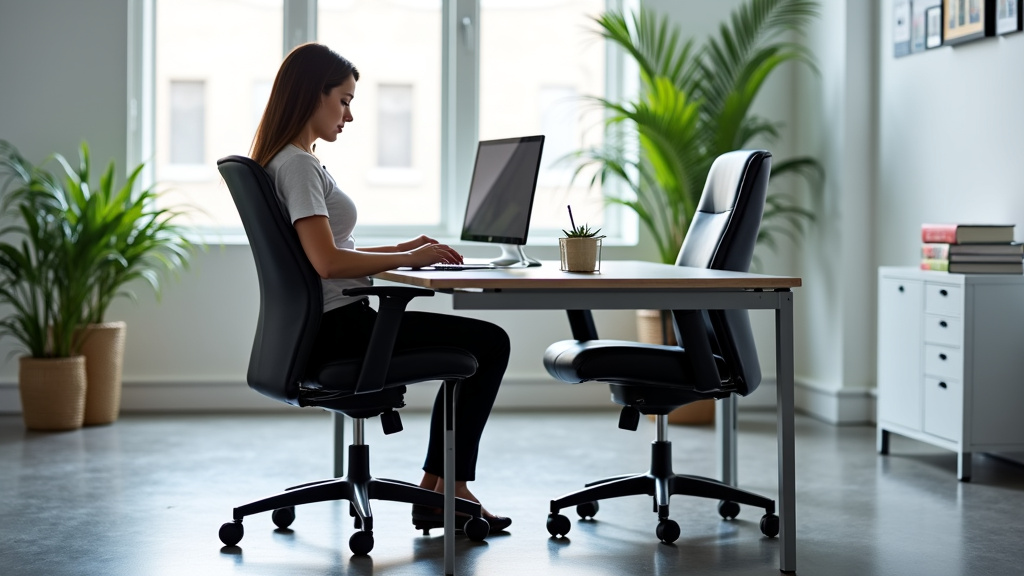
First, adjust your chair height so your feet are flat on the floor. Use a footrest if needed. Next, set the seat depth so there’s a small gap behind your knees. Then, adjust the lumbar support so it fits snugly into the curve of your lower back. Finally, set the armrests so your shoulders are relaxed and your elbows are at a 90-degree angle. If your chair doesn’t have these adjustments, it’s time to consider an upgrade. A good ergonomic chair is an investment in your health.
Keyboard and Mouse Placement
Your monitor, keyboard, and mouse all affect your posture. The top of your screen should be at or just below eye level. Your keyboard and mouse should be close enough that your elbows stay by your sides. Reaching forward for your mouse can pull you out of alignment. This forces your shoulder and back muscles to work harder. A simple trick is to keep your wrists straight and your elbows open at about 90 to 100 degrees. This keeps your upper body in a neutral position, reducing strain on your lower back.
Simple Exercises to Ease and Prevent Pain
Even with a perfect chair, you need to move. Your body isn’t designed to stay in one position for hours. Movement pumps blood and nutrients to your spinal discs. It also keeps your muscles active and flexible. A few simple exercises can counteract the effects of sitting. Many experts recommend a “movement break” every 30 to 60 minutes (NIH). You don’t need a gym—just a few minutes and some space.
Stretches for Your Hips and Back
The piriformis muscle, which is near your sciatic nerve, often gets tight from sitting. A simple stretch can help. Sit on the edge of your chair, cross one ankle over the opposite knee, and gently lean forward until you feel a stretch. Hold for 20 to 30 seconds, then switch. Another great one is the cat-cow stretch. Get on your hands and knees, arch your back up like a cat, then drop your belly down. This mobilizes your spine and relieves tension. A 2019 study in the Journal of Physical Therapy Science found that regular stretching can significantly reduce sciatic pain symptoms.
Strengthening Your Core
A strong core supports your spine. Planks and bird-dogs are fantastic for this. To do a bird-dog, get on all fours and extend one arm and the opposite leg out straight. Hold for a few seconds, then switch sides. This strengthens your lower back and abdominal muscles without putting pressure on your spine. The key is consistency, not intensity. Doing a few minutes of these exercises daily can build the support your back needs to withstand long hours of sitting.
Quick Checklist: Is Your Setup Sciatica-Safe?
Here’s a simple checklist to run through your workspace. This is a quick audit to catch the most common problems. If you answer “no” to any of these, that’s a clear area for improvement. We found that addressing just one or two of these can provide immediate relief (Mayo Clinic).
- Feet Flat: Are your feet flat on the floor or a footrest?
- Knees at 90: Are your knees bent at roughly a 90-degree angle?
- Lumbar Support: Does your chair’s backrest support the curve of your lower back?
- Screen Position: Is the top of your monitor at or just below eye level?
- Take Breaks: Do you stand up and move at least once every hour?
- Posture Check: Are you sitting with your back against the backrest, not slouching?
A Quick Comparison: Good vs. Bad Office Chairs
It helps to see the difference clearly. A table can show you what to look for when shopping. Not all features are necessary, but some are non-negotiable for preventing pain. The goal is to find a chair that supports your body’s natural shape and allows for movement.
| Feature | Sciatica-Friendly Chair | Problematic Chair |
|---|---|---|
| Lumbar Support | Adjustable in height and depth | None or a fixed, one-size curve |
| Seat Depth | Adjustable, with gap behind knees | Fixed, too long for most people |
| Recline Ability | Tilts back to 110-130 degrees | Fixed at 90 degrees or no tilt |
| Armrests | Adjustable up/down and width | Fixed or non-existent |
| Material | Firm, breathable cushion that supports weight | Thin, flat cushion that bottom-outs |
This table is a starting point. Remember, even the best chair won’t save you if you sit for 10 hours without moving. The chair is one tool. Your habits and movement are the other essential pieces of the puzzle. You’ve got this—making small changes today can prevent bigger problems tomorrow.
Conclusion
Your office chair can definitely be a partner in the crime of causing sciatica. The key is that prolonged, static sitting with poor support puts direct pressure on your sciatic nerve. But here’s the empowering part: you have control. By making smart ergonomic adjustments to your chair and workspace, and by building in regular movement, you can protect your back.
Remember, it’s a team effort between your chair’s features and your daily habits. Start with one fix today—adjust your lumbar support or set a timer to stand every hour. Consistent, small changes are what lead to big, lasting relief from that nagging pain.
Frequently Asked Questions
What specific chair features are best for preventing sciatica?
Look for a chair with **fully adjustable lumbar support** that moves up/down and in/out. A **seat depth adjustment** is critical, allowing you to keep a small gap behind your knees. Also, ensure it has a **tilt mechanism** so you can recline slightly to about 110 degrees.
Can a new ergonomic chair completely cure my sciatica?
A good chair is a powerful tool, but it’s rarely a complete cure on its own. It works best as part of a plan that includes **correct posture, regular movement breaks, and strengthening exercises**. Think of it as a key part of the solution, not the only answer.
How long should I sit before taking a break to avoid sciatica pain?
Research suggests taking a movement break **every 30 to 60 minutes**. You don’t need a long workout—just stand up, walk around for a minute, or do a quick stretch. This simple habit helps relieve constant pressure on your spinal discs and nerves.
Are certain types of chairs worse for sciatica than others?
Yes, chairs that force a **fixed, 90-degree sitting angle** or have **no lumbar support** are particularly risky. Very deep seats that push against your knees or chairs that cause you to slouch into a “C-shape” are also common culprits for triggering or worsening sciatica.
When should I see a doctor about sciatica pain from my office chair?
You should consult a doctor if the pain is **severe, lasts longer than a few weeks, or includes numbness/weakness** in your leg. Also, see a professional if the pain doesn’t improve with better ergonomics and gentle stretching. They can rule out other underlying conditions.
