
Is It Safe for Kids to Sit in a Gaming Chair?
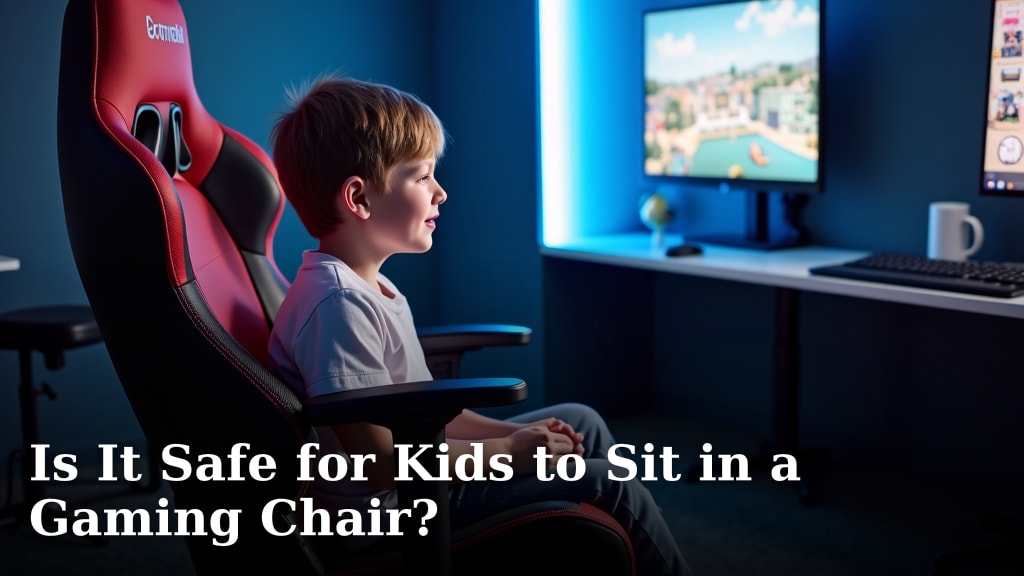
Yes, it’s generally safe for kids to sit in a gaming chair, provided it’s used properly. Many gaming chairs are designed with ergonomics in mind to support posture during long sitting sessions. However, the key is proper fit and adult supervision to ensure safe use.
Gaming chairs can offer excellent back and neck support, which is a big plus for growing bodies. We found that when a chair is the right size for your child and they use its features, like lumbar pillows, it can be beneficial. Without proper adjustment, though, they might not get the intended benefits.
- Gaming chairs are generally safe for kids.
- Look for chairs designed for smaller body types.
- Proper fit and adjustable features are important.
- Adult supervision ensures safe and correct usage.
Let’s dive into what makes a gaming chair suitable for your child and what to watch out for.
Are Gaming Chairs Okay for Kids’ Health?
Generally, yes, gaming chairs can be safe for children. They often come with features that support posture. This is a big deal when kids spend time sitting. We found that many chairs are designed with ergonomics in mind. This can help keep their backs and necks comfortable.
Understanding Ergonomics and Growing Bodies
Ergonomics is all about designing things for efficiency and comfort. For chairs, it means supporting your body correctly. This is especially important for children. Their bodies are still growing and developing. Proper support can help prevent discomfort and potential issues later on.
We found that chairs designed for adults might not fit children well. This can lead to poor posture. If a chair is too big, your child might slouch. Their feet might not touch the floor. This can put strain on their back and legs. It’s like trying to drive a car with the seat too far back – you can’t reach the pedals properly!
Key Features to Look For in Kids’ Gaming Chairs
When picking a gaming chair for your child, think about adjustability. This is your best friend. You want a chair that can grow with them. Look for features that allow you to customize the fit.
Height Adjustability
This is probably the most important feature. Your child’s feet should be able to rest flat on the floor. Or, if they’re using a footrest, their knees should be at a comfortable angle. Most gaming chairs have a lever to adjust the seat height. We found this simple adjustment makes a huge difference in comfort and posture.
Lumbar and Neck Support
Many gaming chairs come with removable pillows. One goes at the curve of the lower back (lumbar support). Another goes behind the neck. These are designed to help maintain a natural spine curve. We found that these pillows can be very helpful, but they need to be positioned correctly for your child.
Sometimes, the pillows can be too bulky for a smaller child. If this happens, you can try removing them. Or, you might find a different way to position them. Your goal is to encourage good posture, not force it with uncomfortable padding.
Armrest Adjustability
Adjustable armrests are a great bonus. They help support your child’s arms and shoulders. This can reduce strain. Look for armrests that can be moved up, down, or even in and out. This allows you to set them at a height where their elbows can rest comfortably at a 90-degree angle while typing or using a controller.
Ensuring a Proper Fit: The Goldilocks Principle
The “Goldilocks Principle” applies here – not too big, not too small, but just right. A chair that’s too large can be just as problematic as one that’s too small.
When your child sits in the chair, their back should be comfortably against the backrest. Their feet should be flat on the ground. Their knees should form a roughly 90-degree angle. If their feet are dangling, they aren’t getting proper leg support. If they have to hunch forward to reach the desk, the chair might be too deep or the armrests aren’t adjusted correctly.
We found that some manufacturers offer different sizes of gaming chairs. There are often “junior” or “small” versions available. These are specifically designed for younger users. They have a smaller seat depth and width. This can be a much better fit than trying to make a standard adult chair work.
The Role of Adult Supervision and Usage Habits
Even the best gaming chair won’t help if it’s not used correctly. This is where you come in. Your supervision is key, especially for younger children.
Talk to your child about sitting properly. Explain why good posture matters. Encourage them to take breaks. We found that setting timers for breaks can be very effective. It reminds them to get up and move around.
Setting Healthy Habits
Gaming chairs are designed for sitting for extended periods. However, no amount of sitting is truly healthy if it’s continuous. Experts recommend regular movement breaks. The American Academy of Pediatrics suggests children take short breaks every 30-60 minutes (CDC).
Encourage your child to stand up, stretch, or walk around during these breaks. This helps improve circulation and reduces muscle stiffness. It’s like giving their body a mini-reboot!
Avoiding “Slouching” Mode
A common issue is children leaning too far back in the chair. They might be tempted to recline fully all the time. While recline features are great for relaxing, they aren’t ideal for active gaming or computer use. When reclined too far, it can put unnecessary strain on the neck and upper back. We found that teaching your child to use the recline feature for breaks, rather than during gameplay, is a good strategy. Avoid leaning too far back, as this can strain the neck and upper back during active use.
When Might a Gaming Chair NOT Be the Best Choice?
While generally safe, there are times when a gaming chair might not be the ideal choice for a child. This often comes down to the chair’s suitability for their specific needs and the environment.
Lack of Proper Fit
As mentioned, if you can’t find a chair that fits your child well, it’s better to look elsewhere. A chair that forces poor posture is worse than no specialized chair at all. You might find a standard office chair that can be adjusted to fit them better. Or, even a well-designed stool with good back support could be an option.
Specific Health Conditions
If your child has specific orthopedic or developmental needs, it’s always best to consult with a healthcare professional. A doctor or physical therapist can offer personalized advice. They can recommend specific types of seating or support. We found that medical advice is invaluable when dealing with any health concerns.
Comparing Gaming Chairs to Other Seating Options
How do gaming chairs stack up against regular desk chairs or office chairs? It’s not always a clear-cut winner.
| Feature | Gaming Chair | Standard Office Chair |
|---|---|---|
| Ergonomic Support | Often high, with lumbar/neck pillows. | Varies widely; some excellent, some basic. |
| Adjustability | Good; height, recline, sometimes armrests. | Varies; good ones have height, armrests, lumbar. |
| Style & Appeal | Sporty, often vibrant colors. Kids love them. | More professional, understated. |
| Price Range | Mid to high. | Wide range, from budget to premium. |
| Fit for Kids | Can be an issue with adult sizes. Look for junior models. | Often better adjustability for smaller users, but check specifics. |
We found that a high-quality office chair can sometimes offer better long-term ergonomic benefits. However, the visual appeal of a gaming chair can be a strong motivator for kids. They might be more inclined to sit up straight in a chair they find cool. It’s a balance between form and function.
Checklist: Is This Gaming Chair Right for Your Child?
Before you buy, or when setting up a new chair, run through this quick checklist:
- Do their feet rest flat on the floor?
- Is their back supported and not slouching?
- Are their knees bent at a comfortable angle (around 90 degrees)?
- Can they reach their desk and keyboard easily?
- Are the armrests positioned so their shoulders are relaxed?
- Are the lumbar and neck pillows positioned correctly for their body?
If you answered “no” to several of these, it might be time to adjust the chair or reconsider its suitability. Your child’s comfort and long-term health are the top priorities.

Conclusion
So, can your child safely enjoy a gaming chair? Absolutely, with the right approach. We found that a gaming chair can be a great seating option if it’s the perfect fit for your child and used correctly. Remember, adjustability is your best friend. Ensure their feet are grounded and their posture is supported. Don’t forget that adult supervision and encouraging regular breaks are key for healthy habits. Take the time to check the fit using our checklist, and you can make a gaming chair a comfortable and supportive part of your child’s setup.
Frequently Asked Questions
Do gaming chairs really help with posture for kids?
Yes, gaming chairs can help improve posture for kids when they fit correctly. Features like lumbar and neck support are designed to encourage a natural spine alignment. We found that proper adjustments are essential for these benefits to be realized.
My child’s feet don’t touch the floor in their gaming chair. Is this a problem?
Yes, dangling feet can cause strain and poor posture. Your child’s feet should rest flat on the floor or a footrest. This ensures proper leg and back support. Look for height adjustment features or consider a footrest.
Are gaming chairs too big for younger children?
Adult-sized gaming chairs can be too large for younger children, leading to slouching. We’ve found that manufacturers often offer junior or smaller-sized gaming chairs. These are designed to provide a better fit for smaller body types. If adult chairs are too big, consider smaller-sized gaming chairs designed for younger users.
How often should my child take breaks from their gaming chair?
Children should take short breaks every 30 to 60 minutes. Experts recommend getting up to stretch or walk around. This helps improve circulation and prevent stiffness, even in a well-fitting chair.
Can a gaming chair be bad for a child with back problems?
If your child has specific back issues or orthopedic needs, consult a healthcare professional first. While gaming chairs offer support, they may not be suitable for all conditions. A doctor can provide personalized recommendations for seating.
