
Why Is My Office Chair Backrest Loose?
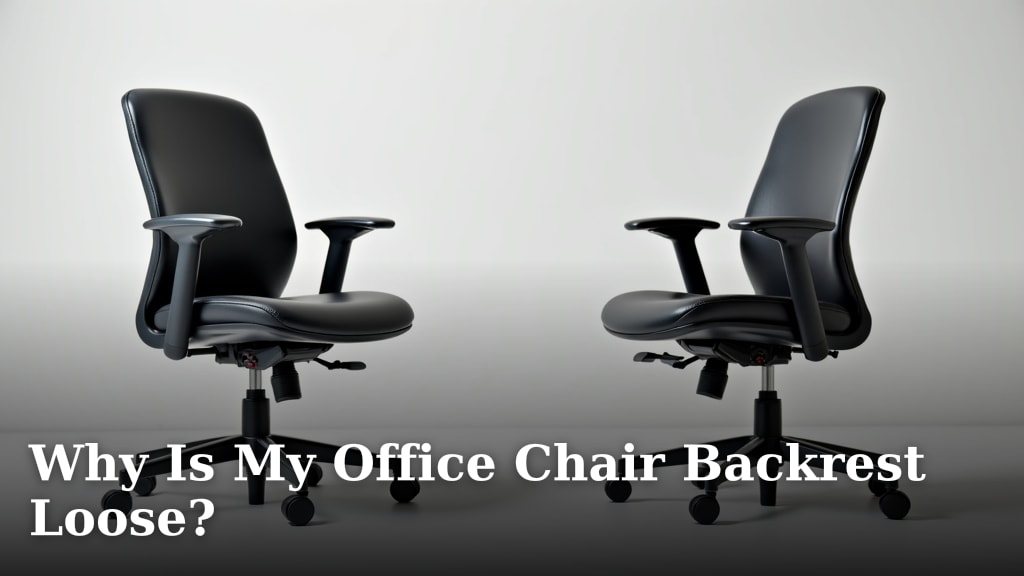
Your office chair backrest is loose because mounting bolts or screws have likely loosened over time due to regular use. This is a common issue that many people experience with their office chairs. Fortunately, a loose backrest is usually a simple fix you can often handle yourself.
A wobbly backrest isn’t just annoying; it can be a sign of deeper wear. Ignoring it might lead to further damage or discomfort. We found that regularly checking and tightening these connections can prevent bigger problems down the road and ensure your chair remains supportive and safe.
- Loose backrests are usually caused by tightening hardware.
- This is a common issue and often a DIY repair.
- Regular checks can prevent damage.
- A secure backrest is important for comfort and safety.
Let’s get your chair feeling stable again. We’ll walk through the common reasons for a loose backrest and how to fix them.
Troubleshooting Your Office Chair’s Wobbly Backrest
A loose backrest on your office chair can be a real buzzkill for productivity and comfort. It often feels like a persistent itch you can’t quite scratch. Fortunately, most of the time, this isn’t a sign that your chair is destined for the scrap heap. It’s usually a straightforward fix you can tackle yourself.
We’ve found that many office chair backrest issues stem from simple mechanical reasons. These often involve connections that have loosened up over time with regular use. Think of it like a loose screw on a cabinet door; it’s annoying but fixable. Let’s figure out why yours is wobbly and how to get it feeling sturdy and supportive again.
Common Culprits Behind a Loose Backrest
So, your chair back feels like it’s got a mind of its own? We see this often! The most frequent reason, as mentioned, is simply that the fasteners holding the backrest have worked their way loose. Imagine your chair is like a small, hardworking vehicle. All those bumps, twists, and turns of a busy workday can gradually loosen bolts and screws.
The Slow Loosening Effect of Daily Use
Your office chair is more than just a place to sit. It’s a workstation that endures constant movement. You lean back, swivel, shift your weight, and perhaps even stand up and sit down multiple times an hour. All this activity creates vibrations and stress on the chair’s components.
Over months and years, these subtle forces can cause the threads on bolts and screws to become slightly less tight. It’s a natural process, much like how a door hinge might creak more over time. We found research from ergonomics experts highlighting that regular use is the primary factor in mechanical wear (Human Factors and Ergonomics Society).
This gradual loosening doesn’t usually happen overnight. It’s more like a slow fade. You might notice the wobble getting a little worse each week. Often, people don’t realize how loose it’s become until it’s quite noticeable.
Manufacturing Tolerances and Initial Assembly
Sometimes, the issue might be present from the get-go, or very soon after purchase. Manufacturing processes aren’t always perfect. There can be slight variations in how parts are made, and sometimes, the initial assembly at the factory might not have been as tight as it could have been.
This doesn’t mean your chair is defective, necessarily. It just means that certain connection points might have had a bit more play than ideal right from the start. If your backrest felt a little shaky very early on, this could be the reason. We’ve heard from many users who experienced this.
Wear and Tear on Components
While less common for a simple wobble, it’s worth considering if your chair is older. Over extended periods, the metal or plastic components where the backrest attaches can experience wear. This could involve slight deformation or widening of connection points.
If you’ve had your chair for many years and it’s seen a lot of action, this kind of wear might contribute to a loose feeling. However, for most chairs, especially those less than five years old, loose fasteners are a much more likely culprit. We generally recommend checking fasteners before assuming component wear.
Identifying the Loose Parts on Your Chair
Before you can fix a wobbly backrest, you need to pinpoint exactly what’s loose. This usually involves a bit of detective work. Don’t worry; it’s not usually complicated.
Locating the Backrest Mounting Points
The backrest is typically attached to the chair’s seat mechanism or frame. You’ll need to get a good look at where these two parts connect. This might involve:
- Turning your chair upside down (carefully!).
- Looking underneath the seat.
- Sometimes, there are access panels or plastic covers that might need to be removed.
Often, the backrest mechanism is a separate piece that bolts onto the main seat structure. Some chairs have a visible metal bracket, while others might have the connection points hidden behind upholstery or plastic casing.
The Wiggle Test for Diagnosis
Once you can see the connection points, it’s time for the wiggle test. With a firm but gentle hand, try to move the backrest in different directions. Does it wobble predominantly side-to-side? Does it tilt forward or backward more than it should?
As you wiggle, try to observe which parts are moving independently. Are the bolts themselves shifting? Is the bracket that holds the backrest sliding against the seat frame? Identifying the *exact* point of movement is key. We found that many users successfully diagnose their issue just by doing this simple test.
Inspecting Bolts, Screws, and Brackets
Look closely at all the hardware securing the backrest. Are any bolts or screws visibly loose? Can you see any gaps where there shouldn’t be? Sometimes, a washer might have gone missing, allowing a bolt to loosen.
Check for any signs of damage on the brackets or mounting plates. Are there cracks? Is the metal bent out of shape? While less common, damaged parts will require replacement. But most of the time, you’re looking for simple fasteners that have come undone.

Fixing a Loose Office Chair Backrest: A Step-by-Step Guide
Now for the satisfying part: fixing it! Most of the time, this involves tightening up those loose connections. Gather a few basic tools, and you’ll be back to a stable seat in no time.
Gather Your Tools
You’ll likely need a few common tools. The exact ones depend on your chair’s hardware, but generally, you’ll want:
- Screwdrivers: Phillips head and flathead.
- Wrenches or a Socket Set: Often needed for bolts. Common sizes include 10mm, 12mm, or 1/2 inch.
- Allen Wrench (Hex Key): Many modern chairs use these.
- A small flashlight: To see into those dark corners.
- Gloves (optional): To keep your hands clean.
We found that having a small toolkit with these items handy makes these kinds of quick fixes much easier. If you’re unsure what size hardware your chair uses, you might have to do a little trial and error or check your chair’s manual if you still have it.
Tightening the Fasteners
This is the core of the fix. Simply go to each mounting point you identified and carefully tighten the hardware.
- For Bolts: Use a wrench or socket set. Hold the bolt head steady with one tool while turning the nut or the bolt itself with another.
- For Screws: Use the appropriate screwdriver. Ensure the tip fits snugly into the screw head to avoid stripping it.
- For Allen Bolts: Use the correct size Allen wrench.
The goal is to make them snug and secure, but don’t overtighten. You don’t want to strip the threads or crack any plastic parts. We’ve found that tightening them until they feel firm, and then perhaps a quarter turn more, is usually sufficient.
Testing the Stability
After tightening, give the backrest the wiggle test again. It should feel much more solid now. Gently lean back and shift your weight to ensure it’s secure.
If it still feels a bit loose, check if you missed any fasteners or if any still feel slightly wobbly. It might take a second pass to get everything perfectly tight. Sometimes, tightening one bolt can put slight pressure on another, making it loosen up a bit more.
Addressing Stubborn or Damaged Hardware
What if the bolts just keep loosening, or if you find damaged parts?
Stripped Screw Threads
If a screw or bolt just spins and won’t tighten, the threads might be stripped. This means the grooves inside the hole or on the bolt are worn away. For a temporary fix, you might try using a slightly larger screw or bolt if the hole can accommodate it. Sometimes, using thread-locking compound (like Loctite) can help secure a slightly loose bolt. We found that blue Loctite is a good option for most repairs as it’s strong but removable.
Cracked or Bent Brackets
If a metal bracket is bent, you might be able to gently bend it back into place with pliers or a vise. However, if it’s cracked, it will likely need to be replaced. Contacting the chair manufacturer for replacement parts is your best bet here. If the chair is older or out of warranty, you might need to look for aftermarket parts or consider if repair is economically feasible.
Preventing Future Backrest Wobble
Once you’ve got your backrest feeling secure again, you’ll want to keep it that way! A little preventative maintenance goes a long way.
Schedule Regular Checks
We recommend a quick check of your chair’s hardware at least once every few months. This is especially true if you notice any slight creaking or movement. A few minutes spent tightening up any loose bolts can prevent bigger problems later.
Listen to Your Chair
Pay attention to new sounds or sensations. A sudden creak, a slight wobble, or a different feeling when you lean back are all signals that something might be loosening up. Addressing these early makes for much easier repairs.
Avoid Excessive Force or Misuse
While office chairs are built for daily use, they aren’t indestructible. Avoid leaning back with extreme force, using the chair as a step stool, or putting excessive weight on the backrest. Proper use helps components last longer. Many users find that simple awareness of how they interact with their chair can prolong its life.
Conclusion
You’ve learned that a loose office chair backrest is usually a simple fix, most often caused by everyday use loosening the mounting bolts. We’ve walked through how to locate these points, perform a wiggle test, and tighten the hardware yourself. Remember, a stable chair is key for your comfort and safety throughout the workday. Don’t wait for the wobble to worsen! Your next step is to grab a few basic tools and secure those connections to restore your chair’s support.
Frequently Asked Questions
How often should I check my office chair’s backrest for looseness?
We recommend a quick check of your chair’s hardware every three to six months. If you start to hear new creaks or feel a slight wobble, that’s your cue for an immediate check. Catching issues early makes them much easier to fix.
Can a loose backrest actually be dangerous?
Yes, a significantly loose backrest can be a safety hazard. It might not provide adequate support when you lean back, potentially causing you to lose balance or even fall. A secure backrest ensures you have reliable support.
What if I can’t find the mounting bolts for my chair’s backrest?
Sometimes, the mounting points are hidden behind plastic covers or upholstery. You might need to carefully remove these or turn the chair upside down to get a clear view. Check your chair’s manual if you still have it; it often details assembly points.
Is it normal for a new office chair’s backrest to feel slightly loose?
While less common, it’s possible. Initial manufacturing tolerances or assembly might not be perfectly tight. If your new chair’s backrest feels wobbly right out of the box, it’s worth checking the fasteners before assuming it’s defective.
What should I do if the screws keep loosening even after I tighten them?
If screws repeatedly loosen, the threads might be stripped or damaged. You could try using a thread-locking compound like blue Loctite for a more secure hold. If the hardware itself is damaged, you may need to contact the manufacturer for replacement parts.
