
What Is the Correct Arm Position While Typing?
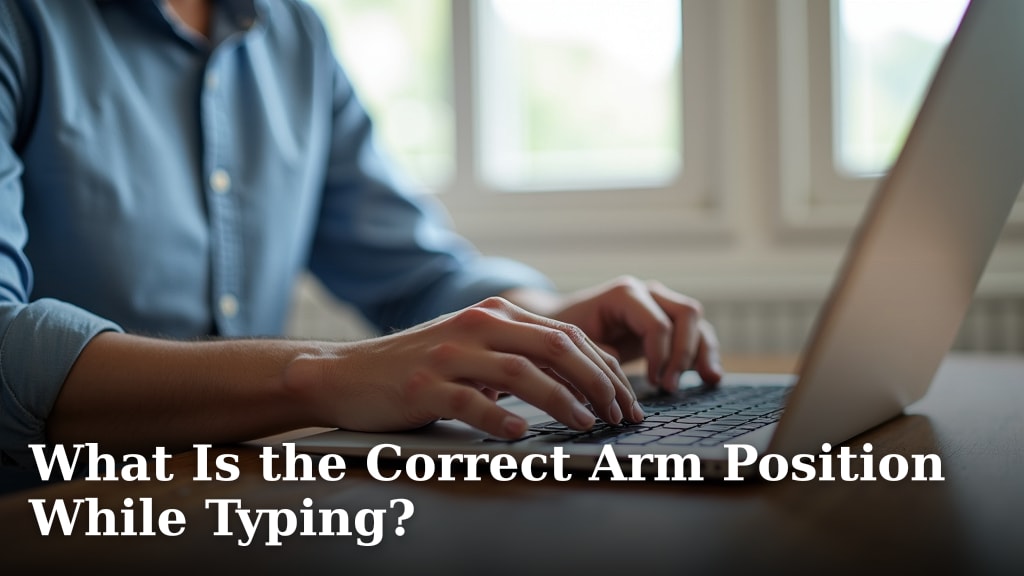
The correct arm position while typing involves keeping your elbows bent at about a 90-degree angle, close to your body, with your wrists straight and not resting on the desk or keyboard. This setup helps prevent strain and promotes better typing posture, reducing the risk of discomfort and injury like carpal tunnel syndrome. Your forearms should be roughly parallel to the floor, allowing for natural movement.
Getting your arm and wrist positioning right is key to comfortable and efficient typing. Many people unknowingly adopt awkward stances that can lead to long-term pain. We’ve found that small adjustments can make a big difference in your overall typing experience and help maintain ergonomic health.
- Keep elbows bent around 90 degrees, close to your sides.
- Ensure your wrists are straight, not bent up or down.
- Forearms should be parallel to the floor.
- Avoid resting wrists on the desk or keyboard edge.
- This promotes comfort and reduces strain.
Let’s walk through the best practices and common mistakes to ensure your arms are in the perfect position for typing all day long.
So, you’re ready to dial in your typing posture and give your arms a break. It’s a fantastic goal! Many of us spend hours at our keyboards. Making sure our arms are in the right spot can make a world of difference. Let’s get into the nitty-gritty of how to position those arms for typing comfort and health.
Getting Your Arms in the Right Position for Typing
Correct arm positioning isn’t just about comfort. It’s about preventing future aches and pains. Think of it like stretching before a workout. A little setup now saves a lot of trouble later.
The Ideal Elbow Angle: The 90-Degree Rule
Research often points to a 90-degree angle for your elbows. This is a common recommendation from ergonomics experts. Your elbows should feel relaxed, not strained. Imagine a gently bent elbow. It should be close to your sides, not sticking way out.
When your elbows are too far out, your shoulders can tense up. This can lead to discomfort in your neck and upper back. Keeping them in is key for a relaxed typing posture. It allows your shoulders to stay down and back.
Why Close to Your Body Matters
Keeping your elbows near your torso helps maintain a stable base. It lets your forearms do the moving. This reduces the load on your shoulder and neck muscles. Many ergonomic studies suggest this is a foundational principle for good posture (CDC).
When elbows are tucked in, your hands can reach the keyboard more easily. You don’t have to overextend your arms. This leads to a more compact and efficient typing position. It feels natural once you get used to it.
Wrist Position: Straight is Best
Your wrists should be in a neutral, straight line. Think of your forearm and hand as a single, straight unit. There should be no bending up, down, or sideways at the wrist. This is a critical point for preventing strain.
Why is a straight wrist so important? Bending your wrists can compress nerves and tendons. This is a common cause of conditions like carpal tunnel syndrome. The goal is to keep everything flowing smoothly. A bent wrist can create a bottleneck. It’s like kinking a garden hose.
The Dangers of Bent Wrists
When you bend your wrists upwards (extension), you’re putting pressure on the carpal tunnel. This is a narrow passageway in your wrist. If your wrists are bent downwards (flexion), you can also cause strain on the tendons. Both positions are bad news for your long-term wrist health.
Many people rest their wrists on the desk or a wrist rest while typing. This might seem comfortable at first. However, it often forces your wrists into an unnatural bent position. It can also put pressure on the soft tissues in your wrist. Experts recommend avoiding this constant pressure (Mayo Clinic).
Forearm Alignment: Parallel to the Floor
Your forearms should be roughly parallel to the floor. This means your keyboard should be at the right height. If your forearms are angled downwards, your keyboard is too high. If they are angled upwards, it’s too low.
This parallel position allows for easy movement of your hands and fingers. It means your wrists aren’t being pulled in any direction. They are in a relaxed, neutral state. This alignment is a key component of a healthy typing setup.
Adjusting Your Desk and Chair Height
Getting your forearms parallel often comes down to adjusting your workstation. You might need to raise or lower your chair. You might also need to adjust the height of your desk or keyboard tray. Finding the sweet spot takes a little trial and error.
If your desk is too high, and you can’t adjust it, consider a footrest. This can help you sit higher. It can also help you achieve that parallel forearm position. Don’t be afraid to make adjustments. Your body will thank you later.
Common Mistakes to Avoid with Arm and Wrist Positioning
Now that we know the ideal setup, let’s look at what most people get wrong. Knowing these common pitfalls can help you steer clear of them.
Resting Wrists on the Desk or Keyboard Edge
This is a big one. Many of us do this without even thinking about it. We put our wrists down for a little break. But when typing, this position is often problematic. It can force your wrists into an upward bend.
The desk edge is particularly bad. It’s a hard surface that can create sharp pressure points. It also limits the natural movement of your hands. Your wrists need to be free to move slightly as you type. They are not meant to be locked in place.
Slouching and Rounded Shoulders
Your arm position is linked to your overall posture. If you slouch, your arms will likely end up in awkward positions. Rounded shoulders pull your arms forward and inward. This can make it hard to keep your elbows close to your body. Your arm position is linked to your overall posture, and if you slouch, your arms will likely end up in awkward positions.
Slouching also often leads to a bent wrist. Your hands might drop down to reach the keyboard. This creates a domino effect of bad posture. Working on your upright posture helps your arms fall into place more naturally.
Tensing Up Your Arms and Shoulders
Do you ever feel tension creeping up your arms and into your shoulders? This is often a sign that your positioning isn’t quite right. It could be that your elbows are too far out, or your wrists are strained.
Tensing up is your body’s way of compensating. It’s trying to stabilize an unstable position. The goal of good ergonomics is to minimize this tension. Your arms should feel relaxed and fluid while you type.

Putting It All Together: A Quick Checklist
Let’s summarize the key points for your arm and wrist positioning. Use this as a quick guide to check your setup:
- Elbows at 90 degrees: Gently bent and close to your sides.
- Wrists straight: No bending up, down, or sideways.
- Forearms parallel: Roughly level with the floor.
- No resting wrists: Avoid resting them on the desk or keyboard.
- Shoulders relaxed: Let them drop down and back.
- Body comfortable: You shouldn’t feel strain or tension.
It might feel a little strange at first. Your body is used to its old habits! Give yourself a few days to adjust. You might be surprised at how much more comfortable you feel. This simple adjustment can make a big difference in your daily typing.
Conclusion
You’ve learned the key to comfortable typing: proper arm and wrist alignment. Remember to keep those elbows at 90 degrees and close to your body. Ensure your wrists stay straight, not bent, and your forearms are parallel to the floor. Avoiding resting your wrists is also vital for long-term health. These simple adjustments can make a huge difference in preventing strain and pain. Start checking your posture today, and make these ergonomic principles a habit for a healthier typing experience.
Frequently Asked Questions
How often should I adjust my typing position?
You should be mindful of your typing position regularly. It’s a good idea to do a quick posture check every 30 minutes. If you notice yourself slouching or tensing up, readjust your arms and wrists. Small, frequent adjustments are better than one big, uncomfortable stretch.
Can my keyboard or desk height really affect my arm position?
Absolutely. Your desk and keyboard height are crucial for achieving the correct forearm angle. If they are too high, your elbows will angle up, and your shoulders might tense. If they are too low, your elbows angle down, which can strain your wrists. Getting this right supports your entire arm setup. Your arm position is linked to your overall posture, and achieving the correct forearm angle often comes down to adjusting your workstation.
What’s the main danger of resting my wrists while typing?
Resting your wrists, especially on a hard desk edge, can force them into an unnatural bent position. This compresses nerves and tendons, increasing your risk of conditions like carpal tunnel syndrome. It also restricts the natural, slight movements your wrists need while typing.
My arms feel tired even after correcting my position, why?
It’s common to feel some initial fatigue as your body adjusts to new habits. This is often your muscles remembering how to work correctly. However, persistent or severe fatigue could indicate your setup isn’t quite right, or you might need to incorporate more frequent breaks away from the keyboard.
Is there a specific type of chair that helps with arm posture?
While no single chair is a magic fix, an adjustable office chair is highly recommended. You should be able to adjust the height so your feet are flat on the floor and your thighs are parallel to it. This foundation helps you position your desk and keyboard correctly for optimal arm alignment.
