
Can a Cheap Office Chair Be Good for Your Back?
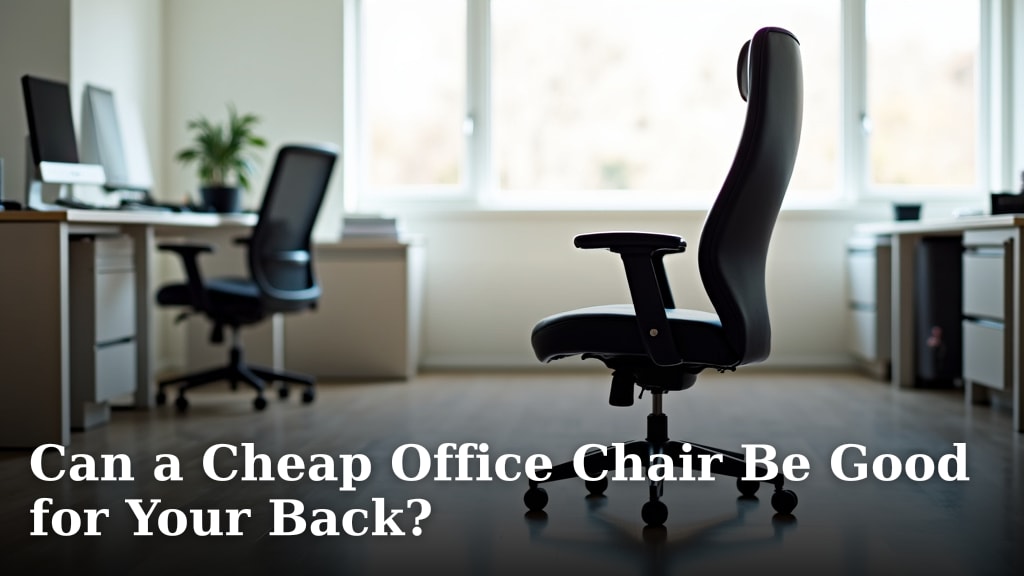
Yes, a cheap office chair can be good for your back, but you need to know what to look for. It’s not about the price tag, but about finding a chair that offers the right ergonomic support. Many budget-friendly options provide surprisingly good features.
The key is understanding that “cheap” doesn’t have to mean “bad.” We’ve found that even less expensive chairs can offer proper lumbar support and adjustable features. Your back will thank you for making a smart choice, no matter your budget.
- Price isn’t always the best indicator of back support.
- Look for specific ergonomic features, not just the cost.
- Adjustability is key for a comfortable and supportive fit.
- A good chair can prevent long-term back pain.
Let’s break down what makes a budget chair a win for your back and what to avoid.
Can a Budget Office Chair Really Help Your Back?
You’re probably wondering if a cheap office chair can actually be good for your back. It’s a fair question! Many people assume that anything inexpensive is automatically bad for your health. But we’ve found that this isn’t always the case. You can find a surprisingly supportive chair without breaking the bank.
The trick is to focus on features, not just the price tag. We’ve seen many budget-friendly options that offer excellent ergonomic benefits. Your back deserves support, no matter your budget. Let’s look at what makes a chair work for your spine.
The Core Features of a Back-Friendly Chair
When you’re looking for a chair that supports your back, several key features stand out. These are the non-negotiables, regardless of how much you plan to spend. Think of these as the building blocks for a comfortable and healthy sitting experience. We found that even entry-level chairs can offer some of these essential elements.
Lumbar Support: The Spine’s Best Friend
This is perhaps the most critical feature for your lower back. Lumbar support refers to the curve in the lower part of your spine. A good chair helps maintain this natural inward curve, preventing slouching. Without it, your spine can flatten, leading to strain and discomfort.
We found that there are a few types of lumbar support to consider:
- Built-in Lumbar Support: This is molded directly into the chair’s backrest. It’s often less adjustable but can be effective if the curve fits your back well.
- Adjustable Lumbar Support: This is ideal. You can move it up, down, or even in and out to perfectly match your spine’s curve. Many mid-range and even some budget chairs now offer this feature.
- Add-on Lumbar Pillows: If your chair lacks built-in support, a separate cushion can help. Make sure it’s firm enough to provide actual support and not just sink.
Many guidelines from health organizations highlight the importance of maintaining the spine’s natural curve (Mayo Clinic). A chair that aids this is a win.
Seat Depth and Height Adjustability
Your legs need proper support too. The seat height should allow your feet to rest flat on the floor. Your knees should be at roughly a 90-degree angle. This helps distribute your weight evenly.
Seat depth is also important. Your thighs should be supported, but there shouldn’t be pressure behind your knees. You should be able to fit two to three fingers between the edge of the seat and the back of your legs.
We found that adjustable height is a standard feature on most office chairs today, even inexpensive ones. Adjustable seat depth is less common on the absolute cheapest models but is worth seeking out if possible.
Armrest Functionality: More Than Just a Place to Rest
Armrests aren’t just for resting your arms. They help reduce strain on your shoulders and neck. Properly adjusted armrests allow your shoulders to relax. They should be at a height where your elbows can rest comfortably at about a 90-degree angle while typing.
We found that there are varying levels of adjustability:
- Fixed Armrests: These don’t move at all. They can be good if they are at the perfect height for you, but this is rare.
- Height-Adjustable Armrests: These let you raise or lower them to your preferred level. This is a very common and useful feature.
- 3D/4D Armrests: These can move up/down, forward/backward, and pivot inwards/outwards. While great, they are usually found on more expensive chairs.
For a budget chair, height-adjustable armrests are a great feature to look for. They make a big difference in comfort.
Breathable Materials for Comfort
Sitting for long periods can get hot and sticky. Breathable materials help prevent discomfort and sweating. Mesh is a popular choice for office chairs because it allows air to circulate freely.
We found that mesh backs are common even on budget chairs. This is great for keeping you cool. Mesh seats are also available, though some people prefer a padded seat for extra cushioning. If opting for a padded seat, ensure it’s firm and doesn’t flatten out too quickly.
What to Be Wary Of in a Cheap Office Chair
While good budget options exist, there are also pitfalls to avoid. Some chairs are cheap for a reason, and that reason might be poor construction or a lack of essential ergonomic features. You don’t want to end up with a chair that causes more harm than good.
Lack of Adequate Lumbar Support
As we mentioned, lumbar support is key. If a chair has no discernible curve in the backrest or offers a flimsy pillow, it’s likely not going to help your back. A chair that encourages you to slouch is the opposite of what you need. We found that chairs with completely flat backs are a major red flag.
Non-Adjustable Features
If the seat height, armrests, or backrest are fixed, it means the chair is designed for a “one-size-fits-all” user. But we are all different shapes and sizes! A chair that doesn’t adjust to your body might force you into awkward positions. This can lead to pain and stiffness over time. Many experts suggest that adjustability is key to proper ergonomics (Occupational Safety and Health Administration). Many experts suggest that adjustability is key to proper ergonomics and preventing pain.
Poor Quality Materials and Construction
A chair might look okay, but if it’s made with flimsy plastic or thin padding, it won’t last. It might feel wobbly or uncomfortable after just a few months. A chair that doesn’t feel sturdy is unlikely to provide consistent support. We found that checking reviews for durability can be very helpful.
Uncomfortable Seat Cushioning
A seat that is too hard can create pressure points. A seat that is too soft can flatten out, offering no support and making you feel like you’re sinking. You want a cushion that is supportive yet comfortable enough for extended sitting. It should provide a consistent level of support.

Finding Your Perfect Budget-Friendly Chair: A Checklist
So, how do you navigate the options and find a chair that will actually support your back without costing a fortune? Here’s a quick checklist to keep in mind during your search:
- Does it have adjustable lumbar support? Look for a curve that you can move.
- Can you adjust the seat height? This is crucial for leg and foot positioning.
- Are the armrests adjustable? Height adjustment is a great feature.
- Is the seat comfortable and supportive? It shouldn’t be too hard or too soft.
- Does the backrest offer good support? Look for a natural curve.
- Are the materials breathable? Mesh is a good option for staying cool.
By focusing on these features, you can make a smart choice. You might be surprised at how much support you can get in a budget-friendly office chair. Your back will thank you for putting in the effort to find the right one!
Conclusion
You can absolutely find a cheap office chair that’s good for your back. It all comes down to smart shopping. Instead of focusing solely on price, look for those essential ergonomic features we discussed. Prioritize adjustable lumbar support, seat height, and armrests. Good construction and breathable materials also make a big difference in comfort and long-term support. Don’t let a low price tag fool you into settling for poor design. Take the checklist we provided and start your search!
Frequently Asked Questions
Do I really need adjustable lumbar support on a budget chair?
Yes, adjustable lumbar support is highly recommended. It allows you to customize the chair’s curve to your spine’s natural shape. We found that even some budget chairs offer this, making a significant difference in preventing back strain.
What’s the biggest mistake people make when buying a cheap office chair for back pain?
The biggest mistake is overlooking adjustable features. Many budget chairs have fixed parts that don’t accommodate different body types. This can lead to poor posture and increased discomfort, negating any potential benefits.
Are mesh chairs always better for your back than padded chairs?
Mesh chairs are great for breathability, which aids comfort during long sitting periods. However, the back support itself depends more on the chair’s design, like lumbar curve, not just the material. A well-designed padded chair can also offer good support.
How can I tell if a cheap chair’s cushioning is good or bad?
You want a cushion that feels supportive but not hard. It shouldn’t flatten out immediately when you sit down, and it shouldn’t feel like you’re sinking too much. We found that a firm, consistent cushion provides the best support for your sit bones.
Is it worth buying an “ergonomic” chair if it’s still a cheap model?
Yes, if it has the core ergonomic features. Not all chairs labeled “ergonomic” are created equal, especially at lower price points. Focus on whether it has adjustable lumbar support, seat height, and decent armrests. These features are more important than a marketing label.
