
How to Replace Office Chair Armrest Pads?
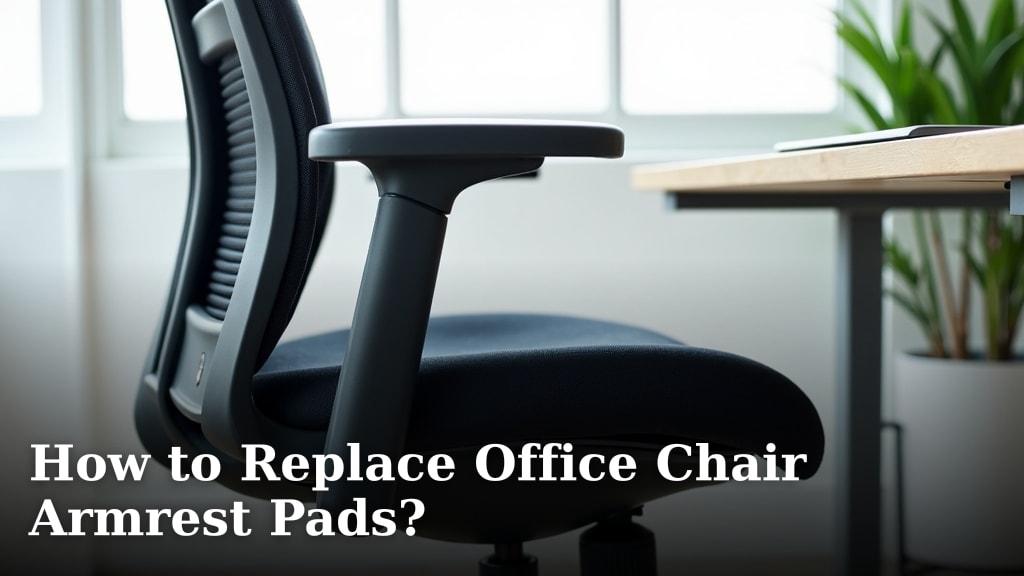
Yes, you can absolutely replace your office chair armrest pads! It’s a straightforward DIY fix that can bring new life to your tired chair. Most replacements involve simple tools and just a few minutes of your time. You’ll be back to comfortable seating in no time!
Worn-out armrests can be more than just unsightly; they can lead to discomfort and even pain during long work sessions. Fortunately, finding and installing replacement pads is much easier than you might think. We found that many chairs have standardized mounting systems, making the process surprisingly universal.
- Identify your chair’s armrest type.
- Measure carefully for the right size.
- Gather your basic tools.
- Follow the specific installation steps.
- Enjoy your renewed comfort!
Let’s walk through exactly how to swap out those old armrest pads for new, comfy ones. It’s a satisfying fix that saves you money and hassle.
Getting Your Office Chair Armrests Back in Shape
Your office chair armrests are probably taking a beating. Over time, those pads can become worn, cracked, or just plain uncomfortable. But don’t toss that chair just yet! You can easily replace the armrest pads yourself. It’s a budget-friendly fix that makes a big difference in your daily comfort. We found that most chairs are designed with replaceable pads, making this a very doable DIY project.
Identifying Your Armrest Style: The First Step
Before you can buy new pads, you need to know what you’re working with. Different chairs have different armrest designs. This affects how the pads are attached and what kind of replacements you’ll need.
Understanding Common Armrest Pad Attachments
Most office chair armrest pads are attached in one of a few ways. Knowing which type you have will make the replacement process much smoother. We found that the most common methods involve screws or clips.
Screws Underneath or on the Side
Many armrests have pads that are secured by screws. These screws are usually hidden underneath the pad itself or sometimes along the side of the armrest. You’ll typically need a screwdriver to access and remove them. Research suggests this is the most common attachment method for durability.
Clip-On or Snap-Fit Designs
Some pads simply snap into place. These are often found on more budget-friendly chairs or those designed for quick assembly. They don’t usually have visible screws. You might need to gently pry them off. Be careful not to damage the plastic clips during removal.
Permanent or Glued-On Pads
Less commonly, you might find pads that are permanently attached or glued down. These are the trickiest to replace. You might need a solvent or a strong prying tool. For these, replacing the entire armrest assembly might be a better option if possible.
Measuring Your Current Pads: Accuracy is Key
Once you’ve identified how your pads are attached, you need to get the right size for replacements. This is where careful measuring comes in. Getting the dimensions wrong means the new pads won’t fit properly, defeating the purpose.
You’ll want to measure the length, width, and sometimes even the thickness of your existing armrest pads. Use a tape measure for this. We found that taking a picture of your armrest with the tape measure next to it can be helpful for reference when ordering online.
Length and Width Measurements
Lay your tape measure across the top surface of the pad. Measure from the furthest edge on one side to the furthest edge on the other. Do this for both the length and the width. Make sure you are measuring the pad itself, not the entire armrest structure underneath.
Don’t Forget the Mounting Points
Sometimes, the screw hole locations are critical. If you’re buying pads online, check if the seller provides a diagram or measurements for the screw hole spacing. This ensures the new pads will align with your chair’s frame. Many manufacturers use standard spacing, but it’s always best to double-check.
Gathering Your Tools: Simple Items You Likely Have
You won’t need a workshop for this job! Most of the time, you can tackle this project with common household tools. Having the right tools makes the job quicker and less frustrating. We found that a basic toolkit is usually sufficient.
Essential Tools for the Job
Here’s what you’ll probably need:
- Screwdriver set (Phillips head is most common)
- Pliers (needle-nose can be helpful)
- Tape measure
- A soft cloth or old towel
- Possibly a putty knife or flathead screwdriver (for prying)
What to Look for in Replacement Pads
When you’re shopping for new armrest pads, consider these factors. The materials and design can affect comfort and durability. We found that polyurethane pads are a popular choice for their balance of comfort and wear resistance. When considering new pads, you might also explore options for affordable office chairs.
Look for pads that match the mounting style of your chair. Some universal pads are available, but custom-fit ones offer the best results. Check product descriptions carefully for dimensions and compatibility. Websites like Amazon and office supply stores are good places to start your search.
| Pad Material | Pros | Cons |
|---|---|---|
| Polyurethane | Durable, comfortable, good shock absorption. | Can be slightly more expensive. |
| Foam | Very soft and comfortable. | Can wear out faster, may compress over time. |
| Gel | Excellent cushioning, can offer cooling. | Can be very soft, potentially less durable than PU. |

The Step-by-Step Process: Swapping Out Your Pads
Now for the main event! Replacing the pads is usually a quick process. Follow these steps, and you’ll be enjoying your updated chair in no time. Remember to work on a clean surface to avoid scratching your chair.
Step 1: Prepare Your Workspace and Chair
Clear the area around your office chair. You’ll want enough space to maneuver the chair and its parts. Place a soft cloth or towel on the floor. This will protect your floor and your chair’s components from scratches.
Step 2: Remove the Old Armrest Pads
This is where your tools come in. If your pads are secured with screws, flip the armrest over or look along the sides. Use the correct screwdriver to remove the screws. Keep them in a safe place, like a small bowl or a magnetic tray, so they don’t get lost.
If the pads are clipped on, you might need to gently pry them loose. Start at one edge and carefully work your way around. A putty knife or a flathead screwdriver can help here, but be gentle to avoid breaking the clips. If they are glued, you may need a solvent designed for adhesives. Always test solvents in an inconspicuous area first.
Step 3: Clean the Armrest Base
Before attaching the new pads, take a moment to clean the base where the old pads were attached. Wipe away any dust, debris, or adhesive residue. A clean surface ensures the new pads will sit flush and securely. This simple cleaning step can make a big difference in the final look and feel.
Step 4: Install the New Armrest Pads
Align your new pads with the armrest base. Make sure the screw holes line up, or that the clips engage properly. If you’re screwing them in, insert the screws and tighten them snugly. Don’t overtighten, as this could strip the threads or crack the plastic.
If they are snap-fit pads, press down firmly until you hear or feel them click into place. Give them a gentle tug to ensure they are secure. It should feel solid and stable. If a pad feels loose, try repositioning it or checking the clips again.
Step 5: Test for Stability and Comfort
Once both pads are installed, test them out! Place your arms on the new pads and apply some pressure. They should feel firm and comfortable. Wiggle them around a bit to ensure they are securely attached and don’t move when you use them.
Troubleshooting Common Issues
Even with careful planning, you might run into a snag. Don’t worry, most problems have simple solutions. We found that patience is key when dealing with stubborn parts.
Pads Don’t Fit
If the new pads don’t seem to align correctly, double-check your measurements and the product specifications. Are you sure you ordered the right size and type? Sometimes, even universal pads have slight variations. Re-measure everything and compare it again.
Screws Won’t Go In or Strip
This usually means the screw hole is damaged or you’re using the wrong size screw. If the hole is stripped, you might need a slightly larger screw or a repair kit designed for plastic. Make sure you’re using the correct screwdriver bit size.
Clips Won’t Engage
Check for any debris blocking the clips or the corresponding slots. Gently try to maneuver the pad to see if the clips catch. Sometimes, a slight bend in the clip can prevent it from engaging; carefully try to straighten it with pliers if needed.
Replacing your office chair armrest pads is a rewarding project. It’s a simple way to improve your workspace without buying a whole new chair. You’ve invested in your comfort and productivity! Replacing armrest pads is a simple way to improve your workspace and overall comfort.
Conclusion
You’ve learned that replacing your office chair armrest pads is a simple, rewarding DIY project. By identifying your armrest type, measuring carefully, and gathering a few basic tools, you can easily swap out worn-out pads. This fix not only saves you money but significantly boosts your daily comfort and productivity. Don’t let uncomfortable armrests hold you back any longer; take action today to upgrade your workspace!
Frequently Asked Questions
How do I know if my chair armrest pads are replaceable?
Most office chair armrest pads are designed to be replaceable, often attached with screws or clips. You can usually tell by looking underneath or along the sides of the armrest for screws or by gently trying to wiggle the pad to see if it detaches. If the pads are permanently glued, they might be harder to replace.
Can I buy universal armrest pads, or do I need specific ones?
Universal pads are available and can work for many chairs if the measurements match. However, for the best fit and most secure attachment, we found that pads designed for your specific chair model or with precise dimensions are ideal. Always check the mounting style and screw hole placement if possible.
What if my new pads don’t come with screws?
If your new pads don’t include screws, you should reuse the original screws if they are still in good condition. If the original screws are lost or damaged, take one to a hardware store to find a match for size and thread type. Ensure you use the correct screwdriver bit to avoid stripping.
My old pads were glued on. What’s the best way to remove them?
For glued-on pads, you might need an adhesive solvent specifically designed for plastics or upholstery. Apply it according to the product instructions, usually in an inconspicuous spot first. Then, gently use a putty knife or flathead screwdriver to pry the pad off, working carefully to avoid damaging the armrest base.
How tight should I screw in the new armrest pads?
You should tighten the screws until the pad is snug and doesn’t wiggle, but avoid overtightening. Overtightening can strip the screw threads in the plastic armrest base or even crack the plastic, compromising the stability of the pad.
