Why Does My Office Chair Hurt My Back?
Your office chair hurts your back because it doesn’t properly support your natural spinal curves, leading to poor posture and muscle strain. This often happens even with expensive chairs if they aren’t adjusted correctly for your unique body.
Many office chairs, while seemingly ergonomic, fail to provide adequate lumbar support or encourage sustained healthy posture. This can cause you to slouch or hunch, putting extra pressure on your lower back and neck. Over time, this poor alignment strains your muscles and ligaments, leading to that nagging pain.
TL;DR:
- Poor chair adjustment is a major culprit.
- Lack of proper lumbar support strains your spine.
- Static, long sitting positions worsen back pain.
- Your body dimensions might not match the chair.
- Taking breaks and moving around is essential.
Let’s dive into the specifics of why your office chair might be causing you pain and what you can do about it.
Why Your Office Chair is a Pain in the Back
Often, that persistent back pain you feel isn’t just bad luck. It’s frequently a result of a mismatch between your body and your office chair, or how you use it. Let’s break down the common reasons why your chair might be harming your back.
Your Chair Isn’t Adjusted to You
Think of your office chair like a custom-fitted suit. If it’s not tailored to your dimensions, it won’t feel right. The same goes for your chair. Even the most expensive ergonomic chair can cause pain if it’s not set up for your specific body shape and size.
Many people sit down in a new chair and never adjust anything. Or, they make a few tweaks but don’t quite get it right. Proper adjustment is a critical first step to prevent back pain, yet it’s often overlooked.
Seat Height and Hip Position
Your feet should be flat on the floor, or on a footrest if you’re shorter. Your knees should be at about a 90-degree angle, or slightly lower than your hips. We’ve found that when your hips are slightly higher than your knees, it encourages a more natural spinal curve and reduces pressure on your lower back. This position helps prevent slouching and keeps your pelvis in a neutral alignment.
Backrest Angle and Lumbar Support
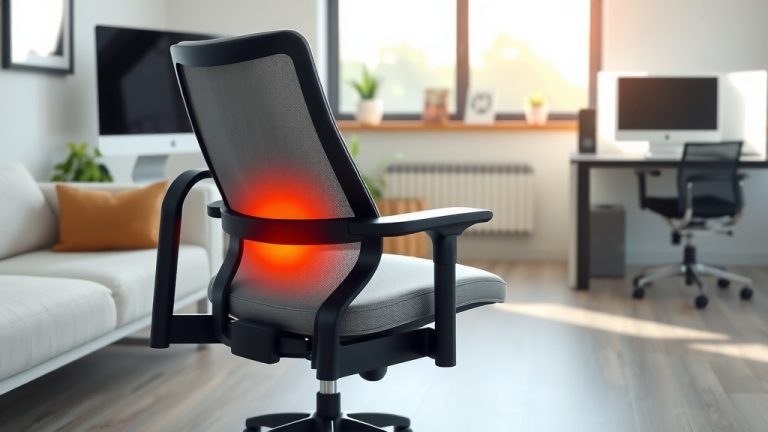
The backrest should support the natural curve of your lower back. This is called your lumbar region. If there’s a gap between your lower back and the chair, you’re not getting proper support. The chair’s lumbar support should fill that gap, gently pushing into the small of your back. This helps maintain your spine’s natural “S” curve.
We often see people leaning too far back or sitting too straight. A slight recline (around 100-110 degrees) can offload some pressure from your spine compared to sitting rigidly upright (NIOSH).
Armrests and Shoulder Relaxation
Armrests are there to support your arms and take pressure off your neck and shoulders. Adjust them so your arms just lightly rest on them, with your shoulders relaxed and not hunched up. When your armrests are too high, your shoulders tense up. When they’re too low, you might lean forward or hunch over your desk.
Poor Lumbar Support Causes Strain
Your lower back, or lumbar spine, has a natural inward curve. This curve acts like a shock absorber. When your chair lacks proper lumbar support, this curve can flatten or even round outwards. This puts a lot of stress on your spinal discs and the muscles surrounding them.
Imagine carrying a heavy box. If you bend your back instead of lifting with your legs, you feel the strain, right? Sitting without proper lumbar support is similar; it forces your back muscles to work harder to maintain an unnatural posture. This constant strain leads to muscle fatigue and eventually, pain.
You’re Sitting for Too Long, Too Still
We all know sitting is part of office work. But sitting for very long stretches without moving is a big problem for your back. Your body isn’t designed to be static. Movement is essential for spinal health.
When you sit still, your spinal discs don’t get the nourishment they need. Disc health relies on movement to pump fluids in and out. Lack of movement also stiffens muscles and joints, making you more prone to aches and pains. Many studies show a link between prolonged sitting and increased back pain (Mayo Clinic).
What can you do? Even small movements can make a difference. We’ve found that taking short breaks every 30-60 minutes can be incredibly beneficial.
Your Posture is the Real Culprit
It’s easy to blame the chair, but often, your habits play a huge role. Even a perfectly adjusted chair can’t save you from poor sitting posture. Slouching, hunching, and leaning forward are common habits that strain your back, neck, and shoulders.
Think about your head: it’s like a bowling ball. When it’s balanced directly over your shoulders, your neck muscles don’t work too hard. But when you lean forward, even an inch, the weight of your head increases several times for your neck and upper back muscles. This constant strain is a major cause of upper back and neck pain.
Good posture means your ears, shoulders, and hips are roughly in a straight line. Your spine maintains its natural curves. This alignment distributes your weight evenly and reduces stress on your body.
Your Chair Simply Doesn’t Fit Your Body Type
Are you particularly tall or short? Heavier or lighter than average? Many office chairs are designed for an “average” person. If you fall outside those average measurements, a standard chair might never truly fit you, no matter how much you adjust it.
A chair that’s too deep might mean your lower back can’t reach the backrest. A chair that’s too shallow might not support your thighs properly. If you’re taller, the headrest might hit you in the shoulders. If you’re shorter, your feet might dangle. These mismatches can force you into uncomfortable and unhealthy postures.
Consider these dimensions:
| Chair Feature | Consideration for Your Body |
|---|---|
| Seat Depth | Should allow 2-4 fingers between the front of the seat and the back of your knees. |
| Seat Width | Should allow ample space on both sides of your thighs. |
| Backrest Height | Tall enough to support your entire back and potentially your upper back/neck. |
| Load Capacity | Ensure the chair supports your weight comfortably and safely. |
Lack of Variety in Your Work Setup
Do you have a standing desk? Do you switch between sitting and standing? While a good chair is important, movement and variety are even more so. Your back gets tired of being in one position, even a good one.
We found that people who regularly change their posture throughout the day report less back pain. This could mean switching to a standing desk, using a balance ball for part of the day, or just getting up to stretch or walk around. The best posture is always your next posture.
Hidden Health Factors
Sometimes, your chair is just one piece of the puzzle. Other underlying health conditions can make you more susceptible to back pain, regardless of your chair setup. Things like muscle weakness, previous injuries, arthritis, or even stress can all contribute.
If you’ve tried adjusting your chair and your pain persists, it might be a good idea to chat with a healthcare professional. They can help rule out other causes and offer tailored advice. Your physical health plays a big role in how you feel when sitting.
Your Office Chair Back Pain Checklist:
Is your seat height adjusted so your feet are flat and knees are at 90 degrees or slightly below your hips?
Does the lumbar support fit snugly into the curve of your lower back, without a gap?
Are your armrests set so your shoulders are relaxed and arms are lightly supported?
Do you take short movement breaks every 30-60 minutes to stand, stretch, or walk?
Is your monitor at eye level, about an arm’s length away, preventing neck strain?
Does your chair truly fit your body dimensions, or is it too big/small in key areas?