How to Adjust an Office Chair?
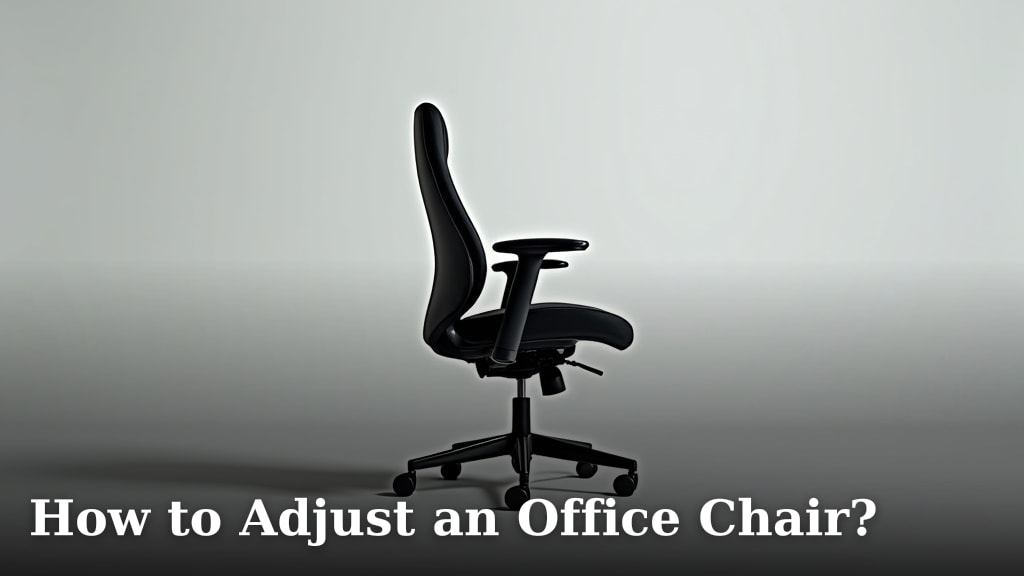
To adjust an office chair effectively, start by matching your body to the chair’s controls. Begin with seat height and depth, then move to armrests, and finally the backrest and lumbar support to achieve a comfortable and ergonomic posture.
Many people spend hours at their desks, but a poorly adjusted chair can lead to discomfort or even pain. Finding the right settings for your chair means you can work more productively. This small effort makes a big difference for your overall well-being.
- The goal is to personalize your chair for comfort.
- Start with the most basic adjustments first.
- Focus on seat height and armrest positioning.
- Lumbar support is key for your lower back.
Let’s walk through exactly how to adjust an office chair step-by-step for optimal comfort and support. We’ll help you get that perfect setup.
Configuring Your Office Chair Like a Pro
Setting up your office chair correctly can feel like solving a puzzle, but it’s simpler than you think. Our goal is always to match the chair to your body, not the other way around. This helps you maintain a healthy, comfortable posture throughout your workday.
Mastering Seat Height: Your Foundation for Comfort
The very first thing you need to adjust is your chair’s seat height. It’s the most fundamental adjustment and impacts everything else. Think of it as the base of a strong building.
Finding Your Ideal Seat Height
To start, make sure your feet are flat on the floor. If they can’t reach, you might need a footrest. Your knees should be at roughly a 90-degree angle, maybe slightly more. You want your thighs to be parallel to the floor, or angled slightly downwards (Cleveland Clinic).
A good trick is to slide your hand under your thigh near your knee. If it slides easily without much gap, you’re probably at a good height. If your knees are much higher than your hips, your chair is too low. If your feet dangle, it’s too high.
Optimizing Seat Depth: Avoiding Pressure Points
Once your height is dialed in, turn your attention to seat depth. This adjustment helps distribute your weight evenly and prevents pressure on your legs.
Checking for Proper Seat Depth
Sit all the way back in your chair. There should be a gap of about 2-4 fingers between the front edge of your seat and the back of your knees. This gap protects your blood circulation and nerves in your legs. If the gap is too small, your seat is too deep. If it’s too wide, your seat is too shallow.
Many chairs have a lever or knob to slide the seat forward or backward. Some chairs might require you to stand up and pull the seat forward. It’s important to adjust this carefully. Incorrect depth can lead to tingling, numbness, or even swelling in your lower legs.
Armrest Adjustments: Supporting Your Shoulders
Armrests often get overlooked, but they play a big role in preventing shoulder and neck strain. They shouldn’t be a place for you to hunch or lean too heavily.
Setting Armrest Height and Width
Your armrests should support your arms lightly while you type or use your mouse. Your elbows should form an angle of about 90 to 100 degrees (Mayo Clinic). They should be close enough to your body so your elbows aren’t winging out too far.
Many experts say your armrests shouldn’t prevent you from getting close to your desk. If your armrests are bumping the desk, they might be too high or set too wide. Aim for your shoulders to be relaxed, not lifted or crunched up.
Backrest and Lumbar Support: Protecting Your Spine
The backrest and lumbar support work together to maintain the natural curve of your lower back. This is where your chair truly supports your posture.
Positioning Your Lumbar Support
The lumbar support should nestle comfortably into the curve of your lower back. It’s designed to fill the gap that forms when you sit. Some chairs let you adjust the lumbar support’s height, depth, or even firmness.
If your lower back feels unsupported or pushed too far forward, adjust it. Research has found that good lumbar support can significantly reduce lower back pain for desk workers (Journal of Physical Therapy Science).
Adjusting the Backrest Angle
Most chair backrests can be reclined. A slight recline, around 100 to 110 degrees, can actually take pressure off your spine. However, for active typing, you’ll want it closer to 90 degrees or slightly reclined. Experiment to find what feels best for different tasks.
Headrest and Neck Support: For Breaks and Reclining
Not all chairs have headrests, but if yours does, it’s primarily for when you lean back to relax or make a phone call. It’s not usually for constant support while you’re working upright.
If your chair has a headrest, it should support the natural curve of your neck. It shouldn’t push your head forward or crane your neck awkwardly.
Dynamic Sitting vs. Static Sitting
Even with the best adjustments, sitting perfectly still for hours isn’t ideal. We found that “dynamic sitting” is a much healthier approach. This means making small movements and changing your posture throughout the day (NIH).
Your chair can help with this. Many chairs allow some movement, like rocking or tilting. Using these features periodically can keep your muscles active and improve blood flow. Don’t be afraid to occasionally stretch, stand up, and take short breaks.
Troubleshooting Common Chair Adjustment Issues
Sometimes, even after adjusting everything, you might still feel a bit off. Here’s a quick table to help identify and fix common problems.
| Symptom | Possible Cause | Solution |
|---|---|---|
| Feet dangling, pressure under thighs | Seat height too high | Lower chair or use a footrest. |
| Low back pain, slouching | Insufficient lumbar support | Adjust lumbar support height/depth. |
| Shoulder and neck pain | Armrests too high/low/wide | Adjust armrest height and width. Relax shoulders. |
| Numbness in legs, tingling feet | Seat depth too deep, pressure behind knees | Slide seat forward to create 2-4 finger gap. |
| Uncomfortable upright posture | Backrest too upright or reclined too much | Experiment with slight recline (100-110 degrees). |
Your Chair Adjustment Checklist
Before you dive back into your work, use this quick checklist to make sure your chair is perfectly set up for you. Think of it as your final tune-up for a day of comfortable productivity.
- Feet Flat: Are both feet firmly on the floor or a footrest?
- Knees at 90°: Do your knees form a right angle with your thighs parallel to the floor?
- Seat Gap: Can you fit 2-4 fingers between your seat edge and the back of your knees?
- Relaxed Shoulders: Are your shoulders down and relaxed, not hunched?
- Elbows at 90-100°: Are your forearms parallel to the floor, with elbows bent at a comfortable angle?
- Lumbar Support: Does the backrest’s curve support the natural arch of your lower back?

Conclusion
Adjusting your office chair isn’t a one-time event; it’s an ongoing process. By understanding each control, you can create a setup that genuinely supports your body. Remember to start with fundamental adjustments like seat height and depth, then fine-tune the armrests, backrest, and lumbar support. Prioritize your comfort and listen to your body. Make these adjustments a regular part of your routine, and you’ll prevent discomfort, improve your posture, and boost your overall well-being at your desk.
Frequently Asked Questions
How often should I re-adjust my office chair?
It’s a good idea to check your chair’s adjustments a few times a week, especially if you notice new discomforts. Your body might shift slightly, or you might be wearing different shoes. A quick review ensures you maintain optimal support.
Can a poorly adjusted chair cause headaches?
Yes, absolutely. A chair that doesn’t support your neck and shoulders correctly can lead to tension in your upper back and neck, which often manifests as tension headaches. Proper armrest and backrest settings are key to preventing this.
Is it better to sit at a 90-degree angle or slightly reclined?
While 90 degrees is often cited, research suggests a slight recline (around 100-110 degrees) can actually reduce pressure on your spine. Experiment to find the angle that feels most comfortable and supportive for your lower back.
What if my office chair doesn’t have all these adjustments?
Do your best with the adjustments available. Even basic chairs allow for seat height changes. You might consider adding accessories like an external lumbar pillow or a footrest to compensate for missing features. Prioritize the most important adjustments first.
Should my feet be completely flat on the floor, or is a slight tilt okay?
Your feet should be flat on the floor or a footrest, with even pressure across the soles. While a tiny tilt might be unavoidable for some, your goal is to avoid dangling feet or excessive pressure on your thighs. This promotes healthy circulation.