How to Adjust Office Chair Armrest Height?
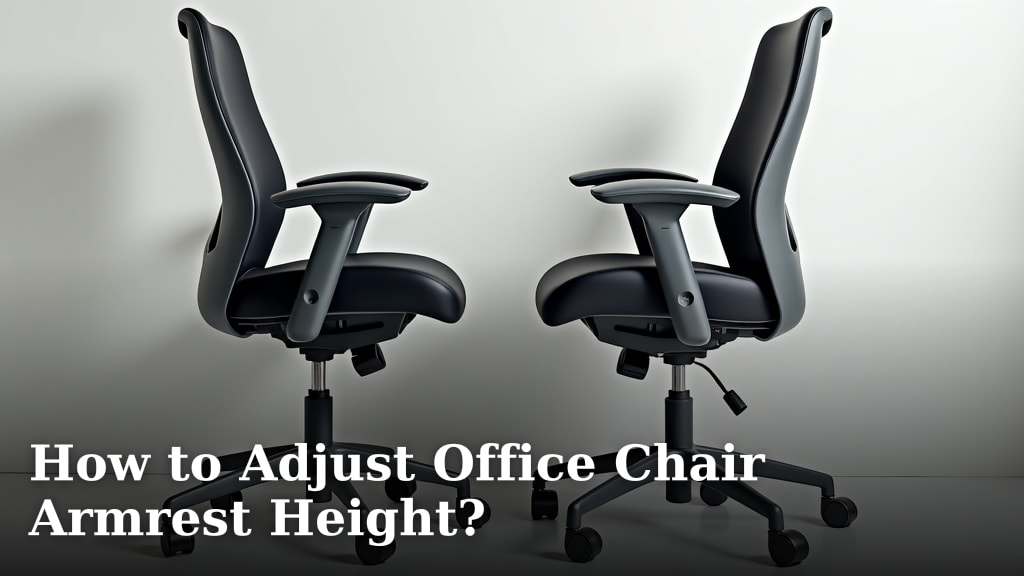
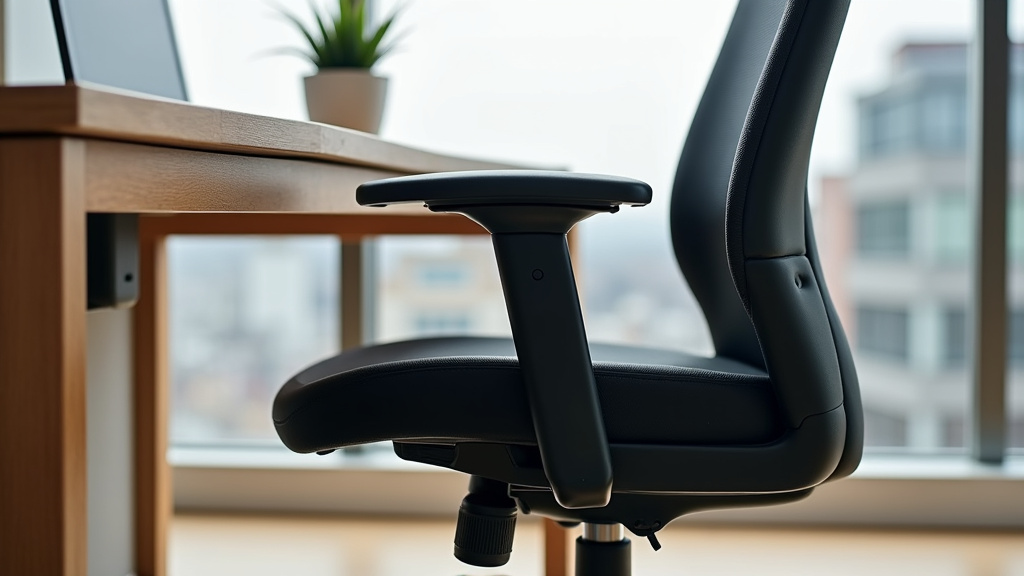
To adjust your office chair armrest height, you will typically find a button or lever located either on the underside of the armrest or on its side. Press or pull this mechanism while simultaneously moving the armrest up or down to your desired height, then release it to lock it in place.
Getting your armrests just right is key for comfort and good posture at your desk. Proper armrest height helps support your arms and shoulders, preventing strain. We’ve found that even small adjustments can make a big difference in how you feel throughout your workday.
- Find the adjustment button or lever.
- Press or pull to unlock the armrest.
- Move the armrest up or down.
- Release the button to lock it.
Let’s walk through exactly how to adjust your office chair armrests, ensuring you achieve the best setup for your comfort and health.
Finding Your Ideal Armrest Height
Achieving the correct armrest height is about creating a harmonious setup between your body and your workspace. It’s often one of those “aha!” moments when you finally get it right.
Why Armrest Height Matters So Much
Think of your armrests as silent partners in your ergonomic journey. When they’re set correctly, they help prevent a surprising amount of discomfort. You might not even realize your armrests are causing issues until you fix them.
Preventing Strain and Pain
Improper armrest height can lead to a cascade of problems. We found that many people experience tension in their neck, shoulders, and even wrists when armrests are too high or too low. This is because your muscles are constantly working to compensate.
- Too High: Your shoulders might hunch, forcing your neck into an awkward position. This can compress nerves and lead to discomfort.
- Too Low: You might lean forward or slump, putting strain on your lower back and shoulders. Your arms won’t receive the support they need. Understanding the best sitting posture for back pain can further enhance your ergonomic setup and prevent discomfort.
The goal is to let your shoulders relax. Your arms should feel supported without being pushed up. Many health organizations, like the Occupational Safety and Health Administration (OSHA), emphasize the importance of adjustable armrests for reducing musculoskeletal disorders in office workers.
Improving Posture and Comfort
When your armrests are at the right height, they work in conjunction with your chair’s seat and backrest to support a neutral posture. This means your spine is naturally aligned. Your body isn’t fighting itself.
Imagine your arms gently resting, not hanging, not pushing. This comfort translates to better focus and less fatigue during your workday. It’s like having a little ergonomic assistant for your upper body.
The Golden Rule for Armrest Positioning
So, what’s the magic number? While there’s no single measurement that fits everyone, there’s a simple principle to follow. Your armrests should allow your arms to form an approximately 90-degree angle at the elbow.
To achieve this, sit comfortably in your chair, with your feet flat on the floor. Let your shoulders relax. Your upper arms should hang naturally at your sides. Your forearms should be roughly parallel to the floor, resting on the armrests. Your wrists should stay straight when you type or use your mouse.
This “90-degree rule” is a widely accepted ergonomic guideline. It helps ensure your tendons and muscles are not overstretched or compressed. You’ll often see this recommendation from ergonomic consultants and physical therapists alike.
Different Types of Armrest Adjustments
Not all armrests are created equal, and knowing what kind you have is the first step toward adjusting them. Most office chairs offer several ways to customize armrest position.
Standard Height Adjustment (Up and Down)
This is the most common type of armrest adjustment. You’ll usually find a button or lever that allows the armrest to move vertically. It’s designed to match your body’s natural resting position.
To adjust: locate the button or lever. It’s usually on the side of the armrest support or underneath the armrest pad. Press or pull it firmly. While holding it, move the armrest up or down. Once you reach your desired height, release the button. You should hear a click or feel it lock into place. Give it a gentle tug to ensure it’s secure.
Pivot or Swivel Adjustment (In and Out)
Some armrests can also pivot or swivel. This feature allows you to angle the armrests inward or outward. It’s incredibly useful for getting closer to your desk or providing better support when typing.
This adjustment often involves a smaller button or a rotating mechanism on the armrest pad itself. It might click into different positions. Experiment with it to see what works best when you’re actively working at your desk.
Depth Adjustment (Forward and Backward)
Also known as “fore/aft” adjustment, this allows you to move the armrest pads closer to or further away from your body. This is great for making sure your forearms are fully supported when you’re sitting deeply in your chair.
Look for a button or lever that slides the armrest pad horizontally. Similar to height adjustment, you’ll press it, slide the pad, then release. This small adjustment can make a big difference, especially if you have a deep desk or a particular preference for how far forward your arms extend.
Width Adjustment (Side to Side)
If you’ve ever felt your armrests were too far apart or too close together, width adjustment is your friend. This allows you to bring the armrests closer to or further away from the chair’s central column.
This adjustment can be trickier to find. Sometimes it’s a lever under the seat that unlocks the entire armrest assembly. Other times, the armrests are attached via screws that can be loosened and re-tightened in different holes. If your chair has this feature, we recommend checking your chair’s manual for specific instructions.
Here’s a quick overview of common armrest adjustments:
| Adjustment Type | What it Does | How to Spot It |
|---|---|---|
| Height (Up/Down) | Changes vertical position of armrest. | Button/lever on side or underside of arm. |
| Pivot/Swivel (In/Out Angle) | Changes angle of armrest pad. | Small button or rotator on armrest pad. |
| Depth (Forward/Backward) | Moves armrest pad closer/further from body. | Button/lever that slides pad horizontally. |
| Width (Side to Side) | Adjusts distance between armrests. | Lever under seat or screw adjustments. |
Step-by-Step Guide to Adjusting Your Armrests
Ready to dial in your perfect settings? Here’s a systematic approach to ensure you get it right. Remember, this isn’t a “set it and forget it” process; you might need to fine-tune it.
Prepare Your Workspace and Yourself
Before you start pushing buttons, set the stage for success. A little preparation goes a long way.
- Clear your desk: Make sure there’s enough space to move your chair freely.
- Sit properly: Place your feet flat on the floor or on a footrest. Sit all the way back in your chair.
- Relax: Let your shoulders drop. Avoid tensing up.
The Adjustment Process
Now, let’s get hands-on. We found that making adjustments in a specific order often yields the best results.
Set Your Chair Height First
This is crucial. Your chair’s overall height determines your relationship with your desk. You should be able to type with your wrists straight and forearms parallel to the floor, without shrugging your shoulders. Adjust the seat height so your feet are flat on the floor (or a footrest) and your hips are slightly higher than your knees.
Adjust Armrest Height
With your chair height set, now focus on the armrests. Follow the general guidance we discussed earlier.
Find the height adjustment mechanism (button or lever). Press or pull it. Let your arms hang naturally. Then, lift the armrests until your elbows form that 90-degree angle when your forearms are resting gently. Your shoulders should remain relaxed. Release the button to lock them.
Fine-Tune with Other Adjustments
If your armrests offer more than just height adjustment, now’s the time to use them.
- Width: Adjust them so they support your arms without forcing them too far out or too close in. There should be a comfortable gap between your body and the armrest.
- Depth: Slide them forward or backward so your forearms are well-supported even when you’re sitting fully back in your chair.
- Pivot: Angle them slightly inward if it helps support your wrists better while typing or using a mouse.
The Ergonomic Checklist for Armrests
Once you’ve made your adjustments, run through this quick checklist. It helps confirm you’ve hit the sweet spot.
- Are your shoulders relaxed, not hunched?
- Do your elbows form approximately a 90-degree angle?
- Are your forearms resting gently and parallel to the floor?
- Do your wrists stay straight when you type or use your mouse?
- Can you get close enough to your desk comfortably?
If you answered yes to all of these, congratulations! You’ve likely found your ideal armrest position. If not, don’t worry. It’s common to make small tweaks over time until it feels just right. Your body will thank you for the effort.
Conclusion
Taking a few moments to properly adjust your office chair armrests can make a surprising difference in your daily comfort and long-term health. We found that relaxed shoulders and a neutral arm position are key to preventing aches and strains.
By understanding the different adjustment types and applying the “90-degree rule,” you can create an ergonomic setup that truly supports you. Don’t underestimate the power of these small changes.
Now, take what you’ve learned and fine-tune your chair. Your body will thank you for this simple, yet powerful, adjustment.
Frequently Asked Questions
Should my armrests touch my desk?
Ideally, your armrests should be positioned so you can get close to your desk without them bumping. They should support your arms without hindering your proximity to your workspace.
What if my office chair armrests aren’t adjustable?
If your armrests don’t adjust, consider adding armrest pads that can increase their height or provide more cushioning. If comfort issues persist, it might be time to look into a chair with more adjustable features.
Can armrests be removed if they are getting in the way?
On some office chairs, armrests can be completely removed, often by unscrewing them from the base. Check your chair’s manual for specific instructions if you’re considering this option.
How often should I re-adjust my armrests?
You should re-adjust your armrests anytime you change your posture significantly, get a new desk, or feel any discomfort. It’s good practice to periodically check your ergonomic setup.
Why do my armrests keep slipping down after I adjust them?
If your armrests are slipping, the locking mechanism might be worn or faulty. This often requires tightening a screw or, in some cases, replacing the armrest component. Consult your chair’s manufacturer for repair options.