How to Stop an Office Chair from Scratching Plastic Flooring
Clean grit, inspect the casters, and add a mat made for your plastic floor to reduce scratches and marks from an office chair. Replace damaged wheels and check that a mat's backing is safe for your flooring.
On this page (8 sections)
- Why does an office chair scratch plastic flooring?
- How should you clean the floor and chair casters?
- Will an office chair mat protect plastic flooring?
- Should you replace the office chair casters?
- What else can reduce marks from chair movement?
- How do you choose a floor mat or replacement wheels?
- What should you do if the floor is already scratched?
- How can you keep an office chair from scratching plastic flooring?
To stop an office chair from scratching plastic flooring, remove grit, check the casters, and use a floor-safe chair mat. Replace wheels with rough or damaged surfaces, and check beneath the mat so debris doesn't get trapped against the floor.
Plastic flooring can mean vinyl, PVC, or another resilient surface, and care guidance varies. Identify your floor type and follow its cleaning and protection instructions before choosing a cleaner, mat, or replacement wheels.
Why does an office chair scratch plastic flooring?
Grit trapped under a caster or between a mat and the floor can act like sandpaper. Worn, cracked, or unsuitable wheels may also scrape or leave marks as the chair turns.
Look closely at the floor in good light. A mark that wipes away with a floor-approved cleaner may be a scuff, while a line that remains after cleaning may be a scratch or surface damage.
Chair movement can concentrate wear in the same small area. Repeatedly pivoting or rolling over grit can leave marks even when the wheels look smooth.
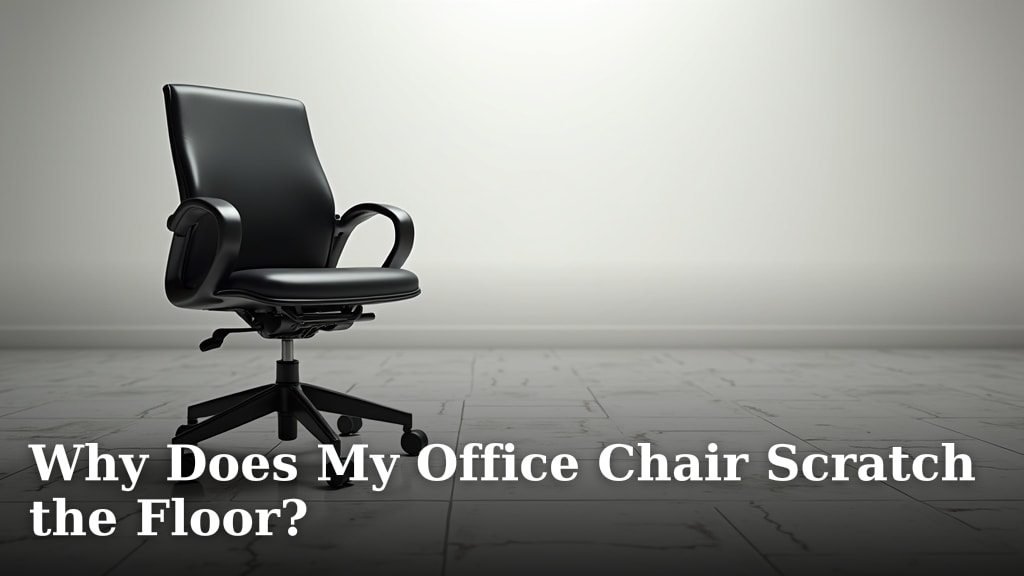
For more causes and checks, see Why Does My Office Chair Scratch the Floor?. If you also have wood floors in another room, our guide to How to Protect Hardwood Floors from Office Chair? covers protection for that surface.
How should you clean the floor and chair casters?
Remove grit from both the floor and wheels before adding a mat or changing casters. Otherwise, debris can keep rubbing the surface underneath a new layer of protection.
First, move the chair and vacuum or sweep the area using a method your flooring maker permits. Wipe the floor with a soft cloth and an approved cleaner, then let it dry fully before returning the chair.
Turn the chair over carefully to inspect each wheel. Remove hair, threads, and visible debris without using a sharp tool that could damage the wheel or injure you.
Roll each caster by hand. If a wheel has a rough edge, a crack, or a flat spot, replace it rather than relying on cleaning alone.
Avoid harsh solvents, abrasive scrubbers, and steam unless the floor maker specifically approves them. A cleaner that works on one vinyl or plastic floor may affect another finish.
Will an office chair mat protect plastic flooring?
A compatible chair mat can reduce direct wheel contact with the floor, but the mat's material and backing must suit your specific flooring. Check the flooring maker's care instructions and the mat maker's compatibility guidance before buying.
Measure the area where you roll, including how far you move to reach your desk or stand up. A mat that is too small can leave the main turning area exposed.
Keep the floor and the underside of the mat clean. Lift the mat periodically if its instructions allow it, inspect for trapped grit or moisture, and dry both surfaces before putting it back.
Don't assume a mat labeled for hard floors is safe for every plastic surface. If compatibility is unclear, ask the flooring or mat maker before using it.
Should you replace the office chair casters?
Replace casters that are cracked, rough, or mismatched to your floor. Choose replacements that fit the chair's stem and are described as suitable for your flooring type.
Measure the caster stem or check the chair maker's instructions before ordering. Caster designs can differ, so a wheel that looks similar may not attach securely.
After fitting new wheels, roll the chair slowly over a clean area and check for wobbling or resistance. Stop if a caster is loose or doesn't turn freely, and recheck the fit.
If you are comparing chairs for wood or laminate in another workspace, see Best Office Chair For Hardwood Floors and Best Office Chair For Laminate Floors. Wheel and floor compatibility still depends on the exact materials.
Can you use a plastic office chair on plastic flooring?
A plastic chair can sit on plastic flooring, but its base material doesn't tell you whether its casters are floor-safe. Check the wheels and protect the floor based on its own care requirements.
If you're choosing a chair, compare its caster type, replacement options, and fit with your floor. Our Best Plastic Office Chair guide can help you compare plastic chair styles.
What else can reduce marks from chair movement?
Keep the rolling path clear and use smooth, controlled movement. A mat or compatible casters help most when the floor and wheels are clean.
Avoid dragging the chair sideways or pushing it over debris. If the chair regularly catches on an uneven floor joint, address the cause instead of forcing it across the surface.
Check the chair's height and position so you can move it without leaning or pulling it sharply. A cushion may change your seated height, so recheck your chair and desk fit after adding one.
These cushions address seat comfort rather than floor protection. If you want a gel option, compare gel seat cushions for office chairs.
They won't stop a caster from scratching, so use them only if you also want a seat cushion.
If your chair's arm pads are worn and you're already repairing it, the Podoy replacement pads fit chairs with 4 in mounting-hole spacing. Measure your existing holes and compare the bracket area before ordering.
How do you choose a floor mat or replacement wheels?
Match the protection to your floor and the chair before buying. Check the floor type, wheel fit, mat size, and care instructions first.
Use this quick checklist:
- Identify the flooring material and find its care guidance.
- Measure the space the chair covers while you work.
- Check that a mat is compatible with your floor and has an appropriate backing.
- Confirm caster stem size and chair compatibility before replacing wheels.
- Plan to clean under the mat and around the casters regularly.
Don't use a product just because its packaging says “non-scratch.” That wording doesn't confirm compatibility with your particular floor, finish, or chair.
What should you do if the floor is already scratched?
Clean the area gently and check the flooring maker's repair guidance before treating a scratch. A surface mark and damage through the wear layer need different approaches.
Don't apply wax, polish, or a repair liquid unless the flooring instructions allow it. Some treatments can change the sheen or leave a patch that is hard to remove.
Once you have dealt with the mark, prevent repeat contact by cleaning the wheels, replacing damaged casters, or adding a compatible mat. Check the area again after a few days of normal chair use.
How can you keep an office chair from scratching plastic flooring?
To keep an office chair from scratching plastic flooring, start with clean wheels and a clean floor, then add compatible protection if needed. Replace rough casters, and check beneath any mat for grit or moisture.
If the chair leaves marks, clean them with an approved method before deciding they are scratches. For a chair that also reclines unexpectedly, see How to Stop Office Chair from Reclining? for a separate adjustment guide.
Frequently asked questions
How do I stop an office chair from scratching plastic flooring?
Clean grit from the floor and caster wheels, then inspect the wheels for cracks, rough edges, or trapped debris. Replace damaged or unsuitable casters, and use a chair mat whose maker says it works with your type of plastic flooring.
Check the mat and floor regularly for trapped grit or marks.
Can I use any office chair mat on plastic flooring?
No. Choose a mat made for your specific floor type, since some materials or backings may discolor or damage some plastic floors.
Check the flooring and mat makers' care guidance, and test an inconspicuous area if they allow it.
Keep the surface clean beneath the mat.
Why does an office chair leave marks without scratching the floor?
Marks can come from dirt on the casters, wheel material, or scuffs left by repeated turning and rolling. Clean the wheels and floor first, then see whether the marks wipe away with a cleaner approved for your floor.
Avoid abrasive pads and solvents unless the flooring instructions permit them.
Do soft casters protect plastic flooring?
Softer or floor-specific casters may reduce direct contact with hard wheels, but fit and floor compatibility still matter. Check the caster maker's guidance for your floor and chair, and confirm the stem type and size before ordering.
Clean the wheels regularly because grit can still scratch the surface.