How to Sit Properly in an Office Chair?
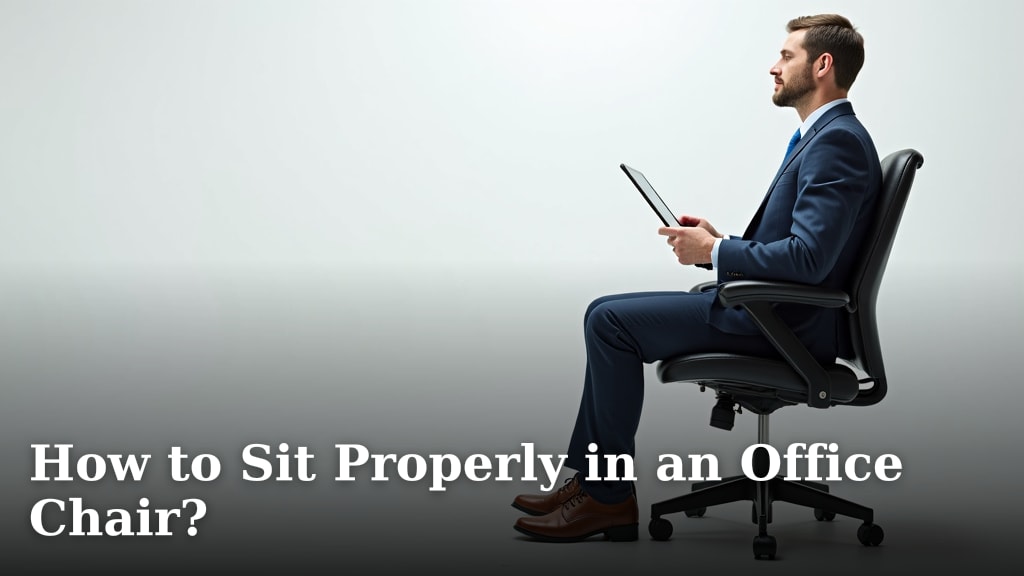
To sit properly in an office chair, adjust your chair so your feet are flat on the floor and your knees form a 90-degree angle. This simple adjustment helps support your lower back and promotes good posture.
Poor sitting posture can lead to back pain and discomfort over time. We found that a few simple adjustments to your office chair can make a huge difference in your workday comfort. Don’t worry, it’s easier than you think!
- Adjust chair height for feet flat on the floor.
- Ensure knees are at a 90-degree angle.
- Support your lower back with good lumbar support.
- Keep shoulders relaxed and wrists straight.
- Take regular breaks to move around.
Ready to transform your workspace and say goodbye to aches and pains? Let’s walk through exactly how to set up your office chair for optimal comfort and health.
Mastering Your Office Chair Setup for Health
Setting up your office chair correctly is simpler than you might think. We found that a few strategic adjustments can dramatically improve your comfort and focus during work.
Let’s walk through each step to ensure your chair supports you in all the right places. You’ll be amazed at the difference!
Setting the Foundation: Chair Height and Foot Placement
Your journey to better posture starts from the ground up, literally. Getting your chair height right is the most critical first step.
We found that many people overlook this simple adjustment. Don’t worry, we’ll make sure you get it perfect.
Feet Flat on the Floor: Your Anchor
First, adjust your chair’s height so your feet are flat on the floor. This isn’t just about comfort; it’s about stability and balance.
If your feet dangle, your legs and back work harder to maintain position. This can lead to fatigue and discomfort (NIH National Library of Medicine).
You should feel a firm, even pressure across the entire sole of your foot. No tiptoeing allowed!
Knee Angle: The 90-Degree Rule
Once your feet are flat, check your knees. They should form a 90-degree angle, or slightly more obtuse, meaning a little wider than 90 degrees.
This angle helps maintain healthy circulation and reduces pressure behind your knees. If your knees are higher than your hips, your circulation might be compromised.
If your feet are flat but your knees are too high, your chair is too low. If your knees are too low, your chair is too high. This sounds simple but is often missed!
Back Support: Embracing Lumbar Love
Your lower back, or lumbar spine, has a natural inward curve. An office chair should support this curve.
Ignoring lumbar support can lead to slouching and strain. Think of it as your body’s personal bodyguard against back pain.
Aligning Your Spine’s Natural Curve
Adjust your chair’s backrest so it cradles the small of your back. This means feeling gentle pressure in your lower back region.
Many office chairs have an adjustable lumbar support feature. Take the time to move it up or down until it fits your unique lower back curve.
You want to feel supported, not pushed forward uncomfortably. It’s like a good hug for your spine.
Reclining for Relief: A Gentle Angle
While sitting perfectly upright sounds ideal, a slight recline can actually be beneficial. Many experts suggest a slight recline of 100-110 degrees.
This gentle angle helps relieve pressure on your spinal discs. It’s a subtle change but can make a big difference over hours of sitting.
Make sure your back is still fully supported against the backrest when you recline. Don’t slouch into the recline.
Armrests and Shoulders: Keeping Upper Body Relaxed
Your upper body, especially your shoulders and arms, often carries a lot of tension. Proper armrest adjustment can help you relax and reduce strain.
We often see people shrugging their shoulders or leaning too heavily on their armrests. Let’s fix that.
Level with Your Desk: The Armrest Sweet Spot
Adjust your armrests so your arms rest lightly on them, with your shoulders relaxed. Your elbows should naturally form a 90-degree angle.
The tops of your armrests should be roughly level with your desk surface. This allows you to move your mouse and keyboard without shrugging your shoulders.
If your armrests are too high, you’ll shrug. Too low, and you’ll lean. Find that perfect middle ground.
Shoulders Down and Back: The Relaxed Posture
Focus on keeping your shoulders relaxed, not bunched up near your ears. Imagine gently guiding them down and back.
This posture helps prevent tension headaches and neck pain. It also opens up your chest, allowing for better breathing.
Periodically check in with your shoulders. Are they creeping up? Gently guide them back down to their natural position.
Monitor and Keyboard: Ergonomics Beyond the Chair
Your chair is just one piece of the ergonomic puzzle. How you interact with your monitor and keyboard also plays a huge role in your posture.
Even the best chair won’t fix problems if your screen is too low or your keyboard is too far away.
Eye Level Monitor Placement
Position your monitor so the top of the screen is roughly at or slightly below eye level. Your gaze should be naturally directed downwards slightly.
This prevents you from craning your neck up or down. Your neck should remain in a neutral, comfortable position.
If you wear bifocals, you might need to lower your monitor slightly more. Adjust it to what feels best for your vision.
Wrist Position: Straight and Neutral
When typing, your wrists should remain straight and neutral. Avoid bending them up or down excessively.
Your keyboard should be close enough that your elbows stay at your sides, close to your body. Consider a wrist rest if you find your wrists bending.
The goal is to keep your tendons and nerves happy, preventing issues like Carpal Tunnel Syndrome (Mayo Clinic).
The Importance of Movement: Breaking Up Stillness
Even with a perfectly adjusted chair, static posture is not ideal. Your body is designed to move.
Sitting for long periods, no matter how perfectly, can still lead to back issues and other health concerns (CDC).
Think of your office chair as a supportive tool, not a permanent fixture for your body.
Here’s a simple checklist to ensure you’re maximizing your ergonomic setup:
- Chair Height: Feet flat on the floor?
- Knee Angle: Knees at 90 degrees or slightly open?
- Lumbar Support: Lower back gently supported?
- Armrests: Shoulders relaxed, elbows at 90 degrees?
- Monitor Height: Top of screen at or slightly below eye level?
- Movement Breaks: Standing and stretching regularly?
We found that taking frequent, short breaks is key. Aim for a 5-10 minute break every hour.
Stand up, stretch, walk a few steps. Even a quick trip to the water cooler can make a huge difference. Your body will thank you for it!

Conclusion
You’ve seen how a few simple adjustments can make a big difference in your sitting posture. Getting your chair height, knee angle, and lumbar support right creates a healthy foundation. Remember to keep your shoulders relaxed and your monitor at eye level. We found that pairing good chair ergonomics with regular movement breaks is the best approach. Your comfort and long-term health are worth these easy changes. Start making these adjustments today for a more comfortable workday!
Frequently Asked Questions
What if my feet don’t touch the floor even on the lowest chair setting?
If your feet don’t comfortably touch the floor, use a footrest. A footrest helps maintain the crucial 90-degree knee angle and ensures proper leg support. Make sure it’s stable and large enough for both feet.
Should my office chair have armrests?
Armrests are helpful for resting your arms and reducing shoulder strain. However, make sure they are adjustable so you can keep your shoulders relaxed and your elbows at a 90-degree angle. If they force your shoulders up, remove them.
How often should I get up from my office chair?
You should aim to take a short break every 30-60 minutes. Even standing up and stretching for 1-2 minutes can interrupt static posture. We found that frequent, short breaks are more beneficial than fewer, longer ones.
Can an ergonomic chair fix all my back pain?
While an ergonomic chair significantly helps, it’s not a magic bullet. Proper sitting posture, regular movement, and strengthening exercises are all part of a healthy back strategy. A good chair supports your efforts, it doesn’t replace them.
Is it better to sit on a cushion or directly on the chair?
Typically, it’s best to sit directly on the chair’s seat, especially if it’s designed with ergonomic contours. A cushion might alter your posture or reduce the effectiveness of the chair’s lumbar support. Only use one if specifically recommended for a medical condition.