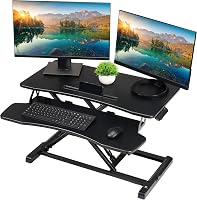
9 Best Standing Desk Converters for Dual Monitors (November 2026)
The best standing desk converters for dual monitors include the VIVO Manual Height Adjustable Standing Desk Converter for most dual monitor desks, the Vari Pro Plus 36 Standing Desk Converter for wider dual monitor setups, and the TechOrbits 32 in Standing Desk Converter for lighter manual risers.
On this page (10 sections)
- How we compared standing desk converters for dual monitors
- The best standing desk converters for dual monitors
- How wide should a converter be for two monitors?
- Manual or electric: which lift fits dual monitors?
- What weight limit do you need for 2 monitors?
- How tall should a dual monitor converter lift?
- Can you add a monitor arm to a converter?
- What desk depth and space do you need?
- How do you set up and care for a converter?
- Verdict: which dual monitor converter should you buy?
The best standing desk converter for 2 monitors for most people is the VIVO Manual Height Adjustable Standing Desk Converter, because its 31.5 in top, 33 lb limit and 4.5 to 20 in range fit dual monitors without replacing your desk. Choose the Vari Pro Plus 36 if you want more width, and the VERSADESK PowerPro 48 if you want electric movement.
A converter lets you raise two screens together while keeping your current desk, chair and cable layout in place. That matters if you rent, if your desk is solid, or if a full standing desk would change too much at once.
Our home office desk guide can help you decide if a converter or a new desk fits your room better.
Our picks at a glance
-
1
 Best for most dual monitor desks
VIVO Manual Height Adjustable Standing Desk Converter
9.7/10 our score
See it on Amazon -
2
 Best for wider dual monitor setups
Vari Pro Plus 36 Standing Desk Converter
9.6/10 our score
See it on Amazon -
3
 Best for lighter manual risers
TechOrbits 32 in Standing Desk Converter
9.6/10 our score
See it on Amazon
- 4
 Check it
VERSADESK PowerPro 48 Inch Electric Standing Desk
Best for electric dual monitor movement - 5
 Best for extra wide manual topsCheck it
- 6
 Check it
TechOrbits Black 32 in Standing Desk Converter
Best for dual monitor stands - 7
 Check it
FITUEYES Height Adjustable Standing Desk 32” Wide
Best for dual gas spring lift - 8
 Check it
JOY worker Standing Desk Converter
Best for removable keyboard tray - 9
 Check it
Rocelco 46" X-Frame Standing Desk Converter
Best for three monitor capacity
How we compared standing desk converters for dual monitors
We compared width, top depth, height range, lift type, weight limit and tray size against what two monitors need in daily use. Our score weighs specs, features and buyer feedback against what you're shopping for.
We checked each model's top size first, because two monitors with feet need more width than two monitors on an arm. We then checked the lift range, so you can match the riser to your seated eye height and your standing eye height.
A riser that stops at 19 in may not work for a tall user on a high desk.
We looked at weight limits next, since two monitors, a keyboard and a laptop can add up fast. Manual models here mostly top out at 33 lb on the desktop, while electric and larger models go higher.
We also checked tray width, because a narrow tray can make typing feel cramped even when the top is wide enough.
For context, our best desktop standing desk converter guide covers single monitor and laptop setups. If you only use one screen, that guide may be a better fit.
If you use two or three screens, the picks below are built for that load.
The best standing desk converters for dual monitors
Each pick below keeps your existing desk in place and raises your screens and keyboard together. Read the trade off for each one, because width, depth and lift type change how it feels on a real desk.
VIVO Manual Height Adjustable Standing Desk Converter: Best for most dual monitor desks
- 31.5 x 15.7 in top
- 31.3 x 11.8 in keyboard tray
- 33 lb lift assist
- 4.5 to 20 in adjustment
- Alloy steel frame
A compact manual riser with a wide tray and a strong lift assist for two screens on an existing desk.
Pros
- 31.5 in top fits dual monitors
- 33 lb lift assist
- Minimal assembly
Cons
- 32 in class width is tight for very wide monitor pairs
- Manual lift needs both hands free
The VIVO Manual Height Adjustable Standing Desk Converter suits buyers who want a proven 32 in manual riser for two monitors and a laptop. Its top measures 31.5 x 15.7 in, which leaves room for dual monitors with feet while the 31.3 x 11.8 in keyboard tray keeps your keyboard and mouse at a comfortable angle.
The lift assist holds 33 lb and moves from 4.5 to 20 in with a simple touch height lock. That range helps shorter and taller users find an eye level position without stacking books.
The steel frame gives a steady feel at full height, and VIVO backs it with a 3 year warranty.
The trade off is width. Two large monitors with wide feet can feel tight on a 31.5 in top, so measure your monitor pair first.
If your screens are 27 in or larger, the 42 in VIVO or the 36 in Vari may give you more breathing room.
Vari Pro Plus 36 Standing Desk Converter: Best for wider dual monitor setups
- 36 x 12.25 in upper tier
- Spring assisted rowing lift
- Dual handles
- Heavy base and stability bars
- No assembly needed
A 36 in two tier converter with a spring assisted lift and a heavy base for steady dual monitor use.
Pros
- 36 in upper tier
- Spring assisted lift reduces strain
- Arrives fully assembled
Cons
- 12.25 in upper depth limits monitor feet placement
- Heavy base takes more desktop depth
The Vari Pro Plus 36 suits buyers who want a wider two tier platform and a lift that does more of the work. Its upper tier measures 36 x 12.25 in for two monitors, while the lower deck holds your keyboard, mouse and small accessories.
That split keeps screens farther from your eyes than a single flat top.
The spring assisted rowing lift and dual handles help you raise and lower the platform with less strain. Vari says the thicker steel, dual stability bars and heavy base keep it steady at any height.
It arrives fully assembled, so you can place it on your desk and start work.
The trade off is depth and weight. The 12.25 in upper tier is shallower than a 15.7 in top, so large monitor feet or arms need careful placement.
The heavy base also needs a deep enough desk. If your desk is shallow, a 15.7 in deep model may fit better.
TechOrbits 32 in Standing Desk Converter: Best for lighter manual risers
- 32 in wide top
- 4.3 to 19.9 in range
- Pneumatic lift
- Aluminum frame
- 33 lb limit
A lighter 32 in manual converter with a pneumatic lift for laptop and dual monitor combinations.
Pros
- 16.7 lb frame is easier to move
- 33 lb limit
- Minimal assembly
Cons
- Particle board top
- Keyboard tray needs tool assembly
The TechOrbits 32 in Standing Desk Converter suits buyers who want a lighter manual riser that is easy to move between desks. At 32 in wide, it fits dual monitors, a laptop, keyboard, mouse and speakers for most home office setups.
The top and tray layout keeps screens up and typing gear at tray height.
The pneumatic lift moves from 4.3 to 19.9 in, and the aluminum frame holds up to 33 lb. At 16.7 lb, the frame is lighter than several rivals here, which helps if you move it for cleaning or shared spaces.
It comes mostly assembled, with the keyboard tray attached with the tools provided.
The trade off is build and tray setup. The top is particle board with a laminated finish, and the tray needs tool assembly.
If you want zero assembly, the Vari or Rocelco may suit you better. If you want low weight and a 33 lb limit, this TechOrbits is a strong fit.
VERSADESK PowerPro 48 Inch Electric Standing Desk: Best for electric dual monitor movement
- 48 in wide top
- Push button electric lift
- 80 lb limit
- Built in USB port
- Three grommet holes
- Carbon steel construction
A 48 in electric converter with a quiet motor, USB charging and space for two or three monitors.
Pros
- 48 in top for multiple monitors
- 80 lb limit
- USB port and grommets
Cons
- Monitor arm sold separately
- Largest footprint in this group
The VERSADESK PowerPro 48 Inch Electric Standing Desk suits buyers who move between sitting and standing often and want a button to do the work. Its 48 in wide top supports two monitors, three monitors or a multi monitor setup plus a laptop.
The two tier layout puts monitors on the upper level and keyboard gear on the lower tray.
The push button motor gives smooth, quiet height changes, and the carbon steel build holds up to 80 lb with minimal wobble at full height. A built in USB charging port and three grommet holes help with cable routing.
It ships fully assembled with a child safety lock for shared spaces.
The trade off is size and power. A 48 in top needs a wide desk and a nearby outlet, and the monitor arm is sold separately.
If you prefer no cords or a smaller footprint, the manual VIVO picks may fit your room better.
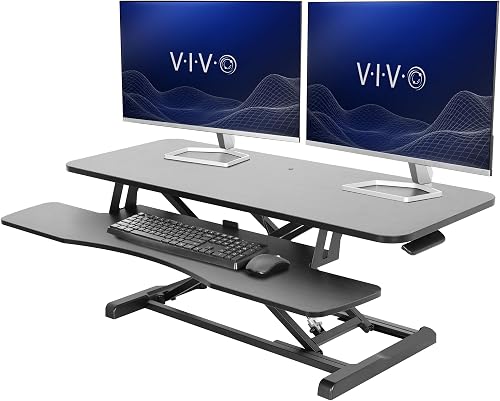
VIVO Standing Desk Converter: Best for extra wide manual tops
- 42 x 15.7 in top
- 42 x 11.8 in tray
- 33 lb desktop limit
- 4.4 lb tray limit
- 4.5 to 20 in range
A 42 in manual VIVO riser with a matching wide keyboard tray for two large monitors.
Pros
- 42 in top gives monitor breathing room
- Matching 42 in tray
- Steel frame
Cons
- Tray limit is only 4.4 lb
- Needs a wide existing desk
The VIVO Standing Desk Converter with a 42 in top suits buyers whose dual monitors need more width than a 32 in riser gives. The top measures 42 x 15.7 in, which gives each monitor space for its feet plus room for a laptop or speaker on the side.
The matching 42 x 11.8 in keyboard tray keeps typing space just as wide.
The steel frame holds 33 lb on the desktop and 4.4 lb on the tray, with a lift range from 4.5 to 20 in. The simple touch height lock moves in one smooth motion, and the riser needs very minimal assembly.
VIVO gives a 3 year warranty on this model.
The trade off is tray weight and desk width. The 4.4 lb tray limit means a heavy laptop plus accessories may be too much for the tray alone.
It also needs an existing desk at least 42 in wide. If your desk is narrower, the 32 in VIVO is the safer measure.
TechOrbits Black 32 in Standing Desk Converter: Best for dual monitor stands
- 32 in wide top
- 4.3 to 19.7 in range
- Pneumatic lift
- Aluminum frame
- 33 lb limit
- Dual monitor stand included
A 32 in TechOrbits riser with a dual monitor stand and keyboard tray for a compact dual screen desk.
Pros
- Dual monitor stand included
- 33 lb limit
- Mostly assembled
Cons
- 32 in top is compact for large monitors
- Particle board and steel build
The TechOrbits Black 32 in Standing Desk Converter, model OF-S05-1, suits buyers who want a dual monitor stand included with the riser. The 32 in top fits a dual monitor display, laptop, keyboard and mouse, while the included stand lifts your screens above the top surface for a two tier view.
The pneumatic lift moves from 4.3 to 19.7 in, and the aluminum frame holds up to 33 lb. It comes mostly assembled, with the keyboard tray attached using the tools provided.
The gas spring design lets you squeeze the handle and lift to your chosen height in seconds.
The trade off is compact width. Large monitors on a stand can still feel crowded on a 32 in top, especially with speakers.
If your monitors are wide or you add a third screen, a 42 or 48 in model will give you more room to spread out.
FITUEYES Height Adjustable Standing Desk 32” Wide: Best for dual gas spring lift
- 31.5 x 15.7 in top
- 4.3 to 19.8 in range
- Dual gas spring force
- 33 lb limit
- Keyboard tray included
A 31.5 in FITUEYES riser with dual gas springs for smooth manual movement between sitting and standing.
Pros
- Dual gas spring lift
- 33 lb limit
- 31.5 in top for dual monitors
Cons
- 27 lb weight is heavier to reposition
- Compact width for wide monitors
The FITUEYES Height Adjustable Standing Desk 32 in Wide suits buyers who want dual gas spring force for smooth manual movement. Its top measures 31.5 x 15.7 in for single, dual or laptop plus monitor setups.
The keyboard tray is included, so your typing surface rises in sync with the top.
The lift range runs from 4.3 to 19.8 in, and the base holds up to 33 lb. Dual gas springs help the riser move in one easy motion, which can matter when both monitors are loaded.
The powder coated metal finish gives a clean look on a home office desk.
The trade off is weight and width. At 27 lb, it is heavier to reposition than the lighter TechOrbits models.
The 31.5 in top is also compact for very wide monitor pairs. If you rarely move your riser and your monitors fit the width, the lift feel is a plus.
JOY worker Standing Desk Converter: Best for removable keyboard tray
- 31.5 x 15.7 in top tier
- 24.4 x 11.8 in removable tray
- 4.9 to 19.3 in range
- 28.6 lb top limit
- 4.4 lb lower limit
A 31.5 in JOY worker riser with a removable tray and X shaped frame for dual monitor setups.
Pros
- Removable 24.4 in tray
- X shaped frame
- Two step tray install
Cons
- 28.6 lb top limit is lower than rivals
- Tray is narrower than the top
The JOY worker Standing Desk Converter suits buyers who want a removable keyboard tray for flexible typing layouts. Its top tier measures 31.5 x 15.7 in for up to dual monitors, while the removable 24.4 x 11.8 in tray holds keyboard and mouse and rises with the top board.
The manual lift moves from 4.9 to 19.3 in with a squeeze handle, and the X shaped frame holds 28.6 lb on the top tier and 4.4 lb on the lower tier. The riser comes with almost everything assembled, with a two step tray install.
Non slip pads help protect your desk surface.
The trade off is the lower top limit and narrower tray. Heavy dual monitor setups can approach 28.6 lb fast, so weigh your monitors first.
The tray is also narrower than the top, which can cramp a large keyboard and mouse pair. For lighter monitor pairs, the flexibility is useful.
Rocelco 46" X-Frame Standing Desk Converter: Best for three monitor capacity
- 45.7 x 23.6 in top
- 25.6 x 11.25 in retractable tray
- Dual gas shock lift
- 5 to 20 in range
- 45 lb limit
- Rear grommet
A 45.7 in Rocelco riser with a deep top and retractable tray for two or three monitors.
Pros
- 45.7 in top supports up to 3 monitors
- 45 lb limit
- Fully assembled
Cons
- 42 lb weight needs a deep desk
- Retractable tray is narrower than top
The Rocelco 46 in X-Frame Standing Desk Converter suits buyers who need the most top space in this group. Its 45.7 x 23.6 in work surface supports up to three monitors, with room for a laptop and essentials on a dual or triple setup.
The depth is a real plus for monitor feet and arms.
The retractable 25.6 x 11.25 in keyboard tray slides out for typing and retracts when you want more desk space. The tray can also hold a laptop.
Dual gas shock lift mechanisms support up to 45 lb and move from 5 to 20 in in a straight up and down motion. A rear grommet routes cables or supports an optional monitor arm.
The trade off is size and weight. At 42 lb, it needs a deep desk of about 23 in and a sturdy surface.
If your desk is shallow or your monitors are only two small screens, a 32 in model will feel less bulky and easier to live with.
How wide should a converter be for two monitors?
A 32 in top is the minimum for most dual monitor setups, and 36 to 48 in gives more comfort. Measure your two monitors side by side, including feet or the stand you use.
Add about 2 in on each side for cables, speakers or a laptop.
If your monitors are 24 in or smaller, a 31.5 or 32 in top like the VIVO or TechOrbits often works well. If they are 27 in or larger, a 42 in top like the VIVO 42 or a 48 in electric model gives each screen its own space.
Depth matters too. A 15.7 in top gives monitor feet more front to back room than a 12.25 in upper tier.
If you use monitor arms, check that the arm clamp and cable space fit at the back of the top.
Top width for standard monitors
Standard 24 to 27 in monitors with feet fit best on 36 in or wider tops. On a 32 in top, the feet can sit close to the edges, which leaves little room for a phone or notebook.
Top width for large monitors
Large 32 in monitors or ultrawide screens need 42 in or more. The Rocelco 45.7 in top and the VERSADESK 48 in top are built for that scale.
Manual or electric: which lift fits dual monitors?
Manual gas spring lifts are simple, need no power and work well up to about 33 lb. Electric lifts move heavier loads with a button and hold height without your hands.
Choose by how often you plan to change height.
If you switch two to four times a day, a manual lift can feel fast and natural. You squeeze the handle, lift, and lock at your height.
If you switch many times or lift a heavy triple monitor setup, an electric motor reduces effort.
Our best electric standing desk converter 2 monitors guide goes deeper on motor models. For a single screen, our best single monitor standing desk converter guide compares narrower tops.
Manual gas spring options
Manual models here use pneumatic or gas spring lift with a touch lock. They are light, cord free and easy to move.
Their limit is usually 33 lb on the desktop, so check your monitor weight.
Electric push button options
Electric models use a motor for smooth movement and often add USB ports and grommets. The VERSADESK PowerPro 48 holds 80 lb and includes a safety lock.
It needs an outlet and a wider desk.
What weight limit do you need for 2 monitors?
Add up both monitors, any laptop on the top tier and accessories like speakers. Most manual picks here hold 33 lb on the desktop, which covers many dual monitor pairs.
Check the tray limit too, since trays often hold only 4.4 lb.
If your monitors use heavy stands or a dual arm, choose a higher limit before you buy. The Rocelco holds 45 lb and the VERSADESK holds 80 lb, which gives more headroom for large screens.
Tray weight matters for laptops. A laptop plus a mouse and notebook can exceed a 4.4 lb tray limit.
Put the laptop on the top tier in that case, or choose a model with a higher tray limit.
How tall should a dual monitor converter lift?
A range up to about 20 in helps most users match seated and standing eye height. Your desk height, chair height and monitor size all change the riser height you need.
Have a friend check your eye line, or sit and stand and note the difference.
If your desk is already high, you may need less lift. If your desk is low or you are tall, a full 20 in range gives more options.
A riser that stops short can force you to look down at your screens when standing.
Pair your riser with a Best Office Chair For Dual Monitor Desk Setup and our Best Desk Chair for Standing Desks picks so sitting and standing heights both work.
Can you add a monitor arm to a converter?
Yes, some converters are built for an optional arm and some are not. A rear grommet helps route cables and can support an arm without drilling.
The Rocelco has a rear grommet for optional arms, and the VERSADESK has three grommet holes.
An arm frees top space and lets you angle each screen. It also adds weight at the back edge, so check the top limit and depth first.
Our standing desk converter with monitor mount guide explains fit and cable checks.
If you do not use an arm, choose a top deep enough for monitor feet. A 15.7 in deep top is easier for feet than a shallow upper tier.
You can also use a monitor stand, like the one included with the TechOrbits OF-S05-1.
What desk depth and space do you need?
Measure your desk depth from front edge to back edge, then compare it with the converter foot depth and tray depth. Many risers need about 24 in of depth with the tray out.
A shallow desk can make the tray hang over the front edge.
Leave room behind the monitors for cables and wall clearance. Cables need space to bend when the riser moves up and down.
If cables are tight, they can pull at the monitors at full height.
For tight rooms, a wall mounted desk with dual monitors can be an alternative. That option changes your whole setup, so compare it with a converter before you commit.
How do you set up and care for a converter?
Place the riser centered on your desk, then set your monitors at eye level for your seated height first. Stand up and check the height again, since standing eye level is higher.
Adjust the riser so you do not need to lift your shoulders or bend your neck.
Route cables with slack so they can move with the lift. Use the grommet holes on electric models, and keep power bricks off the tray if the tray limit is low.
Test the full range empty, then loaded, before you add cable ties.
Wipe the top with a soft cloth and check the lift lock and tray screws monthly. Tighten any loose fasteners and keep the hinge area free of paper and cables.
If the lift feels stiff, check that you are within the weight limit.
Verdict: which dual monitor converter should you buy?
Pick the VIVO Manual Height Adjustable Standing Desk Converter for most dual monitor desks, because its 31.5 in top and 33 lb limit fit two screens with a simple manual lift. Pick the Vari Pro Plus 36 if you want a wider top and spring assisted movement.
Pick the VERSADESK PowerPro 48 if you want electric movement and the most top space.
Measure your monitors, your desk width and your desk depth before you order. Those three numbers will tell you more than any feature list.
Then choose the lift type you will actually use each day, and you will get more use from the riser you buy.
For your next step, compare a standing desk converter with monitor mount if you want arms, or check our electric dual monitor guide if you want push button movement.
Our top 3 picks at a glance
-
1
Best for most dual monitor desks
VIVO Manual Height Adjustable Standing Desk Converter
9.7/10 our score
See it on Amazon -
2
Best for wider dual monitor setups
Vari Pro Plus 36 Standing Desk Converter
9.6/10 our score
See it on Amazon -
3
Best for lighter manual risers
TechOrbits 32 in Standing Desk Converter
9.6/10 our score
See it on Amazon
Frequently asked questions
What size top do you need for 2 monitors?
Most buyers need at least a 32 in wide top for two standard monitors. A 36 to 42 in top gives more room for monitor feet, speakers and a laptop.
Measure your monitor width plus about 2 in on each side before you choose.
How much weight should a dual monitor converter hold?
A 33 lb limit covers two typical monitors plus a keyboard tray on most manual models here. Add the weight of both monitors, any laptop and accessories on the top tier.
Choose a higher limit if you use heavy stands or a monitor arm.
Are electric converters better than manual ones for dual monitors?
Electric models move a loaded dual monitor setup with a button, which helps if you change height often. Manual gas spring models cost less, need no power and move in seconds when the load is within their limit.
Pick by how often you will move it.
Can you use a monitor arm on a converter?
Some converters have a rear grommet for an optional arm, and others work best with monitor feet or a stand. Check the top depth and rear space before adding an arm.
An arm can free top space but adds weight at the back edge.
How deep should your existing desk be?
Check the converter foot depth plus the keyboard tray depth in its lowest position. Many risers need about 24 in of desk depth.
Measure from the desk front edge to the wall or monitor cable space before you order.