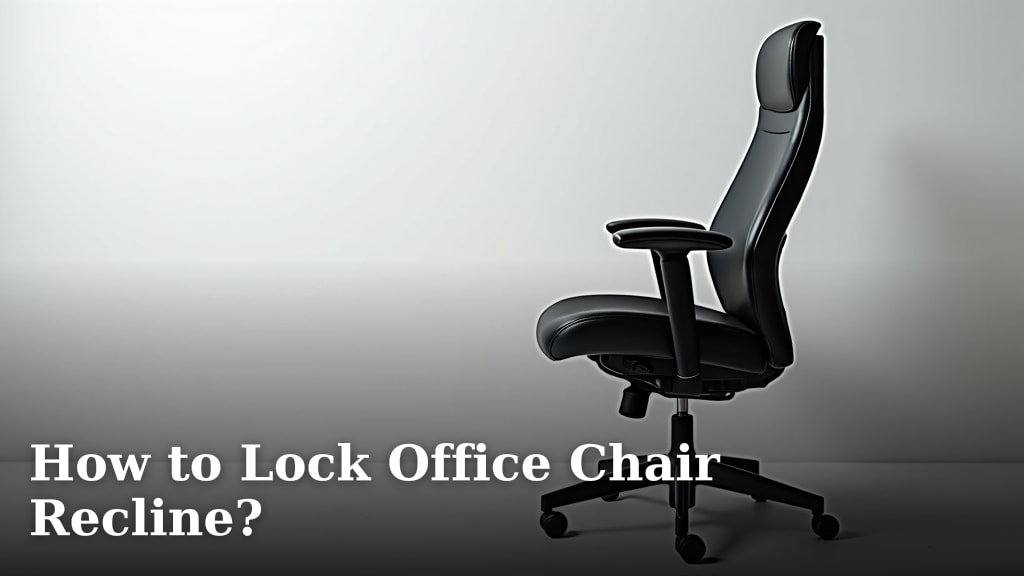
How to Recline an Office Chair
To recline an office chair, release the tilt lock, lean back slowly, and adjust the tension until the backrest supports you without dropping too quickly. Lock the chair upright for focused work or use a moderate recline for reading and breaks.
On this page (8 sections)
- How do you recline an office chair?
- How do you adjust office chair tilt tension?
- When should you lock the chair upright?
- How far should you recline an office chair?
- What should you do if the chair will not recline?
- Which chair features make reclining easier?
- How do you use a reclined chair safely?
- What is the easiest way to learn your chair's recline controls?
To recline an office chair, release the tilt lock, lean back slowly, and adjust the tension until the backrest supports you without dropping too quickly. Lock the chair upright for focused typing, or use a moderate recline for reading and short breaks.
Most office chairs use a lever below the seat for height and tilt control, plus a round tension knob under the seat. Controls differ by chair, so check the labels and move each control gently.
How do you recline an office chair?
Pull or lift the recline lever to release the upright lock, then lean back with steady pressure. Keep both feet on the floor and stay centered in the seat while you test the movement.
A common sequence is:
- Sit with your back against the backrest.
- Find the lever under the seat, usually on the right side.
- Pull, lift, or push the lever as the chair's control label shows.
- Lean back slowly until you reach the angle you want.
- Release the lever or return it to its original position.
- Adjust tilt tension if the chair feels too easy or too hard to move.
Some chairs recline continuously, while others use fixed positions. A recline range such as 90° to 135° gives you upright work, reading, and relaxation positions, but it doesn't mean every angle suits every task.
How do you adjust office chair tilt tension?
Turn the tension knob in small steps until the backrest moves with controlled pressure. The knob is often under the seat near the center, but its position varies.
If the chair feels hard to recline, turn the knob toward the lighter setting. If the backrest moves too freely or pushes you backward, turn it toward the firmer setting.
Test the chair after each small adjustment. Don't spin the knob repeatedly without checking the result, because you may lose track of the setting that felt stable.
Tension controls change resistance, not the recline lock. If the chair stays upright after you release the lock, check the lever and lock position before changing tension.
What does an adjustable tension chair help with?
An adjustable tension chair helps you match recline resistance to your body weight and preferred posture. The Best Office Chair With Adjustable Tension guide can help if this control is central to your decision.
The COMHOMA Big and Tall Office Chair suits readers who want a high-back recliner with a 90° to 135° backrest range, a 10 cm height adjustment, and an adjustable footrest. Its title also identifies faux leather, pocket spring lumbar support, soft armrests, and a 300 lb maximum weight recommendation.
Its deep black finish and 44 lb weight may suit a larger home office setup where a wide seat and high back matter. The chair is designed for adults from 5 ft 1 in to 6 ft 2 in, so compare that range with your own desk and leg position.
The chair includes assembly accessories and instructions for a stated 15 to 30 minute setup. After assembly, test the recline lever and footrest before using the chair for long sessions.
When should you lock the chair upright?
Lock the chair upright when you need a steady base for typing, writing, or precise mouse work. A locked position limits unexpected movement while you shift between the keyboard and desk.
Many chairs use the same lever to open and lock the tilt. Pulling or lifting it may release the backrest, while pushing it back in may hold the chair at the selected position.
If your chair has several lock points, stop at the first comfortable angle rather than forcing the lever farther. For a detailed control sequence, see How to Lock Office Chair Recline?.
Keep your feet supported when you recline. For seat-edge comfort, see what a waterfall seat is.
If your feet leave the floor, the chair may feel less stable and your lower body may slide forward.
How far should you recline an office chair?
Use a mostly upright position for keyboard work and a deeper recline for reading, calls, or short rest periods. Your screen, desk, and arm position should remain comfortable at each angle.
At a moderate recline, keep the monitor high enough that you don't bend your neck down. Move the keyboard and mouse close enough that your shoulders can stay relaxed.
A footrest can make a deeper recline more useful because it supports your legs while the backrest opens. It doesn't replace a stable base or a properly adjusted seat height.
The GTPLAYER Gaming Chair suits readers who want a recliner with a footrest, headrest, lumbar pillow, height adjustment, and 360° swivel seat. Its title identifies the pearl white color and use for office or gaming.
The chair has a 20.87 in backrest width and weighs 40.6 lb. Its metal frame, pillow-top arm style, and foam fill may suit people who prefer a gaming-chair shape for mixed work and leisure use.
The footrest is made from PU leather and can support a more relaxed recline. Wipe it with a soft cloth as needed, and keep the recline movement slow when the footrest is extended.
What should you do if the chair will not recline?
Check the lock, lever, tension, and assembly before assuming the mechanism has failed. Sit centered, remove excessive pressure from the backrest, and test the controls one at a time.
Use this checklist:
- Confirm that the recline lock is released.
- Move the lever through its full labeled position without forcing it.
- Reduce tension slightly and test again.
- Check for packaging or an object blocking movement.
- Inspect visible bolts and connections after assembly.
- Stop if the chair rocks, grinds, or moves unevenly.
Don't stand on the chair, open the gas lift, or spray an unknown lubricant into the mechanism. If the handle moves but the backrest does not respond, use Why Won’t My Office Chair Recline? for the next checks.
A chair that still fails after basic checks may need a replacement mechanism or professional support. The How to Fix Office Chair Recline Mechanism? guide covers repair decisions without asking you to force a stuck part.
Which chair features make reclining easier?
Look for a clear recline control, adjustable tension, a stable base, and a backrest that matches your work style. A footrest can help with relaxation, while breathable materials may suit longer seated periods.
The ELABEST X100 Ergonomic Mesh Office Chair with footrest suits readers who want a mesh ergonomic chair with a 3-stage reclining mechanism, 5D flip-up arms, adjustable 3D lumbar support, and a 2-position footrest angle.
Its seat height adjusts from 18.3 to 23 in, and the backrest is 20.2 in wide. The chair uses a nylon frame, mesh fill, a 3-level tiltable back, and a 26 in item depth.
The 18 in footrest extends for a more relaxed position, while the flip-up arms can tuck under a desk when you need to save space. The chair also has tool-free assembly within 15 minutes.
A 300 lb support rating and BIFMA-certified structure are included in the product information. Those details help with fit and setup planning, but they don't replace measuring your desk clearance and checking your sitting position.
How do you use a reclined chair safely?
Recline gradually, keep the base on the floor, and avoid leaning over one side of the chair. Check that casters, armrests, and the backrest move normally before using a deeper angle.
Use the chair on a level indoor floor and keep the casters clear of cords. Do not use the footrest as a step or push hard against the desk while reclining.
For desk work, keep your elbows near the keyboard and avoid reaching forward as the chair reclines. OSHA's computer workstation guidance explains how chair, desk, monitor, and input-device positions work together.
If you feel pressure, slipping, or instability, return the chair to an upright position and adjust the seat height or tension. Ongoing pain or numbness calls for advice from a qualified health professional.
What is the easiest way to learn your chair's recline controls?
Start upright, release the lock, test a small recline, and change tension in small steps. Once the chair moves smoothly, mark the positions you use for typing, reading, and breaks.
Choose the COMHOMA if you want a high-back faux leather recliner with a 90° to 135° range and an adjustable footrest. Choose the GTPLAYER if a pearl white gaming-chair design with a headrest, lumbar pillow, and footrest fits your room.
Choose the ELABEST X100 if you prefer mesh, 3-stage recline, 5D flip-up arms, and a wider adjustment system. If you want a chair designed around a footrest, compare the Best Reclining Office Chairs with Footrests.
For a chair that remains upright, engage the lock instead of tightening the tension knob. For a chair that refuses to move, release the lock and inspect the mechanism before applying more force.
Frequently asked questions
How do you recline an office chair?
Sit fully back, find the tilt or recline lever, and release the upright lock. Lean back slowly while turning the tension control until the chair moves smoothly and supports your weight without dropping or forcing you forward.
Why won't my office chair recline?
The tilt lock may still be engaged, the tension may be set too high, or the mechanism may need inspection. Sit centered, pull the recline lever again, and test with gentle pressure.
If the handle moves without changing the chair, stop forcing it.
Should an office chair recline while working?
A slight recline can suit screen work if your monitor, keyboard, and arm position stay comfortable. Use an upright or lightly reclined setting for typing, then recline farther for reading or a short break while keeping your feet supported.
How tight should office chair tilt tension be?
Set tilt tension so the backrest moves when you lean back but does not fall away from you. Turn the tension knob in small steps, testing after each adjustment.
Your body weight and preferred sitting position determine the useful setting.