9 Best FEZIBO Standing Desks (November 2026)
The best FEZIBO standing desks include the FEZIBO Standing Desk 48 × 24 Inch for most home offices, the FEZIBO 40 x 24 Inchs Electric Standing for compact computer setups, and the FEZIBO Standing Desk 32 × 19 Inch for very small rooms.
On this page (7 sections)
- The best FEZIBO standing desks for different setups
- How do FEZIBO standing desks compare?
- Which FEZIBO standing desk size should you choose?
- Are memory presets useful on a standing desk?
- How should you use a FEZIBO standing desk?
- How do you choose between a FEZIBO splice board and one-piece desktop?
- Verdict: which is the best FEZIBO standing desk?
The best FEZIBO standing desk for most home offices is the FEZIBO Standing Desk 48 × 24 Inch. It combines a 47.2 x 23.6 inch desktop, electric adjustment from 28.3 to 46.5 inches, 3 memory presets and a 176 lb capacity.
Choose the 32 × 19 Inch model when floor space matters most. The 71 x 37 Inch Large model is better for multiple monitors, while the L-shaped FEZIBO gives you a dedicated corner layout.
A standing desk works best when its size matches your equipment and room. Our home office desk guide explains how to check desktop depth, monitor space and clearance before you choose.
Match the height range to your chair and screen position before you order. A desk that fits sitting and standing work will be easier to use every day.
Our picks at a glance
-
1

-
2
 Best for compact computer setups
FEZIBO 40 x 24 Inchs Electric Standing
9.6/10 our score
See it on Amazon -
3
- 4
 Check it
OffiGo 55" L Shaped Electric Standing Desk
Best for storage and corner layouts - 5
 Check it
FEZIBO 71 x 37 Inch Large Electric
Best for multi-screen work - 6
 Check it
Veken 63"x28" Wider Large Standing Desk
Best for a wide shared workstation - 7
 Check it
FEZIBO 63" x 55" L-Shaped Standing Desk
Best for large corner workspaces - 8
 Check it
FEZIBO One-Piece Standing Desk
Best for a smooth desktop - 9
 Check it
VIVO Manual Height Adjustable Standing Desk Frame
Best for a no-power setup
The best FEZIBO standing desks for different setups
The best FEZIBO standing desk depends on the space you have and the way you work. The 48 × 24 Inch model is the balanced pick, while the smaller desks trade work area for easier placement.
Our score weighs specs, features and buyer feedback against what you're shopping for. We compared FEZIBO models with similar large, corner and manual alternatives so you can see where each one fits.
FEZIBO Standing Desk 48 × 24 Inch: Best for most home offices
- 28.3 to 46.5 in adjustment
- 3 memory presets
- 176 lb capacity
- Under 45 dB running noise
This 48 × 24 inch FEZIBO desk balances usable work space with electric adjustment, 3 memory presets and a 176 lb capacity.
Pros
- 3 memory presets
- 176 lb capacity
- Maple laminated desktop
Cons
- Splice desktop
- Limited depth for very large setups
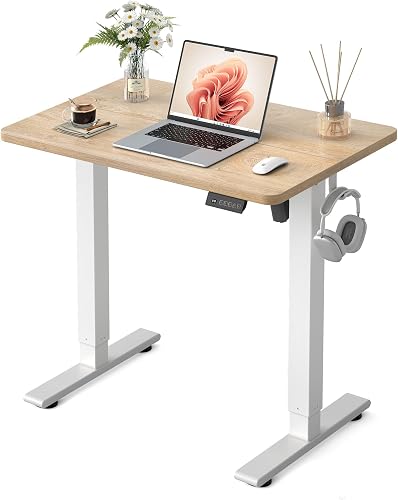
The FEZIBO Standing Desk 48 × 24 Inch is the strongest all-purpose choice in this group. Its 47.2 x 23.6 inch laminated desktop gives you room for a monitor, keyboard and everyday office items without taking the floor space of a large workstation.
The electric system adjusts between 28.3 and 46.5 inches. Three customizable memory presets make it easier to save sitting and standing positions instead of setting the height from scratch each time.
FEZIBO lists a reinforced alloy steel frame, a 176 lb capacity and running noise under 45 dB. The desktop uses a maple finish, and a headphone hook is included.
The desktop is made from joined pieces, so check the center joint when planning where to place a monitor stand or desk mat. Choose this model if you want a simple electric desk with useful presets and moderate dimensions.
It suits a home office, gaming setup or study area where one main screen is the priority. Set up the presets for your seated chair height and your standing height, then keep cables loose enough for the full range.
FEZIBO 40 x 24 Inchs Electric Standing: Best for compact computer setups
- 39.4 x 23.6 in desktop
- 28.3 to 46.5 in adjustment
- 3 memory presets
- Keyboard tray and monitor arm included
The 40 x 24 inch FEZIBO uses the same electric height range and 176 lb capacity in a shorter footprint.
Pros
- Compact footprint
- 3 memory presets
- Keyboard tray and monitor arm
Cons
- Less width than the 48 inch model
- Splice board
The FEZIBO 40 x 24 Inchs Electric Standing Desk suits a smaller computer setup that still needs electric height control. Its 39.4 x 23.6 inch desktop is 8 inches shorter than the 48 inch model.
It adjusts from 28.3 to 46.5 inches and supports up to 176 lb. Three memory presets cover common sitting and standing positions, while the white alloy steel frame and maple top give it a bright office look.
This model includes a desk, keyboard tray and monitor arm. Assembly is required, with detailed instructions and an installation video.
Choose it when width is the main constraint. If you use several large screens or keep a printer beside your keyboard, the shorter desktop may feel limiting.
The keyboard tray and monitor arm help a compact desk work harder, since they move items off the main surface. Leave space below for the tray to move and check that your chair fits when the desk is at its lowest height.
FEZIBO Standing Desk 32 × 19 Inch: Best for very small rooms
- 31.5 x 18.9 in desktop
- 28.3 to 46.5 in adjustment
- 3 memory presets
- 176 lb capacity
This compact FEZIBO standing desk fits a small work area while keeping electric adjustment, 3 memory presets and a 176 lb capacity.
Pros
- Smallest FEZIBO desktop here
- Electric adjustment
- 3 memory presets
Cons
- Least work surface among FEZIBO desks here
- Only 19 in deep
The FEZIBO Standing Desk 32 × 19 Inch is the best FEZIBO choice for a very small room, bedroom work area or compact study corner. Students comparing study setups can see our best standing desks for students.
Its 31.5 x 18.9 inch desktop uses much less space than the larger options.
Electric adjustment runs from 28.3 to 46.5 inches, with 3 memory presets and a 176 lb capacity. The metal frame and maple-finish desktop support office, gaming and working uses.
The trade-off is surface area. At 19 inches deep, this desk is better for one monitor or a laptop than for a wide multi-device arrangement.
Measure the desk location with the chair pulled back and the desktop at its highest position. Choose this one when keeping a clear walkway matters more than spreading out equipment.
A laptop and a small notebook can fit well, but a deep monitor stand may leave little room for a keyboard. Keep daily items vertical where you can, and use nearby shelves for supplies that do not need to stay on the desk.
OffiGo 55" L Shaped Electric Standing Desk: Best for storage and corner layouts
- 55.1 x 23.6 in desk
- 39.4 x 15.6 in mobile cabinet top
- 27.6 to 46.5 in adjustment
- 3 memory presets
This OffiGo workstation adds a mobile cabinet, drawer and file storage to an electric L-shaped or straight arrangement.
Pros
- Mobile cabinet
- 3 memory presets
- Lockable file drawer
Cons
- More assembly than a simple desk
- Not a FEZIBO model
The OffiGo 55" L Shaped Electric Standing Desk is the strongest storage-focused alternative to FEZIBO. Its 55.1 x 23.6 inch desk works with a 39.4 x 15.6 inch mobile cabinet top to create an L-shaped or straight layout.
The cabinet has a lockable wooden drawer, a file drawer and casters. It can sit on the left or right side, or work separately when you need another surface.
The electric desk adjusts from 27.6 to 46.5 inches and has 3 memory presets. Its carbon steel frame uses a dual-beam design, and the desktop includes headphone hooks.
Choose OffiGo when storage and layout flexibility matter more than staying with FEZIBO. The cabinet and two-panel desktop also mean more parts to plan during assembly.
The cabinet is useful for buyers who need somewhere for files and supplies without adding a separate dresser. You can move it next to the desk for an L shape, or place it in a corner and use the main desk on its own.
FEZIBO 71 x 37 Inch Large Electric: Best for multi-screen work
- 71 x 37 in desktop
- 220 lb capacity
- 28.3 to 46.5 in adjustment
- 18W USB-C port
The largest FEZIBO pick gives multi-monitor users a 71 x 37 inch work surface, 220 lb capacity and an 18W USB-C port.
Pros
- 220 lb capacity
- 37 in depth
- 1 in desktop
Cons
- Needs substantial floor space
- 3-piece desktop
The FEZIBO 71 x 37 Inch Large Electric Standing Desk is the best choice for a multi-screen setup, large computer tower or wide work zone. For tower placement under an electric desk, see how to choose an electric desk with a PC mount.
Its 71 inch width and 37 inch depth give monitors, a printer and other equipment more room to stay organized.
The desk adjusts from 28.3 to 46.5 inches and supports up to 220 lb. Its integrated dual-beam alloy steel frame and 1 inch desktop are aimed at a heavier workstation.
An 18W USB-C port supports PD 3.0 fast charging for a phone or other device. The 3-piece desktop is scratch-resistant and stain-resistant, and its design supports clamp-mounted monitor arms.
This desk needs a large room and a clear delivery path. Choose it when the extra depth and capacity solve a real workspace need, not simply because the desktop is larger.
Veken 63"x28" Wider Large Standing Desk: Best for a wide shared workstation
- 63 x 28 in desktop
- Dual-beam frame
- 28.3 to 46.5 in adjustment
- Under 52 dB motor
The Veken provides a broad 63 x 28 inch surface with electric adjustment and a dual-beam frame.
Pros
- Wide desktop
- Dual-beam frame
- Included cable clip
Cons
- Joined desktop pieces
- Not a FEZIBO model
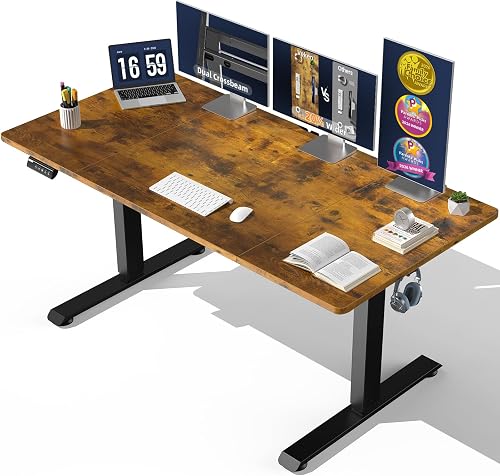
The Veken 63"x28" Wider Large Standing Desk gives you a broad surface without reaching the 71 inch width of the largest FEZIBO. Its 63 x 28 inch desktop suits multiple monitors, office tools and study materials.
A dual-beam metal frame supports electric adjustment from 28.3 to 46.5 inches. Veken states that the motor runs under 52 dB, and the memory preset feature lets you save preferred heights.
The joined desktop uses engineered wood with a laminated finish. Two headphone hooks, a cable clip, a user manual and 4 feet pads are included.
Choose Veken if you want a wide workstation and do not need a FEZIBO-branded model. Measure the joined desktop area and leave enough room to assemble the pieces safely.
The extra width helps when two monitors sit side by side, but it also needs a wider wall and more chair movement. Use the cable clip to keep cords tidy at the back, and check the feet pads help the desk sit steady on your floor.
FEZIBO 63" x 55" L-Shaped Standing Desk: Best for large corner workspaces
- 63 x 55 in L-shaped layout
- 28.3 to 46.8 in adjustment
- 2 memory presets
- Anti-collision movement
This FEZIBO L-shaped desk creates a large corner workstation with 2 memory presets, anti-collision movement and 2 hooks.
Pros
- Large corner layout
- Anti-collision feature
- 2 memory presets
Cons
- Large footprint
- Splice board
The FEZIBO 63" x 55" L-Shaped Standing Desk is the best FEZIBO option for a large corner office or gaming setup. Its L-shaped desktop gives you separate zones across a 63 x 55 inch layout.
The electric system adjusts from 28.3 to 46.8 inches and includes 2 memory presets. FEZIBO also describes anti-collision movement that sends the desk 2 cm in the opposite direction when it meets an obstacle.
The alloy steel frame and engineered wood desktop support a large corner arrangement. Two hooks and adjustable feet are included, while the motor runs under 48 dB.
This model requires more floor space than a straight desk. Check the corner's wall lengths, outlet position and walking clearance before choosing it.
The L shape can separate a main screen zone from a side zone for a printer, console or notebooks. Use the two presets for sitting and standing, and keep the corner area clear so the desk can move without hitting furniture.
FEZIBO One-Piece Standing Desk: Best for a smooth desktop
- 48 x 24 in one-piece desktop
- 28.3 to 46.5 in adjustment
- 176 lb capacity
- Steel frame
This FEZIBO keeps the familiar 48 x 24 inch size but uses a one-piece desktop without visible panel joins.
Pros
- One-piece desktop
- 176 lb capacity
- Single package
Cons
- No drawer
- Lower score than the 48 × 24 Inch model
The FEZIBO One-Piece Standing Desk is the best choice here when you prefer a smooth desktop without visible joins. It keeps the useful 48 x 24 inch size and supports up to 176 lb.
Its electric height range is 28.3 to 46.5 inches. Preset buttons make it easier to switch between saved positions, while the alloy steel frame supports office and working use.
The one-piece maple laminate surface is rectangular and comes in one pack. It has no drawer, so storage must come from separate organizers or nearby furniture.
Choose this model over the standard 48 × 24 Inch FEZIBO when a single desktop panel matters more than the standard model's listed accessories and score.
The smooth surface makes it simpler to wipe clean and to place a desk mat where you want it. It suits buyers who use a laptop or one monitor and keep extra items off the desk.
VIVO Manual Height Adjustable Standing Desk Frame: Best for a no-power setup
- 37 to 77 in tabletop compatibility
- 27.5 to 45.7 in height range
- 110 lb capacity
- Foldable hand crank
The VIVO frame lets you choose your own tabletop and adjust height with a foldable hand crank instead of an electric motor.
Pros
- Works with many tabletop sizes
- No motor needed
- 3-year warranty
Cons
- Frame only
- 110 lb capacity
The VIVO Manual Height Adjustable Standing Desk Frame is the best no-power alternative in this comparison. It is a frame only, so you add a tabletop that is 37 to 77 inches long, 20 to 40 inches wide and at least 3/4 inch thick.
A foldable hand crank adjusts the telescopic steel legs from 27.5 to 45.7 inches. The frame supports up to 110 lb and includes leveling feet for different floor surfaces.
The manual design avoids an electric motor and gives you freedom to select the desktop size. It also takes more effort to change height than the electric FEZIBO desks.
Choose VIVO if you already have a suitable tabletop or want a custom surface. Check the tabletop's dimensions and weight before combining it with the frame.
This option suits a buyer who wants to reuse a desktop or avoid a power lead near the desk. Mark your sitting and standing heights on the legs, since you will set the crank by feel each time.
How do FEZIBO standing desks compare?
The main difference between FEZIBO standing desks is the relationship between desktop size, layout and adjustment controls. The smaller models keep the same general electric height range, while the large and L-shaped models add room for more equipment.
Most FEZIBO models here adjust from 28.3 to 46.5 inches and use 3 memory presets. The L-shaped model reaches 46.8 inches and has 2 presets instead.
Desktop depth matters as much as width for monitor placement. A 37 inch deep top gives more room for arms and gear, while a 19 inch deep top suits a laptop or one screen.
| Desk | Best use | Desktop or layout | Adjustment |
|---|---|---|---|
| FEZIBO 48 × 24 Inch | Most home offices | 47.2 x 23.6 in | 28.3 to 46.5 in, 3 presets |
| FEZIBO 40 x 24 Inchs | Compact computers | 39.4 x 23.6 in | 28.3 to 46.5 in, 3 presets |
| FEZIBO 32 × 19 Inch | Very small rooms | 31.5 x 18.9 in | 28.3 to 46.5 in, 3 presets |
| FEZIBO 71 x 37 Inch | Multi-screen work | 71 x 37 in | 28.3 to 46.5 in, 3 presets |
| FEZIBO 63 x 55 in L-shaped | Corner offices | 63 x 55 in | 28.3 to 46.8 in, 2 presets |
| FEZIBO One-Piece | Smooth surface | 48 x 24 in | 28.3 to 46.5 in |
If you want more motor-focused comparisons, see our best electric adjustable standing desk roundup and best dual motor standing desk guide.
Which FEZIBO standing desk size should you choose?
Choose the 32 × 19 Inch desk for a laptop or one-monitor station, the 40 x 24 Inchs model for a compact computer setup, and the 48 × 24 Inch model for a balanced everyday office.
The 71 x 37 Inch desk is better for multiple screens and equipment that needs more depth. The 63 x 55 inch L-shaped desk needs a corner and gives you separate work zones.
For another small-space comparison, see the best small electric standing desk guide. Measure wall clearance, chair movement and cable reach before ordering any desk.
Start with the space you have, not the desk you want to fill. Tape the desktop size on the floor and sit in your chair to see if you still have room to move.
For a small room, the 32 × 19 Inch model leaves the most floor space for a chair and walkway. Its 19 inch depth is the main limit, so plan for one monitor or a laptop.
For a compact computer setup, the 40 x 24 Inchs model adds width without reaching the 48 inch footprint. It is a fit when a monitor arm and a keyboard tray will help you use the surface well.
For most home offices, the 48 × 24 Inch model is the balanced middle ground. It leaves room for a monitor, keyboard and daily items while keeping the footprint moderate.
Choose the 71 x 37 Inch model only when you have the floor space and want depth for multiple screens. The deeper top gives more room, but it needs a clear delivery path and more wall length.
Choose the L-shaped model when a corner is empty and you want two work zones. Check both wall lengths, the outlet position and the path you walk each day before you commit.
Are memory presets useful on a standing desk?
Memory presets are useful when you switch between a few repeatable heights during the day. The standard FEZIBO models here have 3 presets, while the 63 x 55 inch L-shaped model has 2.
Set one position for seated work and another for standing work after the desk is assembled. Keep the desktop clear while checking the full movement range, and make sure cables can move without pulling.
The VIVO frame uses a hand crank instead of presets. It suits buyers who prefer a manual setup or who want to reuse an existing tabletop.
Presets save time when you change position more than once. You press a saved button instead of judging the height by eye each time.
Use one preset for sitting with your normal chair and one for standing with your usual shoes. A third preset can suit a taller chair, a monitor arm set higher, or a different task.
Set the heights after your monitor, keyboard and mouse are in place. A height that feels right for typing may not suit reading or a video call.
Check the full range with everything on the desk before you save a position. Make sure cables, a lamp or a monitor arm do not pull or hit anything as the desk moves.
Keep the desktop clear during the first tests so you can see how items shift. If something moves, change its position before you rely on the preset each day.
For the VIVO crank, mark the leg position for sitting and standing. That simple mark can make a manual desk faster to set when you change position often.
How should you use a FEZIBO standing desk?
Use a FEZIBO standing desk by alternating between seated and standing work rather than staying in one position all day. Set the desktop so your keyboard and mouse stay at a comfortable working height, then change position when you need a break from sitting.
A standing desk does not replace a suitable chair. Pair your setup with the best desk chair for standing desks and change positions throughout the workday.
Keep the area below the desktop clear before raising or lowering it. Route cables with enough slack for the full height range, and check that monitors, lamps and accessories remain stable.
If you are switching from long seated periods, our guide explains how long you should sit in an office chair before changing position.
How do you choose between a FEZIBO splice board and one-piece desktop?
Choose the FEZIBO One-Piece Standing Desk if a smooth, single-panel surface matters most. Choose a splice-board model when its size, accessories or layout better fit your room.
The 48 × 24 Inch model has a joined desktop and includes a headphone hook. The One-Piece model has a 48 x 24 inch maple laminate surface without visible joins and no drawer.
For either style, measure the location and plan where monitor stands, keyboards and cable clips will sit. A larger desk is not automatically better if it blocks a walkway or leaves too little room for your chair.
A splice board desktop is made from joined pieces, so the look and feel depend on how the panels meet. Place a monitor stand or desk mat with the joint in mind, and keep heavier items away from the center line where you can.
A one-piece desktop gives a smooth surface for typing, writing and placing a mat. It can be simpler to clean, since there is no visible join line across the middle of your work area.
Neither style changes the electric height range on the 48 inch models. Both adjust from 28.3 to 46.5 inches and support up to 176 lb, so the choice comes down to surface preference and included items.
The standard 48 × 24 Inch model includes a headphone hook for items you want off the top. The One-Piece model has no drawer, so you may need a shelf, tray or nearby cabinet for storage.
For care, wipe a laminated surface with a soft cloth and avoid standing on the desk or placing very heavy items near an edge. Keep liquids away from the control area and check cables before each height change.
Measure your room first, then decide if a smooth panel matters more than the hook and other listed features. A desk that fits your space and habits will work better than a larger surface that crowds your chair.
Verdict: which is the best FEZIBO standing desk?
The FEZIBO Standing Desk 48 × 24 Inch is the best FEZIBO standing desk for most home offices because it balances size, electric adjustment, 3 memory presets and a 176 lb capacity.
Pick the 32 × 19 Inch model for the smallest room, the 40 x 24 Inchs model for a compact computer station, and the 71 x 37 Inch model for a large multi-screen setup. Choose the 63 x 55 inch L-shaped desk for a corner, or the One-Piece model for a smooth desktop.
If you want storage and a reversible corner arrangement, choose OffiGo. If you want a tabletop you select yourself and no electric motor, choose the VIVO frame.
Our top 3 picks at a glance
-
1
-
2
Best for compact computer setups
FEZIBO 40 x 24 Inchs Electric Standing
9.6/10 our score
See it on Amazon -
3
Frequently asked questions
What is the best FEZIBO standing desk for most people?
The FEZIBO Standing Desk 48 × 24 Inch is the best fit for most home offices because it combines a moderate desktop size with electric adjustment, 3 memory presets and a 176 lb capacity. Choose the 40 x 24 inch version if you need less width, or the 71 x 37 inch model for a larger workstation.
Which FEZIBO standing desk is best for a small room?
The FEZIBO Standing Desk 32 × 19 Inch takes the least floor space among the FEZIBO desks in this roundup. Its 31.5 x 18.9 inch desktop still adjusts from 28.3 to 46.5 inches and supports up to 176 lb, but it leaves less room for multiple screens.
Are FEZIBO standing desks electric?
The FEZIBO desks in this roundup use electric height adjustment. Most adjust between about 28.3 and 46.5 inches and include memory presets.
The VIVO alternative uses a manual hand crank, so it does not need a motor or power connection.
Is an L-shaped standing desk better for a corner?
An L-shaped desk can use a corner efficiently and separate your main screen area from another work zone. The FEZIBO 63 x 55 inch model suits a large corner, while the OffiGo model adds a mobile cabinet that can sit on either side or separately.


