Kneeling Chair vs Office Chair: Which Should You Choose? (November 2026)
Choose a kneeling chair for active, upright seating, or choose an office chair for back support, armrests and easier long-session comfort. Your desk height, movement needs and tolerance for kneeling pressure should guide the decision.
On this page (11 sections)
- Kneeling chair vs office chair: which is better?
- How does each chair affect your sitting position?
- Which chair encourages more movement?
- Which chair is easier to adjust to?
- Which chair fits a standard desk?
- Which chair needs more room?
- Which chair suits your work style?
- How should you set up a kneeling chair?
- How should you set up an office chair?
- What are the main trade-offs?
- Which should you choose?
Choose a kneeling chair for active, upright sitting, or choose an office chair for back support and easier long-session comfort. In this kneeling chair vs office chair comparison, the right choice depends on how you move, how your desk fits and where you feel pressure.
A kneeling chair shifts more weight toward your hips and legs. A conventional office chair supports you with a backrest, seat cushion, armrests and, in some models, lumbar support or a reclined position.
The biggest trade-off is simple: kneeling chairs encourage movement but require an adjustment period, while office chairs feel familiar but can make it easier to stay in one position too long.
 Best for adjustable active sitting
NYPOT Ergonomic Kneeling Chair with Adjustable Seats

Kneeling chair vs office chair: which is better?
A kneeling chair is better for upright active sitting, while an office chair is better for supported, familiar desk work. Your choice should match the way you type, read, pause and shift position during the day.
Kneeling chairs have no backrest in these examples. Instead, the seat and knee supports help distribute your weight between your hips and legs.
Office chairs keep your legs under the seat and give you a backrest. For a closer upholstery comparison, see mesh vs fabric office chairs.
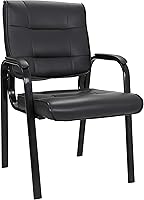
The BestOffice model adds lumbar support, ergonomic armrests, rolling wheels and a breathable mesh back.
A kneeling chair may feel more open around your hips and lower body. An office chair may feel easier when you need to lean back, turn toward another screen or rest your back between tasks.
How does each chair affect your sitting position?
A kneeling chair guides you toward a more upright position, while an office chair lets you choose among upright, reclined and supported positions. Neither design removes the need to adjust your setup.
The NYPOT kneeling chairs use angled seating to shift some pressure away from the lower back and toward the hips and legs. Their adjustable seat pads help you find a position that matches your height and desk.
A conventional chair gives you more familiar contact points. The BestOffice chair has a curved mid-back, lumbar support, armrests and an adjustable seat height from 17.1 to 20.3 inches.
The GTPLAYER chair adds a headrest, lumbar pillow and footrest. Its 360-degree swivel seat gives you an easy way to turn, while the recliner form supports a more relaxed sitting position.
A reclined position can suit reading or taking a break, but you may prefer a more upright setup for focused typing. Keep the keyboard and mouse close enough that you don't reach forward from either chair.
Which chair encourages more movement?
Kneeling chairs encourage small position changes through rocking, while office chairs offer movement through swiveling, rolling and reclining. The useful kind of movement is the one you can repeat without losing focus.
The NYPOT models have a rocking base. That gentle motion can shift pressure points during a work session, but the brand also warns that poor seat or desk matching may cause pressure on the shins or lower back.
The BestOffice chair swivels and rolls across the floor. Those movements help you turn or reposition at the desk, but they don't automatically change how long you remain seated.
The GTPLAYER chair swivels and includes a footrest. Pulling out the footrest lets you raise your feet for a rest, although the chair still takes a conventional seated position when you're working.
If you tend to freeze in one position, use a simple timer to stand, walk or change chairs. Active seating works best as part of a routine that includes movement away from the desk.
For another desk setup decision, compare your pointing device options in this guide to vertical mouse vs trackball.
Which chair is easier to adjust to?
An office chair is usually easier to understand at first, while a kneeling chair may need gradual use. The knee angle, cushion pressure and desk height can feel different during the first sessions.
The NYPOT products include an adjustment warning because some people may feel shin or lower-back pressure while adapting. Start with short work periods and change position before discomfort builds.
Use the chair at the desk where it will stay. A seat that feels comfortable at one height can feel wrong if the keyboard is too high or the desktop forces your shoulders upward.
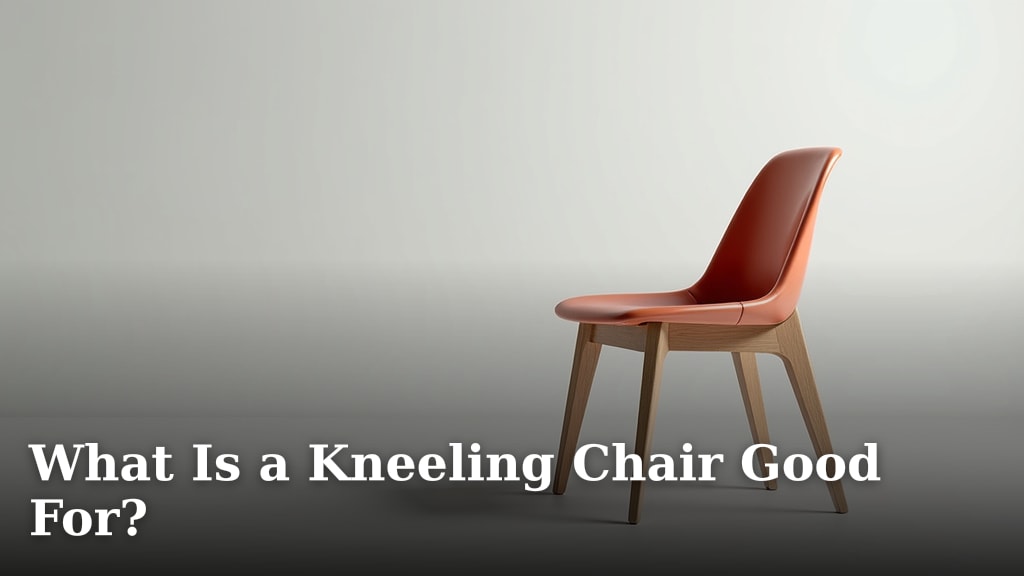
The What Is a Kneeling Chair Good For? guide explains the sitting positions and tasks that fit this design. It can help you decide if the learning curve matches your daily work.
Don't treat a kneeling chair as your only position if your body dislikes the pressure. A second chair or regular standing breaks can give you another option during the adjustment period.
Which chair fits a standard desk?
Both chair types can work at a desk, but the kneeling models give a clear desk-height range while the office chairs give seat-height controls. Measure your desk and compare the working height with your elbows, keyboard and screen.
The NYPOT kneeling chairs are designed for most standard desks from 29 to 35 inches. Their adjustable seats let you change the sitting position within that type of setup.
The BestOffice chair adjusts from 17.1 to 20.3 inches at the seat. That range gives you a familiar way to bring your elbows and screen into a better position.
The GTPLAYER chair is height adjustable, but the data here doesn't give a seat-height range. Measure the desk and allow for the chair's 49.21 inch overall height before placing it under shelves or a low cabinet.
Keep your monitor at a height that lets you look forward without bending your neck. If you work from a laptop, a separate stand and keyboard may matter more than the chair style.
Which chair needs more room?
An office chair needs open space for wheels, turning and a backrest, while a kneeling chair needs room for its long front-to-back frame. Check the full footprint rather than judging by the seat alone.
The NYPOT kneeling chairs measure about 33 inches deep and 16.5 inches wide. Their rocking bases also need enough clear floor space for movement.
The BestOffice chair measures 18 x 18 x 38 inches. Its rolling wheels and swivel base need room to move around the desk without catching on a wall, mat edge or storage unit.
The GTPLAYER chair measures 20.08 x 20.05 x 49.21 inches. Its taller back and footrest make it a larger presence in a small workspace.
Mark each footprint on the floor with tape. Sit where the chair will go, then check whether you can pull it back, reach the desk and walk past it safely.
Which chair suits your work style?
Pick a kneeling chair if you type, write or sketch best while sitting upright and shifting position. Pick an office chair if you need back contact, arm support or a reclined break.
Choose the NYPOT kneeling chair with adjustable seats
The NYPOT Ergonomic Kneeling Chair with Adjustable Seats is the most flexible kneeling option here. Its cushioned seat adjusts, and its wood frame supports up to 250 lb.
The rocking motion helps you shift pressure points instead of staying completely still. The chair is armless and has no back, so it suits people who want an open, upright position rather than back contact.
It can also be used for cross-legged, meditation, yoga office or criss-cross seating. Those options may help in a study or creative space where one fixed sitting style becomes tiring.
The trade-off is the adjustment period. Follow a gradual routine, keep the desk height matched and stop if the shin or lower-back pressure becomes painful.
For more options in the same category, see the Best Kneeling Chair guide.
Choose the GTPLAYER gaming chair
The GTPLAYER Gaming Chair is the most lounge-oriented option in this comparison. Its solid back, headrest, lumbar pillow and footrest give you more contact points than either kneeling chair.
The metal frame and metal legs support a conventional gaming-chair layout. The Pearl White chair has padded armrests, foam filling and a recliner form.
Use the footrest when you want to rest your feet, then retract it when you need a normal working position. Its 20.08 x 20.05 inch footprint and 49.21 inch height need more vertical and floor space than the kneeling models.
Assembly is required, and detailed instructions and accessories are included. This chair fits a user who values a backrest and relaxed pauses more than a compact, upright kneeling posture.
Choose the NYPOT kneeling chair for office use
The NYPOT Ergonomic Kneeling Chair for Office has the same core seating idea in an all-black design. Its seat adjusts for different user heights, and it is designed for desks from 29 to 35 inches.
Its wood frame, memory foam and sponge filling create a cushioned kneeling surface. The rocker base lets you shift pressure instead of locking your legs into one position.
At 33 x 16.5 x 20.5 inches, it is narrow across the width but deep from front to back. Measure the space under and in front of your desk before choosing it.
This model has no backrest or armrests. Choose it when you want a simple active seat, and look at a conventional office chair if you need lumbar contact or arm support.
The Best Kneeling Chair for Under 200 dollars guide can help you compare this style with other budget levels.
Choose the BestOffice ergonomic office chair
The BestOffice Ergonomic Office Chair is the most traditional choice here. Its curved mid-back has breathable mesh, and its lumbar support and ergonomic armrests give you more upper-body support than a kneeling chair.
The seat height adjusts from 17.1 to 20.3 inches. The alloy steel frame supports up to 250 lb, while the rolling wheels and swivel base help you reposition at the desk.
Its 18 x 18 x 38 inch dimensions suit a smaller footprint than the GTPLAYER chair. Still, leave enough room for the wheels and for pulling the chair away from the desk.
Assembly takes about 10 to 15 minutes according to the product information, with hardware and instructions included. Choose it when you want a familiar work chair without a tall headrest or footrest.
If you want to compare lower-cost kneeling options, see the Best Kneeling Chair for Under 100 dollars guide.
How should you set up a kneeling chair?
Set the kneeling chair so your desk, elbows and screen work together, then begin with shorter sitting periods. The goal is a position you can leave easily, not a posture you must hold rigidly.
Place the seat so your hips are supported without forcing your knees too far forward. Adjust the seat pads until your weight feels shared between the hips and legs.
Check that your keyboard is close and that your shoulders can stay relaxed. If you reach forward, the chair may feel harder on your lower back even when the seat height is correct.
Keep both feet available for a position change. Rock gently when it feels useful, but don't use movement to push through sharp or increasing pain.
How should you set up an office chair?
Adjust the seat height first, then bring the backrest, armrests, keyboard and screen into a relaxed working position. Your feet should have a stable contact with the floor or a suitable footrest.
Set the seat so your elbows can rest near desk height without lifting your shoulders. Move the chair close enough that you don't lean toward the monitor.
Use the lumbar support as a contact point, not as a reason to force your lower back into one shape. Change your position, stand up and walk at regular intervals.
For the GTPLAYER chair, keep the footrest for breaks rather than letting it replace a working posture. For the BestOffice chair, leave enough room for the rolling base to move without catching on the floor.
What are the main trade-offs?
Kneeling chairs trade backrest support for active positioning, while office chairs trade some active movement for familiar comfort and easier adjustability. The better design is the one you can use without repeated pressure or awkward reaching.
A kneeling chair may suit you if:
- You want an upright position with less reliance on a backrest.
- You like gentle rocking or frequent posture changes.
- Your desk is between 29 and 35 inches high.
- You can adapt gradually to pressure around the shins and knees.
An office chair may suit you if:
- You want lumbar support, a backrest or armrests.
- You switch between typing, reading and leaning back.
- You need wheels or a swivel base to move around the desk.
- You prefer a familiar seat with standard height adjustment.
People with ongoing back, knee or leg pain should ask a qualified health professional which sitting positions are suitable. Stop using any chair that causes persistent or worsening pain.
Which should you choose?
Choose the NYPOT Ergonomic Kneeling Chair with Adjustable Seats if you want the strongest mix of adjustability, rocking movement and active sitting. Choose the BestOffice chair if you want a conventional office setup with lumbar support, armrests and a breathable mesh back.
Pick the GTPLAYER if a headrest, lumbar pillow and footrest matter more than a compact footprint. Pick the all-black NYPOT if you want a simpler kneeling setup with adjustable height and a wood rocker base.
The answer to kneeling chair vs office chair is not about one universal winner. Choose the chair that matches your desk height, available space and preferred way to move during work.
Frequently asked questions
Is a kneeling chair better than an office chair?
A kneeling chair may suit you better if you want a more upright position and active movement, while an office chair is usually easier for long work sessions that need back support, armrests and familiar adjustments. Neither is best for everyone, so compare desk height, leg comfort and sitting habits.
Can you sit in a kneeling chair all day?
You can use a kneeling chair for desk work, but gradual use is sensible because your shins, knees and lower back may need time to adjust. Change positions during the day, keep the desk at a suitable height and stop if pressure becomes painful.
Seek medical advice for ongoing pain.
Do kneeling chairs help posture?
A kneeling chair encourages a more upright sitting position by distributing weight between the hips and legs. That design may help you avoid slumping, but it doesn't guarantee good posture on its own.
Adjust the seat and desk together, and take regular movement breaks.
Are office chairs better for computer work?
An office chair can be better for computer work if you want a backrest, lumbar support, armrests and easy height adjustment. The BestOffice chair, for example, has a mesh mid-back, lumbar support and a 17.1 to 20.3 inch seat-height range.
Desk fit still matters.