How to Choose a Laptop Stand and Keyboard Setup
A laptop stand and keyboard setup works best when the stand raises the screen to eye level and a separate keyboard and mouse sit at desk height: measure your laptop and your seated eye height first, then choose a stand that holds it safely and a keyboard that leaves room for good wrist posture.
On this page (12 sections)
- What height should your laptop stand and keyboard setup put the screen at?
- How does a separate keyboard change wrist and elbow position?
- Which stand type suits a laptop stand and keyboard setup?
- How do size, weight and thickness limit your choice?
- Why does ventilation matter when a laptop sits on a stand?
- How adjustable should a riser stand be for daily use?
- Which riser suits a portable laptop stand and keyboard setup?
- How do you pair a laptop stand with computer monitor arms?
- What desk layout keeps a laptop stand and keyboard setup tidy?
- Where should you store a stand when it is not in use?
- How do you set up and care for a laptop stand and keyboard?
- Which laptop stand and keyboard setup should you pick?
A laptop stand and keyboard setup raises the screen to eye level while your hands stay at desk height. That split is the core idea.
You can keep the laptop keyboard for occasional notes, but daily typing on a raised laptop often forces wrists up or shoulders forward. A separate keyboard and mouse fix that gap.
Pick the stand by laptop size, weight and thickness first. Pick the keyboard by width and key feel, then check that the desk still has room for both.
We compared specs for the three stands below. We did not test them by hand.
Use the measurements in this guide to match a stand to your desk.
What height should your laptop stand and keyboard setup put the screen at?
The top of the screen should sit near eye level when you sit upright. Your gaze should meet it without leaning your head down.
Start seated in your normal chair. Measure from the desk surface to your eyes, and use that as your target for the top edge.
Check your open screen height before you choose. A 13 inch laptop needs a taller stand than a 17 inch laptop to reach the same top edge.
Adjust the chair first, then set the stand in small steps. Place the screen about an arm's length away, then move it back if text feels small.
Our guide on What Is the Best Office Chair Setup for Tall People? helps if you sit high or need legroom. Shorter users can start with What Is the Best Office Chair Setup for Short People? and adjust the chair before the stand.
Rule: set chair height first, then raise the screen top to eye level.
How does a separate keyboard change wrist and elbow position?
A separate keyboard lets your elbows stay near your sides with forearms roughly level. Your wrists can stay straight instead of bending up to reach raised laptop keys.
Place the keyboard close to the desk edge, with space in front for your wrists to rest lightly. Light contact is enough, and do not press hard on your palms.
A low profile keyboard often suits a shallow desk. A taller keyboard can raise your hands and change elbow angle, so check keyboard height as well as width.
Mouse position matters too. Put the mouse on the dominant hand side at the same level as the keyboard.
A mouse placed far to the side can pull your shoulder outward. Wired avoids battery changes, while wireless frees desk space.
Either way, keep the devices aligned so you do not twist your torso. If you share a desk, leave room for a phone or notebook.
A full size keyboard with a number pad takes more width than a compact board. Rule: keep keyboard and mouse at the same height as your elbows, close to your body.
Does a laptop stand with keyboard tray beat a separate keyboard?
A tray keeps input close to the laptop and saves desk space. It can suit short tasks, travel or a very small desk.
For full time work, the tray height is tied to the screen. Raise the screen for your neck, and the keys rise too.
That can bend your wrists.
A separate keyboard breaks that link. You can set screen height for your eyes and keyboard height for your arms.
Choose a tray only if desk space is tight or you move between rooms often. For daily typing, separate input usually wins.
Which stand type suits a laptop stand and keyboard setup?
Choose the stand style that matches how you store and move your laptop. Storage, height adjustment and cooling trade off against each other.
A vertical stand stores the laptop upright and frees desk space, so it suits a small desk with two laptops or one laptop plus other gear. It needs a separate keyboard and mouse because the laptop is closed or steep.
A riser stand holds the laptop open at an angle for use as the main screen with a separate keyboard.
A fold flat stand suits travel and shared desks because it packs away when you need the full desk. Check folded size and weight before you add it to a bag.
A stand with a fan adds airflow under the laptop, but it will not fix a blocked vent. Our roundup of the best laptop stand with fan covers that option if heat is your main concern.
Rule: pick vertical for storage, riser for a main screen, and fold flat for travel.
How do size, weight and thickness limit your choice?
Measure your laptop closed for thickness and open for screen height. Check its weight against the stand limit.
These three numbers rule out more models than color or style.
Laptops from 10 to 15.6 inches fit many riser stands. Larger 17 inch gaming laptops need a wider platform and a higher load limit.
Check the maximum size before you order.
Thickness matters for vertical slots. A thick gaming laptop may not fit a slot made for thin notebooks.
Measure the closed laptop at its thickest point.
Weight limits vary. Some risers hold about 8.8 lb, others about 11 lb.
A heavier laptop can wobble on a light stand, especially when you press keys.
Platform width matters when the laptop is open. Look for non slip pads and a front lip or hooks that keep the base in place.
For larger machines, our picks for the best laptop stand for large laptops show which platforms suit 16 and 17 inch models. Rule: measure size, weight and thickness, then buy only stands that exceed all three.
What does the OMOTON dual vertical stand do for desk space?
The OMOTON Dual Vertical Desk Laptop Stand Holder holds two laptops at once in a vertical position. That suits a desk where you dock one laptop and keep a second closed and stowed.
Its slots adjust for notebook thickness from 0.55 in to 1.65 in. That range covers many thin laptops and some thicker models.
Measure your laptop before you assume a fit.
Non slip silicone mats cover the slots to reduce scratches. Non slip pads on the base help the stand stay in place on the desk.
The stand uses anodized aluminum with a brushed finish. The base measures 5.91 x 4.72 x 1.85 inches.
That small footprint helps on a crowded desk.
This design is not a raised screen. Pair it with a monitor or use the laptop screen at desk height only for short tasks.
For eye level viewing, add a separate display or choose a riser instead.
Rule: choose vertical storage when desk space is tight and you will add a separate display for eye level work.
Why does ventilation matter when a laptop sits on a stand?
A riser lifts the laptop and opens space under it for air flow. That can help vents on the sides or bottom move heat away from the desk.
Open hollow designs let air pass through the platform. Solid platforms block the underside and can trap heat under the laptop.
A raised angle also changes where warm air goes. Rear vents may aim toward you.
Side vents may aim toward your hands. Leave a gap behind the laptop so hot air can leave.
Do not block the laptop vents with a sleeve, paper or a hub. Keep the platform clean so dust does not collect under the machine.
A fan stand can add directed airflow, but it adds noise and needs power. It suits long, heavy sessions more than light office work.
Rule: choose an open platform and keep vents clear, especially for long sessions.
How adjustable should a riser stand be for daily use?
Adjustability lets you fine tune height as your chair, desk or posture changes. Look for steps you can set without tools.
Height range matters. Some stands raise a laptop by about 6 inches, others by up to 7 inches.
A taller range suits taller users and lower chairs.
Adjustment steps should lock firmly. A stand that slips when you type will annoy you daily.
Non slip pads and hooks help keep the laptop in place.
Detachable designs assemble in a few steps, which helps travel. Fixed risers often feel stronger but take more space to store.
Check the angle as well as the height. A steep angle can make the screen hard to read or reflect light.
Test the setup seated, not standing. Your eye line changes when you sit.
Our best adjustable laptop stand for desk picks show stands with wider height ranges. Use that list if your desk height changes through the day.
Rule: choose a riser with a height range that reaches your eye level with room to spare.
Which riser suits a portable laptop stand and keyboard setup?
The Amazon Basics Sturdy and Portable Ergonomic Laptop stand adjusts height by up to 7 inches. That range helps you reach eye level from a lower chair or a lower desk.
It fits laptops and tablets from 10 to 15.6 inches. Larger or heavier devices can affect balance, so check your laptop size first.
The aluminum build supports up to 11 lb. Non slip silicone pads and protective hooks help hold the laptop on the platform.
The open design promotes airflow under the laptop. That helps during longer work sessions compared with a solid platform.
It folds flat for storage and travel. The folded size is 10 x 8.7 x 1.8 inches and the weight is 1.7 lb.
That fits many laptop bags.
Use it on a flat, solid surface. Avoid heavy downward pressure on the laptop while typing, since that can stress the platform.
Rule: choose a fold flat riser when you need height adjustment plus easy storage.
The BESIGN LS03 Aluminum Laptop Stand lifts the laptop by 6 inches. That suits many seated setups where the screen top needs a moderate raise.
It fits laptops from 10 to 15.6 inches, including MacBook Air, MacBook Pro, ThinkPad, Dell, HP, ASUS and Chromebook models.
The aluminum alloy build supports up to 8.8 lb. Rubber on the holder hands helps keep the laptop steady and reduces scratches.
The open design gives airflow under the laptop. The stand folds flat and assembles in 3 steps, which helps with travel or shared desks.
It raises the laptop up to 14.5 cm or 5.7 inches in one mode. That is less than the 7 inch range of the Amazon Basics model above.
Choose between them by height need and load limit. The Amazon Basics model offers more height and a higher stated load.
The BESIGN model offers a slightly lower lift that many desks may not need.
Rule: pick the riser whose height range and load limit match your laptop and chair, not the tallest option by default.
How do you pair a laptop stand with computer monitor arms?
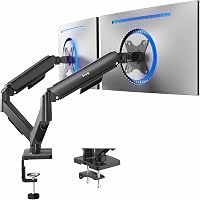
A monitor arm can take over screen duty while the laptop stays closed in a vertical stand. That pairing frees the desk and keeps input separate.
Mount the monitor at eye level, then place the keyboard and mouse below it. The laptop can sit in a vertical slot, under the desk or on a shelf.
Check desk thickness and clamp space before you buy an arm. Some desks need a grommet hole or a reinforced edge.
Measure the desk top first.
Cable routing matters. A laptop dock or hub can keep one cable to the laptop.
That makes docking and undocking faster.
Our guide to computer monitor arms explains clamp types, weight limits and cable paths. Read it if you plan to move from a laptop screen to a larger display.
Rule: use a monitor arm for the main screen when desk depth is tight and the laptop can stay closed.
What desk layout keeps a laptop stand and keyboard setup tidy?
Place the stand centered or slightly to your dominant side. Keep the keyboard in front of the stand, aligned with your torso.
Leave space behind the laptop for cables and heat. Do not push the stand against a wall if rear vents need air.
Put the mouse where your hand falls naturally. A mouse far from the keyboard forces a reach that can tire your shoulder.
Keep a phone and notebook out of the keyboard zone. Crowding the desk pushes input devices to the side.
Route cables down the back of the desk. A hub can reduce loose cables and make it easier to move the laptop.
For a general desk plan, our best laptop stand for desk roundup shows stands that fit standard desks. Use it to compare footprints before you rearrange furniture.
Rule: center screen and keyboard on your torso, then place the mouse at hand height.
Where should you store a stand when it is not in use?
Fold flat stands store in a drawer, shelf or laptop bag. Vertical stands store on the desk or under it.
Measure the folded size before you buy. A stand that folds to 10 inches wide may not fit a slim bag side pocket.
Keep the stand away from a bag zipper or keys. Aluminum can scratch, and scratches can expose sharp edges over time.
A vertical stand can stay on the desk as storage for the closed laptop. That keeps the laptop off the desk surface and frees room for paper work.
If you share a desk, agree on a storage spot. A stand left in the middle of the desk blocks the next user.
Rule: measure folded or stored size against the drawer, shelf or bag you will actually use.
How do you set up and care for a laptop stand and keyboard?
Set the stand on a flat, solid desk. Tighten any joints or steps before you place the laptop on it.
Place the laptop on the platform and confirm the pads grip. Check that the front lip or hooks hold the base without covering vents.
Connect the keyboard and mouse, then sit and adjust. Move the stand by one step, then check eye level, wrist angle and mouse reach.
Open the laptop lid to the angle you will use. A near vertical screen reduces glare and keeps text upright.
Wipe aluminum with a soft, dry cloth. Avoid harsh cleaners that can dull the finish or damage rubber pads.
Check pads and hooks every few months. Replace the stand if pads peel, joints loosen or the platform bends.
A worn pad can let a laptop slide.
Rule: set feet, pads and jaws first, then adjust height once, seated.
Which laptop stand and keyboard setup should you pick?
Pick a vertical stand if desk space is tight and you will use a separate monitor. The OMOTON dual vertical stand stores two laptops and frees room for input devices.
Pick a fold flat riser if you travel or share a desk. The Amazon Basics model gives up to 7 inches of height and folds to a compact size.
Pick a detachable riser if you want a simpler 6 inch lift. The BESIGN LS03 fits 10 to 15.6 inch laptops and folds flat for storage.
For most full time desk work, use a riser that raises the laptop screen to eye level with a separate keyboard and mouse at elbow height. That pairing fixes neck, wrist and shoulder position better than typing on a raised laptop.
Measure your laptop size, weight and thickness, and measure your seated eye height. Then choose the stand that fits both.
Rule: match stand height and load limit to your body and laptop.
Frequently asked questions
Can I use a laptop stand with a regular keyboard and mouse?
Yes, and that is the usual setup. Raise the laptop screen with the stand, close the lid or leave it open, then connect a separate keyboard and mouse placed at a comfortable height.
Add a hub or dock if you need extra ports, and check that your laptop can wake and charge with the lid closed.
How high should a laptop stand raise the screen?
Raise the top of the screen close to eye level when you sit upright, with your neck in a neutral position. Start with the screen top near your eyes, then adjust the chair or stand by small steps.
The right height depends on your chair, desk and body size, so measure seated eye height first.
Do I need a laptop stand keyboard and mouse set, or can I buy parts separately?
Buying parts separately lets you match keyboard size, mouse shape and stand height to your body and desk. A set can be simpler and cheaper to start, but you may accept compromises.
Separate parts also make it easier to replace one item later without changing the whole layout.
Will a laptop stand with keyboard tray work for full time desk use?
A built-in tray can work for short sessions, but a separate keyboard usually gives better wrist and elbow position than typing on a raised laptop. If you work long hours, choose a stand that raises only the screen and place the keyboard on the desk or a tray at elbow height.