How to Choose Monitor Riser Blocks
Choose monitor riser blocks that lift your screen to eye level while matching your monitor base and desk depth. A 3 to 6 inch lift suits most single monitors, and a wide, non slip block works best when you keep your keyboard close.
On this page (11 sections)
- How do you measure the right height for monitor riser blocks?
- What block height works for common monitor sizes?
- How stable do monitor riser blocks need to be?
- How do monitor riser blocks fit different monitor bases?
- What desk depth and space do blocks need?
- How do monitor riser blocks compare with a full riser shelf?
- How do blocks work for dual monitors and ultrawide screens?
- How do you install and align monitor riser blocks?
- What mistakes make blocks uncomfortable or unsafe?
- How do you care for monitor riser blocks?
- Which block setup should you buy first?
Choose monitor riser blocks that lift your screen to eye level while matching your monitor base and desk depth. A 3 to 6 inch lift suits most single monitors, and a wide, non slip block works best when you keep your keyboard close.
Monitor riser blocks are small platforms that sit under a monitor stand. They raise the screen without taking the full footprint of a shelf.
They also let you fine tune height when a desk or chair height is fixed.
We compared common block heights, materials and base sizes to find what matters for daily use. We checked the specs and looked at buyer patterns for stability and fit.
The goal is a block that stays put and keeps your head and neck in a neutral position.
How do you measure the right height for monitor riser blocks?
Measure from the desktop to your eyes while seated, then subtract the height of your monitor stand. That difference is the lift you need from the blocks.
Sit in your normal chair position with your feet flat. Look straight ahead and note the height of your eyes above the desk.
Most desks sit near 29 to 30 inches high, and many chairs place eyes about 42 to 48 inches above the floor.
Now measure your current monitor. The bottom bezel height matters more than the full screen height.
A 24 inch monitor on its stock stand may already sit close to eye level, while a 32 inch monitor may need only a small lift.
Blocks come in fixed heights such as 2 inches, 3 inches and 4 inches. You can also stack two blocks for a taller lift, but stacking reduces stability.
Pick one block height that gets you within about 1 inch of your target.
Rule: pick a block height that puts the top third of the screen at eye level, not a height that forces you to look down.
What block height works for common monitor sizes?
A 24 to 27 inch monitor often needs 2 to 4 inches of lift, while a 32 inch monitor may need 0 to 3 inches. Screen size changes the math because larger screens already sit higher on the same stand.
A 24 inch monitor on a short stand often sits low on a standard desk. A 3 inch block can bring the top of the screen near eye level without pushing the screen too far away.
Keep the screen about an arm's length from your eyes for best readability.
A 27 inch monitor usually needs a smaller lift. A 2 inch block may be enough if the stand already raises the screen.
Check the gap between your eyes and the top bezel before you buy.
A 32 inch monitor often needs no lift at all. Adding blocks can push the top of the screen above eye level and force you to look up.
If you do need lift, start with the smallest block and test it first.
How to test height before you buy
Place books or a sturdy box under the stand in the height you plan to buy. Sit in your chair and work for at least 30 minutes.
Note whether your neck stays relaxed and whether you can read the top and bottom of the screen without moving your head.
Adjust in 1 inch steps. A block that feels good for a short test can feel too high after a full workday.
Shorter is safer than taller when you are between sizes.
If you share the desk with a chair that changes height, match the blocks to the chair you use most. A second chair can change eye height by several inches.
Our How to Choose an Ergonomic Office Chair? guide explains how seat height changes your viewing angle.
Rule: start with the smallest block that solves the problem, and add height only when the top of the screen sits below eye level.
How stable do monitor riser blocks need to be?
Monitor riser blocks need a flat, wide base that does not slide when you type or bump the desk. Rubber feet, a low center of gravity and a footprint larger than the monitor stand help most.
Blocks that are narrower than the monitor stand can tip. The stand feet may hang over the edge and shift the weight outside the block.
Choose a block at least as wide and deep as the stand base.
Weight matters too. Check the weight limit for the blocks and add the weight of the monitor plus its stand.
Leave a safety margin rather than using the full limit. A block rated for light office use may not suit a heavy 32 inch display.
Rubber pads help grip the desk and the stand. Felt pads can scratch or slide on smooth desks.
A block with a textured top often holds feet better than a smooth plastic top.
What materials hold up best?
Wood, bamboo, MDF and rigid plastic are common choices. Wood and bamboo give a firm feel and resist warping in normal office humidity.
MDF costs less and paints well, but it can swell if it gets wet.
Rigid plastic is light and easy to clean. It can flex under heavy monitors if the walls are thin.
Look for a solid top plate and internal ribs when you choose plastic.
Metal blocks are strong and slim. They suit modern desks but can slide more on glass.
Rubber feet become more important with metal.
Rule: choose a block whose footprint fully covers the monitor stand and whose weight limit exceeds the monitor plus stand by a clear margin.
How do monitor riser blocks fit different monitor bases?
Match block size and shape to the exact feet of your monitor stand, not just to the screen size. A block that fits a wide V shaped base may not fit a narrow square base.
Measure the width and depth of the stand where it touches the block. Add at least 1 inch on each side for a safe margin.
Measure in inches and note the shape, since many stands have feet that spread wider at the front than at the back.
Some stands have a concave bottom or rounded feet. Those feet can rock on a flat block.
A thin non slip mat between the stand and the block can fill small gaps and reduce movement.
Two small blocks, one under each foot, can work for a wide stand. They cost less and let you adjust height on each side.
They also create a gap in the middle that can collect dust or cables.
What if your monitor has no stand?
Many monitors ship with a VESA mount instead of a stand. Blocks will not help unless you add a stand first.
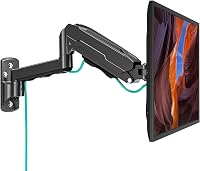
A riser shelf or a monitor arm can hold a bare monitor better than blocks.
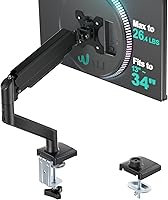
If you plan to remove the stock stand, compare computer monitor arms before you buy blocks. An arm lifts the screen and frees desk space at the same time.
Blocks still win for a simple, low cost height fix.
Rule: measure the stand feet and buy a block that covers them fully, or choose a shelf or arm when the monitor has no stand.
What desk depth and space do blocks need?
Blocks need enough desk depth for the stand, the block and your keyboard in one line. A shallow desk can force the screen too close when you add height.
Place the block near the back edge of the desk and leave room for the stand feet. Your keyboard should sit close enough that your elbows stay near your body.
If the block pushes the keyboard into your lap, the desk may be too shallow for that height.
Blocks use less depth than a full shelf. That makes them useful on a 24 inch deep desk.
A full riser often needs 12 inches or more of depth for the screen plus storage space.
Leave space behind the monitor for cables. Blocks raise the stand, so cables hang lower and can snag.
Route cables to one side with a simple tie or clip.
If your desk has a hutch, shelf or upper cabinet, check clearance before you add height. A tall block can push the screen into that shelf.
Measure from the desk to the lowest point of the shelf.
Rule: keep the block, stand and keyboard in a compact line that fits your desk depth without crowding your arms.
How do monitor riser blocks compare with a full riser shelf?
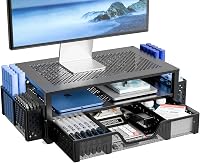
Blocks add height only, while a full riser shelf adds height plus storage under the screen. Choose blocks for a simple lift and a shelf for storage and cable space.
A shelf gives you a flat surface for a keyboard, laptop or files. That storage helps on a crowded desk.
It also hides items under the screen and makes the desk look tidy.
Blocks cost less and fit in tight corners. They also let you raise one monitor without raising a whole shelf.
That can help with an L shaped desk or a desk with a narrow section.
A shelf is heavier and harder to move. It can also block light or airflow under the screen.
Blocks leave the space under the monitor open for a lamp or a small printer.
Our best monitor riser for desk guide compares full shelves by size and storage. Use blocks when you need height and a shelf when you need height plus room.
Rule: buy blocks for height on a tight desk, and buy a shelf when you need storage under the screen as well.
How do blocks work for dual monitors and ultrawide screens?
Dual monitors need blocks that are wide enough for both stands or a single shelf that spans both screens. Two small blocks can work, but they need the same height and a flat desk.
Measure each stand separately. Left and right stands often have different foot shapes.
Two blocks of the same height keep both screens level. Mix and match only when one screen sits slightly lower.
A best dual monitor riser gives both screens one shared platform. That platform is more stable than two blocks on most desks.
It also keeps cables in one channel.
Ultrawide monitors have wide bases and higher weight. They often need 0 to 2 inches of lift at most.
A large block under an ultrawide stand can shift the center of gravity too high. Our best large monitor riser guide covers wider platforms for large screens.
Clamp on risers are another option for a thin desk edge. A best monitor riser clamp can hold a shelf without legs.
Blocks still need a flat desk surface and do not clamp.
Rule: use matched blocks for two small monitors, and use a shared shelf for wide, heavy or ultrawide screens.
How do you install and align monitor riser blocks?
Set blocks on a clean, flat desk, center the stand on the block, then check level with a straight edge. Small gaps at this step cause most wobble later.
Clean the desk and the bottom of the blocks with a dry cloth. Dust under a rubber foot can reduce grip.
Place the blocks where you want the screen, then press each block down to seat the feet.
Center the monitor stand on the blocks. The stand feet should sit fully on the top surface with no overhang.
Use a level or a straight edge across the top of the screen to check tilt.
Adjust the monitor's own tilt and height controls after the blocks are in place. Set the screen so you look straight ahead with a slight downward tilt of about 10 to 20 degrees.
That angle reduces neck strain for many people.
Test the setup by typing, reaching for files and standing up. A block that shifts during normal movement needs a wider footprint or a non slip mat.
Rule: center the stand, check level, then adjust the screen tilt before you lock in cable routes.
What mistakes make blocks uncomfortable or unsafe?
Stacking mismatched blocks, using a block narrower than the stand and guessing height cause most problems. Each mistake can make the screen tilt or force awkward posture.
Do not stack two different blocks unless they lock together. Uneven heights tilt the screen and can strain your eyes.
If you need more height, buy one taller block instead of stacking.
Do not place blocks on a drawer, a keyboard tray or a soft desk mat. Those surfaces flex and can shift under weight.
A firm desk top gives the block a stable base.
Do not guess height from a product photo. Measure your eye level and your stand height first.
A block that looks right in a photo can push a large monitor too high.
Check for ongoing pain or numbness after a change. People with ongoing pain may need a doctor or an ergonomic assessment.
Support from a lumbar pillow can help posture, and our How to Choose a Lumbar Pillow for Office Chair? guide covers fit and firmness.
Rule: use one matched block height on a firm desk, and stop and remeasure when the screen tilts or your neck twists to read.
How do you care for monitor riser blocks?
Wipe blocks with a dry or slightly damp cloth and check feet and pads every few months. Simple care keeps grip strong and surfaces clean.
Dust the top and sides weekly if you work in a dry room. A damp cloth works for wood, bamboo and plastic, but dry the surface right away.
Avoid soaking wood or MDF blocks.
Check rubber feet for wear or cracks. Replace worn pads when the block starts to slide.
Loose pads also allow dust to collect under the stand.
Tighten any screws or bolts on adjustable or stacking blocks. Movement in a joint can change height on one side.
A small level check after tightening keeps both screens even.
Store spare blocks flat and dry. Stack only blocks designed to stack.
A heavy block on top of a lighter one can warp the lower block over time.
Rule: keep feet clean and tight, and replace pads as soon as a block starts to slide.
Which block setup should you buy first?
Start with a single wide block in the height that matches your eye level, then adjust from there. That setup solves the problem for most single monitor desks.
Pick the height from your measurements in the first section. Choose a footprint that covers your stand feet fully.
Add rubber feet when the desk is smooth or the stand is heavy.
Buy blocks for a simple lift on a tight desk. Buy a shelf when you need storage.
Buy an arm when you need to free the desk or move the screen.
If you have two monitors, match block heights or use one shared shelf. If you have an ultrawide screen, check weight and width before you add any lift.
Monitor riser blocks work best when height, base fit and desk depth line up. Measure first, choose one firm block, and test it in your chair.
That approach gives you eye level viewing without a tippy screen or a crowded desk.
Frequently asked questions
How high should monitor riser blocks lift a screen?
Most people need a 3 to 6 inch lift so the top of the screen sits near eye level when seated in a standard chair. Measure from the desk to your eyes first, then subtract your monitor stand height.
Pick the block height that closes that gap.
Are monitor riser blocks safe for a heavy monitor?
Blocks can be safe when the combined weight stays under the maker's limit and the block sits flat on a firm desk. Check the limit for the blocks and the monitor stand together.
Do not stack blocks you cannot lock or secure.
Do I need a full riser instead of blocks?
A full riser gives you storage under the screen, while blocks only add height. Choose blocks for a small desk or a shallow shelf.
Choose a full riser from our best monitor riser for desk guide if you need space for a keyboard or files.
Can blocks work with two monitors?
Blocks can lift two monitors if each screen has a stable base and the desk depth fits both stands. Wide screens and ultrawide monitors often need a dedicated platform instead.
Compare a best dual monitor riser when one block cannot cover both bases.