9 Best Monitor Arms for Ultrawide Monitors (November 2026)
The best ultrawide monitor arms include the WALI Adjustable Single Monitor Arm for 13-34 for 34 inch and smaller ultrawides, the ErGear Heavy Duty Monitor Arm for 13-49″ for 49 inch heavy duty use, and the ErGear Single Monitor Arm for quick tool-free setup.
On this page (10 sections)
- Best monitor arm for ultrawide monitors: the top picks by screen size
- Heavy duty ultrawide monitor arm: how the picks compare
- How we compared these ultrawide monitor arms
- How much weight capacity does your ultrawide need?
- What reach and height do you need for a wide screen?
- Which tilt, swivel and rotation range should you pick?
- How do you check desk fit and VESA fit?
- Single ultrawide arm or a dual setup: which should you choose?
- How do you set up and care for a heavy duty monitor arm?
- Verdict: which ultrawide monitor arm should you buy?
The best monitor arm for ultrawide monitors is the ErGear Heavy Duty Monitor Arm for 13-49 in, because it pairs 37.4 lb capacity with 21.2 in reach and 22.2 in height for large screens. The WALI Adjustable is the top pick if your ultrawide is 34 in or smaller.
An ultrawide screen puts more load on an arm than a standard monitor does. Width also pushes the center of gravity forward, so reach and tilt resistance matter more than on a 24 in screen.
Our score weighs specs, features and buyer feedback against what you are shopping for. We compared size range, weight capacity, reach, height, tilt, swivel, VESA fit and desk thickness across all nine picks.
Start with computer monitor arms if you want the broader buying guide. If your desk is thick or your screen is near 49 in, our best heavy duty monitor arm guide covers the extra strength checks.
Our picks at a glance
-
1
 Best for 34 inch and smaller ultrawides
WALI Adjustable Single Monitor Arm for 13-34
9.6/10 our score
See it on Amazon -
2
 Best for 49 inch heavy duty use
ErGear Heavy Duty Monitor Arm for 13-49″
9.6/10 our score
See it on Amazon -
3

- 4
 Check it
WALI Ultrawide Single Monitor Arm for 17-49
Best for 49 inch with wide tilt - 5
 Check it
HUANUO TitanLift Heavy Duty Monitor Arm for
Best for 44 lb ultrawides - 6
 Check it
VIVO Heavy Duty Aluminum Ultrawide Monitor Tension
Best for spring-assist tension control - 7
 Check it
VIVO Premium Aluminum Monitor Arm for Ultrawide
Best for aluminum pneumatic lift - 8
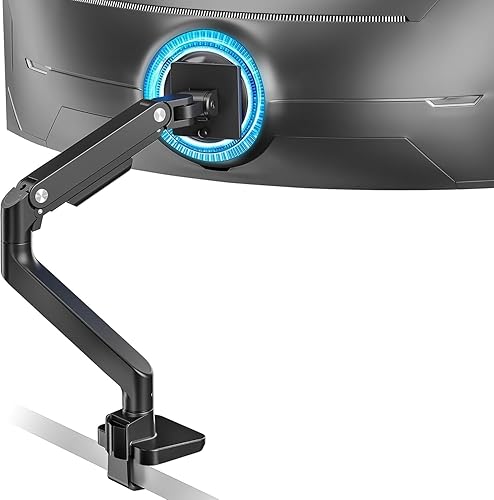 Check it
ARES WING Ultrawide Monitor Desk Arm for
Best for gas spring height range - 9
 Check it
ULTRARM Heavy Duty Monitor Arm for Ultrawide
Best for up to 57 inch screens
Best monitor arm for ultrawide monitors: the top picks by screen size
The right pick splits by screen size first. Arms for 34 in and smaller screens are lighter and simpler, while 49 in arms need stronger springs and wider bases.
Size is the first filter because a 49 in curved screen can weigh more than twice a 27 in screen. Weight is the second filter because capacity drops for curved screens on some models.
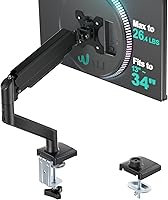
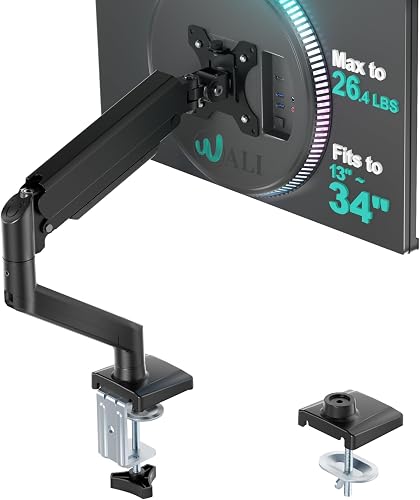
WALI Adjustable Single Monitor Arm for 13-34: Best for 34 inch and smaller ultrawides
- Fits 13-34 in screens up to 26.4 lb flat, 19.8 lb curved
- Extends 19.3 in, raises 17.3 in
- Swivels 180 degrees each way, tilts +70/-45 degrees, rotates 360 degrees
- VESA 75x75mm and 100x100mm
- C-clamp and grommet for desks 0.39-2.76 in
A strong pick for 34 in ultrawides that frees desk space and gives full motion at a lower size limit.
Pros
- Wide tilt and swivel range
- Cable management guides wires
- Two desk mounting options
Cons
- Not for 49 in screens
- Lower curved-screen capacity
The WALI Adjustable suits buyers with a 34 in ultrawide or smaller who want full motion without paying for 49 in strength. It fits flat screens to 34 in and regular screens to 32 in, with VESA 75x75mm and 100x100mm holes.
Capacity is 26.4 lb for flat screens and 19.8 lb for curved screens, so check your exact model weight before you buy. That split matters because curved ultrawides often weigh more than flat screens of the same diagonal size.
Reach is 19.3 in and height is 17.3 in, which lets you pull the screen forward and lift it to eye level on most desks. Tilt runs +70/-45 degrees, swivel runs 180 degrees each way, and rotation is 360 degrees.
Built-in cable management guides wires along the arm, and the wider VESA head helps keep the screen firm. WALI says the core was tested through 20,000+ cycles.
It installs with a C-clamp or grommet on desks 0.39-2.76 in thick, on wooden desks with no crossbeam blocking the underside. If you have a glass desk, review monitor arm fit for glass desks.
The trade-off is clear: it will not hold a 49 in screen, so size it to your monitor first.
ErGear Heavy Duty Monitor Arm for 13-49″: Best for 49 inch heavy duty use
- Fits 13-49 in, up to 37.4 lb
- Extends 21.2 in, raises 22.2 in
- Tilt +30/-40 degrees, swivel 90 degrees each way, rotates 360 degrees
- VESA 75x75mm and 100x100mm
- C-clamp 0.39-3.15 in, grommet 0.39-2 in
Built for large ultrawides with thickened steel, dual C-clamp load spread and long reach for eye-level setup.
Pros
- High capacity for 49 in screens
- Tall height range
- Pre-assembled setup
Cons
- Tilt range is narrower than some rivals
- Desk may need a small gap from the wall
The ErGear Heavy Duty suits buyers with 49 in ultrawides who need strength and height. It fits 13-49 in screens with VESA 75x75mm or 100x100mm, including curved and super-wide displays.
Capacity is 37.4 lb, and ErGear describes it as up to 150% stronger than typical stands. The dual C-clamp spreads load, and the thickened steel arm helps limit shake when you type or move the screen.
Reach is 21.2 in and height is 22.2 in, the tallest height range in this group. That height helps you place a large screen at eye level without lowering the arm to the desk.
Tilt is +30/-40 degrees, swivel is 90 degrees each way, and rotation is 360 degrees. The tilt range is narrower than the WALI Ultrawide, so fine angle control is a trade-off for extra height and capacity.
It mounts with a C-clamp for desks 0.39-3.15 in or a grommet for 0.39-2 in. ErGear notes the clamp thickness may keep the desk from sitting fully flush to the wall, so leave a small gap.
ErGear Single Monitor Arm: Best for quick tool-free setup
- Fits 13-34 in up to 19.8 lb
- Height to 17.5 in, reach to 18.1 in
- Tilt +80/-50 degrees, swivel 90 degrees each way, rotates 360 degrees
- VESA 75x75mm and 100x100mm, tool-free VESA mount
- C-clamp 0.39-2.56 in, grommet 0.39-2.95 in
Suits lighter 34 in screens where fast mounting and wide tilt matter more than maximum weight capacity.
Pros
- Tool-free VESA mounting
- Wide tilt range
- Cable clips need no tools
Cons
- 19.8 lb limit excludes heavy 49 in models
- Shorter reach than heavy duty picks
The ErGear Single suits buyers with a 13-34 in screen who want fast setup over maximum capacity. It fits flat or curved monitors to 34 in up to 19.8 lb with VESA 75x75mm or 100x100mm.
Height is to 17.5 in and reach is to 18.1 in, which is enough to lift the screen and free desk space below. Tilt is +80/-50 degrees, the widest tilt range here, with swivel at 90 degrees each way and 360 degree rotation.
The tool-free VESA mount is the main difference from the WALI Adjustable. You can mount the screen in three steps without extra tools, and cable clips open by hand.
ErGear says the VESA head is 40% wider and the core was tested through 20,000+ cycles. That wider head helps limit sag on lighter curved screens.
Desk fit is C-clamp for 0.39-2.56 in or grommet for 0.39-2.95 in. The trade-off is the 19.8 lb cap, so this is not the pick for a heavy 49 in monitor.
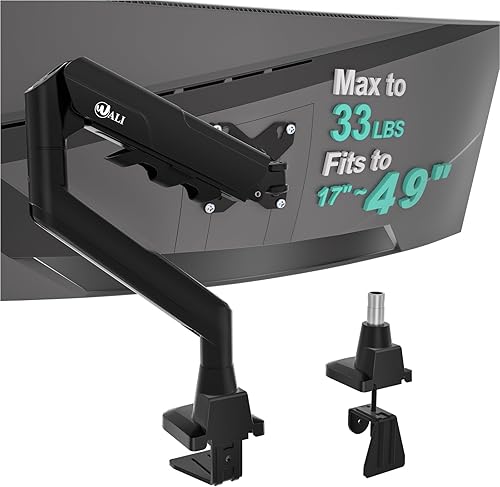
WALI Ultrawide Single Monitor Arm for 17-49: Best for 49 inch with wide tilt
- Fits 17-49 in flat or 1800R curved, up to 33 lb
- Extends 21.14 in, raises 20.59 in
- Swivels 90 degrees each way, tilts +75/-75 degrees, rotates 360 degrees
- VESA 75x75mm and 100x100mm
- C-clamp and grommet for desks 0.39-1.96 in
Covers full 49 in range with a large tilt range, so you can angle a wide curved screen without straining to see the edges.
Pros
- Wide +75/-75 degree tilt
- Long reach and height
- Built-in cable management
Cons
- Desk thickness limit is 1.96 in
- 33 lb cap is below 44 lb rivals
The WALI Ultrawide suits buyers with a 49 in flat or 1800R curved screen who want a wide tilt range. It fits 17-49 in screens up to 33 lb with VESA 75x75mm and 100x100mm.
Reach is 21.14 in and height is 20.59 in, so you can pull a wide curved screen forward and center it at eye level. Tilt is +75/-75 degrees, swivel is 90 degrees each way, and rotation is 360 degrees.
That tilt range helps when you share the screen or angle the edges toward you. Built-in cable management keeps wires along the arm.
WALI says the durable core was tested through 20,000+ cycles, and the wider VESA head helps hold the screen firm. The trade-off is capacity: 33 lb is less than the 44 lb picks.
Desk fit is the tightest here. Both C-clamp and grommet mounts fit desks 0.39-1.96 in thick, on wooden desks with no crossbeam under the top.
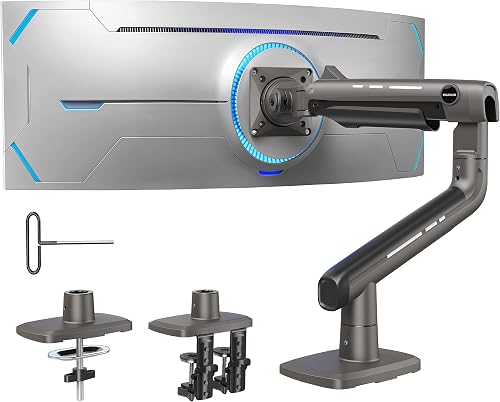
HUANUO TitanLift Heavy Duty Monitor Arm for: Best for 44 lb ultrawides
- Fits 17-49 in, 6.6-44 lb
- Extends 22.5 in, height to 19.6 in
- Tilt +50/-50 degrees, swivel 180 degrees each way, rotates 360 degrees
- VESA 75x75mm and 100x100mm
- Dual C-clamp, for desks 0.8-3.5 in, wooden desks only
A heavy duty monitor arm ultrawide option with aluminum alloy arms, wider base and long reach for the heaviest screens here.
Pros
- 44 lb capacity
- Longest reach in this group
- One-hand tension adjustment
Cons
- Wooden desks only
- Rotation limited to screens up to 35 in
The HUANUO TitanLift suits buyers with a heavy 49 in ultrawide who need 44 lb capacity and long reach. It fits 17-49 in screens from 6.6 to 44 lb with VESA 75x75mm or 100x100mm.
Reach is 22.5 in, the longest here, and height is to 19.6 in from the desk surface to the VESA center. Tilt is +50/-50 degrees, swivel is 180 degrees each way, and rotation is 360 degrees for screens to 35 in.
The arm uses high-strength aluminum alloy with 20% thicker arms and a 30% wider base. HUANUO says it passed 50,000 cycle motion tests and a 3X load test.
Tension adjustment is by one hand with an Allen key in a side bolt. That makes fine-tuning easier after the screen is mounted.
Desk fit has strict limits: wooden desks only, 0.8-3.5 in thick, with no cross beams or panels under the desk. Check all three conditions before you buy.
VIVO Heavy Duty Aluminum Ultrawide Monitor Tension: Best for spring-assist tension control
- Fits up to 49 in, 44 lb, VESA 75x75mm and 100x100mm
- Tilt +50/-20 degrees, swivel 180 degrees, rotates 360 degrees
- 11 in spring height adjustment
- C-clamp to 3.2 in, grommet to 1.4 in
- Detachable VESA plate
Spring-assist tension arm designed for large screens such as the Samsung Odyssey G9, with smooth hand repositioning.
Pros
- 44 lb capacity
- Spring counterbalance
- Detachable VESA plate
Cons
- Height adjustment is 11 in only
- Tilt range is narrower on the down side
The VIVO Heavy Duty Aluminum suits buyers with a large ultrawide who want spring-assist tension control. It fits screens to 49 in and 44 lb with VESA 75x75mm or 100x100mm, and VIVO names the Samsung Odyssey G9 as a fit.
The spring-assist arm counterbalances screen weight for height changes. That helps you reposition a large screen by hand without the screen dropping or rising on its own.
Height adjustment is 11 in with spring lift. Tilt is +50/-20 degrees, swivel is 180 degrees, and rotation is 360 degrees.
Cable management covers keep cords out of the way during movement. The detachable VESA plate makes mounting the screen easier.
Desk fit is C-clamp to 3.2 in thick or grommet to 1.4 in. The trade-off is height travel: 11 in is less than the 13 in pneumatic picks and the 22.2 in height of the ErGear Heavy Duty.
VIVO Premium Aluminum Monitor Arm for Ultrawide: Best for aluminum pneumatic lift
- Fits ultrawide to 49 in, up to 33 lb, standard to 32 in
- Tilt -30/+45 degrees, swivel 180 degrees, rotates 180 degrees
- 13 in pneumatic height adjustment
- VESA 75x75mm and 100x100mm, quick-release plate
- Clamp 0.4-3.3 in, grommet 0.4-1.9 in
Aluminum pneumatic arm with elbow spring gauge for weight adjustment and clear cable management for a tidy desk.
Pros
- Aluminum construction
- 13 in pneumatic lift
- Quick-release VESA plate
Cons
- 33 lb limit
- Rotation is 180 degrees, not 360
The VIVO Premium Aluminum suits buyers who want an aluminum pneumatic arm for screens to 49 in. It holds one screen to 33 lb, and fits ultrawides to 49 in plus standard flat and curved screens to 32 in.
Height adjustment is 13 in with pneumatic spring lift. An elbow spring gauge helps you set weight adjustment for your screen.
Tilt is -30/+45 degrees, swivel is 180 degrees, and rotation is 180 degrees. That rotation range is less than the 360 degree picks, so portrait use is more limited.
The quick-release VESA plate fits 75x75mm and 100x100mm. If your monitor has no VESA holes, an adapter is needed and is not included.
Desk fit is clamp for 0.4-3.3 in or grommet for 0.4-1.9 in. The trade-off is the 33 lb cap, which excludes the heaviest 49 in screens that the 44 lb arms handle.
ARES WING Ultrawide Monitor Desk Arm for: Best for gas spring height range
- Fits 17-49 in, 4.4-44 lb
- Tilt +50/-20 degrees, swivel 180 degrees, rotates 360 degrees
- Height 8.7-18.7 in, extension to 22.4 in
- VESA 75x75mm and 100x100mm, detachable plate
- C-clamp 0.5-1.8 in, grommet 0.5-2 in
Gas spring arm for 49 in screens including Samsung Odyssey G9 and LG models, with topside installation.
Pros
- 44 lb capacity
- Long extension
- Topside installation
Cons
- C-clamp range ends at 1.8 in
- Adapter needed if monitor lacks VESA holes
The ARES WING suits buyers with a 49 in screen who want a gas spring arm with topside installation. It fits 17-49 in screens from 4.4 to 44 lb with VESA 75x75mm and 100x100mm.
ARES WING names the Samsung Odyssey G9 and LG 49 in models as fits. If your monitor has no VESA holes, you will need a VESA adapter.
Height adjusts from 8.7 to 18.7 in and extension reaches 22.4 in. Tilt is +50/-20 degrees, swivel is 180 degrees, and rotation is 360 degrees.
The internal gas spring was fatigue tested, ARES WING says. Built-in cable management helps keep the desk tidy.
Desk fit is C-clamp for 0.5-1.8 in or grommet for 0.5-2 in, which is narrower than most rivals. Topside installation avoids crawling under the desk, but thick desks may not fit the clamp.
ULTRARM Heavy Duty Monitor Arm for Ultrawide: Best for up to 57 inch screens
- Fits ultrawide to 57 in, down to 24-49 in, up to 44 lb
- Tilt +25/-25 degrees, swivel 180 degrees, rotates 180 degrees
- 13 in gas spring height adjustment
- VESA 75x75mm and 100x100mm, quick-release plate
- Clamp 0.6-3.3 in, grommet 0.6-1.9 in
The widest size range here, up to 57 in, with modular extension arms that can upgrade to dual or triple setups.
Pros
- Fits screens to 57 in
- Modular upgrades to dual or triple
- Tall pole base
Cons
- Tilt range is only +25/-25 degrees
- Extension arms sold separately
The ULTRARM suits buyers with a screen larger than 49 in or who want a modular system. It fits ultrawides to 57 in, down to 24-49 in flat and curved screens to 1000R, up to 44 lb.
Height adjustment is 13 in with gas spring lift. Tilt is +25/-25 degrees, swivel is 180 degrees, and rotation is 180 degrees.
The tilt range is the narrowest here, so check that it gives you enough angle for your desk distance. The size range is the widest, up to 57 in.
The base has an extra tall pole and modular extension arms. The base is rated to 88 lb for upgrades, and can become a dual or triple mount, but extension arms are sold separately.
Desk fit is clamp for 0.6-3.3 in or grommet for 0.6-1.9 in. The quick-release VESA plate fits 75x75mm and 100x100mm.
Heavy duty ultrawide monitor arm: how the picks compare
The heavy duty ultrawide monitor arm group holds 44 lb or close to it, because 49 in screens need that margin. Lighter arms hold 19.8 lb to 33 lb and fit smaller or lighter screens.
| Product | Best for | Screen size | Capacity | Reach and height | Our score |
|---|---|---|---|---|---|
| WALI Adjustable Single Monitor Arm for 13-34 | 34 inch and smaller ultrawides | 13-34 in | 26.4 lb flat, 19.8 lb curved | 19.3 in reach, 17.3 in height | 9.6 |
| ErGear Heavy Duty Monitor Arm for 13-49″ | 49 inch heavy duty use | 13-49 in | 37.4 lb | 21.2 in reach, 22.2 in height | 9.6 |
| ErGear Single Monitor Arm | quick tool-free setup | 13-34 in | 19.8 lb | 18.1 in reach, 17.5 in height | 9.5 |
| WALI Ultrawide Single Monitor Arm for 17-49 | 49 inch with wide tilt | 17-49 in | 33 lb | 21.14 in reach, 20.59 in height | 9.4 |
| HUANUO TitanLift Heavy Duty Monitor Arm for | 44 lb ultrawides | 17-49 in | 44 lb | 22.5 in reach, 19.6 in height | 9.2 |
| VIVO Heavy Duty Aluminum Ultrawide Monitor Tension | spring-assist tension control | Up to 49 in | 44 lb | 9.0 | |
| VIVO Premium Aluminum Monitor Arm for Ultrawide | aluminum pneumatic lift | Up to 49 in | 33 lb | 8.9 | |
| ARES WING Ultrawide Monitor Desk Arm for | gas spring height range | 17-49 in | 44 lb | 22.4 in reach, 8.7-18.7 in height | 8.3 |
| ULTRARM Heavy Duty Monitor Arm for Ultrawide | up to 57 inch screens | Up to 57 in | 44 lb | 8.1 |
We compared listed size range, weight capacity, reach, height, tilt, swivel and desk thickness for each arm. We also checked VESA patterns, because 75x75mm and 100x100mm cover most picks here.
Buyers often mention wobble when an arm is under about 80% of its capacity. Choose capacity above your monitor weight, not equal to it, to help the arm hold position.
If you plan two screens side by side, our best dual monitor arm heavy duty and best dual monitor arm ultrawide guides cover dual layouts. If you lean toward one brand, our best ergotron ultrawide monitor arm guide lists brand-specific options.
How we compared these ultrawide monitor arms
We checked specs first, then fit. Size range, weight capacity and VESA pattern decide whether an arm can hold your screen at all.
Reach and height decide whether you can place the screen at eye level. A 49 in screen needs longer reach so the edges do not sit too far from your eyes.
Tilt resistance matters when the screen is wide. A wide screen pulled forward creates more torque at the VESA head, so a wider head and stronger spring help it stay put.
We ranked by score from high to low. The top two both score 9.6, one for 34 in screens and one for 49 in screens, so your monitor size decides between them.
How much weight capacity does your ultrawide need?
You need capacity above your monitor weight. Weigh the screen with its factory stand removed, or check the maker weight for the mounted screen.
Arms here span 19.8 lb to 44 lb. The 44 lb arms, HUANUO TitanLift, VIVO Heavy Duty, ARES WING and ULTRARM, suit the heaviest 49 in models.
The 33 lb arms, WALI Ultrawide and VIVO Premium, suit many 49 in models but not all. Check your exact weight before you choose one.
The 37.4 lb ErGear Heavy Duty sits in the middle. It covers many 49 in screens and adds tall height range.
What happens if you buy an arm rated too low?
The screen may sag at the edges or drift down when you tilt it. That drift forces you to re-tighten tension often and can make long work sessions tiring.
A low capacity also limits reach. You may not be able to pull the screen forward to eye level without it drooping.
Curved screens change the weight math
Some makers list a lower cap for curved screens. The WALI Adjustable lists 26.4 lb for flat and 19.8 lb for curved, so use the curved number for a curved monitor.
What reach and height do you need for a wide screen?
You need reach long enough to pull the screen forward. Picks here reach 18.1 in to 22.5 in, and longer reach helps on deep desks.
Height should let you lift the screen so the top edge sits near eye level. The ErGear Heavy Duty lifts to 22.2 in, while the WALI Ultrawide lifts to 20.59 in.
A short arm on a deep desk leaves the screen back near the wall. That distance makes the edges of a 49 in screen harder to read without leaning forward.
Reach is measured from the desk clamp
Reach is the distance from the desk mount to the screen. A longer arm also creates more torque, so capacity and spring strength must match the reach you use.
Height is measured to the VESA center on some arms
HUANUO measures height to the VESA center at 19.6 in. Other makers measure arm height differently, so compare the method before you compare numbers.
Which tilt, swivel and rotation range should you pick?
Pick tilt range by how you use the screen. Wide tilt helps with glare, sharing and curved screens.
The WALI Ultrawide tilts +75/-75 degrees. The ErGear Single tilts +80/-50 degrees.
Both help you angle a wide screen toward you.
Swivel lets you turn the screen left or right. Most picks swivel 90 to 180 degrees each way, which is enough for most desks.
Rotation lets you turn the screen to portrait. The ULTRARM and VIVO Premium rotate 180 degrees, while most others rotate 360 degrees.
Narrow tilt is a trade-off for other strengths
The ULTRARM tilts only +25/-25 degrees. Choose it for its 57 in size range, not for fine angle control.
The ErGear Heavy Duty tilts +30/-40 degrees. Choose it for height and capacity, and accept narrower tilt.
How do you check desk fit and VESA fit?
Measure desk thickness first. Ranges here run from 0.39 in to 3.5 in, and some arms stop at 1.96 in or 1.8 in.
Check under the desk for crossbeams or panels. Many makers recommend wooden desks with no crossbeam blocking the underside.
Check VESA holes on the back of your monitor. Most picks need 75x75mm or 100x100mm, and some need an adapter if holes are missing.
C-clamp or grommet: which fits your desk?
C-clamp fits desks with a clear edge and no rear panel. Grommet fits desks with a hole for cables.
Some clamps are thick enough to keep the desk from sitting flush to the wall. Leave a small gap if your maker notes that issue.
Wooden desk limits
HUANUO recommends wooden desks only. WALI also recommends wooden desks and no crossbeam under the top.
Single ultrawide arm or a dual setup: which should you choose?
Choose a single arm for one ultrawide screen. It gives you the most reach and the strongest spring for that screen.
Choose a dual arm if you run two smaller screens side by side. That layout needs a different load split across two arms.
The ULTRARM base can upgrade to a dual or triple mount with extension arms sold separately. That modular path suits buyers who may add a second screen later.
If your chair or desk height is part of the problem, check our Best Desk Chair for Heavy People and Best Office Chair With Wide Seat guides for seating fit.
How do you set up and care for a heavy duty monitor arm?
Mount the arm to the desk first, then attach the screen with help. A 49 in screen is awkward to lift alone, so ask for help on heavy models.
Set tension after the screen is mounted. Spring-assist arms need the gauge or bolt set to your screen weight so the screen stays where you leave it.
Route cables before you tighten the arm. Built-in cable management on most picks guides wires along the arms, but it works best if you route them during setup.
Check clamp tightness after the first week. Desk tops can compress, and a firm clamp helps the arm hold position.
Care in general terms
Wipe the arms with a dry cloth and check VESA screws on a regular schedule. Tighten screws evenly so the screen sits flat.
Move the arm slowly at full extension. Fast moves at long reach put more stress on the spring and the desk clamp.
Verdict: which ultrawide monitor arm should you buy?
The best monitor arm for ultrawide monitors depends on your screen size. For 34 in or smaller, pick the WALI Adjustable for full motion or the ErGear Single for tool-free setup.
For 49 in screens, pick the ErGear Heavy Duty for height and 37.4 lb capacity. Pick the HUANUO TitanLift for 44 lb capacity and 22.5 in reach.
Pick the WALI Ultrawide if you want wide tilt on a 49 in screen. Pick the ULTRARM if your screen is larger than 49 in, up to 57 in.
Measure your monitor weight, VESA pattern and desk thickness before you order. Those three checks prevent most returns.
Our top 3 picks at a glance
-
1
Best for 34 inch and smaller ultrawides
WALI Adjustable Single Monitor Arm for 13-34
9.6/10 our score
See it on Amazon -
2
Best for 49 inch heavy duty use
ErGear Heavy Duty Monitor Arm for 13-49″
9.6/10 our score
See it on Amazon -
3
Frequently asked questions
What weight capacity do I need for a 49 inch ultrawide?
Check your monitor weight first, then choose an arm rated above it. Several picks here hold 44 lb, while others hold 33 lb or 37.4 lb.
A margin helps the arm hold position when you tilt or pull the screen forward.
Will a 34 inch arm hold a 49 inch monitor?
No. Arms rated to 34 in, such as the WALI Adjustable and ErGear Single, list a maximum of 34 in.
For 49 in you need an arm rated to 49 in or larger, such as the ErGear Heavy Duty or HUANUO TitanLift.
What desk thickness works for these arms?
It depends on the clamp or grommet range for each model. Ranges here run from about 0.39 in to 3.5 in.
Measure your desk top and check for crossbeams under it before you order.
Do I need VESA holes on my monitor?
Yes, most of these arms need 75x75mm or 100x100mm VESA holes. If your monitor has no VESA holes, an adapter may be needed and is not included with some models.
How much reach does an ultrawide arm need?
Reach lets you pull a wide screen forward so the edges sit closer to your eyes. Picks here reach from about 18 in to 22.5 in.
Longer reach helps on deep desks and with curved screens.