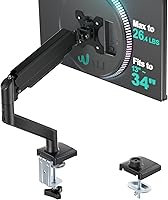
9 Best Heavy Duty Monitor Arms (November 2026)
The best heavy duty monitor arms include the WALI Heavy Duty Monitor Arm for 13-49 for most ultrawide setups, the ErGear Heavy Duty Monitor Arm for 13-49″ for steady heavy screens, and the HUANUO FlowLift™ Pro Monitor Arm for 13–32" for 24 to 32 inch screens.
On this page (8 sections)
- Best heavy duty monitor arms for large and ultrawide screens
- How we compared these heavy duty monitor arms
- What size and weight does your screen need?
- How much tilt and rotation do you actually need?
- What desk thickness and material fit your arm?
- How do spring, gas and pneumatic arms differ?
- Single arm or dual arm for a heavy screen?
- Verdict: which heavy duty monitor arm should you buy?
The best heavy duty monitor arm for most people is the WALI Heavy Duty Monitor Arm for 13-49 inch, because it combines a 44 lb limit, 13 to 49 inch fit and full motion in one single arm. You get tilt, swivel and 360 degree rotation without splitting the load across two arms.
A heavy duty arm matters most if your screen is large, curved or close to 40 lb. A standard arm can sag or wobble under that weight, and the tilt pivot is often the first part to droop.
Our score weighs specs, features and buyer feedback against what you're shopping for. We compared load ratings, tilt range, VESA fit and desk fit across all nine picks.
Start with our computer monitor arms buying guide if you want the broader picture. For a 49 inch screen specifically, our best monitor arm for 49 ultrawide guide narrows the field further.
Our picks at a glance
-
1
 Best for most ultrawide setups
WALI Heavy Duty Monitor Arm for 13-49
9.7/10 our score
See it on Amazon -
2
 Best for steady heavy screens
ErGear Heavy Duty Monitor Arm for 13-49″
9.6/10 our score
See it on Amazon -
3
 Best for 24 to 32 inch screens
HUANUO FlowLift™ Pro Monitor Arm for 13–32"
9.5/10 our score
See it on Amazon
- 4
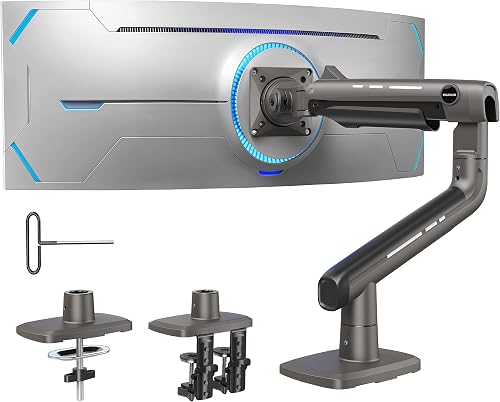 Check it
HUANUO TitanLift Heavy Duty Monitor Arm for
Best for 49 inch gaming screens - 5
 Best for Ergotron HX platformCheck it
- 6
 Check it
VIVO Heavy Duty Aluminum Ultrawide Monitor Tension
Best for Samsung Odyssey G9 style screens - 7
 Check it
VIVO Premium Aluminum Monitor Arm for Ultrawide
Best for pneumatic lift on a budget - 8
 Best for a simple 44 lb single armCheck it
- 9
 Check it
ULTRARM Heavy Duty Monitor Arm for Ultrawide
Best for screens above 49 inch
Best heavy duty monitor arms for large and ultrawide screens
WALI leads this group on capacity and motion range combined. ErGear and Ergotron follow closely, while the HUANUO FlowLift Pro is the only pick aimed at smaller screens.
WALI Heavy Duty Monitor Arm for 13-49: Best for most ultrawide setups
- 13-49 inch, up to 44 lb
- 1000R curved screens
- VESA 75x75 and 100x100
- Tilt +45/-45, swivel +90/-90, rotate 360
- C-clamp and grommet for 0.39-3.15 in desks
A single arm that lifts a large screen off the desk, with wide motion range and cable guides for a tidy setup.
Pros
- 44 lb capacity
- Fits 49 inch ultrawides
- Two mounting options
Cons
- Wooden desk recommended
- Check VESA and weight before ordering
WALI suits anyone with a single flat or 1000R curved screen from 13 to 49 inch and up to 44 lb. If you need three screens on a desk base, compare freestanding triple monitor stands.
It lifts the screen off the desk, so your keyboard, notebook, docking station or a simple clutter free work area gets more space underneath.
The motion range is wide for daily use. You can extend the screen out by 21.57 inch, raise the arm up to 20.35 inch above the desktop, swivel plus or minus 90 degrees, tilt plus or minus 45 degrees and rotate 360 degrees.
That helps you pull the screen closer for documents, then swing it away for a call or a game.
WALI says the durable core was tested through 20,000 plus cycles and gives a 10 year warranty. Built in cable management guides wires along the arms, keeping cords out of sight and out of the way behind a tidy workstation.
The trade off is desk choice. WALI recommends a wooden desk with no crossbeam blocking the underside, with C clamp or grommet mounting for desks 0.39 to 3.15 inch thick.
If you have a glass top, see monitor arm options for glass desks.
Check your VESA pattern, screen size and weight before purchasing to ensure a perfect fit.
ErGear Heavy Duty Monitor Arm for 13-49″: Best for steady heavy screens
- 13-49 inch, 37.4 lb capacity
- Tilt +30/-40, swivel 90, rotate 360
- Extends 21.2 in, raises 22.2 in
- Dual C-clamp and grommet
- VESA 75x75/100x100
A thick steel arm built to keep a heavy ultrawide steady while you type or move the screen.
Pros
- 37.4 lb capacity
- High 22.2 in lift
- 10-year durability claim
Cons
- 37.4 lb limit is below 37.4 lb rivals
- C-clamp needs a small gap from the wall
ErGear suits buyers who worry about wobble under a heavy ultrawide. It holds 37.4 lb, fits 13 to 49 inch screens and uses a thickened steel arm with a dual C clamp VESA head to spread the load for extra stability.
Daily adjustment is strong here. You get plus 30 to minus 40 degree tilt, plus or minus 90 degree swivel and 360 degree rotation.
It extends up to 21.2 inch and raises your computer monitor up to 22.2 inch high, which is the tallest lift in this group for eye level viewing.
ErGear says the capacity is up to 150 percent stronger than typical stands and claims up to 10 years of everyday use. The pre assembled design and clear step by step process aim to speed set up, so you can get the monitor mounted and adjusted quickly.
The trade off is the lower weight cap compared with 44 lb rivals. Also, the C clamp thickness means the desk cannot sit fully flush against the wall, so leave a small gap to prevent wall damage.
HUANUO FlowLift™ Pro Monitor Arm for 13–32": Best for 24 to 32 inch screens
- 13-32 inch, 4.4-15.4 lb
- MechaSpring arm
- Tool-free VESA plate
- Tilt +85/-25, swivel 90, rotate 90
- C-clamp/grommet for 0.59-3.54 in wood desks
Best here if your screen is 32 inch or smaller and you adjust position often.
Pros
- Tool-free VESA plate
- Visual tension window
- Smooth one-finger moves
Cons
- Only 15.4 lb max
- Not for ultrawides above 32 inch
HUANUO FlowLift Pro suits a 13 to 32 inch screen between 4.4 and 15.4 lb. If you have a standard 24 or 27 inch monitor, this is a better fit than a 49 inch arm built for far heavier loads.
Its MechaSpring arm is designed to keep tension steady over time. HUANUO says it lasts up to 2 times longer than conventional mounts, unlike gas based designs that may lose pressure, and it is tested at 3 times its rated load for added safety.
The tool free VESA plate snaps into place with a secure click, and a PrecisionView window shows tension with a yellow indicator. That helps you set tension by sight instead of by feel alone, with no over tightening or endless trial and error.
Motion includes up to 18.7 inch of extension, 16.5 inch of height adjustment, plus 85 to minus 25 degree tilt, plus or minus 90 degree swivel and plus or minus 90 degree rotation. The trade off is clear: it will not hold a 49 inch ultrawide.
HUANUO TitanLift Heavy Duty Monitor Arm for: Best for 49 inch gaming screens
- 17-49 inch, 6.6-44 lb
- Tilt +50/-50, swivel 180, rotate 360
- Extends 22.5 in, height 19.6 in
- Dual C-clamp
- VESA 75x75 and 100x100
High-strength aluminum alloy arm with a wide motion range for a single large gaming screen.
Pros
- 44 lb capacity
- 22.5 in extension
- One-hand tension adjustment
Cons
- Wooden desks 0.8-3.5 in only
- Rotate 360 only up to 35 inch
TitanLift suits a 17 to 49 inch screen between 6.6 and 44 lb, including many gaming ultrawides. It uses high strength aluminum alloy with a reinforced VESA head, 20 percent thicker arms and a 30 percent wider base.
You get plus 50 to minus 50 degree tilt, 180 degree swivel each way, 360 degree rotation for screens up to 35 inch, 22.5 inch extension and 19.6 inch height from the desk surface to the VESA mount center. That long reach helps at a deep desk or when you sit further back.
HUANUO says it passed 50,000 cycle motion tests and a 3 times load test, with a 5 year warranty. Tension adjusts with one hand using the included Allen key, and built in cable management keeps wires tidy.
The trade off is desk limits. Only wooden desks 0.8 to 3.5 inch thick are recommended, with no crossbeams or panels underneath.
Check all three conditions for screen size, weight and VESA before you order.
Ergotron: Best for Ergotron HX platform
- Up to 49 inch, 20-42 lb
- VESA 75x75 to 200x200
- Lift 11.5 in, rises 17.8 in
- Rotate 360, tilt 75
- Desk clamp 0.4-2.6 in and grommet
The HX arm for flat or slight curved ultrawides, with the widest VESA range in this group.
Pros
- 200x200 VESA support
- 10-year warranty
- Expandable with kits
Cons
- 42 lb limit
- Some 49 inch screens need a separate HD pivot
Ergotron HX suits buyers who want the widest VESA range here. It fits flat or slight curved single screens up to 49 inch and 20 to 42 lb, with 75x75, 100x100, 200x100 and 200x200 patterns.
That VESA range helps if your monitor has larger hole spacing than the 75 or 100 mm arms allow. Ergotron also offers optional dual and triple monitor kits, plus an adaptor kit for larger VESA patterns, so the platform can grow with your set up.
For a laptop in that screen layout, see triple monitor stands for laptop setups.
Motion includes 11.5 inch of lift, a screen top 17.8 inch above the desktop, 360 degrees of rotation and 75 degrees of tilt. A low profile clamp fits in tight spaces, and cable management helps keep the rear of the desk neat.
The trade off is that some 49 inch screens, like the Samsung 49 inch Odyssey G9, need a separate HX Heavy Duty Tilt Pivot or a bundled version. Screen depth also matters: up to 8 inch without a stand.
VIVO Heavy Duty Aluminum Ultrawide Monitor Tension: Best for Samsung Odyssey G9 style screens
- Up to 49 inch, 44 lb
- Tilt +50/-20, swivel 180, rotate 360
- 11 in height adjustment
- Detachable VESA plate
- C-clamp up to 3.2 in
A tension spring arm designed for large ultrawides, with a detachable plate for easier mounting.
Pros
- 44 lb capacity
- Spring-assisted height
- Cable management covers
Cons
- 11 in height range is smaller than rivals
- Tilt range is asymmetric
VIVO STAND-V101V suits a single ultrawide up to 49 inch and 44 lb, including the Samsung Odyssey G9 style screens named by VIVO. Its spring assist tension arm counterbalances weight for optimal ergonomic height adjustments.
You get plus 50 to minus 20 degree tilt, 180 degree swivel, 360 degree rotation and 11 inch of smooth height adjustment with spring lift. The detachable VESA plate makes mounting a large screen easier, with all instructions and hardware provided for proper assembly.
VIVO gives a 3 year warranty and integrated cable management covers to keep cords neatly out of the way during transitions. The C clamp fits desks up to 3.2 inch thick, with a grommet option up to 1.4 inch for other desk layouts.
The trade off is height range. At 11 inch, it lifts less than ErGear at 22.2 inch or WALI at 20.35 inch, so very tall seating positions may need more care when you set eye level.
VIVO Premium Aluminum Monitor Arm for Ultrawide: Best for pneumatic lift on a budget
- Up to 49 inch, 33 lb
- Tilt -30/+45, swivel 180, rotate 180
- 13 in pneumatic height
- Quick-release VESA plate
- Clamp 0.4-3.3 in, grommet 0.4-1.9 in
An aluminum arm with pneumatic height help for lighter ultrawides up to 33 lb.
Pros
- 13 in height adjustment
- Quick-release plate
- Fits 1000R curved up to 32 in
Cons
- 33 lb limit
- Only 180 rotation
VIVO STAND-V101G1 suits an ultrawide up to 49 inch but only up to 33 lb, or a standard flat or curved screen up to 32 inch including 1000R curved models. Weigh your screen first, because the load cap is the main limit here.
Its pneumatic spring gives 13 inch of smooth height adjustment. You also get minus 30 to plus 45 degree tilt, 180 degree swivel and 180 degree rotation, plus an elbow spring gauge for weight adjustment.
The quick release VESA plate fits 75x75 and 100x100 mounts, and VIVO includes clear cable management for a clean look. A sturdy desk clamp provides support, with an equally secure grommet mount for variety.
The trade off is the 33 lb cap, the lowest among the 49 inch picks here. If your ultrawide is near 40 lb, choose a 44 lb arm instead.
Rotation is also limited to 180 degrees, and desks fit 0.4 to 3.3 inch with clamp.
MSI MAG MT201: Best for a simple 44 lb single arm
- 17-49 inch, 4.4-44 lb
- Tilt +50/-20, swivel 90, rotate 180
- Spring assisted
- Quick-release plate
- Clamp 10-85 mm, grommet 10-35 mm
A straightforward heavy duty arm with clamp and grommet options and a quick-release plate.
Pros
- 44 lb capacity
- Wide clamp range
- 3-year coverage
Cons
- Less extension detail than rivals
- Rotate limited to 180
MSI MAG MT201 suits a 17 to 49 inch screen from 4.4 to 44 lb, with a spring assisted mount and quick release plate. It is a simple, single arm option without modular extras or a tall pole design.
You get tilt up to plus 50 to minus 20 degrees, swivel plus or minus 90 degrees and rotation plus or minus 180 degrees. That covers eye level set up, screen sharing and portrait use for documents or code.
Clamp fits 10 to 85 mm desks and grommet fits 10 to 35 mm, which converts to a wide range for home desks. VESA fit is 75x75 and 100x100 mm, and MSI gives 3 year manufacturer coverage.
The trade off is less detail on reach and height than WALI or ErGear. If you need a long extension for a deep desk, compare those numbers first, and check that your wooden desk surface has room for the clamp.
ULTRARM Heavy Duty Monitor Arm for Ultrawide: Best for screens above 49 inch
- Up to 57 inch, 44 lb
- Tilt +25/-25, swivel 180, rotate 180
- 13 in gas spring height
- Modular extension arms
- Clamp 0.6-3.3 in, grommet 0.6-1.9 in
The only pick here rated above 49 inch, with a tall pole you can extend later.
Pros
- Fits up to 57 inch
- Modular upgrade path
- Gas spring lift
Cons
- Narrow tilt range
- Sixth place score reflects fewer motion degrees
ULTRARM MA20P-S suits a single ultrawide up to 57 inch and 44 lb. It is the only arm here rated above 49 inch, which matters for super wide screens that other arms stop short of.
Its gas spring gives 13 inch of height adjustment, with plus or minus 25 degree tilt, 180 degree swivel and 180 degree rotation. A quick release plate fits 75x75 and 100x100 VESA for simple monitor installation.
The tall pole base can take modular extension arms to become dual or triple mounts later. The base is rated at 88 lb for that upgrade path, and dual stacked mounts can fit two 49 inch ultrawides.
The trade off is the narrow tilt range compared with WALI at plus or minus 45 degrees. If you tilt your screen down a lot for video or gaming, that limit will show, so check your preferred viewing angle before you buy.
How we compared these heavy duty monitor arms
We checked each arm's stated load, screen size, VESA pattern and desk thickness range against the others. We also compared tilt, swivel, rotation, extension and height adjustment.
Load rating came first, because a 44 lb arm and a 15 lb arm solve different problems. We treated the HUANUO FlowLift Pro as a smaller screen pick rather than a failed ultrawide arm.
We looked at desk fit next. Several brands recommend wooden desks only, and clamp thickness differs across the group.
A desk with a rear crossbeam can block installation even if thickness looks fine.
We checked motion range for real use. A wide tilt range helps with glare and eye level, while extension helps at deep desks.
Rotation matters if you switch between landscape and portrait.
Score reflects how well each arm fits a heavy duty search. WALI scores highest on capacity plus motion.
ErGear follows on stability and lift. Ergotron scores on VESA range and platform options.
How load, reach and height interact
Load interacts with reach in a way buyers miss. A longer extension puts more leverage on the pivot, so an arm rated for 44 lb at short reach may feel less steady when fully extended.
Height matters the same way, because a high centre of gravity can amplify small movements when you type.
That is why we weigh extension and lift beside the headline weight cap. ErGear pairs a 37.4 lb cap with a 22.2 inch lift, while WALI pairs 44 lb with 20.35 inch of raise and 21.57 inch of extension.
TitanLift goes furthest at 22.5 inch, but its desk rules are stricter.
What size and weight does your screen need?
Match the arm to your screen weight first, not just its diagonal size. A 49 inch ultrawide can weigh far more than a 32 inch screen, and weight is what the pivot must hold all day.
Check three numbers before you order. You need screen diagonal, screen weight without the stand, and VESA hole spacing.
Most arms here need 75x75 or 100x100 mm.
If your screen is 32 inch or smaller
Choose an arm rated for your exact weight. The HUANUO FlowLift Pro fits 4.4 to 15.4 lb and gives smooth adjustment for that range.
If your screen is 34 to 49 inch
Choose a 37 to 44 lb arm and confirm curve rating. Our best monitor arm for 34 inch ultrawide guide covers that middle range in more depth.
If your screen is 49 inch or larger
Check depth and VESA pattern as well as weight. The Ergotron HX notes up to 8 inch screen depth without a stand for its standard pivot.
How much tilt and rotation do you actually need?
Look for at least plus or minus 25 degrees of tilt if you deal with window glare. More tilt helps if you share your screen or sit at a different height for gaming.
Rotation matters less for most desk workers. A 180 degree rotation lets you turn the screen to portrait for code or long documents.
Full 360 degree rotation helps if you often show the screen to someone across the desk.
Strong tilt ranges in this group
WALI gives plus or minus 45 degrees. HUANUO TitanLift gives plus or minus 50 degrees.
VIVO STAND-V101V gives plus 50 to minus 20 degrees.
Limited tilt ranges to note
ULTRARM gives plus or minus 25 degrees. That is workable, but it limits how far you can angle the screen down at eye level.
What desk thickness and material fit your arm?
Measure desk thickness and check for a crossbeam before you choose clamp or grommet. Thickness alone does not guarantee fit if a support beam sits where the clamp needs to go.
Most arms here fit about 0.4 to 3.5 inch with a clamp. Grommet mounts have narrower ranges, often up to about 1.9 or 2 inch.
Several brands recommend wooden desks only. Glass, plastic or desks with a rear panel can be a poor match even when thickness looks right.
Clamp fit checks
Look under the desk at the rear edge. A crossbeam or cable tray can block the clamp.
Leave a small gap from the wall if the clamp is thick, as ErGear notes.
Grommet fit checks
Confirm the hole size and desk thickness for grommet use. The ErGear grommet range is 0.39 to 2 inch, while its clamp range goes to 3.15 inch.
Ergonomics matter here too. If you also need a chair that supports heavier users, our Best Desk Chair for Heavy People and Best Ergonomic Chair for Heavy People guides pair well with a heavy screen set up.
How do spring, gas and pneumatic arms differ?
Spring and gas systems both counterbalance weight, but they age differently. A spring arm aims to hold tension over time, while gas and pneumatic systems use pressurized lift.
HUANUO FlowLift Pro uses a MechaSpring design and says it lasts up to 2 times longer than conventional mounts. VIVO STAND-V101G1 and ULTRARM use pneumatic or gas spring lift for height changes.
For a heavy 44 lb screen, tension adjustment matters more than lift type. If tension is too light, the screen will droop.
If it is too tight, you will struggle to move it.
When to pick a spring arm
Pick spring assist if you adjust height often and want steady tension. VIVO STAND-V101V gives 11 inch of spring lift for a 44 lb screen.
When to pick gas or pneumatic lift
Pick gas lift if you want smooth height control with a gauge or preset. VIVO STAND-V101G1 gives 13 inch of pneumatic height help.
Single arm or dual arm for a heavy screen?
A single arm is usually steadier for one very large ultrawide. It puts the full load through one pivot designed for that weight.
If you run two smaller screens, a dual arm may save desk space. Our best dual monitor arm heavy duty guide covers that set-up, and our best dual monitor arm ultrawide guide covers two wide screens.
For a curved single screen, check our best monitor arm for curved monitor guide. For Ergotron specific options, see our best ergotron ultrawide monitor arm and best monitor arm for ultrawide guides.
When a single arm wins
Pick single if your screen is 34 inch or larger, or if weight is above 25 lb. One pivot, one VESA head and one clamp keep the load path simple.
When a dual arm wins
Pick dual if you have two medium screens and want them to move as a pair. Check each screen's weight against the per arm limit, not just the total.
Verdict: which heavy duty monitor arm should you buy?
Buy the WALI if your screen is up to 49 inch and up to 44 lb and you want the widest motion range. It is the most balanced pick in this group.
Pick ErGear if stability under a heavy screen matters most and you can accept a 37.4 lb cap. Pick Ergotron HX if you need 200 mm VESA patterns or want a platform with upgrade kits.
Pick HUANUO FlowLift Pro only if your screen is 32 inch or smaller. Pick ULTRARM only if your screen is above 49 inch.
Before you order, weigh your monitor without its stand and measure its VESA spacing. That one check prevents most returns with a heavy duty monitor arm.
Our top 3 picks at a glance
-
1
Best for most ultrawide setups
WALI Heavy Duty Monitor Arm for 13-49
9.7/10 our score
See it on Amazon -
2
Best for steady heavy screens
ErGear Heavy Duty Monitor Arm for 13-49″
9.6/10 our score
See it on Amazon -
3
Best for 24 to 32 inch screens
HUANUO FlowLift™ Pro Monitor Arm for 13–32"
9.5/10 our score
See it on Amazon
Frequently asked questions
What weight should a heavy duty monitor arm hold?
Look for 37 to 44 lb capacity if your screen is near 49 inch. Check your monitor weight with the stand removed, then leave headroom.
A 32 inch screen usually needs far less than a 49 inch ultrawide.
Will a heavy duty arm fit a curved monitor?
Many here fit 1000R curved screens and flat screens. Check the stated curve rating and your VESA pattern before you order.
Curved screens put more leverage on the VESA head, so weight matters even more.
What desk thickness works with these arms?
Most here fit desks about 0.4 to 3.5 inch thick with a clamp. Grommet ranges are narrower.
Wooden desks are recommended by several brands, and crossbeams under the desk can block the clamp.
Can one arm hold two monitors?
These are single arms. If you run two screens, read our best dual monitor arm heavy duty guide.
A single arm is steadier for one very large ultrawide than a dual arm split between two screens.
What VESA pattern do I need?
Most here use 75x75 or 100x100 mm. Ergotron HX also fits 200x100 and 200x200.
Measure the hole spacing on the back of your monitor before you buy, and confirm the screen weight.