9 Best Monitor Wall Mounts (November 2026)
The best monitor wall mounts include the WALI TV Wall Mount Full Motion for for most 13 to 32 inch monitors, the Pipishell Full Motion TV Wall Mount for for wider VESA patterns, and the MOUNT PRO Single Monitor Wall Mount for for height adjustable reach.
On this page (9 sections)
- The best monitor wall mount picks for different desks
- How the best monitor wall mount picks compare
- How we compared these wall mounts
- Which size and VESA pattern should I check first?
- How far should a wall monitor mount extend?
- Is a VESA wall monitor mount safe for my wall?
- Should I choose a desk arm or a wall mount?
- How do I set up and care for a monitor wall mount?
- Verdict: which best monitor wall mount should you buy?
The best monitor wall mount for most desks is the WALI TV Wall Mount Full Motion for 13-32 inch, because it covers the most common screen sizes with VESA 75x75mm to 100x100mm holes and up to 33 lb.
It extends 15 in from the wall and retracts to 2 in, so you can pull it close for work or tuck it away.
A wall mount frees desktop space by attaching compatible screens directly to walls.
That helps small desks, corner desks and desks pushed against a wall.
It also keeps the screen off the desk, so typing bumps do not move it.
Our score weighs specs, features and buyer feedback against what you are shopping for.
We compared size range, weight limit, VESA fit, tilt, swivel, rotation, extension and retracted depth.
We also checked wall type limits, because a mount only works if your wall can hold it.
If you want the basics first, our guide to computer monitor arms explains how wall holds differ from desk clamps.
For setup steps, see how to use monitor wall mount.
Our picks at a glance
-
1
 Best for most 13 to 32 inch monitors
WALI TV Wall Mount Full Motion for
9.7/10 our score
See it on Amazon -
2
 Best for wider VESA patterns
Pipishell Full Motion TV Wall Mount for
9.6/10 our score
See it on Amazon -
3
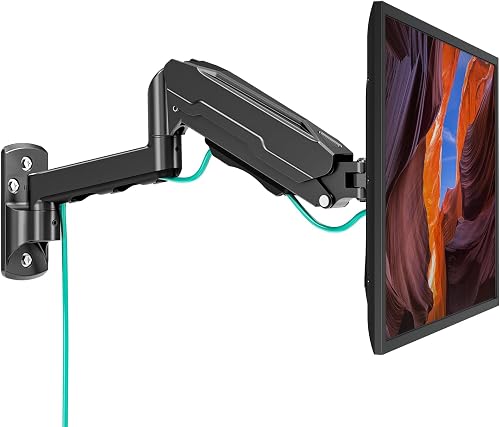 Best for height adjustable reach
MOUNT PRO Single Monitor Wall Mount for
9.5/10 our score
See it on Amazon
- 4
 Best for 34 inch monitors in tight spacesCheck it
- 5
 Check it
USX MOUNT Small TV Wall Mount Monitor
Best for small 10 to 26 inch screens - 6
 Check it
Amazon Basics Full Motion Articulating TV Wall
Best for 12 to 40 inch screens on a budget - 7
 Check it
WALI Single Monitor Wall Mount for 17-34
Best for 34 inch monitors with height adjustment - 8
 Check it
XINLEI Full Motion TV Wall Mount Small
Best for flat and curved 13 to 32 inch screens - 9
 Check it
IWORKBOARD Monitor Computer Vesa Small 24 inch
Best for 13 to 31 inch flat and curved screens
The best monitor wall mount picks for different desks
The WALI is the best all round choice for 13 to 32 in screens.
The Pipishell fits wider VESA patterns and heavier screens.
The MOUNT PRO and ErGear add height adjustment for seated work.
WALI TV Wall Mount Full Motion for: Best for most 13 to 32 inch monitors
- 13-32 inch, up to 33 lb
- VESA 75x75mm to 100x100mm
- Tilt plus/minus 15 degrees, 180 degree swivel, 360 degree rotation
- Extends 15 in, retracts to 2 in
A simple full motion wall mount for common monitor sizes, with wide adjustment and a low profile when retracted.
Pros
- Fits 13-32 in screens
- Extends 15 in from wall
- Retracts to 2 in
Cons
- VESA range stops at 100x100mm
- Tilt range is modest at plus/minus 15 degrees
WALI suits a home office desk with a 24, 27 or 32 in monitor and a stud wall behind it.
Its 13 to 32 in range and 33 lb limit cover most single monitors without extra parts.
VESA holes from 75x75mm to 100x100mm match common screens.
In daily use, the arm extends 15 in from the wall and retracts to 2 in.
That means you can pull the screen close for photo editing or push it back when you need desk space.
Tilt is plus/minus 15 degrees, swivel is 180 degrees and rotation is 360 degrees.
The wall plate is 5.9 by 1.6 in and attaches to wood studs, brick or concrete.
Drywall alone is not supported.
The pack includes the mount, hardware kit and manual.
Against the others, WALI gives up wide VESA options and height adjustment.
Choose it for simple full motion at a common size.
Choose ErGear or MOUNT PRO if you need height change during the day.
Pipishell Full Motion TV Wall Mount for: Best for wider VESA patterns
- 13-43 in, up to 44 lb
- VESA 75x75mm to 200x200mm
- Tilt +9/-11 degrees, swivel up to 90 degrees each way
- Extends 14.59 in, retracts to 2.7 in
A stronger, wider mount for larger monitors and TVs, with 360 degree rotation for portrait use.
Pros
- VESA up to 200x200mm
- 44 lb capacity
- 360 degree rotation
Cons
- Tilt range is narrow
- Max swivel depends on screen size
Pipishell suits buyers with a 34, 35, 40 or 43 in screen, or a monitor with 200x200mm holes.
Its 44 lb limit and VESA to 200x200mm give it more headroom than most picks here.
It also lists brands such as Samsung, Sony, LG and Vizio for TV use.
The arm extends 14.59 in and retracts to 2.7 in.
Tilt is +9/-11 degrees, swivel is up to 90 degrees each way and rotation is 360 degrees.
That rotation helps portrait mode for code or documents.
Installation is on a single wood stud, concrete or brick.
The TV plate is removable, which helps one person hang the screen.
Pipishell gives 5 years of customer service.
Trade-off: tilt range is smaller than on MOUNT PRO or ErGear.
If you need strong tilt for glare, those picks may suit you better.
If VESA width matters more, Pipishell is the safer fit.
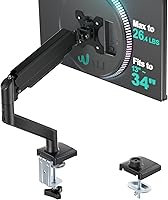
MOUNT PRO Single Monitor Wall Mount for: Best for height adjustable reach
- 13-32 in, 4.4-19.8 lb
- VESA 75x75mm and 100x100mm
- Tilt +90/-45 degrees, 180 degree swivel, 360 degree rotation
- Extends up to 21.6 in
A long reach arm with height adjustment and cable management for lighter monitors.
Pros
- Extends to 21.6 in
- Height adjustment system
- Cable management
Cons
- 19.8 lb limit
- Not for 1000R/1500R/1800R curved screens
MOUNT PRO suits remote workers and gamers who change screen height often.
Its height adjustment system and 21.6 in extension let you set the screen at seated eye level.
It is preset to a minimum monitor weight of 4.4 lb, so set tension to your screen weight.
It fits 13 to 32 in screens from 4.4 to 19.8 lb with VESA 75x75mm or 100x100mm.
It is not compatible with 1000R, 1500R or 1800R curved screens.
Tilt is +90/-45 degrees, swivel is 180 degrees and rotation is 360 degrees.
Cable management helps keep power and AV cords tidy.
The arm retracts to 3.9 in.
It fits wood stud and solid concrete walls, with anchors for concrete.
Trade-off: the 19.8 lb limit is lower than WALI or Pipishell.
Heavy monitors need a higher capacity pick.
For light to mid weight screens, the reach and height control are strong strengths.
ErGear Monitor Wall Mount: Best for 34 inch monitors in tight spaces
- 13-34 in, up to 19.8 lb
- VESA 75x75mm and 100x100mm
- Tilt +80/-50 degrees, swivel plus/minus 90 degrees, 360 degree rotation
- Extends 20.47 in, retracts to 3.54 in, 12.2 in height adjustment
A compact space saver with strong tilt and height range for wall-side desks.
Pros
- Fits up to 34 in
- 12.2 in height adjustment
- Retracts to 3.54 in
Cons
- 19.8 lb limit
- Do not mount on drywall alone
ErGear suits a thick desk, a desk against the wall or a tight corner where a clamp will not fit.
It mounts to wood studs, concrete or brick and does not need desk thickness or a grommet hole.
Its 13 to 34 in range covers larger single monitors.
Retracted depth is 3.54 in and extension is 20.47 in.
Height adjustment is 12.2 in.
Tilt is +80/-50 degrees, swivel is plus/minus 90 degrees and rotation is 360 degrees.
That range helps screen sharing and portrait work.
ErGear says it passed 50,000 adjustment cycles.
The support is off the desk, so typing does not shake the screen.
VESA fit is 75x75mm or 100x100mm and the limit is 19.8 lb.
Trade-off: weight limit is lower than Pipishell or Amazon Basics.
If your screen is over 19.8 lb, choose a higher capacity mount.
For wall-side desks, the height range is a clear win.
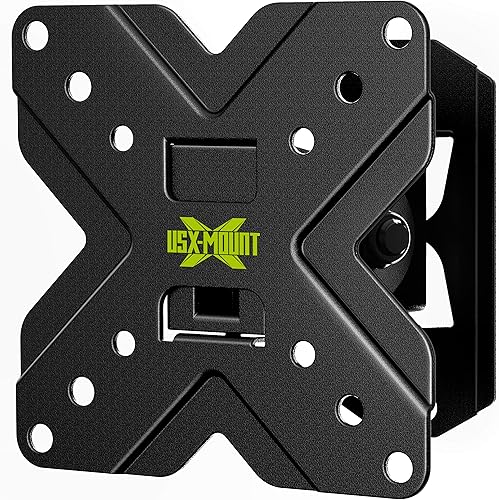
USX MOUNT Small TV Wall Mount Monitor: Best for small 10 to 26 inch screens
- 10-26 in, up to 22 lb
- VESA 50x50mm, 75x75mm, 100x100mm
- Tilt plus/minus 30 degrees, swivel plus/minus 45 degrees
- For concrete or single wood stud
A small, simple bracket for small monitors and TVs that do not need a long arm.
Pros
- Fits 10 in screens
- 50x50mm VESA option
- Simple tilt and swivel
Cons
- Smaller swivel range
- No long extension stated
USX MOUNT suits small screens in a bedroom, RV or compact office.
It fits 10 to 26 in screens up to 22 lb with VESA 50x50mm, 75x75mm or 100x100mm.
That 50x50mm option helps very small monitors that other picks may miss.
Adjustment is tilt plus/minus 30 degrees and swivel plus/minus 45 degrees.
There is no long arm extension stated, so the screen stays closer to the wall.
That suits a small TV or monitor used at a fixed spot.
It installs on concrete or a single wood stud.
Drywall alone is not a safe choice.
The maker removed concrete anchors from the pack, so ask for them if your wall needs them.
Trade-off: swivel and reach are smaller than full motion arms here.
Choose it for a small, simple bracket.
Choose WALI or XINLEI if you want 360 degree rotation and a longer arm.
Amazon Basics Full Motion Articulating TV Wall: Best for 12 to 40 inch screens on a budget
- 12-40 in, up to 40 lb
- VESA 75x75mm to 200x200mm
- Tilt +15/-5 degrees, 180 degree swivel
- Extends 2.3 to 16.3 in
A wide fitting articulating mount for monitors and TVs up to 40 in.
Pros
- VESA to 200x200mm
- 40 lb capacity
- Template and hardware included
Cons
- Tilt range is limited
- Designed for single stud, brick or concrete
Amazon Basics suits buyers who want a wide VESA range without a high price tier.
It fits 12 to 40 in screens up to 40 lb with VESA from 75x75mm to 200x200mm.
That covers many monitors and small TVs in one pick.
The arm extends from 2.3 in to 16.3 in and swivels 180 degrees.
Tilt is +15/-5 degrees.
Mounting hardware, a template and a manual are included.
It is designed for concrete, brick and single wood stud walls.
Daily use is simple: pull the screen out for work, push it back to save space.
The wide VESA range reduces the chance of a mismatch.
Check your screen weight and hole pattern before you order.
Trade-off: tilt range is narrow and there is no 360 degree rotation stated.
If you need portrait mode, Pipishell or WALI may fit better.
For landscape work at a wide size, this is a practical choice.
WALI Single Monitor Wall Mount for 17-34: Best for 34 inch monitors with height adjustment
- Up to 34 in, up to 22 lb
- VESA 75x75mm or 100x100mm
- Tilt +70/-45 degrees, swivel plus/minus 90 degrees, 360 degree rotation
- Extends 19.3 in
A gas spring style arm for larger monitors that need easy repositioning.
Pros
- Fits up to 34 in
- 22 lb capacity
- Height adjustment feature
Cons
- Minimum size starts at 17 in
- VESA stops at 100x100mm
WALI Single suits larger monitors from 17 to 34 in up to 22 lb.
Its 19.3 in extension and 360 degree rotation help you move from landscape work to portrait reading.
VESA fit is 75x75mm or 100x100mm with detachable holes.
Tilt is +70/-45 degrees and swivel is plus/minus 90 degrees.
The arm is described as a gas spring wall mount with height adjustment.
That helps keep the screen where you set it during the day.
It frees desk space and lets you work in a more comfortable position.
The wall plate fits brick and wood walls.
The pack includes the mount, hardware kit and manual.
Trade-off: minimum size is 17 in, so very small screens are not the target.
VESA stops at 100x100mm, so Pipishell fits wider patterns.
For a 27 to 34 in monitor, this is a strong option.
XINLEI Full Motion TV Wall Mount Small: Best for flat and curved 13 to 32 inch screens
- 13-32 in, up to 33 lb
- VESA 75x75mm and 100x100mm
- 180 degree swivel, plus/minus 15 degree tilt, 360 degree rotation
- Extends 14.25 in, retracts to 1.96 in
A low profile full motion mount that tucks close to the wall.
Pros
- Retracts to 1.96 in
- 33 lb capacity
- Removable TV plate
Cons
- Plate size is 100x100mm
- Do not mount on drywall
XINLEI suits flat and curved screens from 13 to 32 in up to 33 lb.
Its retracted depth of 1.96 in is the lowest here, so it tucks very close to the wall.
That helps in a bedroom or small office where space is tight.
Extension is 14.25 in.
Swivel is 180 degrees, tilt is plus/minus 15 degrees and rotation is 360 degrees.
VESA fit is 75x75mm or 100x100mm on a single stud, brick or concrete wall.
The steel construction and removable TV plate help one person install it.
The pack includes the mount, hardware kit and manual.
Do not mount it on drywall.
Trade-off: the plate is 100x100mm, so check for cable blockage before you buy.
It also lacks height adjustment.
Choose MOUNT PRO or ErGear if height change matters.
Choose XINLEI for a low profile fit.
IWORKBOARD Monitor Computer Vesa Small 24 inch: Best for 13 to 31 inch flat and curved screens
- 13-31 in, up to 33 lb
- VESA 50x50mm to 100x100mm
- Tilt plus/minus 15 degrees, 180 degree swivel, 360 degree rotation
- Extends to 19.91 in, sits 2.56 in from wall
A steel full motion mount with a long reach for small to mid size screens.
Pros
- 50x50mm VESA fit
- Extends to 19.91 in
- Heavy gauge steel
Cons
- Larger VESA patterns need extension brackets
- Do not mount on drywall alone
IWORKBOARD suits 13 to 31 in flat and curved screens up to 33 lb.
Its 50x50mm to 100x100mm VESA range covers small hole patterns that some picks miss.
Extension reaches 19.91 in, while the screen sits 2.56 in from the wall when retracted.
Full motion is tilt plus/minus 15 degrees, swivel 180 degrees and rotation 360 degrees.
That gives portrait mode and side angle changes for shared viewing.
The mount is made of heavy gauge steel.
It installs on single wood studs, concrete or brick.
Drywall alone is not supported.
Concrete anchors are available on request.
Larger VESA patterns such as 200x200mm need extension brackets.
Trade-off: it is best for screens up to 31 in, so larger monitors need another pick.
For a small to mid size screen with a long reach, it is a solid choice.
How the best monitor wall mount picks compare
The top picks differ most on VESA width, weight limit and reach.
WALI leads on common sizes and 33 lb capacity.
Pipishell leads on VESA to 200x200mm and 44 lb.
MOUNT PRO leads on extension at 21.6 in.
| Product | Best for | Screen size | Capacity | VESA | Our score |
|---|---|---|---|---|---|
| WALI TV Wall Mount Full Motion for | most 13 to 32 inch monitors | 13-32 in | 33 lb | 75x75mm to 100x100mm | 9.7 |
| Pipishell Full Motion TV Wall Mount for | wider VESA patterns | 13-43 in | 44 lb | 75x75mm to 200x200mm | 9.6 |
| MOUNT PRO Single Monitor Wall Mount for | height adjustable reach | 13-32 in | 19.8 lb | 75x75mm, 100x100mm | 9.5 |
| ErGear Monitor Wall Mount | 34 inch monitors in tight spaces | 13-34 in | 19.8 lb | 75x75mm, 100x100mm | 9.4 |
| USX MOUNT Small TV Wall Mount Monitor | small 10 to 26 inch screens | 10-26 in | 22 lb | Up to 100x100mm | 9.3 |
| Amazon Basics Full Motion Articulating TV Wall | 12 to 40 inch screens on a budget | 12-40 in | 40 lb | 75x75mm to 200x200mm | 9.2 |
| WALI Single Monitor Wall Mount for 17-34 | 34 inch monitors with height adjustment | 17-34 in | 22 lb | 75x75mm, 100x100mm | 9.1 |
| XINLEI Full Motion TV Wall Mount Small | flat and curved 13 to 32 inch screens | 13-32 in | 33 lb | 75x75mm, 100x100mm | 8.9 |
| IWORKBOARD Monitor Computer Vesa Small 24 inch | 13 to 31 inch flat and curved screens | 13-31 in | 33 lb | 50x50mm to 100x100mm | 8.4 |
For a 24 in monitor with 75x75mm holes, almost every pick fits.
The choice then comes down to reach, tilt and height control.
For a 34 in monitor, check the size limit first: ErGear and WALI Single go to 34 in, while WALI Full Motion stops at 32 in.
For a screen with 200x200mm holes, only Pipishell and Amazon Basics list that pattern.
For a very small screen with 50x50mm holes, only USX MOUNT and IWORKBOARD list that pattern.
Measure the holes on the back of your screen before you order.
Our score weighs specs, features and buyer feedback against what you're shopping for.
That is why a simple mount can score well if it fits the most common screens and adjusts well.
It is also why specialized picks score lower for the average buyer, even if they fit a niche need.
How we compared these wall mounts
We compared screen size, weight limit, VESA pattern, tilt, swivel, rotation, extension and retracted depth.
We also noted wall type, hardware included and any stated warranty or support period.
Those details decide if a mount fits your wall and your screen.
We did not test these mounts in person.
We checked the specs and features for each product and compared them side by side.
Maker claims are labeled with the brand name.
Buyer patterns are noted only where they help you choose.
We looked for trade-offs, not just strengths.
A long arm may hit a side wall.
A wide tilt range may not matter if your desk already faces the screen.
A high weight limit may not help if your VESA holes do not match.
If you plan two screens, our best dual monitor wall mount guide covers that setup.
For three screens, see triple monitor wall mount.
For a desk mount comparison, see best wall mount monitor arm and best dual monitor arm wall mount.
Which size and VESA pattern should I check first?
Check size, weight and VESA pattern before you look at extras.
A mount that does not fit your screen will not work, no matter how smooth the arm feels.
Measure the screen size on the diagonal and weigh it if you can.
VESA 75x75mm and 100x100mm
These are the most common patterns on computer monitors.
WALI, MOUNT PRO, ErGear, WALI Single, XINLEI and IWORKBOARD all list at least one of them.
If your screen uses one of these, you have many choices.
VESA 200x200mm
This wider pattern appears on larger monitors and small TVs.
Pipishell and Amazon Basics list VESA to 200x200mm.
That makes them safer for 34 to 43 in screens with wide hole spacing.
VESA 50x50mm
This small pattern appears on very small screens.
USX MOUNT and IWORKBOARD list 50x50mm.
Check this if your screen is under 13 in or has closely spaced holes.
How far should a wall monitor mount extend?
A wall monitor mount should extend far enough to pull the screen to your eyes, often about 15 to 21 in here.
Retracted depth matters too, because it decides how much desk space you keep when the screen is pushed back.
Short reach for desks near the wall
XINLEI retracts to 1.96 in and extends to 14.25 in.
USX MOUNT is a simpler bracket with less reach.
These suit desks already close to the wall.
Long reach for deep desks
MOUNT PRO extends to 21.6 in.
ErGear extends to 20.47 in.
IWORKBOARD extends to 19.91 in.
These help if your chair sits far from the wall.
Portrait and vertical use
If you rotate the screen to portrait, check side clearance.
Our best vertical monitor wall mount guide covers portrait setups in more detail.
Also check our best wall mount for ultrawide monitor guide for wide screens.
Is a VESA wall monitor mount safe for my wall?
A vesa monitor wall mount is safe only on a wood stud, brick or concrete wall, never on drywall alone.
That rule applies to every pick here.
Use the right hardware for your wall type and follow the manual.
Wood stud walls
Use a stud finder to locate the stud.
Single stud mounts like Pipishell, Amazon Basics and IWORKBOARD are designed for that use.
Do not use concrete anchors in a stud.
Brick and concrete walls
Use concrete anchors where the manual calls for them.
MOUNT PRO includes anchors for solid concrete.
USX MOUNT and IWORKBOARD can supply anchors on request.
Drywall only walls
Stop if there is no stud, brick or concrete behind the mount point.
Drywall alone is not supported by these picks.
You may need a different spot or a desk mount instead.
Should I choose a desk arm or a wall mount?
Choose a wall mount if your desk is thick, against a wall or short on space, and choose a desk arm if you need to move the mount to another desk.
A wall mount frees the desk edge and keeps the screen off the work surface.
Wall mount strengths
Wall mounts save desk space and reduce screen shake from typing.
They also work where clamps will not fit, such as thick desktops or desks with no rear edge.
ErGear is built for that case.
Desk arm strengths
Desk arms move with the desk and can be repositioned without drilling the wall.
They may suit renters or shared offices where wall holes are not allowed.
Our best desk chair for multiple monitors and best ergonomic chair for multiple monitors guides help if you are building a full multi screen desk.
How do I set up and care for a monitor wall mount?
Set up a monitor wall mount by checking wall type, VESA fit, weight limit and swing clearance before you drill.
Then attach the wall plate, hang the screen and adjust tilt, swivel and height.
First, find a stud, brick or concrete spot at seated eye level.
Mark the plate position and check that the screen can swivel without hitting a side wall or shelf.
Attach the plate with the correct hardware for your wall.
Next, attach the VESA plate to the screen and hang it on the arm.
Set tension if your arm has height adjustment, as MOUNT PRO requires.
Route cables so they do not pull when you swivel.
For care, check screws and wall plate bolts every few months.
Wipe the arm with a dry cloth and avoid pulling the screen by its edges.
If the screen sags or drifts, tighten the joints or adjust tension per the manual.
Verdict: which best monitor wall mount should you buy?
Buy the WALI TV Wall Mount Full Motion for 13-32 inch if you want the best all round fit for a common monitor.
It covers 13 to 32 in, 33 lb and VESA 75x75mm to 100x100mm with 15 in extension.
Buy Pipishell if your screen has 200x200mm holes or weighs up to 44 lb.
Buy MOUNT PRO or ErGear if height adjustment matters during the day.
Buy USX MOUNT for a very small screen, and XINLEI for the lowest retracted depth.
Before you order, measure your screen size, weight and VESA holes.
Confirm your wall has a stud, brick or concrete at the mount point.
Then match those three facts to the picks above.
Start with how to use monitor wall mount for setup steps after you choose.
That guide walks through plate placement, hanging the screen and adjusting the arm.
Our top 3 picks at a glance
-
1
Best for most 13 to 32 inch monitors
WALI TV Wall Mount Full Motion for
9.7/10 our score
See it on Amazon -
2
Best for wider VESA patterns
Pipishell Full Motion TV Wall Mount for
9.6/10 our score
See it on Amazon -
3
Best for height adjustable reach
MOUNT PRO Single Monitor Wall Mount for
9.5/10 our score
See it on Amazon
Frequently asked questions
What is a VESA monitor wall mount?
A VESA monitor wall mount attaches to the four screw holes on the back of a screen in a standard pattern. Common patterns here are 75x75mm and 100x100mm.
Measure your screen before you order.
If the pattern does not match, the mount will not fit.
Can I mount a monitor on drywall alone?
No. Every pick here requires a wood stud, brick or concrete.
Drywall alone is not supported.
Use a stud finder and the hardware for your wall type.
If you are unsure, stop and check the wall first.
How far should a wall mount extend from the wall?
Most picks here extend about 14 to 22 in and retract to about 2 to 4 in. Longer reach helps you pull the screen close for detailed work.
Shorter reach suits a desk already near the wall.
Will a wall mount work for portrait mode?
Many picks here offer 360 degree rotation, so you can turn the screen upright. Check that your screen and mount allow rotation without hitting the wall.
Larger screens may have less clearance.
Measure and test the swing before final setup.