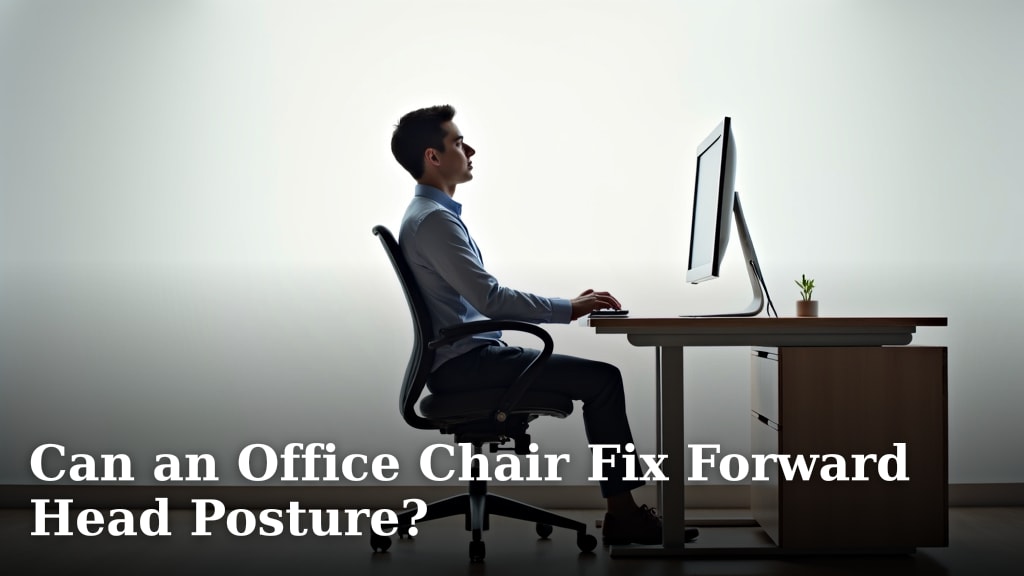
Can Working from Home without a Good Chair Cause Injury?
On this page (5 sections)
Why Your Work-From-Home Chair Choice Matters So Much
You might think any old chair will do. But we found that your chair is more than just a place to sit. It’s a foundational tool for your daily work. A poor chair can be a silent threat to your physical health.
Think about it: you spend hours each day in that chair. If it doesn’t support your body correctly, your muscles and joints are constantly working overtime. This leads to fatigue and, eventually, injury. Your comfort and long-term health depend on it.
The Hidden Dangers of Poor Posture
When you don’t have a good chair, you naturally slouch or hunch over. This isn’t just bad etiquette; it’s a direct route to pain. Poor posture puts undue stress on your spine and other areas.
Your body is designed for certain alignments. When you deviate from those, it causes problems. We found that sustained poor posture can remodel your spine over time. This can become a permanent issue.
Understanding Spinal Stress
Your spine has natural curves that act like shock absorbers. A bad chair can flatten these curves or exaggerate them. This means your discs and vertebrae take on more impact. They wear down faster.
This stress can pinch nerves, leading to tingling or numbness. It also strains ligaments and muscles. You might not feel it immediately, but it’s happening every minute you’re sitting incorrectly.
Common Injuries Linked to Bad Chairs
Many people starting to work from home experience new aches. These aren’t just minor annoyances. They are often signals of impending injury. Ignoring them can lead to chronic conditions.
We’ve identified several common injuries that pop up. They often stem directly from a non-ergonomic setup. You’ll want to watch out for these symptoms.
Back Pain: The Most Frequent Complaint
This is probably the most common issue. Lower back pain, mid-back pain, and even upper back pain are prevalent. A chair without proper lumbar support forces your spine into an unnatural “C” shape.
This compresses your spinal discs. It also overstretches back muscles. Over time, this causes inflammation and persistent discomfort. Many experts say a chair with good lumbar support is crucial (Mayo Clinic).
Neck and Shoulder Stiffness
When your chair doesn’t allow you to sit upright comfortably, you crane your neck. You might also hunch your shoulders. This position puts immense strain on your neck and upper back muscles.
This often leads to tension headaches. It can also cause a stiff neck that limits your range of motion. We found that this kind of repetitive strain is a major contributor to chronic neck pain.
Wrist and Hand Problems: Beyond the Chair
While not directly caused by the chair itself, your chair influences your desk setup. If your chair is too low or too high, your wrists might bend at awkward angles. This happens when you type or use a mouse.
This awkward positioning can lead to carpal tunnel syndrome. It’s a painful condition affecting the nerve in your wrist. Other issues include tendonitis and general hand fatigue. Your chair’s height adjustment plays a surprisingly big role here.
The Science Behind Ergonomics and Injury Prevention
Ergonomics isn’t just a fancy word. It’s the science of designing your workspace to fit your body. This helps prevent injury and improves efficiency. Investing in ergonomic principles for your home office is investing in yourself.
Proper ergonomics aim to maintain your body’s natural alignment. This reduces strain on your muscles and joints. It’s about working smarter, not harder, with your body.
What Makes a Chair “Good” for Working?
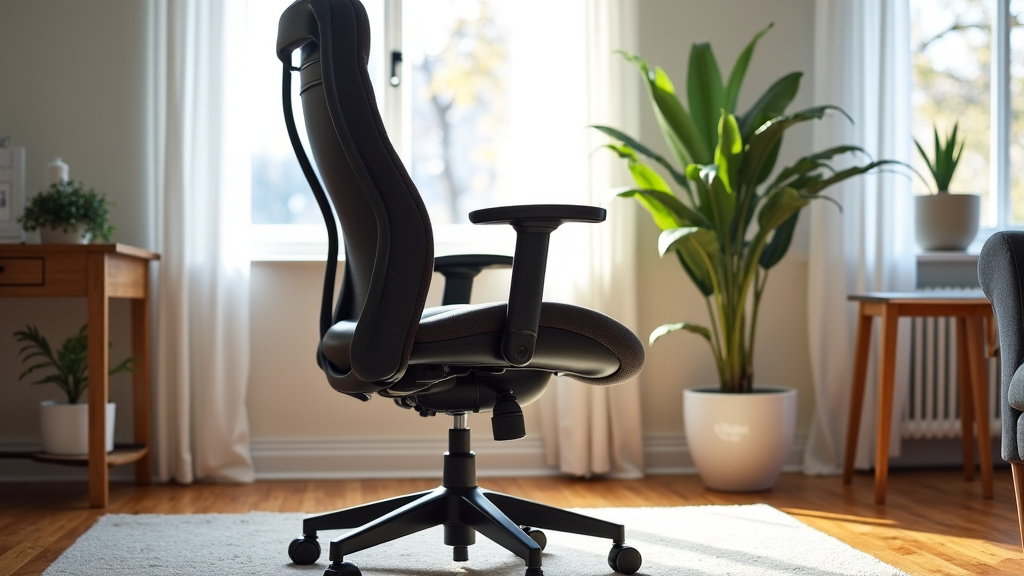
A good office chair isn’t just soft or pretty. It needs specific features to support your body. We found that adjustability is key. One-size-fits-all chairs rarely work for anyone.
You need a chair that adapts to your unique body shape. This helps maintain neutral postures. It reduces pressure points and promotes healthy circulation. Here are some features to look for:
- Adjustable Height: Your feet should be flat on the floor, or on a footrest, with knees at a 90-degree angle.
- Lumbar Support: A curve that supports the natural inward curve of your lower back.
- Armrests: Adjustable ones that allow your forearms to be parallel to the floor.
- Seat Depth: Enough space between the front of the seat and the back of your knees (about two finger-widths).
- Swivel and Wheels: Allows for easy movement without straining your back.
- Breathable Material: Helps prevent heat buildup, keeping you comfortable.
Comparing Good Chairs vs. Bad Chairs
It’s easy to see the difference when you know what to look for. Let’s compare common chair types and their impact on your health. This might help you identify what you’re currently using.
| Chair Type | Pros for Health | Cons for Health |
|---|---|---|
| Ergonomic Office Chair | Full adjustability, excellent lumbar support, promotes good posture. | Higher initial cost, takes time to adjust correctly. |
| Dining Chair | Often free, readily available. | No adjustability, hard surface, poor back support, encourages slouching. |
| Stool/Bar Stool | Good for standing breaks, keeps you active. | No back support, puts stress on lower body, easy to fatigue. |
| Gaming Chair | Often has some adjustability, aggressive lumbar/neck support. | Can encourage specific postures not ideal for sustained work, often bulky. |
| Armchair/Sofa | Very comfortable for short periods, relaxing. | Absolutely no posture support, causes slumping, leads to severe back pain. |
As you can see, the comfort of a sofa is a trap for long-term work. While it feels nice for a few minutes, it’s a recipe for disaster over an 8-hour workday. Your spine needs firm, adjustable support.
Beyond the Chair: A Holistic Approach to Injury Prevention
While your chair is central, it’s not the only piece of the puzzle. A great chair in a bad setup still causes problems. You need to consider your entire workspace. We found that a holistic view is best.
Your desk, monitor, keyboard, and even your habits all play a role. They work together to either support or detract from your well-being. Think about all the elements of your work environment.
Optimizing Your Workstation Setup
Once you have a good chair, position your other equipment correctly. This will maximize the benefits of your ergonomic investment. Small adjustments can make a Our guide to the best office chairs for posture can help you find a chair that helps maintain neutral postures.huge difference.
Your monitor should be at arm’s length. The top of the screen should be at or slightly below eye level. This prevents neck strain. Your keyboard and mouse should be close to your body. This keeps your shoulders relaxed.
The Importance of Regular Movement
No matter how good your chair is, sitting for too long is bad for you. Your body needs to move. We found that frequent, short breaks are vital. They help prevent stiffness and improve circulation.
Aim to stand up and stretch every 30-60 minutes. Walk around for a few minutes. Do some light stretches for your neck, shoulders, and back. Even just shifting your position regularly helps. Your body will thank you for it.
A Checklist for a Healthier Home Office
Ready to improve your home office and protect yourself from injury? Use this quick checklist. It covers the most important points for ergonomic health.
- Your feet are flat on the floor or on a footrest.
- Your knees are at about a 90-degree angle.
- Your lower back is fully supported by your chair’s lumbar support.
- Your elbows are at a 90-100 degree angle when typing.
- Your monitor is at arm’s length, top of screen at eye level.
- You take a short break to move and stretch every hour.
By following these guidelines, you can significantly reduce your risk of injury. A healthy body leads to a happier, more productive you. Don’t compromise your health for your work.
Conclusion
You now understand the real risks of working from home without proper ergonomic support. Ignoring the right chair can lead to more than just discomfort; it can cause serious, long-term injuries. We’ve seen how vital a good chair is for maintaining your body’s natural alignment and preventing issues like back pain, neck stiffness, and wrist problems.
Don’t wait for the aches to become chronic. Take proactive steps to upgrade your home office setup. Invest in a chair that supports your well-being, optimize your workstation, and remember to move frequently. Your body will thank you, allowing you to work more comfortably and productively for years to come.
Frequently Asked Questions
Can a bad chair permanently damage my spine?
Yes, prolonged poor posture from a bad chair can cause lasting changes. It can flatten natural spinal curves and increase wear and tear on discs. This can lead to chronic pain and nerve issues.
How quickly can I develop pain from a bad chair?
Many people experience discomfort within a few days or weeks of starting to work from home in a non-ergonomic chair. These early aches are signals that you need to make changes before problems worsen.
Is standing all day better than sitting in a bad chair?
While standing desks offer benefits, standing all day can also lead to fatigue and foot or leg pain. The best approach is varied movement, combining periods of sitting in an ergonomic chair with standing breaks.
Can a cushion fix a bad office chair?
A cushion can offer temporary comfort or slight adjustments, but it won’t fully compensate for a fundamentally bad chair. It cannot provide the comprehensive adjustability and structural support your body needs for long hours.
What’s the most important feature in an ergonomic chair?
While many features are important, adjustable lumbar support is often considered critical. It helps maintain the natural curve of your lower back, preventing slouching and reducing spinal stress.