6 Best Wireless Ergonomic Mice (November 2026)
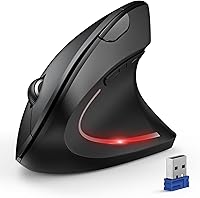
The best wireless ergonomic mice include the Logitech M185 Compact Ambidextrous 2.4 GHz Wireless for compact desks and either hand, the Anker 2.4G Wireless Ergonomic Mouse for a right-hand vertical grip on a budget, and the TECKNET Ergonomic Mouse for three-device Bluetooth switching.
On this page (9 sections)
- How we compared these wireless ergonomic mice
- The best wireless ergonomic mice for comfort without cable clutter
- How we compared these picks
- Which hand size should you choose for a wireless ergonomic mouse?
- Is a vertical mouse better for wrist comfort?
- Bluetooth or 2.4 GHz: which wireless connection should you pick?
- How do DPI, silent clicks and side buttons affect daily use?
- What desk setup helps a wireless ergonomic mouse work better?
- The verdict: which is the best ergonomic wireless mouse?
The best ergonomic wireless mouse for most people is the Logitech M185 Compact, because it is small, ambidextrous and simple to use on Windows or Mac. If you want a vertical handshake grip, look at the Anker, TECKNET or ProtoArc models in this guide.
Our score weighs specs, features and buyer feedback against what you are shopping for. We compared six models on shape, hand size, connection type, battery life, DPI and extra buttons.
A cable-free mouse helps keep a desk tidy, but comfort still depends on fit. Measure your hand, note if you are left or right handed, and think about how long you use a mouse each day.
Our picks at a glance
-
1
 Best for compact desks and either hand
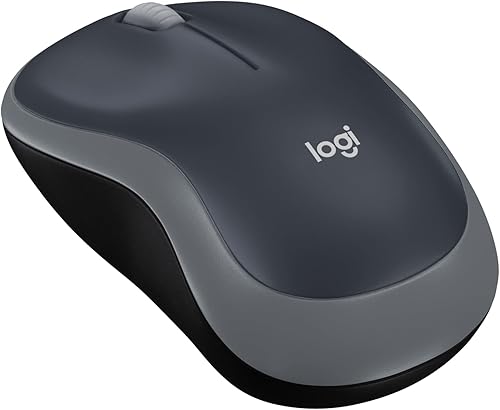
Logitech M185 Compact Ambidextrous 2.4 GHz Wireless
9.7/10 our score
See it on Amazon -
2
 Best for a right-hand vertical grip on a budget
Anker 2.4G Wireless Ergonomic Mouse
9.7/10 our score
See it on Amazon -
3
- 4
 Check it
Logitech M510 Full Size Ambidextrous 2.4 GHz
Best for full-size palm support - 5
 Check it
ProtoArc EM11 NL Wireless Ergonomic Vertical Mouse
Best for small to medium hands and rechargeable use - 6
 Check it
Logitech M720 Triathalon Full Size Multi-Device Wireless
Best for multi-device and hyper-fast scrolling
How we compared these wireless ergonomic mice
We checked the specs for each model, including size, hand orientation, connectivity, DPI, battery type and included parts. We then matched each mouse to the reader most likely to benefit from it.
Shape matters most. A compact flat mouse and a tall vertical mouse can both feel ergonomic, but they suit different hands and habits.
Connection type comes next, because Bluetooth, 2.4 GHz and multi-device switching change how you use a desk with a laptop, tablet or second computer.
We also looked at practical trade-offs. Rechargeable models save battery changes.
AA and AAA models let you swap in fresh batteries. Silent clicks help shared rooms.
Side buttons help browsing, but some buttons do not work on macOS.
The best wireless ergonomic mice for comfort without cable clutter
The picks below cover compact, full-size, vertical and multi-device shapes. Use hand size and handedness as your first filter, then check connection and battery needs.
Logitech M185 Compact Ambidextrous 2.4 GHz Wireless: Best for compact desks and either hand
- Compact ambidextrous contoured shape
- 2.4 GHz nano USB receiver
- Up to 1 year battery life
- Windows and Mac compatibility
- 1000 DPI
A simple compact mouse for small to medium hands, tight workspaces and left or right handed use.
Pros
- Compact and portable
- Long battery life
- No software needed
Cons
- No Bluetooth
- Basic button layout
The Logitech M185 suits small to medium hands and tight workspaces. Its contoured ambidextrous shape means it feels at home in either hand, which is helpful in shared offices or for left-handed users.
The compact size also makes it easy to carry in a laptop bag.
Daily use is simple. You plug in the tiny nano USB receiver and it works with Windows and Mac computers without software.
Logitech says battery life reaches up to 1 year thanks to smart sleep mode, though actual life may vary with use.
The trade-off is basic controls. There is no Bluetooth, no side buttons and no adjustable DPI beyond 1000 DPI.
If you want a vertical grip, compare our vertical mouse vs ergonomic mouse guide and our picks for best ergonomic mouse for wrist pain.
Anker 2.4G Wireless Ergonomic Mouse: Best for a right-hand vertical grip on a budget
- Right-hand vertical design
- 800/1200/1600 DPI optical tracking
- 2.4G USB receiver
- Next and previous buttons
- Power saving after 8 minutes
A vertical handshake shape aimed at reducing wrist strain during long office and browsing sessions.
Pros
- Vertical neutral wrist position
- Three DPI levels
- Back and forward buttons
Cons
- Right hand only
- 2 AAA batteries not included
- Receiver stored in mouse bottom
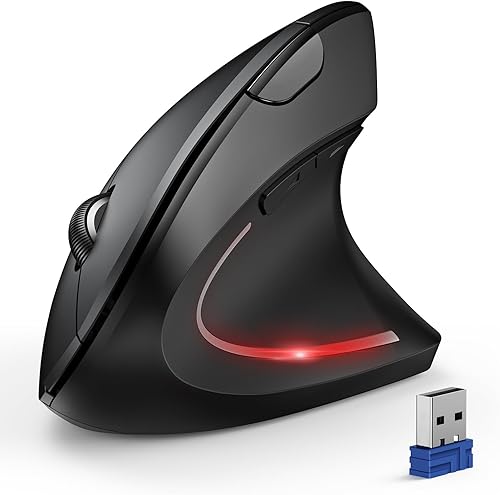
The Anker suits right-handed users who want a vertical handshake position. Its ergonomic structure is designed to keep the wrist and arm in a more neutral angle during long periods at a computer.
That shape is the main reason to choose it over a flat mouse.
You get 800, 1200 and 1600 DPI optical tracking, so you can adjust sensitivity for a large monitor or a small desk. Next and previous buttons help with web browsing.
It uses 2.4 GHz wireless through a USB receiver, not Bluetooth, and the receiver is stored in the bottom of the mouse.
The trade-offs are clear. It is right-hand only, click sounds are unavoidable, and it needs 2 AAA batteries that are not included.
It goes into power saving mode after 8 minutes of inactivity and wakes with a button press. Anker gives it an 18-month warranty.
TECKNET Ergonomic Mouse: Best for three-device Bluetooth switching
- Bluetooth 5.0/3.0 and 2.4 GHz
- 4800 DPI max with 6 levels
- Silent left and right clicks
- Right-hand vertical design
- 2 AAA batteries
A vertical mouse that can connect to two Bluetooth devices at once plus a 2.4 GHz device.
Pros
- Three-device switching
- Six DPI levels
- Silent main clicks
Cons
- Right hand only
- Side buttons not compatible with macOS
- 1 week to adapt to shape
The TECKNET suits medium to large hands and people who switch between devices. TECKNET says it best fits medium to large hands, so smaller hands should measure before ordering.
The palm sits at a near-vertical angle, which can reduce wrist pressure from a flat mouse posture.
Connectivity is a strength. It has Bluetooth 5.0 and 3.0 plus 2.4 GHz USB-A.
In Bluetooth mode it can connect to two devices at the same time, and the 2.4 GHz receiver is built into the bottom. That gives three-device switching without moving a dongle.
It offers 6 DPI levels from 800 to 4800, and the left and right clicks are silent. Other buttons are not silent.
It is right-handed only, side buttons are not compatible with macOS, and it needs 2 AAA batteries. TECKNET says to allow about 1 week to adapt to the shape.
Logitech M510 Full Size Ambidextrous 2.4 GHz: Best for full-size palm support
- Full-size contoured shape with soft rubber grips
- Side-to-side scrolling and zoom
- Back and forward buttons
- 2 years battery life
- Unifying receiver
A larger palm-support mouse for long sessions, with side scrolling for spreadsheets and maps.
Pros
- Broad palm area
- Side scrolling
- Long battery life
Cons
- Large for small hands
- No Bluetooth
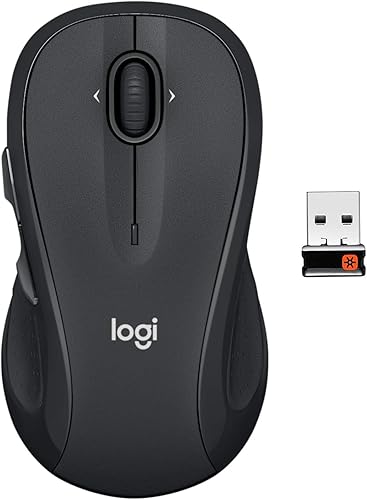
The Logitech M510 suits people who want full-size palm support for long workdays. Its contoured shape, soft rubber grips, gently curved sides and broad palm area give more support than a compact mouse.
That extra size is a plus for larger hands and a minus for small hands.
Controls are generous. You get three standard buttons plus Back and Forward buttons that can be programmed, plus side-to-side scrolling and zoom.
That helps with spreadsheets, maps, photo albums and music libraries. Some features need Logitech SetPoint on Windows or Logitech Control Center on Mac OS X.
It runs on 2 AA batteries with up to 2 years of battery life, and an On/Off switch helps conserve power. The Unifying receiver stays in your laptop and can add compatible Logitech devices.
There is no Bluetooth, so check the best usb c ergonomic mouse guide if you need USB-C or Bluetooth options.
ProtoArc EM11 NL Wireless Ergonomic Vertical Mouse: Best for small to medium hands and rechargeable use
- 58 degree vertical design
- Dual Bluetooth and 2.4G USB-A
- Rechargeable 500mAh battery
- 1000/1600/2400 DPI
- For hand lengths under 7.5 inches
A rechargeable vertical mouse sized for small to medium hands that connects to three devices.
Pros
- Rechargeable via Type-C
- Three-device connection
- Quiet main clicks
Cons
- Right hand only
- Buttons not programmable
- Forward and back not compatible with Mac OS
The ProtoArc EM11 NL suits small to medium hands, specifically hand lengths under 7.5 inches. ProtoArc asks you to measure before ordering, and that advice is worth following because vertical mice are less forgiving of a poor fit.
The 58 degree vertical angle keeps the wrist straighter during long sessions.
It connects to up to 3 devices through dual Bluetooth and 2.4G USB-A. It works with Windows 8, Windows 10 or higher, Mac OS X 10.12 or higher, and Android 4.3 or higher.
The USB-A receiver is included, but a USB-C receiver is not included. The Type-C cable is for charging only.
The built-in 500mAh battery is rechargeable, which avoids buying AA or AAA batteries. DPI levels are 1000, 1600 and 2400, and the left and right clicks are quiet.
Buttons are not programmable, and the forward and back buttons are not compatible with Mac OS systems. ProtoArc suggests 1 to 2 weeks to get used to the shape.
Logitech M720 Triathalon Full Size Multi-Device Wireless: Best for multi-device and hyper-fast scrolling
- Bluetooth and Unifying receiver
- Switch between 3 computers
- Hyper-fast scrolling with instant stop
- 24-month battery life
- 6 customizable buttons
A full-size sculpted mouse built for switching between computers and scrolling long documents.
Pros
- Three-computer switching
- Hyper-fast scroll
- Customizable buttons
Cons
- Right hand only
- Full size may suit larger hands
The Logitech M720 suits right-handed users who work across several computers. Its full-size sculpted shape with a rubber body is made for palm rest grip and longer sessions.
It is a better match for larger hands than the compact M185.
The main draw is switching. The M720 uses Bluetooth or the Unifying receiver and can switch between up to 3 computers or laptops with a button.
Logitech FLOW can move cursor, text and files across multiple computers. That helps if you split work between a work laptop and a personal machine.
Hyper-fast scrolling helps with long documents and web pages, with an instant-stop feature and an option to switch to click-to-click scrolling. It has 24-month battery life and 6 customizable buttons.
The trade-off is that it is right-hand only and full size, so small hands may prefer a best small ergonomic mouse pick or our guide to best wireless ergonomic mouse for small hands.
How we compared these picks
We compared shape first, then connection, DPI, battery and buttons. A mouse that fits your hand will feel better than a mouse with extra features that never fit.
We checked hand orientation for every model. Ambidextrous models suit left-handed users and shared desks.
Right-hand vertical models suit people who want a handshake grip and already use their right hand.
We checked connectivity in detail. Some models use only 2.4 GHz.
Others add Bluetooth. The TECKNET and ProtoArc connect to three devices, while the M720 switches between three computers.
That matters if you use a laptop, tablet and phone.
We checked battery type because it changes daily habits. Rechargeable models use a cable.
AA and AAA models let you replace batteries. Logitech models list 1 to 2 years of battery life, while Anker uses 2 AAA batteries and sleeps after 8 minutes.
We also checked DPI range. Higher maximum DPI does not always mean better comfort.
It does give more choice for high-resolution monitors and small desk spaces. TECKNET reaches 4800 DPI, Anker reaches 1600 DPI, and ProtoArc reaches 2400 DPI.
Our full buying context is in the ergonomic keyboard and mouse guide. A mouse works best when your chair, desk height and monitor position also support a neutral posture.
Which hand size should you choose for a wireless ergonomic mouse?
Choose by hand length first, because shape only helps if the mouse fits. Small hands often do better with compact or small vertical models.
Large hands often need fuller palm support.
Small hands
Small hands should look at compact flat mice or vertical mice sized for small hands. The ProtoArc is designed for hand lengths under 7.5 inches.
The M185 is compact and suits small to medium hands.
Medium hands
Medium hands have the widest choice. The TECKNET fits medium to large hands, the M185 fits small to medium hands, and the ProtoArc fits small to medium hands.
Measure before you order if you are between sizes.
Large hands
Large hands often need a broader palm area. The M510 and M720 are full-size models with sculpted shapes.
The TECKNET also targets medium to large hands. If you usually use a full-size mouse, start there.
Our guide to the best ergonomic mouse for large hands lists more large-hand options.
Is a vertical mouse better for wrist comfort?
A vertical mouse is better if you want your palm in a handshake position. It is not automatically better for every wrist, and fit matters more than the label.
Vertical mouse pros and cons
Vertical models such as the Anker, TECKNET and ProtoArc hold the palm at a steeper angle. Many users find that position more relaxed for long typing and clicking days.
The downside is a learning curve, right-hand only designs and less choice for left-handed users.
Flat contoured mouse pros and cons
Flat contoured models such as the M185, M510 and M720 keep a familiar shape. They are often ambidextrous or easier to share.
Their wrist angle is flatter, so some people prefer a vertical shape after long sessions.
If thumb pain is your main concern, read our guide to the best ergonomic mouse for thumb pain. If you have carpal tunnel symptoms, see our best ergonomic mouse for carpal tunnel guide.
If arm pain is the issue, compare the best mouse for arm pain.
Bluetooth or 2.4 GHz: which wireless connection should you pick?
Pick Bluetooth if you switch devices often and want to free a USB port. Pick 2.4 GHz if you want simple plug-and-play reliability and do not mind using a receiver.
Bluetooth models
Bluetooth models include the TECKNET, ProtoArc and M720. The TECKNET can connect to two Bluetooth devices at once.
The ProtoArc uses dual Bluetooth plus 2.4G USB-A. The M720 uses Bluetooth or a Unifying receiver.
2.4 GHz models
2.4 GHz models include the M185, Anker and M510. The receiver plugs into a USB port and stays there.
That is simple, but the receiver can be lost when you move a laptop. Keeping the receiver in place helps avoid that problem.
Mac users should check compatibility notes closely. For example, TECKNET side buttons are not compatible with macOS, and ProtoArc forward and back buttons are not compatible with Mac OS systems.
Our best ergonomic mouse for mac guide covers more Mac-specific picks.
How do DPI, silent clicks and side buttons affect daily use?
DPI, click sound and side buttons change how fast and quietly you work. They do not change fit, so choose fit first and features second.
DPI and cursor speed
DPI controls how far the cursor moves when you move the mouse. Higher DPI helps on large monitors.
Lower DPI can feel steadier on a small desk. TECKNET offers 6 levels up to 4800 DPI.
Anker offers 800, 1200 and 1600 DPI. ProtoArc offers 1000, 1600 and 2400 DPI.
Silent clicks
Silent clicks help in shared rooms, libraries and quiet offices. TECKNET has silent left and right clicks.
ProtoArc has quiet left and right clicks. In both cases, the scroll wheel and extra buttons are not silent.
Side buttons and scrolling
Back and forward buttons help with browsing. Side scrolling helps with spreadsheets and maps.
The M510 has side-to-side scrolling and zoom. The M720 has hyper-fast scrolling.
If you want quieter clicking, see the best ergonomic soft click mouse guide and the best ergonomic mouse side scroll guide.
What desk setup helps a wireless ergonomic mouse work better?
Desk height and chair support matter as much as the mouse shape. A good mouse cannot fix a desk that is too high or a chair that leaves your feet unsupported.
Chair and posture
Your elbows should sit near desk height with your wrist mostly straight. If your chair seat is too high or too low, comfort drops fast.
Compare seating options in our Best Rated Office Chair guide and Best Ergonomic Office Chair guide.
Monitor and reach
Place your monitor close enough that you do not lean forward. Keep the mouse close to your body so your arm does not reach out all day.
A tidy desk also makes it easier to keep the mouse in a comfortable spot.
Finish and travel
Desk finish can affect how a mouse glides and how often you clean it. If you care about color or a lighter desk look, see our best ergonomic mouse white guide.
Keep the receiver, cable or spare batteries in your bag so the mouse works anywhere.
The verdict: which is the best ergonomic wireless mouse?
Pick the Logitech M185 for compact ambidextrous use, the Anker for a simple right-hand vertical grip, the TECKNET for three-device switching, the M510 for full-size palm support, the ProtoArc for small to medium rechargeable vertical use, and the M720 for multi-computer work.
Your first decision should be hand fit. Small hands should start with the M185 or ProtoArc.
Larger hands should start with the M510, M720 or TECKNET.
Your second decision should be shape. Choose vertical if you want a handshake grip and can allow 1 to 2 weeks to adapt.
Choose flat contoured if you want a familiar shape, left-hand use or a shared desk.
Your third decision should be connection. Choose Bluetooth for multi-device work.
Choose 2.4 GHz for simple plug-and-play. Then check DPI, silent clicks and battery type against your daily routine.
Our top 3 picks at a glance
-
1
Best for compact desks and either hand
Logitech M185 Compact Ambidextrous 2.4 GHz Wireless
9.7/10 our score
See it on Amazon -
2
Best for a right-hand vertical grip on a budget
Anker 2.4G Wireless Ergonomic Mouse
9.7/10 our score
See it on Amazon -
3
Frequently asked questions
What is the best ergonomic wireless mouse?
For most desks, the best ergonomic wireless mouse is the one that fits your hand and keeps your wrist neutral. The Logitech M185 suits compact and ambidextrous needs, while vertical models suit a handshake grip.
Is a vertical mouse better than a regular ergonomic mouse?
A vertical mouse holds your palm at a steeper angle, which many people find more comfortable for long sessions. A contoured flat mouse may be a better fit if you prefer a familiar shape or need ambidextrous use.
How long does it take to get used to a vertical mouse?
TECKNET notes about 1 week to adapt, and ProtoArc suggests 1 to 2 weeks. Give yourself time to adjust your grip and cursor speed before deciding it is wrong for you.
Bluetooth or 2.4 GHz, which is better?
Bluetooth frees a USB port and can pair with multiple devices on some models. A 2.4 GHz receiver is simple and reliable, but it uses a USB port and can be lost if left in a laptop.