7 Best Ergonomic Vertical Mice (November 2026)
The best ergonomic vertical mice include the Anker 2.4G Wireless Ergonomic Mouse for budget upright comfort, the Logitech Mouse MX Vertical for high DPI precision, and the TECKNET Ergonomic Mouse for three-device switching.
On this page (11 sections)
- The best ergonomic vertical mice in detail
- Best ergonomic vertical mouse: side-by-side comparison
- How we compared these vertical mice
- What hand size should you buy for?
- Which wireless connection is best?
- Which DPI range do you need?
- Can a vertical mouse help wrist pain or carpal tunnel?
- Which vertical mouse fits gaming or Mac use?
- Are Evoluent and other brands worth checking?
- How should you set up and care for a vertical mouse?
- Verdict: best ergonomic vertical mouse picks
The best ergonomic vertical mouse for most right-handed desk users is the Anker 2.4G Wireless Ergonomic Mouse, because it pairs an upright handshake grip with simple 2.4G setup and three DPI levels. If you want a smaller fit, the Logitech Lift targets small to medium right hands at a 57-degree angle.
If you need higher DPI, the Logitech Mouse MX Vertical reaches up to 4000 DPI and the TECKNET reaches 4800 DPI.
A vertical mouse changes how your hand meets the desk. Instead of resting palm-down, your hand sits more upright, closer to a handshake.
That position can feel more natural for the forearm during long sessions. It also feels different at first, so expect a short learning period.
Our score weighs specs, features and buyer feedback against what you are shopping for. We compared connection types, DPI ranges, hand sizes, battery types and button counts across these 7 picks.
Start with an ergonomic keyboard and mouse if your whole desk setup needs a rethink. A mouse alone can help, but chair height, desk height and monitor distance also affect strain.
Our picks at a glance
-
1
 Best for budget upright comfort
Anker 2.4G Wireless Ergonomic Mouse
9.7/10 our score
See it on Amazon -
2

-
3
- 4
 Check it
Logitech Lift Vertical Ergonomic Wireless Mouse
Best for small to medium hands - 5
 Check it
ProtoArc EM11 NL Wireless Ergonomic Vertical Mouse
Best for rechargeable multi-device use - 6
 Best for medium to large handsCheck it
- 7
 Check it
Uineer Ergonomic Wireless Vertical Mouse
Best for RGB and side scrolling
The best ergonomic vertical mice in detail
These 7 picks cover budget upright comfort, small hands, large hands, rechargeable power and multi-device switching. Read the trade-off under each pick before you choose.
Anker 2.4G Wireless Ergonomic Mouse: Best for budget upright comfort
- Right-hand vertical shape
- 2.4G USB receiver
- 800/1200/1600 DPI optical tracking
- 5 buttons
- 120 x 62.8 x 74.8 mm
An upright right-hand mouse with adjustable optical tracking and a stored USB receiver. It suits long desk sessions where a handshake grip feels more natural than a flat mouse.
Pros
- Upright handshake grip
- Three DPI levels
- Receiver stores in the bottom
Cons
- Uses 2 AAA batteries, not included
- 2.4G only, not Bluetooth
The Anker suits right-handed users who want a simple upright mouse for office work, browsing and everyday tasks. Its 5-button layout includes next and previous buttons for web navigation.
The 800/1200/1600 DPI range lets you lower speed for precision or raise it for faster cursor travel.
It connects through a 2.4G USB receiver, so you do not need Bluetooth on your laptop. The receiver stores in the bottom of the mouse, which helps when you carry it between rooms.
Product dimensions are 120 x 62.8 x 74.8 mm, and Anker states a weight of 3.4 oz.
The trade-off is power and connection choice. It uses 2 AAA batteries that are not included, and it does not offer Bluetooth.
For a simple 2.4G setup, that trade-off keeps things straightforward.
Logitech Mouse MX Vertical: Best for high DPI precision
- Vertical layout with adjustable angle
- Bluetooth and USB receiver
- Up to 4000 DPI optical sensor
- Average 4-month battery life
- 4 buttons
A vertical Logitech mouse with adjustable angle and wireless options for Mac and Windows. It suits precise pointer work and multi-device desk setups.
Pros
- Bluetooth plus USB receiver
- Up to 4000 DPI
- Adjustable vertical angle
Cons
- 4 buttons only
- Included battery type differs from AAA models
The Logitech Mouse MX Vertical suits right-handed users who want stronger tracking and wireless flexibility. Its vertical layout and adjustable angle help you tune the forearm position.
The optical sensor reaches up to 4000 DPI, which suits precise work across full screens.
It connects by Bluetooth or USB receiver, and Logitech states an average battery life of 4 months. It works with Mac and Windows operating systems.
The body measures 4 x 4 in and weighs 4.76 oz.
The trade-off is a smaller button count at 4 buttons. If you rely on many shortcuts, models with 6 buttons may fit better.
If pointer precision matters more, this higher DPI range is a strong point.
TECKNET Ergonomic Mouse: Best for three-device switching
- Bluetooth 5.0/3.0 and 2.4GHz USB-A
- 6 DPI levels up to 4800
- Silent left and right clicks
- 6 buttons
- Right-handed design
A right-hand vertical mouse that can switch across three devices. It suits people who alternate between a laptop, tablet and desktop during the day.
Pros
- Three-device switching
- Six DPI levels
- Silent main clicks
Cons
- Side buttons not compatible with macOS
- Requires 2 AAA batteries, not included
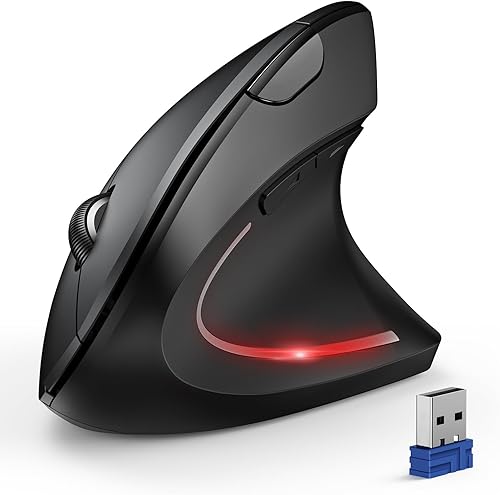
The TECKNET suits right-handed users who switch between several devices during the day. It has Bluetooth 5.0/3.0 and 2.4GHz USB-A modes, and Bluetooth mode can connect to two devices at once.
A bottom button helps you move between connections without constant re-pairing.
Its 6 DPI levels run from 800 to 4800, so you can match speed to spreadsheets, documents or design work. The left and right clicks are silent, while other function buttons are not silent.
It measures 4.74 x 2.49 in and weighs 4.32 oz.
The trade-off is Mac compatibility for side buttons. TECKNET notes side buttons are not compatible with macOS.
It also needs 2 AAA batteries, which are not included.
Logitech Lift Vertical Ergonomic Wireless Mouse: Best for small to medium hands
- 57-degree vertical shape
- Bluetooth Low Energy and Logi Bolt USB
- 4000 DPI tracking
- Up to 2 years battery life
- 6 buttons
A 57-degree vertical mouse built for small to medium right hands. It suits all-day office work with quiet clicks and customizable buttons.
Pros
- 57-degree upright shape
- Small to medium fit
- Up to 2 years battery life
Cons
- Right-hand focus in this version
- Custom buttons need Logi Options+ software
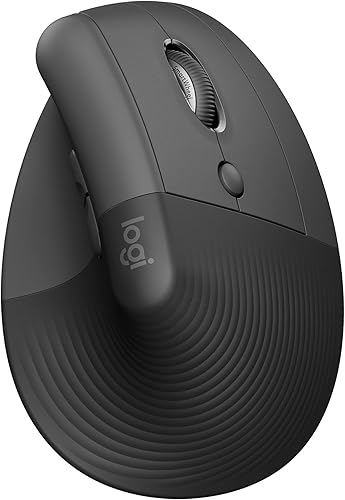
The Logitech Lift suits small to medium right hands and long office days. Its 57-degree vertical shape promotes a natural forearm posture.
Logitech says it is designed, developed, tested and approved according to criteria set out by leading ergonomists.
It connects by Bluetooth Low Energy or Logi Bolt USB to Windows, macOS, iPadOS, Chrome OS or Linux. Tracking reaches 4000 DPI and is fully adjustable.
It has 6 buttons, whisper-quiet clicks and a SmartWheel for scrolling. Logitech states up to 2 years of battery life from 1 AA battery.
The trade-off is fit and software. This version focuses on right hands, and 4 customizable buttons need Logi Options+ software.
If your hands are larger, a bigger vertical mouse may feel better.
ProtoArc EM11 NL Wireless Ergonomic Vertical Mouse: Best for rechargeable multi-device use
- 58-degree vertical design
- Dual Bluetooth and 2.4G USB-A
- 500mAh rechargeable battery
- 1000/1600/2400 DPI
- For hand lengths under 7.5 in
A rechargeable 58-degree vertical mouse for small to medium hands. It connects to up to 3 devices and suits mixed Windows, Mac and Android use.
Pros
- Rechargeable 500mAh battery
- Three-device connection
- 58-degree vertical angle
Cons
- Buttons are not programmable
- Back and forward buttons not compatible with Mac OS
The ProtoArc EM11 NL suits small to medium hands, specifically hand lengths under 7.5 in or 19.05 cm. Its 58-degree vertical angle keeps the wrist in a straight, relaxed position.
ProtoArc recommends measuring your hand before ordering for a better fit.
It connects to up to 3 devices through dual Bluetooth and 2.4G USB-A. The built-in 500mAh Li-Ion battery recharges through the included Type-C cable, which is for charging only.
DPI levels are 1000, 1600 and 2400 for smooth optical tracking.
The trade-off is customization. All buttons are not programmable, and the back and forward buttons are not compatible with Mac OS systems.
If shortcuts matter, choose a model with programmable buttons.
Lekvey Ergonomic Mouse: Best for medium to large hands
- Rechargeable 600mAh battery
- 2.4G USB receiver
- 800/1200/1600 DPI
- 6 buttons
- 5.0 x 3.0 x 2.5 in size
A rechargeable vertical mouse sized for medium or large hands. It suits plug-and-play 2.4G use without Bluetooth pairing.
Pros
- Rechargeable 600mAh battery
- Medium to large size
- Simple plug-and-play receiver
Cons
- Buttons are non-programmable
- No Bluetooth in this model
The Lekvey suits medium or large hands and users who want rechargeable 2.4G simplicity. Its size is 5.0 x 3.0 x 2.5 in, which gives larger palms more support than smaller vertical mice.
It uses a nano USB receiver stored at the bottom for plug-and-play use.
The built-in 600mAh battery lasts about 3 to 4 weeks with 8 to 10 hours of daily use, according to Lekvey. It also has Page Back and Page Forward buttons and 3 DPI levels at 800, 1200 and 1600.
The forward and back buttons work with Mac OS.
The trade-off is connection and control. It has no Bluetooth, and all buttons are non-programmable.
If you need Bluetooth switching or custom shortcuts, another pick here will fit better.
Uineer Ergonomic Wireless Vertical Mouse: Best for RGB and side scrolling
- Bluetooth 5.0/4.0 and 2.4G USB
- 800/1600/2400/3200 DPI
- 500mAh rechargeable battery
- Side scroll wheel
- 7-color LED lights
A tri-mode vertical mouse with side scrolling and LED lighting. It suits office multitasking and horizontal document navigation.
Pros
- Three wireless modes
- Side scroll wheel
- Rechargeable battery
Cons
- LED lighting may not suit all desks
- Side buttons add learning time for new users
The Uineer suits office users who want tri-mode wireless, side scrolling and a lighter 105-gram body. Its upright grip keeps the wrist straight and the forearm relaxed.
The side scroll wheel helps with horizontal movement in spreadsheets and documents.
It supports Bluetooth 5.0, Bluetooth 4.0 and 2.4G USB, with switching across 3 devices. DPI has 4 levels from 800 to 3200.
The built-in 500mAh rechargeable battery recharges in about 2 hours through the included Type-C cable, according to Uineer.
The trade-off is style and adaptation. The 7-color LED lights add desktop color that some buyers may not want.
Uineer also notes first-time vertical mouse users may need 1 to 2 weeks to adapt.
Best ergonomic vertical mouse: side-by-side comparison
The table below shows the key differences in connection, DPI and hand fit. Use it to narrow your shortlist before you read the buying sections.
These details matter more than extra features for daily comfort.
| Product | Best for | Connectivity | DPI | Hand | Our score |
|---|---|---|---|---|---|
| Anker 2.4G Wireless Ergonomic Mouse | budget upright comfort | 2.4G wireless via USB receiver | 800/1200/1600 | Right | 9.7 |
| Logitech Mouse MX Vertical | high DPI precision | Bluetooth, USB receiver | Up to 4000 | 9.6 | |
| TECKNET Ergonomic Mouse | three-device switching | Bluetooth and 2.4GHz USB-A | 800 to 4800 in 6 levels | Right | 9.6 |
| Logitech Lift Vertical Ergonomic Wireless Mouse | small to medium hands | Bluetooth Low Energy, Logi Bolt USB | 4000, adjustable | 9.6 | |
| ProtoArc EM11 NL Wireless Ergonomic Vertical Mouse | rechargeable multi-device use | Dual Bluetooth, 2.4G USB-A | 1000/1600/2400 | 9.4 | |
| Lekvey Ergonomic Mouse | medium to large hands | 2.4G USB receiver | 800/1200/1600 | 9.3 | |
| Uineer Ergonomic Wireless Vertical Mouse | RGB and side scrolling | Bluetooth 5.0/4.0, 2.4G USB | 800 to 3200 in 4 levels | 8.7 |
For a closer look at wireless models, see our best ergonomic vertical wireless mouse guide. It focuses on Bluetooth, USB receivers and battery life across devices.
How we compared these vertical mice
We compared specs, features and buyer feedback for this exact keyword. We checked connection modes, DPI ranges, hand orientation, size notes and battery types for each model.
We did not test these mice by hand. Scores come from product data and how well each model fits the search for an ergonomic vertical mouse.
We looked for clear hand-size guidance where fit matters most. Models that name small, medium or large hands ranked higher for shoppers who need a first fit.
We also checked everyday trade-offs. Rechargeable batteries, AAA batteries, silent clicks, programmable buttons and Mac side-button limits all change daily use.
What hand size should you buy for?
Measure your hand before you order, because grip fit changes comfort. Hand length and palm width tell you more than a generic size label.
Small to medium hands can start with the Logitech Lift or ProtoArc EM11 NL. The Lift uses a 57-degree shape.
The ProtoArc EM11 NL targets hand lengths under 7.5 in.
Medium to large hands can look at the Lekvey first. Its 5.0 x 3.0 x 2.5 in size gives more palm support than the smaller picks.
Best vertical mouse for small hands
Small hands need a shorter body and a thumb rest that matches your reach. If your fingers feel stretched, the mouse is likely too large.
Our best vertical mouse for small hands guide breaks down smaller fits in more detail. It also explains why palm width matters as much as length.
Best vertical mouse for large hands
Large hands need more length and height so fingers do not curl too tightly. A taller body can also change wrist angle in a good or bad way.
Our best vertical mouse for large hands guide lists larger upright options. Compare grip height and length before you choose a model for long sessions.
Which wireless connection is best?
Choose Bluetooth for multi-device switching and USB receivers for simple plug-and-play use. Each connection type has a clear daily use case.
Bluetooth helps when you move between a laptop, tablet and phone. The TECKNET and ProtoArc models both support multi-device connection paths.
A 2.4G USB receiver is simpler when you use one computer all day. The Anker and Lekvey use this approach, and both store the receiver in the mouse.
Best wireless Bluetooth vertical mouse
Bluetooth is best when you want fewer cables and device switching. It also frees a USB port on laptops with limited connections.
Our best wireless bluetooth vertical mouse guide covers Bluetooth-first upright mice. It is useful if your laptop already has strong Bluetooth support.
Best wireless vertical mouse USB
A USB receiver is best for stable plug-and-play use on one main computer. It avoids pairing steps and works well at a fixed desk.
Our best wireless vertical mouse usb guide covers receiver-based models. Check whether the receiver stores inside the mouse for travel.
Best ergonomic vertical wireless mouse
Wireless matters most when your desk layout changes often. You can move the mouse without a cable across the desk.
Our best ergonomic vertical wireless mouse guide focuses on this exact need. Compare battery type before you decide between AAA, AA and rechargeable power.
Best wireless vertical mouse for small hands
Small hands plus wireless use need a compact body and simple pairing. A lighter mouse can also reduce fatigue during long sessions.
Our best wireless vertical mouse for small hands guide narrows this group. It helps if you want both a smaller fit and no cable.
Which DPI range do you need?
DPI controls cursor speed, not comfort by itself. Higher DPI lets you move the cursor farther with less hand movement.
Office work and browsing often suit 800 to 1600 DPI. The Anker and Lekvey both offer 800, 1200 and 1600 DPI levels for that range.
Design work and multi-monitor setups may suit 2400 to 4800 DPI. The TECKNET offers 6 levels up to 4800 DPI, while the Logitech MX Vertical reaches up to 4000 DPI.
Best vertical mouse with programmable buttons
Programmable buttons help power users assign shortcuts to common tasks. They matter less if you only click, scroll and browse.
Our best vertical mouse with programmable buttons guide covers models with custom controls. It is worth reading if you use shortcuts across apps every day.
Best vertical wired mouse
Wired mice avoid battery changes and wireless dropouts. They can suit fixed desks where cable placement is easy.
Our best vertical wired mouse guide covers wired upright options. It is a good check if you prefer a cable and do not move between rooms.
Can a vertical mouse help wrist pain or carpal tunnel?
A vertical mouse may help some people keep the wrist straighter, but it does not guarantee relief. Comfort depends on hand size, grip, desk height and session length.
Ongoing wrist pain deserves attention from a clinician. Use careful wording here because no mouse can promise a medical result.
Our best vertical mouse for wrist pain guide explains comfort patterns for sore wrists. It also covers how buyers describe the adaptation period.
Our best vertical mouse for carpal tunnel guide covers wrist positioning in more depth. Read it if you already have a diagnosis or recurring symptoms.
Which vertical mouse fits gaming or Mac use?
Gaming and Mac use need different checks than office use. DPI, button limits and operating system support can change your best pick.
For gaming, check DPI range, tracking and grip speed before you choose an office mouse. Our best vertical mouse for gaming guide covers that angle.
For Mac use, check side-button support and Bluetooth behavior. Our best vertical mouse for mac guide lists Mac-friendly upright options.
If you already own a Logitech model, our how to use logitech mx vertical mouse guide explains setup steps. Our logitech mx vertical mouse review also covers the MX Vertical in depth.
Are Evoluent and other brands worth checking?
Brand choice matters most for shape, size and button layout. Evoluent is a known vertical mouse brand, and its models may suit buyers who want that specific grip.
Our best evoluent vertical mouse guide covers Evoluent models side by side. It is useful if you want to compare a specialist brand with Logitech and budget picks.
A full ergonomic keyboard and mouse setup can also spread strain across both hands. Pair a vertical mouse with a keyboard that keeps your shoulders relaxed.
Your chair matters too, so check our Best Ergonomic Office Chair guide. Seat height changes elbow angle and forearm position during mouse use.
For chair basics, read What Is an Ergonomic Office Chair? before you change your whole setup. A mouse works best when your desk and chair support neutral posture.
How should you set up and care for a vertical mouse?
Keep your elbow near your body and your wrist straight during use. That setup helps the upright shape do its job.
Use a mouse pad with a surface that matches your DPI setting. Lower DPI needs smoother movement, while higher DPI needs less hand travel.
Clean the sensor area and wheel with a dry cloth when tracking feels uneven. Wipe the grip surfaces now and then to keep sweat and oils from building up.
Store the USB receiver inside the mouse when you travel. That small step prevents the most common wireless mouse problem: a lost receiver.
Recharge or replace batteries before they run low during important work. A low-battery light or sudden sleep mode can interrupt a long session.
Give yourself 1 to 2 weeks to adapt if you are new to vertical mice. ProtoArc and Uineer both note that first-time users often need that learning period.
Verdict: best ergonomic vertical mouse picks
Pick the Anker 2.4G for simple right-hand upright comfort at a mid-range profile. It is our top pick for most buyers who want an easy first vertical mouse.
Pick the Logitech Lift for small to medium right hands. Its 57-degree shape and quiet clicks suit long office days.
Pick the Logitech Mouse MX Vertical for higher DPI and Bluetooth plus USB options. It reaches up to 4000 DPI for precise work.
Pick the TECKNET for three-device switching and 6 DPI levels. It suits mixed laptop, tablet and desktop use.
Pick the ProtoArc EM11 NL for rechargeable multi-device use under 7.5 in hand length. Its 58-degree angle and 500mAh battery suit small to medium hands.
Pick the Lekvey for medium to large hands and rechargeable 2.4G use. Its larger 5.0 x 3.0 x 2.5 in body gives more palm support.
Pick the Uineer for side scrolling, tri-mode wireless and LED style. It suits office multitasking and horizontal navigation.
Start with hand size, then connection type, then DPI. That order will lead you to the best ergonomic vertical mouse for your desk, not just the highest score on this page.
Our top 3 picks at a glance
-
1
Best for budget upright comfort
Anker 2.4G Wireless Ergonomic Mouse
9.7/10 our score
See it on Amazon -
2
-
3
Frequently asked questions
What is the best ergonomic vertical mouse for wrist comfort?
The Anker 2.4G Wireless Ergonomic Mouse is our top pick for most right-handed users. Its upright shape supports a handshake grip, and its 800/1200/1600 DPI settings cover office and browsing tasks.
Measure your hand and check the size notes before ordering, because fit changes comfort more than extra buttons.
How long does it take to adapt to a vertical mouse?
Many buyers need about 1 week to adapt, and some vertical mouse makers suggest 1 to 2 weeks. ProtoArc and Uineer both note a learning curve for first-time users.
Use short sessions at first, keep your palm relaxed, and give your forearm time to adjust before judging comfort.
Are vertical mice good for gaming?
Some vertical mice can work for casual gaming, but their taller shape changes grip and speed habits. DPI range and sensor tracking matter more than the upright shape alone for fast aiming.
If gaming is your main use, compare DPI, weight and button layout before choosing an office-focused vertical mouse.
Can a vertical mouse help with wrist pain?
A vertical mouse may help some people keep the wrist straighter during long sessions. It does not guarantee relief, and ongoing pain deserves a check with a clinician.
Choose by hand size and grip first, then watch how your wrist feels over several weeks of regular use.
What hand size fits a vertical mouse?
Small to medium hands often fit models like the Logitech Lift and ProtoArc EM11 NL. Medium to large hands often fit larger models like the Lekvey at 5.0 x 3.0 x 2.5 in.
Measure hand length and palm width, then compare those numbers with each mouse size before you order.