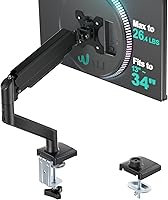
9 Best Freestanding Single Monitor Stands (November 2026)
The best freestanding single monitor stands include the VIVO STAND-V002F Dual LED LCD Monitor Free-Standing (best two screen freestanding option), the HUANUO FlowLift Dual Monitor Stand (best clamp dual arm), and the VIVO Single Monitor Desk Stand for ultrawide screens.
On this page (9 sections)
- Freestanding single monitor stands: the full list
- How we compared these freestanding stands
- What size screen and weight limit do you need?
- How much height adjustment do you need?
- How wide is the base and how much desk space does it use?
- Which adjustment ranges matter most?
- Freestanding base or clamp arm: which should you pick?
- How do you set up and care for a freestanding stand?
- Our verdict: which freestanding single monitor stand should you buy?
The best freestanding single monitor stand for most desks is the VIVO Single Monitor Desk Stand STAND-V001H, because it fits 13 to 32 in screens, ultrawide screens to 38 in, and up to 22 lb on a base that needs no clamp or drilling. Our score weighs specs, features and buyer feedback against what you are shopping for.
A freestanding single monitor stand holds one screen on a weighted base on your desk. You do not clamp it to the edge, drill a grommet hole, or fix it to a wall.
That makes it a good choice for glass desks, desks with drawers under the edge, shared desks, and rental rooms where you want to move the setup later.
We compared nine options by screen size, weight limit, height range, tilt and swivel range, VESA pattern, and base footprint. Two models here hold two screens, and one uses a clamp, so we flag those clearly.
Most of the group is built for one screen, which is why this guide focuses on single monitor use.
If you need to understand other mounting types first, our guide to computer monitor arms explains clamps, grommets and freestanding bases side by side. That background helps you see why a base stand takes more desk space but leaves your desk edge free.
Our picks at a glance
-
1
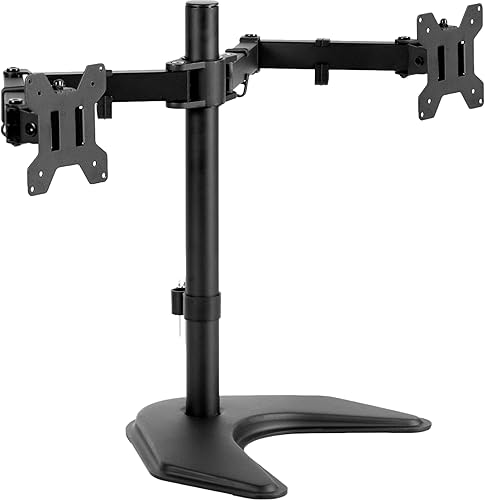 Best two screen freestanding option
VIVO STAND-V002F Dual LED LCD Monitor Free-Standing
9.7/10 our score
See it on Amazon -
2

-
3
- 4
 Best for tilt rangeCheck it
- 5
 Check it
WALI Freestanding Vesa Monitor Stand for 13-32
Best tall pole option - 6
 Check it
Amazon Basics Single Computer Monitor Stand with
Best simple desk arm - 7
 Best for larger heavier screensCheck it
- 8
 Check it
Hemudu Single LCD Computer Monitor Free-Standing Desk
Best white glass base option - 9
 Check it
monTEK Freestanding Single Monitor Stand for 17-32"
Best compact V shaped base
Freestanding single monitor stands: the full list
The VIVO STAND-V001H is the strongest all round single screen pick in this group. The HUANUO 34 in model wins for larger heavier screens, while the VIVO dual model and the HUANUO FlowLift suit readers who later want two screens.
VIVO STAND-V002F Dual LED LCD Monitor Free-Standing: Best two screen freestanding option
- Dual screens 13 to 27 in
- Up to 22 lb per screen
- VESA 75x75 and 100x100mm
- Base 13 x 10.5 in
- Tilt, swivel and rotation
A dual freestanding stand for two smaller screens, with a large padded base and full tilt, swivel and rotation.
Pros
- Holds two screens without clamping
- Large padded base
- Detachable VESA plates
Cons
- Limited to 27 in screens
- Large base needs desk space
This is a dual screen stand, not a single screen stand, so it only belongs here for readers who want two smaller screens on one freestanding base. For a laptop-plus-monitor arrangement, see triple monitor stands for laptop setups.
It holds two screens from 13 to 27 in, up to 22 lb each, with 75x75mm or 100x100mm VESA holes.
The base measures 13 x 10.5 in and has padding on the bottom to help protect the desk surface from scratches.
Full articulation means you can tilt from +90 to -90 degrees, swivel 180 degrees, rotate 360 degrees, and slide the height along the center pole. Detachable VESA plates and cable clips on the arms and pole help with setup and cord routing.
VIVO warns not to pull monitors too far forward or back unless the stand is bolted down, because that can cause stability issues.
Choose it if you have two 27 in or smaller screens and want a freestanding dual setup. Skip it if you only need one screen, because a single pole stand will use less desk space and cost less effort to position.
HUANUO FlowLift Dual Monitor Stand: Best clamp dual arm
- Dual screens 13 to 32 in
- 4.4 to 19.8 lb per screen
- VESA 75x75 and 100x100mm
- Raise up to 15.75 in
- C-clamp and grommet options
A full motion dual arm that clamps or uses a grommet, with large tilt and swivel ranges for gaming and office work.
Pros
- Wide 13 to 32 in range
- C-clamp or grommet fitting
- One hand adjustment
Cons
- Not freestanding
- Needs a suitable wooden desk
This is a dual arm with a C-clamp or grommet fitting, not a freestanding base stand, so it suits a different desk type. It fits screens from 13 to 32 in, with each screen weighing 4.4 to 19.8 lb and having 75x75mm or 100x100mm VESA holes.
Your desk must be wooden, 0.59 to 3.54 in thick, with no cross beams or panels under the fitting point.
Each arm can tilt +85 to -50 degrees, swivel plus or minus 90 degrees, rotate 360 degrees, and raise the screen up to 15.75 in. Cable guides along the arms help keep cords out of the way.
The dual clamp platform locks to the desk, so the screens stay steady while you type or game.
Choose it if your desk allows a clamp and you want the widest dual screen range here. For a truly freestanding dual option, compare our best freestanding dual monitor stand guide.
Skip this model for glass or plastic desks.
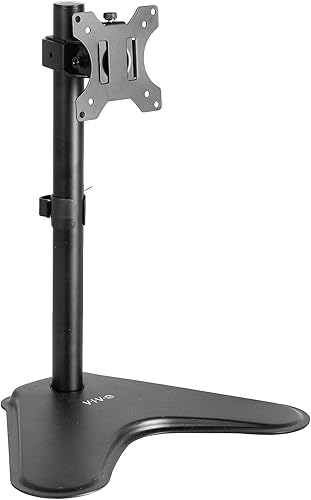
VIVO Single Monitor Desk Stand: Best for ultrawide screens
- Screens 13 to 32 in and ultrawide to 38 in
- Up to 22 lb
- VESA 75x75 and 100x100mm
- Height, tilt, swivel and rotation
- Cable management
A true single screen freestanding pole stand with wide compatibility and portrait or landscape use.
Pros
- Ultrawide support to 38 in
- 22 lb limit
- Open top slot VESA plate
Cons
- Tilt range is plus or minus 15 degrees
- Steel base needs space
This is the top single screen choice because it covers the widest range of screen sizes in the group. For an arm-mounted ultrawide, compare monitor arms for ultrawide monitors.
It fits screens from 13 to 32 in, plus ultrawide screens up to 38 in, up to 22 lb, with 75x75mm or 100x100mm VESA holes.
VIVO says that covers most monitors in that size range, which makes it a safe pick for standard and ultrawide 38 in screens.
Height adjusts along the center pole, with +15 to -15 degrees of tilt, 90 degrees of swivel, and 360 degrees of rotation. You can use portrait or landscape orientation, and integrated cable management keeps cords tidy during moves.
The open top slot VESA plate slides onto the bracket, which makes mounting and remounting simpler.
The trade off is a narrower tilt range than some rivals here. If you need a wider tilt, look at the MOUNTUP or WALI models below.
For most single screen desks, this VIVO model gives the best mix of range, limit and adjustment.
MOUNTUP Single Monitor Stands: Best for tilt range
- Screens 13 to 32 in
- Up to 17.6 lb
- VESA 75x75 and 100x100mm
- Height up to 17.49 in
- Plus or minus 45 degree tilt
A freestanding single stand with strong tilt and rotation ranges and cable clips on a steel base.
Pros
- Wide tilt range
- Height to 17.49 in
- Cable clip and tool slot
Cons
- 17.6 lb limit is lower than some rivals
- Check VESA plate alignment
This MOUNTUP stand suits readers who value tilt and rotation range on a single screen. It fits screens from 13 to 32 in, up to 17.6 lb, with 75x75mm or 100x100mm VESA holes.
The bracket offers plus or minus 45 degrees of tilt, plus or minus 25 degrees of swivel, plus or minus 180 degrees of rotation, and height adjustment up to 17.49 in.
MOUNTUP says the steel base is heavy and wide enough for that 17.6 lb limit. A built in cable clip helps route power cords, and a tool slot provides a place to store a wrench.
You slide the VESA plate onto the bracket, then adjust the screen height along the pole.
The lower weight limit is the main trade off against the VIVO and WALI picks. Check your screen weight first if it sits near 20 lb.
VIVO also publishes a best vivo monitor stand guide if you want to compare VIVO models in more detail.
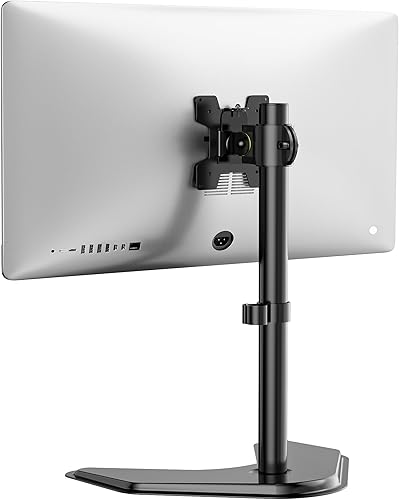
WALI Freestanding Vesa Monitor Stand for 13-32: Best tall pole option
- Screens 13 to 32 in
- Up to 22 lb
- VESA 75x75 and 100x100mm
- Height adjustable to 18 in
- Base 15.4 x 11 x 0.8 in
A tall freestanding pole stand for desks where you need height above a small base footprint.
Pros
- Height to 18 in
- 22 lb limit
- Open top slot plate
Cons
- Base footprint is large
- Tilt and swivel are narrower than some rivals
This WALI stand suits taller desks where you need the screen higher than a short arm allows. It fits screens from 13 to 32 in, up to 22 lb, with 75x75mm or 100x100mm VESA holes.
Height adjusts up to 18 in, and the base measures 15.4 x 11 x 0.8 in. That large base helps with stability but needs clear desk space.
The bracket gives 360 degree rotation, 45 degree tilt and 90 degree swivel. WALI says the height range helps you work in a more comfortable position and reduces neck and eye strain.
An open top slot VESA plate makes mounting simpler, and the package includes the mount, a hardware kit and a user manual.
The trade off is footprint. Measure your desk depth before you order, especially if you also use a keyboard tray or a large notebook.
If you prefer a clamp arm instead, our best monitor arm with base guide covers that style.
Amazon Basics Single Computer Monitor Stand with: Best simple desk arm
- Screens 13 to 30 in
- Up to 22 lb
- VESA 75x75 and 100x100mm
- Height 7.9 to 14.2 in
- Tilt -15 to +85 degrees
A height adjustable arm style stand with cable management and a detachable VESA plate, for desks that allow its fitting.
Pros
- Wide tilt range
- Detachable VESA plate
- Cable management
Cons
- Not a freestanding base model
- Height range is shorter than pole stands
This Amazon Basics model suits readers who want a simple arm style stand with wide tilt. It fits screens from 13 to 30 in, up to 22 lb, with 100x100mm and 75x75mm VESA plates.
Height adjusts from 7.9 to 14.2 in, tilt runs from -15 to +85 degrees, and rotation is 360 degrees for landscape or portrait use.
Cable management keeps cords out of the way, and the detachable VESA plate plus included tools and hardware help with setup. Amazon Basics gives a limited 1 year warranty.
The steel construction helps the arm hold position during daily adjustments.
The trade off is height. At 14.2 in maximum, it sits lower than the pole stands from VIVO, MOUNTUP and WALI.
If you sit tall or use a standing desk, compare our Best Desk Chair for Standing Desks guide and Best Office Chair For Standing Desk guide for chair fit.
HUANUO Monitor Stand: Best for larger heavier screens
- Screens 13 to 34 in
- Up to 44 lb
- VESA 75x75 and 100x100mm
- 5 heights from 9.27 to 15.26 in
- Tempered glass base
A freestanding stand built for larger heavier monitors, with a steel column and tempered glass base.
Pros
- 44 lb limit
- 13 to 34 in range
- No drilling needed
Cons
- Tilt range is plus 10 to minus 15 degrees
- Off center VESA can affect portrait mode
This HUANUO stand suits readers with larger or heavier single screens. For a clamp-mounted option built for heavier displays, compare heavy-duty monitor arms.
It fits screens from 13 to 34 in, up to 44 lb, with 75x75mm or 100x100mm VESA patterns.
The steel column stands 17.24 in tall and sits on a tempered glass base with anti slip pads on the bottom.
Height comes in 5 options from 9.27 to 15.26 in, so you set a fixed step rather than sliding freely along a pole. Swivel is plus or minus 50 degrees, tilt is +10 to -15 degrees, and rotation is 360 degrees.
HUANUO notes that off center VESA patterns may affect vertical orientation. Two cable clips help route cords along the pillar.
The trade off is tilt range and fixed heights. If you need fine height control, the VIVO pole stand may suit you better.
This HUANUO model is the pick when screen size and weight outrank fine adjustment.
Hemudu Single LCD Computer Monitor Free-Standing Desk: Best white glass base option
- Screens 13 to 32 in
- Up to 77 lb
- VESA 50x50, 75x75 and 100x100mm
- 4 level height adjustment
- Tempered safety glass base
A white freestanding stand with a tempered glass base and a high stated load limit for one screen.
Pros
- High 77 lb stated limit
- Three VESA patterns
- White finish option
Cons
- Height steps are fixed levels
- Tilt range is -15 to +10 degrees
This Hemudu stand suits readers who want a white finish and a glass base. It fits screens from 13 to 32 in, including 13, 15, 17, 19, 21, 23, 27, 30 and 32 in sizes, with 50x50mm, 75x75mm or 100x100mm VESA holes.
The tempered safety glass base has a stated maximum load of 77 lb for one screen.
The bracket gives -15 to +10 degrees of tilt, -45 to +45 degrees of swivel, 360 degrees of rotation, and 4 level height adjustment along the center tube. Portrait or landscape use is supported, and cable management helps keep cords clean.
Hemudu says installation can be done within 15 minutes with the included tools and hardware.
The trade off is fixed height levels and a narrow tilt range. If you need smooth sliding height, choose a pole model instead.
If you prefer wood tones, our best wood monitor riser guide covers a different desk style.
monTEK Freestanding Single Monitor Stand for 17-32": Best compact V shaped base
- Screens 17 to 32 in
- Up to 22 lb
- VESA 75x75 and 100x100mm
- 16.5 in high bar
- Tilt, swivel and 360 rotation
A freestanding single stand for 17 to 32 in screens with a solid V shaped base and cable channels.
Pros
- V shaped base saves corner space
- Cable channels
- Quick assembly steps
Cons
- Does not fit screens under 17 in
- Fewer buyer reports than rivals
This monTEK stand suits readers who want a V shaped base for a corner or side placement. It fits screens from 17 to 32 in, up to 22 lb, with 75x75mm or 100x100mm VESA holes.
The bar stands 16.5 in high, and monTEK says you can install it on the side, corner or middle of the desk.
Adjustment includes -45 to +45 degrees of tilt, -90 to +90 degrees of swivel, and 360 degrees of rotation. Integrated cable management channels help route cords and reduce tangling.
Assembly follows four steps: check accessories and install the base, install the VESA base, install the VESA plate on the screen, then mount the screen and adjust the angle.
The trade off is the 17 in minimum size, so small screens under 17 in will not fit. It also has fewer buyer reports than the larger brands here.
Choose it for corner placement and a V shaped footprint.
How we compared these freestanding stands
We compared screen size range first, because a stand that does not fit your screen is useless. We checked weight limits next, then VESA patterns, height range, tilt, swivel and rotation.
We also checked base size and material, since a freestanding stand lives or dies by its footprint.
We used only facts from each title and spec list. For example, VIVO states a 22 lb limit for the STAND-V001H, while HUANUO states 44 lb for its 34 in model.
MOUNTUP states 17.6 lb, and Hemudu states 77 lb for its glass base model. Those limits are not directly comparable across brands, so we treat them as maker stated limits.
We excluded stands that need wall fixing. Two dual models stay in this guide because they help readers who want two screens on a desk without a wall mount, and we label them clearly.
The HUANUO FlowLift uses a clamp, so we flag it as a clamp option rather than a freestanding base.
What size screen and weight limit do you need?
Check three numbers on your monitor before you shop. You need screen size in inches, screen weight in pounds, and VESA hole spacing in millimeters.
Most models here need 75x75mm or 100x100mm holes.
How do I check VESA holes on my monitor?
Look at the back of the screen for four threaded holes in a square pattern. Measure the distance between holes in millimeters.
If you find 75mm or 100mm spacing, most stands here will fit. If you find no holes, these stands will not attach.
What if my screen is ultrawide?
Ultrawide screens need a higher size limit and a higher weight limit. The VIVO STAND-V001H supports ultrawide screens to 38 in and up to 22 lb.
The HUANUO 34 in model supports screens to 34 in and up to 44 lb. Check both size and weight, because ultrawide screens often weigh more.
What if my screen weighs more than 22 lb?
Most single pole stands here stop at 22 lb. The HUANUO 34 in model states 44 lb, and the Hemudu glass base model states 77 lb.
Those higher limits suit larger screens, but you should still check the VESA pattern and base footprint.
How much height adjustment do you need?
Height range decides whether the top of the screen sits near eye level. Short arms top out near 14 in, while pole stands reach 17 to 18 in.
Your chair height and desk height change the height you need.
How tall should the stand be for seated work?
Sit in your chair with your feet flat and your elbows near desk level. The top of the screen should sit near eye level without forcing you to look up.
A pole stand with height to 17 or 18 in gives more room for taller readers.
How does height work on a standing desk?
A standing desk changes the height you need through the day. A sliding pole stand lets you change screen height as you raise or lower the desk.
The VIVO, MOUNTUP and WALI pole models all slide along the pole.
How wide is the base and how much desk space does it use?
A freestanding base uses desk space that a clamp arm does not. The VIVO dual base measures 13 x 10.5 in, and the WALI base measures 15.4 x 11 in.
Measure your desk depth and width before you order.
Where should the base sit on the desk?
Place the base near the back center or back corner of the desk, with the screen close to the pole. Keep the screen within the center of gravity of the base.
VIVO warns against pulling its dual screens too far forward or back.
Will a glass base scratch my desk?
Glass base models use anti slip pads or padded bottoms to help protect the surface. HUANUO states anti slip pads on its tempered glass base, and VIVO states padding on its dual base.
Wipe the pads and keep grit off the desk surface.
Which adjustment ranges matter most?
Tilt, swivel and rotation change how you share the screen and reduce glare. A wide tilt range helps with overhead lighting, while swivel helps when you turn to a second person.
Rotation helps for portrait documents and code.
Do you need portrait mode?
Portrait mode helps with long documents, code and chat. Most models here rotate 360 degrees.
HUANUO notes that off center VESA patterns may affect vertical orientation on its 34 in model, so check your screen layout.
How much tilt is enough?
A tilt range of plus or minus 15 degrees suits basic glare control. Wider ranges, such as plus or minus 45 degrees on the MOUNTUP model, help more with bright rooms.
Match tilt range to your lighting, not to a headline number.
Freestanding base or clamp arm: which should you pick?
A freestanding base sits on the desk and needs no holes in the desk. A clamp arm grips the desk edge and uses less surface space, but it needs a desk edge that the clamp can grip.
Glass, thin, or drawer filled desks often favor a base.
When does a clamp arm work better?
A clamp arm works well on wooden desks with a clear edge and space under the edge. The HUANUO FlowLift needs a wooden desk 0.59 to 3.54 in thick with no cross beams.
It also frees the full desk surface for a keyboard and notebook.
When does a freestanding base work better?
A base works better on glass desks, desks with drawers at the edge, and shared or rental desks. VIVO, MOUNTUP, WALI and HUANUO all offer base models that need no drilling.
If you later want a floor model, see our best freestanding floor monitor stand guide.
How do you set up and care for a freestanding stand?
Set up starts with checking size, weight and VESA pattern, then checking base footprint. Attach the VESA plate to the screen, slide it onto the bracket, and set the height before you route cables.
Tighten bolts firmly and check alignment.
How do you keep cables tidy?
Route power and video cables through the clips or channels on the pole or arms. Leave a small loop of slack so the screen can tilt and swivel without pulling tight.
Dress the cables once, then check them after the first week of use.
How do you keep the stand stable over time?
Check bolts and VESA screws after the first few days, then monthly. Keep the base pads clean and the desk surface flat and dry.
If the screen starts to sag, tighten the tilt bolt and check that the screen weight is within the stated limit.
Our verdict: which freestanding single monitor stand should you buy?
Pick the VIVO Single Monitor Desk Stand STAND-V001H if you want one screen from 13 to 38 in on a freestanding pole with height, tilt, swivel and rotation. Pick the HUANUO Monitor Stand if your screen is 34 in or weighs more than 22 lb.
Pick the MOUNTUP if wide tilt matters most, or the WALI if you need height to 18 in.
If you want two screens, pick the VIVO STAND-V002F for two screens to 27 in on a freestanding base, or the HUANUO FlowLift for two screens to 32 in on a clamp. For a white glass base, pick the Hemudu.
For corner placement, pick the monTEK V shaped base.
Measure your screen size, weight, VESA pattern and desk space first. That one check will narrow this list to one or two models that will fit your desk and your screen.
Our top 3 picks at a glance
-
1
Best two screen freestanding option
VIVO STAND-V002F Dual LED LCD Monitor Free-Standing
9.7/10 our score
See it on Amazon -
2
-
3
Frequently asked questions
What is a freestanding single monitor stand?
It is a stand that holds one monitor on a base that sits on the desk. VIVO says its STAND-V001H supports one screen without clamping or drilling, using a steel base and a center pole.
You check screen size, weight and VESA holes before you buy.
Do I need VESA holes for these stands?
Yes, most models here need 75x75mm or 100x100mm holes on the back of the screen. Check the back of your monitor first and compare the hole pattern with the stand you plan to buy.
If your screen has no VESA holes, these stands will not fit.
Is a freestanding stand stable enough?
Stability depends on base size, screen weight and how far the screen sits from the pole. VIVO warns against pulling its dual model too far forward or back unless the stand is bolted down.
Keep the screen close to the base center for daily use.
Can I use a freestanding stand on a glass desk?
A freestanding base avoids clamp pressure on thin or glass desks. Measure the base footprint first and check that your desk can hold the combined weight.
Wipe the base pads and keep the area flat and dry.