9 Best Desktop Keyboard Trays (November 2026)
The best keyboard tray on top of desk include the BONTEC Under Desk Keyboard Tray for most standard desks, the KEPUTAIER Computer Keyboard Stand with Wrist Rest for a simple wrist rest riser, and the Haonon Computer Keyboard Stand with Wrist Rest for storage under the stand.
On this page (8 sections)
- Best keyboard tray on top of desk: our top picks by use
- The best keyboard trays for desks, in score order
- How the best keyboard tray on top of desk options compare
- How do I choose a keyboard tray on top of desk or under it?
- How do I measure my desk before I order?
- What size tray do I need for my keyboard and mouse?
- How do I install and care for a clamp-on tray?
- Which keyboard tray is best for my desk? Our verdict
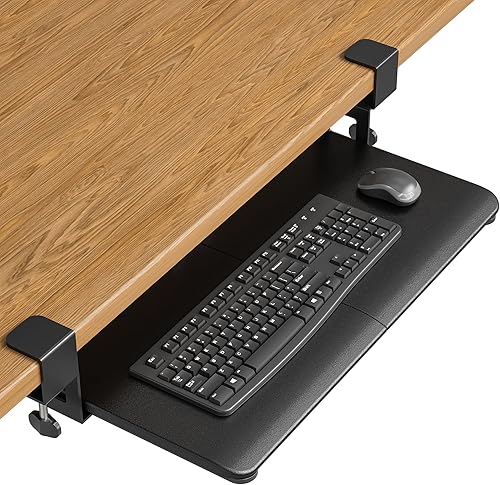
The best keyboard tray on top of desk depends on whether you mean a tray above the surface or a tray that frees the top by sliding under it. For most readers, the BONTEC pull-out tray is the safest pick because it is wide, clamp mounted and easy to store.
We compared specs, clamp ranges, platform sizes and features across these nine models. Our score weighs specs, features and buyer feedback against what you are shopping for.
We did not test these products hands on, so we rely on stated dimensions and buyer patterns.
A tray can lower your keyboard below the desk edge or raise it above the surface. Both can help you place your wrists closer to a neutral position.
The right choice also depends on your chair height, desk thickness and legroom.
If you pair a tray with a new keyboard, start with our ergonomic keyboard and mouse guide. If you want a broader view of tray styles, see the best ergonomic keyboard tray roundup.
Our picks at a glance
-
1
-
2
 Best for a simple wrist rest riser
KEPUTAIER Computer Keyboard Stand with Wrist Rest
9.5/10 our score
See it on Amazon -
3
 Best for storage under the stand
Haonon Computer Keyboard Stand with Wrist Rest
9.4/10 our score
See it on Amazon
- 4
 Check it
Zontera Ergonomic Mouse & Keyboard Tray Under
Best for thicker desks - 5
 Check it
Sisyphy Ergonomics Desk Extender Tray
Best for arm support at the edge - 6
 Check it
AX WABER Keyboard Tray Under Desk Pull Out
Best for a wide white tray - 7
 Check it
Klearlook Upgraded Adjustable Keyboard Tray for Above
Best for above and under desk use - 8
 Check it
VIVO Black Clamp-on 23” to 30” x
Best for height adjustment - 9
 Check it
Klearlook Keyboard Tray Under Desk
Best for 360 degree swivel storage
Best keyboard tray on top of desk: our top picks by use
The BONTEC leads for standard desks because its platform and clamp range cover most setups. The Klearlook Upgraded model is the true above-desk option here.
Riser stands from KEPUTAIER and Haonon add tilt without a drawer.
Read the product sections below for daily use details. Use the comparison table to check sizes and desk limits side by side.
Then use the buying sections to measure your desk before you order.
The best keyboard trays for desks, in score order
Each write-up covers who the tray suits, what its specs mean in daily use, and its trade-off against the others. Scores are listed with each product so you can see why it ranks where it does.
BONTEC Under Desk Keyboard Tray: Best for most standard desks
- 25.6 x 11.8 in platform
- C-clamps fit desks to 1.97 in thick
- Supports to 11 lb
- Slides under desk after use
A wide pull-out platform that frees the top of the desk and slides away when you do not need it.
Pros
- Wide 25.6 in platform
- No-drill C-clamp mount
- Frees desktop space
Cons
- Needs 31.3 in width under desk
- Not for curved or beveled edges
The BONTEC Under Desk Keyboard Tray suits desks with a flat underside and at least 31.3 in of width below the top. Its 25.6 x 11.8 in platform holds a standard keyboard and mouse with room to spare.
That width matters if you use a wrist rest or a larger mouse.
C-clamps fit desktops to 1.97 in thick and hold to 11 lb. Protective pads help limit scratches.
You can slide the tray under the desk when you do not need it, which keeps the top clear for a monitor, papers or accessories.
The trade-off is fit. It will not work with curved, beveled or rounded edges or with crossbars under the desk.
Large gaming keyboards, vertical mice and split keyboards may need more clearance. Measure first, and this is the cleanest pull-out pick for most standard desks.
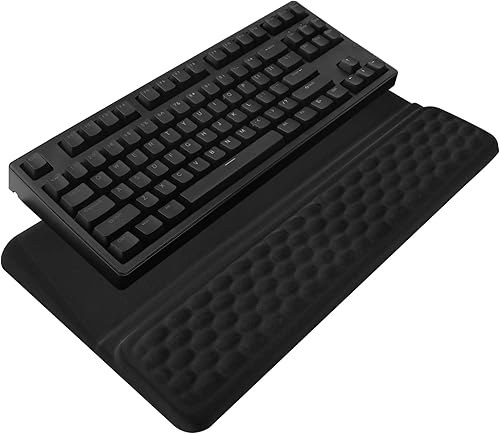
KEPUTAIER Computer Keyboard Stand with Wrist Rest: Best for a simple wrist rest riser
- Tilted keyboard holder
- Memory foam wrist rest
- Non-slip PU base
- Fits membrane, capacitive and mechanical keyboards
A low riser that adds tilt and a wrist pad without clamps or a pull-out drawer.
Pros
- Simple to place
- Memory foam wrist pad
- Non-slip base
Cons
- Not a pull-out tray
- No height adjustment listed
The KEPUTAIER Computer Keyboard Stand with Wrist Rest suits people who want tilt and wrist support without a pull-out drawer. It sits on top of the desk and raises the back of your keyboard at a slight angle.
The memory foam wrist rest gives a soft place for your palms.
The non-slip PU base helps the stand stay put while you type. It fits membrane, capacitive and mechanical keyboards.
The massage bump design on the rest is meant to break up pressure and help keep hands less sweaty during long sessions.
The trade-off is scope. This is not a keyboard tray on top of desk in the arm-mounted sense, and it does not free desk space.
You still use the same desktop area. Choose it for simple tilt and a wrist pad, not for extra storage or height adjustment.
Haonon Computer Keyboard Stand with Wrist Rest: Best for storage under the stand
- 16.9 x 7.9 x 2 in stand
- Storage tray under stand
- PU leather wrist rest
- 6 non-slip rubber bumps
An acrylic riser with a tray below for small desk items and a wide wrist rest.
Pros
- Storage tray below
- Wide wrist rest
- Anti-slip pads
Cons
- Fixed 2 in height
- Only 16.9 in wide
The Haonon Computer Keyboard Stand with Wrist Rest suits desks where small items pile up near the keyboard. Its acrylic stand measures 16.9 x 7.9 x 2 in.
A storage tray below the stand holds items such as a Magic Keyboard, mouse, AirPods or sticky notes.
The wrist rest is 16.9 x 4.3 x 1.4 in and uses soft PU leather. Six non-slip rubber bumps plus two anti-slip pads help limit sliding.
The maker says it fits mechanical, standard, thin, Magic and mini keyboards.
The trade-off is height and width. At 2 in tall and 16.9 in wide, it is fixed and narrower than pull-out trays.
It will not slide away under the desk. Choose it if you want a tidy riser with storage, not a drawer that hides.
Zontera Ergonomic Mouse & Keyboard Tray Under: Best for thicker desks
- 20 x 11.8 in board
- C-clamps to 2.76 in thick
- Extends 7.8 in from edge
- Back baffle to stop sliding
A pull-out tray with clamps for thicker desktops and a baffle at the back edge.
Pros
- Fits thicker desks
- Back baffle helps hold keyboard
- Smooth slide mechanism
Cons
- Needs 25.9 in clamp to clamp
- Smaller board than BONTEC
The Zontera Ergonomic Mouse & Keyboard Tray Under suits thicker desks that many trays cannot clamp to. Its board is 20 x 11.8 in, with 25.9 in including clamps.
Dual C-clamps fit desks to 2.76 in thick, which is wider than most models here.
The tray extends 7.8 in from the desk edge. A back baffle helps stop the keyboard from sliding.
The slide mechanism is meant to move smoothly in and out. When you finish, the keyboard and mouse can store under the desk.
The trade-off is board size. At 20 in wide, it is narrower than the BONTEC and AX WABER platforms.
You need 25.9 in from clamp to clamp. Choose it for thick desks and a baffle, and measure the clamp span before you order.
Sisyphy Ergonomics Desk Extender Tray: Best for arm support at the edge
- 9.5 x 9.1 in tray
- Punch-free clamp on
- Foldable under desk
- Desk thickness to 4.5 cm
A small foldable extender that adds arm support at the front or side of a right-angle desk.
Pros
- Small and foldable
- No drilling
- Good for arm support
Cons
- Too small for a full keyboard and mouse
- Limited to right-angle desks
The Sisyphy Ergonomics Desk Extender Tray suits people who need arm support at the edge more than a full keyboard drawer. The tray is 9.5 x 9.1 in.
It clamps on without drilling and folds down under the desk when not in use.
It fits standard right-angle desks on the front or side. Desk thickness must be within 4.5 cm.
The extender aligns flush with the desk and supports your arms, which can reduce fatigue during long typing sessions.
The trade-off is size. At under 10 in square, it is too small for a full keyboard and mouse together.
Use it for a notebook, mouse or arm rest, not as a main keyboard tray. Choose it for a small, foldable extension on a right-angle desk.
AX WABER Keyboard Tray Under Desk Pull Out: Best for a wide white tray
- 27.3 x 11 in platform
- 32.5 in including clamps
- C-clamps to 1.9 in
- Extends 5.7 in
- Holds to 11 lb
A wide pull-out platform for large keyboards, with a short extension from the desk edge.
Pros
- Wide platform
- Holds 11 lb
- No drilling
Cons
- Needs 32.5 in clamp to clamp
- Not for beveled edges
The AX WABER Keyboard Tray Under Desk Pull Out suits wide keyboards and buyers who want a large white platform. The platform is 27.3 x 11 in, or 32.5 in including clamps.
It extends a maximum of 5.7 in from the desk edge.
C-clamps fit desks to 1.9 in thick and hold to 11 lb. The short extension keeps the tray close to the desk, which can help if your chair sits near the edge.
Hardware and instructions are included for assembly.
The trade-off is space. You need 32.5 in from clamp to clamp, the widest span in this group.
It is not compatible with beveled edges. Choose it for width, and confirm your desk has that full span before you order.
Klearlook Upgraded Adjustable Keyboard Tray for Above: Best for above and under desk use
- Dual above and under desk use
- 360 rotation
- 237 vertical arm adjustment
- 180 tilt
- Drawer, phone slot and headphone hanger
An arm-mounted tray that can sit above the desk or slide under it, with storage built in.
Pros
- Works above or under desk
- Wide adjustment range
- Built-in storage
Cons
- More complex to set up
- Needs clear desk edge space
The Klearlook Upgraded Adjustable Keyboard Tray for Above suits buyers who want a tray above the desk as well as under it. It offers dual installation for above-desk and under-desk use.
That flexibility makes it the closest match here for a keyboard tray on desk top setup.
Adjustment is wide. It has 360 rotation, 237 vertical arm adjustment and 180 tilt.
A wrist rest and mouse pad are included. A drawer, phone slot and headphone hanger help keep small items in reach.
The trade-off is complexity. An arm with this much movement needs more setup and clear space than a simple clamp drawer.
It also takes more thought to set a stable typing angle. Choose it if you want above-desk use and full adjustment, not a fixed pull-out tray.
VIVO Black Clamp-on 23” to 30” x: Best for height adjustment
- Adjustable width 23 to 30 in
- 2.4 in height adjustment, 5 points
- C-clamps to 3.4 in
- Extends 8.5 in
- Holds to 11 lb
An adjustable clamp-on tray with height and width settings and wrist and mouse pads.
Pros
- Height adjustment
- Fits thick desks
- Includes pads
Cons
- Not for beveled edges
- Heavier at 14.37 lb
The VIVO Black Clamp-on Adjustable Keyboard Tray suits desks where height matters more than hidden storage. Width adjusts from 23 to 30 in.
Height adjusts 2.4 in across five set points. That range helps you match the tray to your chair and elbow height.
C-clamps fit desks to 3.4 in thick, the thickest limit here. The tray extends 8.5 in from the desk edge and holds to 11 lb.
It includes a keyboard wrist pad, mouse pad and mouse wrist rest.
The trade-off is weight and edge fit. At 14.37 lb, it is the heaviest model here.
It is not compatible with beveled edges. Choose it for height adjustment and thick desks, and check the edge shape before you order.
Klearlook Keyboard Tray Under Desk: Best for 360 degree swivel storage
- 24.4 W x 10 D in
- 360 swivel
- C-clamp to 2.68 in
- Drawer and phone slot
- Headphone hanger
A swivel tray that stores under the desk and adds a drawer, phone slot and headphone hanger.
Pros
- 360 swivel
- Storage extras
- Tilt angle adjustment
Cons
- Height cannot be adjusted
- Needs 27.5 to 35 in desk width
The Klearlook Keyboard Tray Under Desk suits desks where swivel storage helps more than height adjustment. The tray is 24.4 x 10 in.
It has 360 swivel, so you can swing it under the desk or angle it for left or right use.
A C-clamp fits desktops to 2.68 in thick. A drawer, phone slot and headphone hanger add storage.
The mouse pad is included on the platform. Tilt angle adjustment helps you find a comfortable typing position.
The trade-off is height. Height cannot be adjusted.
Double-sided rotation needs a minimum table width of 35 in, and single-sided rotation needs 27.5 in. Choose it for swivel and storage, and confirm your desk width first.
How the best keyboard tray on top of desk options compare
The table below compares platform size, desk thickness and weight limit. Use it to rule out models that do not fit your desk before you read the buying advice.
A tray that looks best on paper will not help if the clamps do not fit.
| Product | Best for | Platform | Desk thickness | Weight limit | Our score |
|---|---|---|---|---|---|
| BONTEC Under Desk Keyboard Tray | most standard desks | 25.6 x 11.8 in | To 1.97 in | 11 lb | 9.7 |
| KEPUTAIER Computer Keyboard Stand with Wrist Rest | a simple wrist rest riser | 9.5 | |||
| Haonon Computer Keyboard Stand with Wrist Rest | storage under the stand | 9.4 | |||
| Zontera Ergonomic Mouse & Keyboard Tray Under | thicker desks | To 2.76 in | 9.4 | ||
| Sisyphy Ergonomics Desk Extender Tray | arm support at the edge | To 4.5 cm | 9.3 | ||
| AX WABER Keyboard Tray Under Desk Pull Out | a wide white tray | 27.3 x 11 in | To 1.9 in | 11 lb | 9.2 |
| Klearlook Upgraded Adjustable Keyboard Tray for Above | above and under desk use | 9.1 | |||
| VIVO Black Clamp-on 23” to 30” x | height adjustment | To 3.4 in | 8.4 | ||
| Klearlook Keyboard Tray Under Desk | 360 degree swivel storage | To 2.68 in | 8.2 |
We compared clamp ranges first because fit is the most common reason a tray fails. Next we compared platform width and depth against standard and split keyboards.
Then we checked extension, tilt and height adjustment for typing position.
Scores reflect how well each model fits the search for a keyboard tray on top of desk. Pull-out trays score well because they free the top surface.
True above-desk and riser models score on adjustment or wrist support.
How do I choose a keyboard tray on top of desk or under it?
Above-desk trays raise the keyboard toward you. They suit people who want the keyboard closer to eye level or who cannot use the space under the desk.
The Klearlook Upgraded model is the clear above-desk pick here.
Under-desk trays free the top surface. They slide away after use and keep monitors, lamps and papers in place.
Most models in this guide work this way.
If desk space is tight, this is often the better choice.
Our best keyboard tray stand guide covers raised stands in more detail. If you use an arm-mounted tray on your chair instead, see the best keyboard tray on chair picks.
Which type fits your chair height?
A tray that sits below the desk needs your chair adjusted so your elbows are near tray height. If your chair cannot rise enough, a pull-out tray may sit too high.
An above-desk tray or riser may help more.
If you sit lower, a tray that extends far from the edge can bring the keyboard closer. Check extension length before you order.
For chair pairing, our Best Desk Chair for Office Work guide can help you set height.
What about standing desks?
A tray on a standing desk must move with the desk or be set for one height. Clamp trays that slide in and out work well if the desk frame does not block the underside.
Check for crossbars before you choose.
If you alternate sitting and standing, an adjustable tray such as the VIVO helps more than a fixed riser. Our Best Desk Chair for Standing Desks guide covers chair height for that setup.
How do I measure my desk before I order?
Measure three things: width under the desk, depth under the desk, and desktop thickness. Most clamp trays need a flat straight edge and a clear underside.
Curved or beveled edges can stop the clamps from gripping.
The BONTEC needs 31.3 in of width and 11.8 in of depth under the desk. The Zontera needs 25.9 in from clamp to clamp.
The AX WABER needs 32.5 in from clamp to clamp. Those spans are not the same as platform width.
What if my desk has a support beam?
A support beam under the desk can block a pull-out tray even if the top looks clear. Check under the desk before you order.
If a beam sits where the tray slides, choose a riser or an above-desk tray instead.
Our guide on how to add a keyboard tray to a desk walks through fit checks step by step. Do that check before you tighten any clamp.
How thick can my desk be?
Clamp limits vary a lot. The AX WABER fits to 1.9 in.
The BONTEC fits to 1.97 in. The Klearlook swivel tray fits to 2.68 in.
The Zontera fits to 2.76 in. The VIVO fits to 3.4 in.
Measure the desktop at the edge where the clamp will sit. Some desks are thicker at the frame than at the front edge.
Use the thickest point the clamp must cover.
What size tray do I need for my keyboard and mouse?
Most standard keyboards and mice fit platforms 20 to 27 in wide. Depth matters too.
An 11 to 11.8 in deep tray gives room for a mouse and wrist rest.
A 10 in deep tray is tighter for large mice.
Split keyboards, vertical mice and wide gaming boards need more space. The BONTEC maker warns to check vertical mice and split keyboards before ordering.
The AX WABER platform is the widest here at 27.3 in.
If you want a pull-out drawer with a lower profile, compare the best pull out keyboard tray options. That guide focuses on slide-out drawers, while this guide mixes pull-out, riser and above-desk types.
How much weight can a tray hold?
Most pull-out trays here hold to 11 lb. That covers most keyboards, mice and wrist rests.
Do not stack extra items on the tray beyond that limit. Keep heavy objects on the desktop.
Check the limit before you add a large keyboard, a hub or a wrist rest. A tray that wobbles at the limit will not get better with more weight.
Do I need tilt or a wrist rest?
Tilt can help some typists keep wrists more neutral. The Klearlook Upgraded model has 180 tilt.
The Klearlook swivel tray has tilt adjustment but no height adjustment. Risers from KEPUTAIER and Haonon add tilt through their angled shape.
A wrist rest helps only if you rest your palms lightly. Pressing hard into a pad can increase pressure.
Keep your elbows near 90 degrees and your shoulders relaxed.
How do I install and care for a clamp-on tray?
Most trays here install with C-clamps and no drilling. Tighten both clamps evenly.
Slide the tray in and out a few times to check for wobble.
Add weight slowly and stop if the tray shifts.
Clean the platform with a damp cloth and mild soap. Do not use harsh solvents on plastic or wood.
Check clamp pads for wear and tighten clamps if the tray starts to move.
What should I check after the first week?
Check clamp tightness after the first week of use. Wood and laminate can settle under pressure.
A small retightening is normal. Also check that the tray still slides without catching on a support beam.
Keep cables from hanging where the tray slides. A cable can snag or pull the tray.
Route cables above the tray or tape them clear of the slide path.
What if the tray wobbles when I type?
Wobble usually means the clamps are loose, the desk edge is beveled, or the load is too high. Tighten the clamps evenly first.
If the edge is beveled, the tray may not sit flat. In that case, a riser or above-desk tray may fit better.
Do not fix wobble by adding more weight. That makes the problem worse.
Remove items from the tray and recheck the clamp fit.
Which keyboard tray is best for my desk? Our verdict
Pick the BONTEC if you have a standard flat desk and want the safest pull-out tray. Its 25.6 in platform and 11 lb limit cover most keyboards and mice.
Measure for 31.3 in of width under the desk first.
Pick the Klearlook Upgraded if you want a tray above the desk. It is the only true above and under desk model here.
Pick the VIVO if height adjustment matters.
Pick the Zontera for thicker desks to 2.76 in.
Pick the KEPUTAIER or Haonon if you want tilt and a wrist rest on the desk top. They do not free space, but they are simple and need no clamps.
For next steps, read our guide on how to add a keyboard tray to a desk and measure your desk before you order.
Our top 3 picks at a glance
-
1
-
2
Best for a simple wrist rest riser
KEPUTAIER Computer Keyboard Stand with Wrist Rest
9.5/10 our score
See it on Amazon -
3
Best for storage under the stand
Haonon Computer Keyboard Stand with Wrist Rest
9.4/10 our score
See it on Amazon
Frequently asked questions
What is a keyboard tray on top of desk?
A keyboard tray on top of desk sits above the desktop surface instead of under it. It raises or arms your keyboard toward you.
Most pull-out trays in this guide sit under the desk, so check the mount type before you order.
Will a clamp-on keyboard tray fit my desk?
It will fit if your desk has a flat straight edge, a thickness within the clamp range, and clear space below. Curved, beveled or rounded edges and support beams often block the clamps.
Measure width, depth and thickness first.
Do I need to drill to install a keyboard tray?
Most models here use C-clamps and do not need drilling. Tighten the clamps evenly and check that the tray does not wobble before you load it.
Keep the total load within the stated limit.
Can a tray hold a split or vertical mouse setup?
Some trays fit standard keyboards and mice only. Split ergonomic keyboards, vertical mice and oversized gaming boards may need more width or height clearance.
Compare your device size with the platform size.