9 Best Pull Out Keyboard Trays (November 2026)
The best pull out keyboard tray include the VIVO Black Clamp-on 27 x 11 in for most standard desks, the BONTEC Under Desk Keyboard Tray for thicker desktops, and the HUANUO Under Desk Keyboard Tray for tilt and swivel adjustment.
On this page (9 sections)
- The best pull out keyboard trays for every desk setup
- How do these pull out keyboard trays compare side by side?
- How we compared these trays
- How thick is your desktop, and does that rule out clamp-on trays?
- How wide is your keyboard, and how much tray width do you need?
- How far do you want the tray to pull out?
- Does your desk have a corner, a curve or a crossbar underneath?
- Do you want storage in the tray, or just typing space?
- Which pull out keyboard tray should you buy?
The best pull out keyboard tray is the VIVO 27 x 11 inch model for most buyers. It puts a keyboard and mouse below the desktop, pulls out 8.5 inches, and clamps on without drilling.
It holds up to 11 lb, so a typical keyboard and mouse sit well within its limit.
A pull out keyboard tray adds retractable typing space beneath a desk or table. You use it when you type and slide it back under the desk when you stop.
That one move frees the desktop for a monitor, documents and other tools.
Our score weighs specs, features and buyer feedback against what you are shopping for. Size, reach, adjustment and mounting method carry the most weight.
A tray that is too narrow, too short or too thick for your desk will not help, no matter how it is built.
Start with your desk, not the tray. Measure the desktop thickness, the clear width under the desk and the depth you have before the tray slides in.
Then match the tray to those numbers. Our ergonomic keyboard and mouse guide helps you size the keyboard itself before you choose the platform.
Our picks at a glance
-
1

-
2
-
3
 Best for tilt and swivel adjustment
HUANUO Under Desk Keyboard Tray
9.6/10 our score
See it on Amazon
- 4
 Check it
VIVO Black Extra Large Clamp-on 34 x
Best for wide keyboards - 5
 Check it
AX WABER Keyboard Tray Under Desk Pull Out
Best for mid-size desks on a budget - 6
 Check it
Kensington Keyboard Tray Under Desk
Best for named height settings - 7
 Check it
TooCust 22"Wx11"D Under Desk Keyboard Tray Slide
Best for small tabletops - 8
 Check it
Mount-It! Under Desk Keyboard Tray with Wrist
Best for longest pull-out reach - 9
 Check it
Ciao Stilista Solid Steel Under Desk Keyboard Tray
Best for solid steel construction
The best pull out keyboard trays for every desk setup
The VIVO 27-inch tray is the safest all-round pick. The BONTEC wins on thicker desks, the HUANUO wins on adjustment, and the Mount-It! wins on reach.
The rest solve a narrower job, such as a small tabletop or a wide split keyboard.
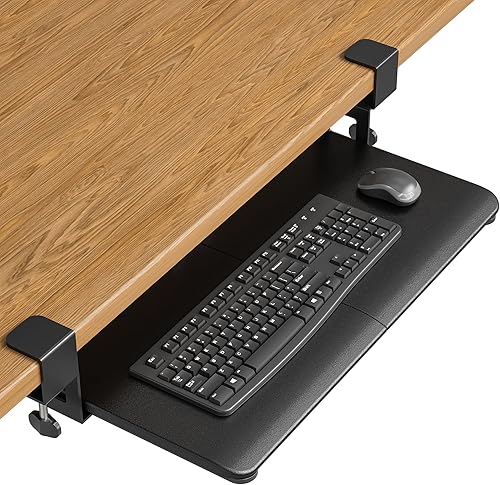
VIVO Black Clamp-on 27 x 11 in: Best for most standard desks
- 27 x 11 in tray
- Extends 8.5 in from desk edge
- Holds up to 11 lb
- C-clamps fit desks up to 1.25 in thick
A 27-inch clamp-on tray that slides out 8.5 inches and tucks back below the desktop. It fits standard keyboards and mice and frees the top of the desk for a monitor and papers.
Pros
- 27-inch width fits most keyboards
- No drilling required
- Slides under the desk when not in use
Cons
- Not for beveled desk edges
- Needs 32.5 in from clamp to clamp
This tray suits a standard desk with a flat front edge and a desktop no thicker than 1.25 inches. At 27 x 11 inches, it holds a full-size keyboard with a mouse beside it.
That is the size most buyers need, and the reason this model sits at the top here.
The tray extends a maximum of 8.5 inches from the edge of your desk. That reach puts the keyboard at a lower, closer angle than the desktop.
It then slides fully back under the desk, so the top stays clear for a monitor and papers.
VIVO says it holds up to 11 lb. A keyboard, mouse and small accessories will sit well under that limit.
The sturdy C-clamps hold the tray in place and adjust without damaging the desk.
The trade-off is fit. The tray is 32.5 inches from clamp to clamp, so you need that much clear width on the desk.
VIVO also says it is not compatible with desktops that have beveled edges. Check the edge shape before you order.
BONTEC Under Desk Keyboard Tray: Best for thicker desktops
- 25.6 x 11.8 in platform
- C-clamps fit desks up to 1.97 in thick
- Supports up to 11 lb
- Engineered wood platform
A 25.6-inch pull-out platform with clamps that fit desks up to 1.97 inches thick. It suits standard keyboards and mice and leaves the desktop clear for a monitor.
Pros
- Fits thicker desktops than most clamp-on trays
- 11.8-inch depth gives mouse room
- No drilling required
Cons
- Not for curved, beveled or rounded edges
- Needs 31.3 in of width underneath
This tray suits buyers with a thicker desktop. Its C-clamps fit desks up to 1.97 inches thick, which covers many desks that the VIVO trays cannot clamp to.
That extra range is the main reason to pick it.
The platform measures 25.6 x 11.8 inches. The 11.8-inch depth is deeper than most trays here, so a mouse has room to move.
BONTEC says it is designed for standard keyboards and mice.
It supports up to 11 lb for stable everyday use. Protective pads help prevent scratches and improve grip.
The tray pulls out when you need it and slides beneath the desk after use.
BONTEC is clear about limits. You need at least 31.3 inches of width and 11.8 inches of depth underneath the desk.
It will not work with curved, beveled or rounded edges, or desks with crossbars underneath. Oversized keyboards, vertical mice and split keyboards may not fit well.
HUANUO Under Desk Keyboard Tray: Best for tilt and swivel adjustment
- 25 x 9.84 in slide-out tray
- Swivels 180 degrees left and right
- Tilts 6 degrees up and 22 degrees down
- 6.3 in of height adjustment
A 25-inch tray with a wrist rest, 180-degree swivel and tilt from 6 degrees up to 22 degrees down. Height adjustment of 6.3 inches helps it work from sitting to standing.
Pros
- Wide swivel and tilt range
- Includes a wrist rest
- Height adjustment for standing desks
Cons
- Narrower 9.84-inch depth
- Needs clearance from any crossbar
This tray suits buyers who want tilt, swivel and height adjustment in one unit. It swivels 180 degrees left and right, so you can turn the keyboard toward a second screen without moving your chair.
The tilt range runs from 6 degrees up to 22 degrees down. That range helps you find a wrist-neutral angle for typing.
A 6.3-inch height adjustment moves the tray from sitting to standing use.
The tray measures 25 x 9.84 inches and fits keyboards up to 17.3 x 5.5 inches plus mouse space. An included wrist rest adds comfort at the front edge.
The tray slides out fully and tucks out of sight like a keyboard drawer.
The trade-off is depth and clearance. At 9.84 inches deep, it is shallower than the BONTEC or VIVO trays.
You also need 14.17 inches of clearance from the desk edge to any crossbar, or 16.22 inches for a full slide-under. Measure first.
VIVO Black Extra Large Clamp-on 34 x: Best for wide keyboards
- 33.9 x 11 in tray
- Extends 8.5 in from desk edge
- Holds up to 11 lb
- C-clamps fit desks up to 1.25 in thick
An extra-long 33.9-inch clamp-on tray for wide or split keyboards. It pulls out 8.5 inches and holds a keyboard, mouse and small accessories below the desktop.
Pros
- Extra width for large keyboards
- Same 8.5-inch pull-out as the smaller VIVO
- No drilling required
Cons
- Needs 39.4 in from clamp to clamp
- Not for beveled desk edges
This tray suits buyers with a wide, split or ergonomic keyboard. At 33.9 x 11 inches, it is the widest tray in this roundup.
It holds a keyboard, mouse and small accessories below the desktop with room to spare.
It extends a maximum of 8.5 inches from the edge of your desk, the same reach as the smaller VIVO tray. It holds up to 11 lb, which covers most keyboard and mouse setups.
C-clamps attach it without drilling. The limit is desktop thickness, at 1.25 inches maximum.
VIVO says the tray is not compatible with desktops that have beveled edges.
The main trade-off is desk width. The tray is 39.4 inches from clamp to clamp, so you need that much clear space on the desk before you order.
On a narrower desk, the 27-inch VIVO tray is the safer fit. This extra-large model earns its place only when your keyboard needs the width.
AX WABER Keyboard Tray Under Desk Pull Out: Best for mid-size desks on a budget
- 27.3 x 11 in tray
- Extends 5.7 in from desk edge
- Holds up to 11 lb
- C-clamps fit desks up to 1.9 in thick
A 27.3-inch clamp-on tray that extends 5.7 inches and fits desktops up to 1.9 inches thick. It gives a standard keyboard and mouse a lower platform without drilling.
Pros
- Fits desktops up to 1.9 in thick
- 27.3-inch width
- No drilling required
Cons
- Shorter 5.7-inch pull-out
- Not for beveled edges or reinforced edges
This tray suits a mid-size desk where you want a standard-width platform and a thicker desktop range. It measures 27.3 x 11 inches with clamps included in the 32.5-inch total length.
It extends a maximum of 5.7 inches from the edge of your desk. That is a shorter reach than the VIVO trays, but it still puts the keyboard below the desktop surface.
The tray holds up to 11 lb.
The C-clamps fit desktops up to 1.9 inches thick. The description also gives a desktop mounting range of 0.3 to 1.75 inches for regular desktop boards.
Measure your desktop and stay inside both limits.
AX WABER says it is not compatible with desktops that have beveled edges. Structures with reinforcing tubes or other impeding clamping at the edges are also not suitable.
The shorter pull-out is the trade-off against its lower price position and thicker-desktop range.
Kensington Keyboard Tray Under Desk: Best for named height settings
- 24.5 in inner drawer
- 26 in outer drawer
- Mounts at one of four heights
- Includes wrist rest and mouse pad
A 24.5-inch drawer that fits oversize and ergonomically shaped keyboards. Kensington says it mounts at one of four heights to match a SmartFit comfort color.
Pros
- Fits oversize keyboards
- Includes wrist rest and mouse pad
- Four mounting heights
Cons
- Needs 31 to 33 in of total width
- Lighter-duty drawer than steel trays
This tray suits buyers who want set heights rather than continuous adjustment. Kensington says it mounts at one of four heights to match your SmartFit personal comfort color.
You set the height once and leave it there.
The drawer fits all sizes of keyboards, including oversize and ergonomically shaped models. The inner drawer is 24.5 inches and the outer drawer is 26 inches.
The extra-wide tray also holds a wrist rest, mouse and mouse pad alongside the keyboard.
Kensington includes a wrist rest and mouse pad in the box. The design also includes an integrated mousing area and cable management.
An easy-glide drawer slides in and out for use.
The trade-off is desk space under the top. Total installation width runs 31 to 33 inches, with total depth of 16 inches.
Kensington asks you to measure desk clearance before purchasing. At 5 lb, it is also the lightest tray here, which suits rental desks where weight matters.
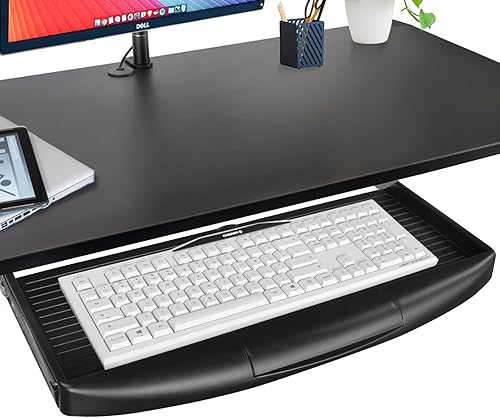
TooCust 22"Wx11"D Under Desk Keyboard Tray Slide: Best for small tabletops
- 22 x 11 in tray
- Fits keyboards up to 19 x 8 in
- Steel ball bearing glide tracks
- Clamp mount
A compact 22-inch tray for tabletops at least 24 by 15 inches. It fits keyboards up to 19 by 8 inches and leaves extra room for pens and small items.
Pros
- Smallest footprint in this roundup
- Steel ball bearing tracks
- Keeps the enclosed compartment from sliding off
Cons
- Tight for wide keyboards
- Plastic tray at 3.14 lb
This tray suits a small tabletop or a compact work area. It measures 22 x 11 inches and is the smallest tray in this roundup.
TooCust says it is ideal for a tabletop no smaller than 24 x 15 inches.
It fits most keyboards below 19 x 8 inches. That covers compact and standard keyboards, but not wide gaming or split models.
Extra space remains for pens and small stationery items.
Smooth steel ball bearing glide tracks let it slide out for use and back under the desk when you stop. An enclosed compartment helps prevent the keyboard from sliding off the tray.
The trade-off is material and size. At 3.14 lb with a plastic tray, it is lighter and less rigid than the steel models here.
TooCust says it is compatible with more kinds of tables than other clamp models, but you should still check your tabletop size and any crossbars before you order.
Mount-It! Under Desk Keyboard Tray with Wrist: Best for longest pull-out reach
- Slides out 15 in
- 17.25 in steel track
- Height up to 5.5 in
- Tilts +20 to -25 degrees and swivels 360 degrees
A screw-on tray that slides out a full 15 inches on a 17.25-inch steel track. A locking knob sets height up to 5.5 inches, tilt from +20 to -25 degrees and a full 360-degree swivel.
Pros
- Longest pull-out in this roundup
- Gel wrist pad and padded mouse platform
- Lifetime manufacturer warranty
Cons
- Requires screws, wood or MDF only
- 20.5-inch width is compact
This tray suits buyers who want the longest pull-out and full adjustment. It slides out 15 inches on a 17.25-inch steel track.
That reach is far longer than the 8.5-inch pull-out on most clamp-on trays here.
A single locking knob adjusts height up to 5.5 inches, tilt from +20 to -25 degrees, and swivel through a full 360 degrees. You can set the tray once and leave it in place for daily use.
A soft gel wrist pad runs along the tray. The separate 7 x 9.25 inch mouse platform carries its own padded wrist support and mounts on either side for right- or left-handed setups.
The trade-off is mounting. A steel bracket bolts to the underside of the desk with included screws.
Mount-It! says it is built for wood or MDF desktops only, not glass, metal or crossbar desks. It also carries a lifetime manufacturer warranty, which is longer than the warranty terms on most trays here.
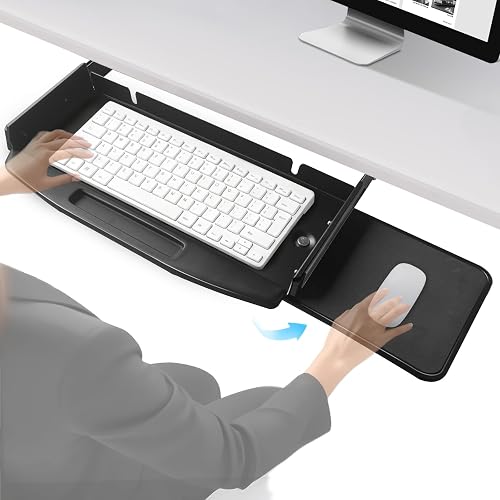
Ciao Stilista Solid Steel Under Desk Keyboard Tray: Best for solid steel construction
- 28 x 11 in steel tray
- 1 mm thick steel plate
- 360-degree rotating mouse platform
- 3 height settings up to 1.4 in
A 28-inch tray made of 1 mm steel plate with a rotating mouse platform. It slides on 14-inch galvanized tracks and offers three height settings up to 1.4 inches.
Pros
- Steel tray instead of plastic
- Mouse platform rotates and tucks away
- Quiet, low-friction tracks
Cons
- Requires drilling pilot holes
- Not for glass, marble or desks with drawers
This tray suits buyers who want steel instead of plastic. It is made of 1 mm thick premium steel plate.
Ciao Stilista says the steel build is more stable and durable than plastic material.
The tray measures 28 x 11 inches. A 360-degree rotating mouse platform swings out for use and tucks under the tray when you stop.
That design keeps the mouse within reach without giving up keyboard width.
It slides on 14-inch galvanized tracks for low-friction, quiet operation. Height adjustment offers 3 preset settings up to 1.4 inches.
That range helps match your ergonomic needs for varied desk thicknesses.
The trade-off is installation. It uses screws and needs drilling for pilot holes, with about 15 minutes of assembly.
Ciao Stilista says it is not compatible with glass, marble or desks with drawers. If you cannot drill, a clamp-on tray is the better choice.
How do these pull out keyboard trays compare side by side?
The VIVO 27-inch and BONTEC trays lead on score because they fit the most desks and hold standard keyboards well. The HUANUO and extra-large VIVO follow close behind on adjustment and width.
The Mount-It! and Ciao Stilista score lower because they need screws, even though their reach and build are strong.
Choosing by your desk is faster than choosing by features. A clamp-on tray suits a desk you do not want to drill.
A screw-on tray gives a firmer mount and often a longer slide. Our best keyboard trays adjustable under desk roundup covers the models with the widest height and tilt range.
| Product | Best for | Tray Size | Mounting | Max Extension | Our score |
|---|---|---|---|---|---|
| VIVO Black Clamp-on 27 x 11 in | most standard desks | 27 x 11 in | C-clamp | 8.5 in | 9.7 |
| BONTEC Under Desk Keyboard Tray | thicker desktops | 25.6 x 11.8 in | C-clamp | Pull-out platform | 9.7 |
| HUANUO Under Desk Keyboard Tray | tilt and swivel adjustment | 25 x 9.84 in | Under-desk bracket | Full slide-out | 9.6 |
| VIVO Black Extra Large Clamp-on 34 x | wide keyboards | 33.9 x 11 in | C-clamp | 8.5 in | 9.6 |
| AX WABER Keyboard Tray Under Desk Pull Out | mid-size desks on a budget | 27.3 x 11 in | C-clamp | 5.7 in | 9.5 |
| Kensington Keyboard Tray Under Desk | named height settings | 24.5 x 11.75 in | Under-desk drawer | Easy-glide drawer | 8.8 |
| TooCust 22"Wx11"D Under Desk Keyboard Tray Slide | small tabletops | 22 x 11 in | Clamp | Slide-out | 8.5 |
| Mount-It! Under Desk Keyboard Tray with Wrist | longest pull-out reach | 20.5 x 11 in | Screw-on steel bracket | 15 in | 8.3 |
| Ciao Stilista Solid Steel Under Desk Keyboard Tray | solid steel construction | 28 x 11 in | Screw-on | Slide-out on 14 in tracks | 8.0 |
How we compared these trays
We compared the specs, features and buyer feedback for each model. We checked tray size, pull-out distance, desktop thickness limits and mounting method against what most buyers need.
We looked for honest limits in each product, such as beveled-edge bans and crossbar clearance. A tray with clear limits is easier to buy for, because you can measure your desk and match it.
Our score weighs specs, features and buyer feedback against what you are shopping for. Ties at 9.7 reflect that the VIVO and BONTEC trays serve different desks equally well.
The VIVO 27-inch tray covers more standard desks, so it appears first.
How thick is your desktop, and does that rule out clamp-on trays?
Your desktop thickness is the first filter. The VIVO trays clamp to desktops up to 1.25 inches thick.
The AX WABER fits up to 1.9 inches, and the BONTEC fits up to 1.97 inches.
What to measure before you order
Measure the desktop thickness at the front edge, where the clamps sit. Also check that the front edge is square and level, with a smooth upper and lower surface.
A beveled or rounded edge will stop most clamp-on trays in this roundup.
When screws make more sense
Screw-on trays, such as the Mount-It! and Ciao Stilista, do not depend on desktop thickness in the same way. They do depend on the underside material.
The Mount-It! is for wood or MDF only. The Ciao Stilista is not for glass, marble or desks with drawers.
How wide is your keyboard, and how much tray width do you need?
Most standard keyboards need a tray between 25 and 27 inches wide. The VIVO 27-inch, AX WABER 27.3-inch and BONTEC 25.6-inch trays cover that range with room for a mouse.
When you need an extra-wide tray
A wide gaming keyboard or a split ergonomic keyboard may need more. The VIVO extra-large tray gives you 33.9 inches.
The Kensington drawer also fits oversize and ergonomically shaped keyboards in its 24.5-inch inner drawer.
Why depth matters as much as width
Depth decides how much mouse room you get. The BONTEC gives 11.8 inches of depth.
The HUANUO gives 9.84 inches, which is tighter for a large mouse. Check your mouse size against the tray depth before you order.
How far do you want the tray to pull out?
Pull-out distance decides how far the keyboard sits from the desk edge. The AX WABER extends 5.7 inches.
The VIVO trays extend 8.5 inches. The Mount-It! extends 15 inches.
What a longer slide does for you
A longer slide puts the keyboard lower and closer to your lap. That can help your shoulders keep a more natural position during long typing sessions.
If you have ongoing pain, talk to a doctor about your setup.
What a shorter slide does for you
A shorter pull-out suits a shallower desk or a desk with less legroom. It also keeps the tray more stable under a heavy keyboard.
Most buyers will be happy with 8.5 inches of reach.
Does your desk have a corner, a curve or a crossbar underneath?
A corner, curve or crossbar can block a tray that would otherwise fit. The BONTEC will not work with curved, beveled or rounded edges, or crossbars underneath.
The VIVO trays also ban beveled edges.
Desks with a corner
A corner desk often has a support post or a tight turn under the top. Our best keyboard tray corner desk guide covers layouts that need a different approach.
The HUANUO tray, with its 180-degree swivel, can also help you face a second screen from a corner setup.
Desks with a curved front
A curved front edge breaks the flat clamp line that most trays here need. Our best keyboard tray for curved desk guide covers trays built for that shape.
Do not force a clamp-on tray onto a curved edge.
Desks with a crossbar
Check under your desk for any bar near the front edge. The HUANUO needs 14.17 inches of clearance to a crossbar, or 16.22 inches for a full slide-under.
The Kensington needs 31 to 33 inches of total width underneath.
Do you want storage in the tray, or just typing space?
Most trays here give you typing space only. The Kensington drawer is the exception, with a wrist rest, mouse pad and cable management built in.
If storage matters more, our best keyboard tray with drawer guide covers drawer models.
What the Kensington drawer gives you
The Kensington includes a wrist rest and mouse pad in the box. It fits oversize keyboards and mounts at four heights.
That mix suits a buyer who wants a complete drawer in one unit.
What the other trays give you
The VIVO, BONTEC and AX WABER trays hold a keyboard, mouse and small accessories. The TooCust tray leaves extra space for pens and small stationery.
None of these add a separate storage drawer.
Which pull out keyboard tray should you buy?
Pick the VIVO Black Clamp-on 27 x 11 in if your desk is flat, square-edged and no thicker than 1.25 inches. It is the best all-round pull out keyboard tray for a standard desk.
Pick the BONTEC if your desktop runs thicker, up to 1.97 inches. Pick the HUANUO if you need swivel, tilt and height adjustment.
Pick the Mount-It! if you want a 15-inch slide-out and do not mind screws.
Pick the VIVO extra-large tray for a wide keyboard. Pick the TooCust for a small tabletop.
Pick the Ciao Stilista if you want a solid steel tray and can drill pilot holes.
Measure your desk thickness, clear width and any crossbar clearance first. Then match those numbers to the tray limits above.
That order will save you a return and get you a tray that slides smoothly from day one.
Our top 3 picks at a glance
-
1
-
2
-
3
Best for tilt and swivel adjustment
HUANUO Under Desk Keyboard Tray
9.6/10 our score
See it on Amazon
Frequently asked questions
What size pull out keyboard tray fits a standard keyboard?
A 25 to 27 inch tray fits most standard keyboards with room for a mouse beside them. Check your keyboard width first and add at least 6 inches for a mouse.
The VIVO 27-inch and BONTEC 25.6-inch trays cover the usual range.
Do clamp-on trays work on thick desks?
Some do. The BONTEC clamps fit desks up to 1.97 inches thick and the AX WABER up to 1.9 inches.
The VIVO trays top out at 1.25 inches, so measure your desktop thickness before you order a clamp-on model.
Can a pull out keyboard tray go under a curved desk?
Most in this roundup cannot. The BONTEC and VIVO trays need a flat, straight edge with a level underside.
If your desk curves at the front, look for a tray built for that shape instead of forcing these models to fit.
How far should a keyboard tray pull out?
An 8.5 inch pull-out, like the VIVO trays, gives enough reach for a keyboard and mouse in front of a monitor. The Mount-It! pulls out 15 inches for a longer reach.
Shorter pull-outs near 5.7 inches suit shallower desks.